Best 5 VPN for Tor Browser in 2026: Maximum Anonymity Setup
- Table of Contents
- What are the Essential VPN Functions and Advanced Security Features for Tor Users?
- The Best VPN for Tor Reviewed
- 1. NordVPN -- Best Overall VPN for Tor Browser
- 2. Surfshark -- Best Budget Option for Tor Users
- 3. ExpressVPN -- Fastest Speeds Through Tor
- 4. CyberGhost -- Best for Streaming Through Tor
- 5. Proton VPN -- Best Privacy Pedigree for Tor
- Methodology: How I Tested the Top VPNs for Tor
- What is the Tor Network and What Are its Vulnerabilities?
- Why Should You Use a VPN with Tor? Understanding the Security Layers
- The Problem With Free VPNs and Tor
- How to Set Up and Configure Your VPN for Tor Use
- How to Verify Your VPN + Tor Setup is Working Correctly
- Conclusion
- Tor VPN FAQs

Quick Summary: Best VPNs for Tor Browser
NordVPN stands out for Tor because its built-in Onion over VPN servers take the hassle out of setup. You just connect, and your traffic is automatically routed through both the VPN and Tor. The kill switch worked reliably in testing, and speeds stayed steady thanks to NordLynx, which is impressive given the extra layers of encryption involved.
Why You Should Use a VPN with Tor Browser:
- Your ISP sees everything. Without a VPN, your ISP knows you’re using Tor, which is like putting a “I have something to hide” sign on your internet traffic and can lead to speed throttling from less scrupulous ISPs.
- Tor nodes can be compromised. Government agencies and cybercriminals have been caught running malicious Tor nodes to identify users, but they’ll only see your VPN’s IP.
- Some countries criminalize Tor usage. Using Tor alone in certain jurisdictions (like China, Iran and Russia) can land you on a watchlist or worse, while VPN usage is typically legal (or at least harder to detect).


You might think Tor alone provides bulletproof anonymity. After testing five top VPNs with Tor Browser, I discovered that assumption could get you into serious trouble. Your ISP can still see you’re using Tor, raising red flags in certain countries or networks. Worse, malicious exit nodes can potentially monitor your traffic if you’re not careful about your setup.
Using VPN and Tor creates what security experts call “defense in depth.” It’s the digital equivalent of taking two different taxis to lose a tail, except the first taxi driver doesn’t know where you’re ultimately going and the second doesn’t know where you came from. Sure, it might seem like overkill, but when your privacy is at stake, redundancy is your best friend.
What are the Essential VPN Functions and Advanced Security Features for Tor Users?
When I put these VPNs through their paces with Tor, certain features proved critical while others were marketing fluff. The kill switch, for instance, isn’t negotiable. During testing, I yanked ethernet cables, force-closed apps and generally tortured these VPNs to see if they’d leak my real IP. The good ones held firm. The bad ones get you deanonymized faster than you can say “correlation attack.”
Beyond the basics, these core VPN features separate true privacy tools from the pretenders:
- RAM-only servers: These wipe all data on reboot, so even if a server is seized, there’s nothing stored to recover.
- Obfuscation technology: Disguises VPN traffic as regular traffic to slip past deep packet inspection and censorship blocks.
- Perfect forward secrecy: Uses new encryption keys every time you connect — even if someone manages to crack one session key, all your past activity is still protected.
- Jurisdiction location: VPNs based outside the 14 Eyes surveillance alliance aren’t legally bound to share data with intelligence networks.
- Protocol options: Modern protocols like WireGuard or NordLynx usually perform better with Tor than older options like OpenVPN.
The Best VPN for Tor Reviewed
I spent weeks testing Tor Browser sessions and connecting to the dark web, measuring speeds across multiple hops and verifying security features using Wireshark. Here’s how the top VPNs performed.
| Provider: | Price | No-Logs Policy | Kill Switch | Onion over VPN | Jurisdiction | Speed |
|---|---|---|---|---|---|---|
| NordVPN | $3.09/mo | Audited | Yes* | Yes | Panama | Fast |
| Surfshark | $1.99/mo | Audited | Yes | No | Netherlands | Good |
| ExpressVPN | $3.49/mo | Audited | Yes | No | BVI | Excellent |
| CyberGhost | $2.19/mo | Audited | Yes | No | Romania | Moderate |
| ProtonVPN | $3.59/mo | Audited | Yes | Yes** | Switzerland | Good |
**Tor servers
1. NordVPN — Best Overall VPN for Tor Browser
- Multi-level kill switch blocked all leaks
- NordLynx protocol kept speeds usable via Tor
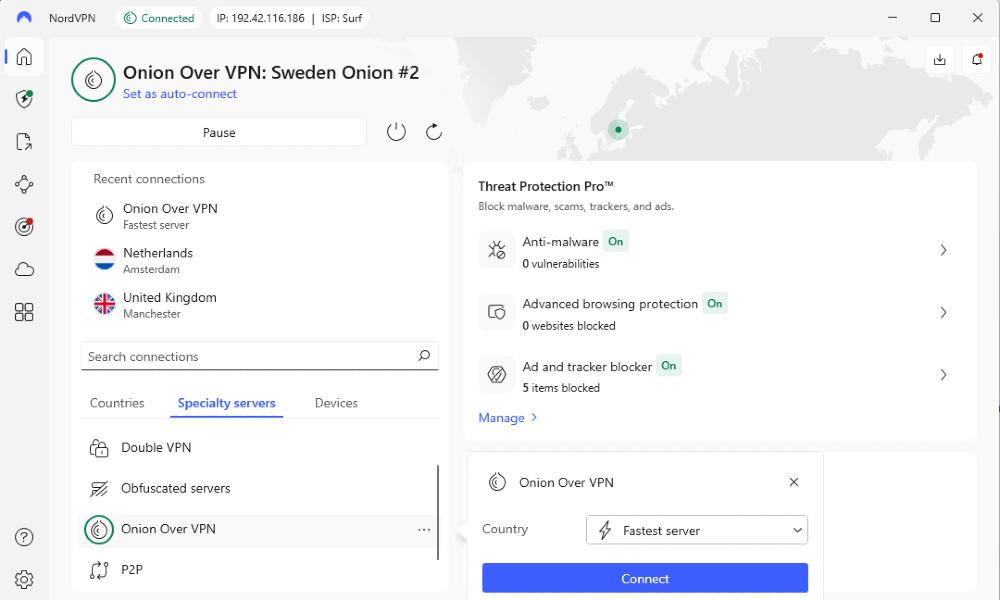
- Built-in Onion over VPN servers remove the need for manual setup
- Desktop interface feels a bit cluttered
- Onion over VPN servers available in select countries
If you want Tor and VPN protection without endless configuration menus or technical rabbit holes, NordVPN is your best bet. Its Onion over VPN servers do all the heavy lifting: just click once, and suddenly you’re traveling through both the VPN and Tor networks in tandem. There’s no extra setup, no messing around with bridges or manual routing.
During testing with my baseline 295 Mbps connection, NordVPN’s nearby servers maintained 276 Mbps (just a 7% drop), though adding Tor naturally tanks this to about 15-20 Mbps. It’s still usable for browsing but a reality check on what multiple encryption layers do to speed.
What really impressed me was NordVPN’s kill switch. When I force-closed the app, the kill switch worked flawlessly, sealing off my data like a reflex. Even its app-level option was surprisingly good, working as intended and closing the apps I’d linked to it. You can read our NordVPN review to learn more.
2. Surfshark — Best Budget Option for Tor Users



- Excellent pricing
- Clean, intuitive interface
- Unlimited device connections
- No dedicated Tor features or servers
- Upload speeds dropped sharply on most servers
Surfshark offers something unique: unlimited simultaneous connections. This means you can run Tor Browser on every device in your house without worrying about connection limits. The interface is refreshingly simple compared to NordVPN’s kitchen-sink approach, making it less intimidating for Tor newcomers.
Here’s where things get weird though. During my tests of nearby servers, only the Bulgaria server gave me decent upload speeds (85 Mbps). Every other nearby server, including Albania, Serbia and Greece, dropped uploads to under 3 Mbps despite being geographically similar distances.
For Tor usage where upload speeds matter less, this might not be deal-breaking, but it’s something to consider if you’re doing anything bidirectional through Tor. You can take a look at our Surfshark review for more in-depth details.
3. ExpressVPN — Fastest Speeds Through Tor


- Up to 14 simultaneous connections
- Lightway protocol delivers best speeds
- Rock-solid reliability with zero connection drops
- Most expensive option
- Not many customization options
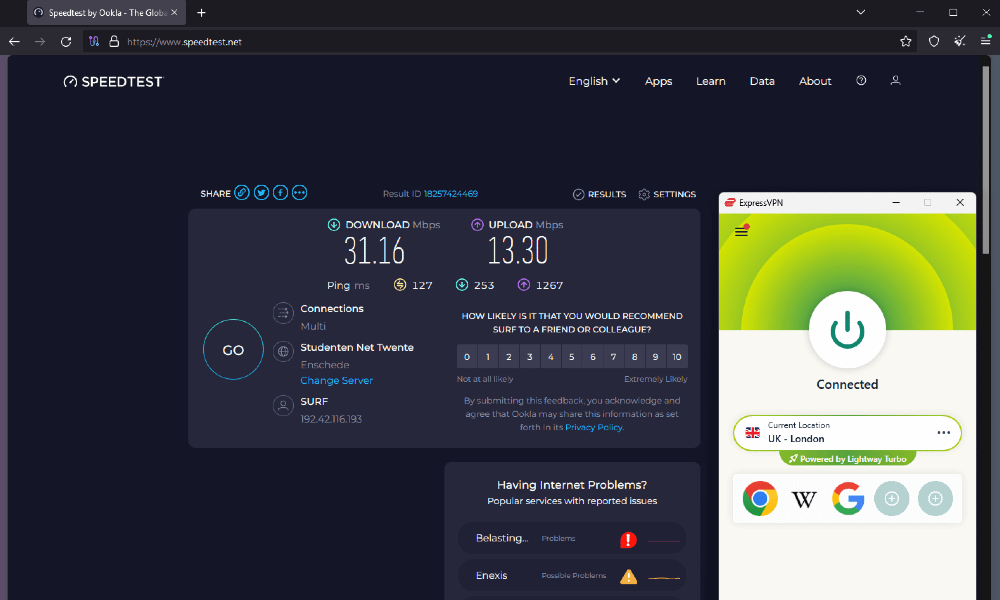
ExpressVPN is one of the pricier options, but if speed through Tor is your priority, it delivers. The proprietary Lightway protocol outperformed every other VPN when adding Tor’s additional hops. I measured 276 Mbps on nearby servers (down from a baseline 295 Mbps), which translated to actually usable Tor speeds around 25-30 Mbps.
ExpressVPN’s interface is clean and easy to use, making it ideal for beginners. You won’t experience random disconnections or weird routing issues – just consistent performance that justifies the premium price. However, it might be a bit basic for advanced users as it doesn’t have the customizability of some competitors. Read more in our ExpressVPN review.
4. CyberGhost — Best for Streaming Through Tor
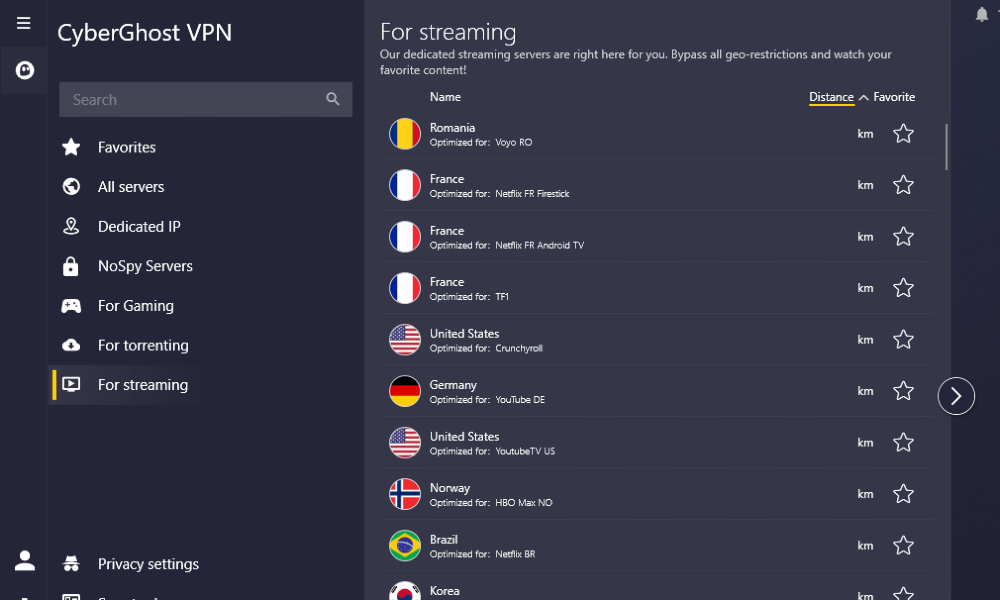


- Dedicated streaming servers
- 45-day money-back guarantee
- Smart Rules automate VPN+Tor connections
- Slower speeds make Tor browsing sluggish
- Kape Technologies ownership raises privacy concerns
CyberGhost markets heavily toward streamers, and it lives up to its promises. During tests, I could easily access all major streaming platforms with its optimized servers. However, streaming through Tor is like streaming through a kaleidoscope made of molasses, so be prepared to wait while your content buffers.
The Smart Rules feature is a clever touch, letting you automate VPN+Tor connections so the VPN connects when you launch Tor. It’s convenient, but setup is a little tricky – you have to find the exact Tor .exe file instead of simply picking it from a list. Still, once it’s in place, it runs smoothly.
My main hesitation with CyberGhost comes from its Kape Technologies ownership. Kape is a company with a sketchy past that makes me question its privacy commitment, although it has several independent audits under its belt. Find out more in our CyberGhost review.
5. Proton VPN — Best Privacy Pedigree for Tor


- Free tier
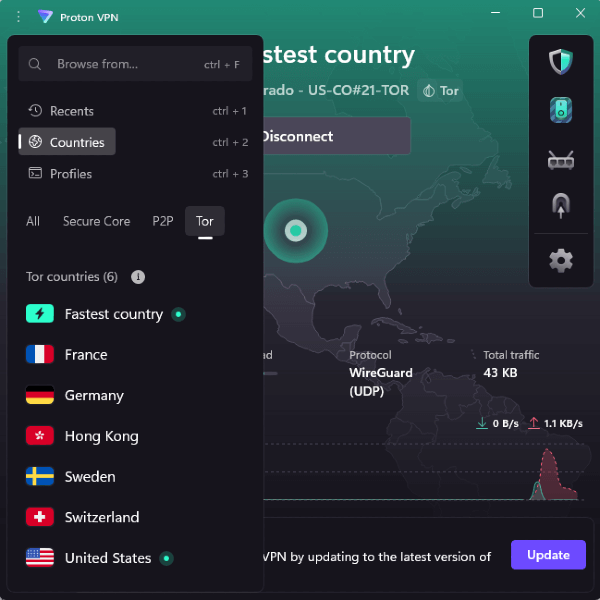
- Tor over VPN servers built into infrastructure
- Swiss jurisdiction offers strongest privacy laws
- Limited server network
- More expensive than similar options
Proton VPN comes from the Proton Mail team, which gives it instant credibility in privacy circles. The Tor over VPN servers work similarly to NordVPN’s but with the added benefit of Swiss privacy laws protecting your data. The free tier is usable for testing your Tor setup, though speeds are limited enough that you’ll want to upgrade for regular use.
What I appreciate most about Proton VPN is its transparency. It publishes detailed information about infrastructure, security measures and its warrant canary is prominently displayed. For Tor users who prioritize privacy over speed or features, Proton VPN offers peace of mind that cheaper options can’t match. Read more in our Proton VPN review.
Methodology: How I Tested the Top VPNs for Tor
Testing VPNs for Tor compatibility requires more than just checking if they work together. I spent three weeks putting each service through rigorous testing that would make a paranoid security researcher proud. Here’s what I did to assess each service:
- Kill Switch Reliability: I force-closed apps, pulled the Ethernet cable and simulated dropouts while monitoring in Wireshark to confirm zero IP leaks.
- Speed Testing: I recorded my baseline speed, then measured VPN-only and VPN+Tor speeds across multiple server locations.
- DNS Leak Detection: I ran continuous leak tests while connected to the Tor network using sites like ipleak.net.
- Obfuscation Effectiveness: I tested whether VPN traffic was detectable on networks that typically block VPNs.
- Tor Integration: I verified both Tor-over-VPN and VPN-over-Tor configurations work correctly with each provider.
What is the Tor Network and What Are its Vulnerabilities?
Tor (The Onion Router) network routes your traffic through three random servers, encrypting it at each step (like the layers of an onion) before it reaches its destination. It’s brilliant technology originally developed by the U.S. Navy, which is ironic considering how it’s often used to avoid government surveillance.
But despite Tor being safe to use, it isn’t perfectly anonymous. Your ISP can see you’re using Tor even if they can’t see what you’re doing, which is like wearing a ski mask to the grocery store – technically legal but definitely suspicious.
Malicious exit nodes can potentially see your unencrypted traffic, and timing correlation attacks can theoretically deanonymize users when adversaries control both entry and exit points.
Why Should You Use a VPN with Tor? Understanding the Security Layers
Using a VPN with Tor addresses several critical vulnerabilities that exist when using either technology alone. Think of it as the difference between a deadbolt and a deadbolt plus a security system: redundancy matters when the stakes are high.
A properly configured VPN+Tor setup provides these essential benefits:
- ISP blindness: Your ISP only sees VPN traffic, not Tor usage.
- Entry guard protection: If Tor entry nodes are compromised, attackers only see the VPN server IP.
- Jurisdiction shopping: Route through privacy-friendly countries before entering Tor.
- Kill switch protection: The VPN kill switch prevents accidental clearnet exposure if Tor fails.
The Problem With Free VPNs and Tor
Running Tor through most free VPNs is like putting your house key in one of those fake rocks everyone knows about: you’ve added a security layer that actually makes you less secure. Free VPNs need to make money, and if you’re not paying with cash, you’re paying with data. I’ve seen free VPNs inject ads, sell browsing history and even install malware.
Combining a sketchy free VPN with Tor doesn’t double your privacy; it doubles your attack surface. You’re trusting both your VPN provider and the Tor network, so if that VPN is harvesting your data or cooperating with authorities, you’ve decreased your anonymity while thinking you’ve increased it.
That said, there are a handful of safe free VPNs that I’d recommend, though most come with usage limits on their free plans that make them bad fits for any consistent activity. I already mentioned Proton VPN in the list above, but PrivadoVPN, TunnelBear and Windscribe are other trustworthy free VPNs.
How to Set Up and Configure Your VPN for Tor Use
The order of operations matters more than most people realize. VPN-then-Tor hides your Tor usage from your ISP but means trusting your VPN provider. Tor-then-VPN hides your VPN usage from entry guards but can break some Tor functionality.
For most users, VPN-then-Tor offers the best balance:
- Sign up for a VPN, download the installer for your device and install the VPN client.
- Connect to your VPN using a server in a privacy-friendly jurisdiction.
- Verify VPN connection by checking your IP address has changed.
- Enable the kill switch in your VPN settings to prevent leaks.
- Launch Tor Browser normally without changing any settings.
- Verify both connections at check.torproject.org.
- Test for DNS leaks at dnsleaktest.com through Tor Browser.
- Begin browsing with both protection layers active.
How to Verify Your VPN + Tor Setup is Working Correctly
Trust but verify should be your mantra when combining privacy tools. Testing your setup takes just a few minutes and can prevent serious privacy leaks.
- Start by checking your current IP address on whatismyipaddress.com before connecting anything.
- Connect to your VPN and make sure the IP now shows your VPN’s server location.
- Open the Tor Browser and head to check.torproject.org. You should see a message that says “Congratulations. This browser is configured to use Tor.”
- Confirm that the IP shown belongs to a Tor exit node, not your VPN server.
- Run a DNS leak test to be certain no requests are slipping outside the encrypted tunnel.
- Finally, make a quick note of your working setup so you can reproduce it safely next time.
Conclusion
After weeks of testing, NordVPN stands out as the best VPN for Tor users. Its dedicated Onion over VPN servers, dependable kill switch and steady speeds make privacy effortless rather than experimental. That said, every VPN on this list will give your anonymity a boost compared to using Tor on its own.
What does your Tor setup look like? Are you one of those brave souls using Tor without a VPN, trusting exit nodes run by who-knows-who? Or do you already have a triple-layered configuration worthy of Edward Snowden’s approval? Let us know in the comments, and thank you for reading.
Tor VPN FAQs
Is It Illegal to Use Tor?
Using Tor is legal in most countries, including the United States and European Union. However, some authoritarian regimes ban or restrict Tor usage, including China, Iran and Russia, where you’ll need bridges to connect.Can My ISP See If I’m Using Tor?
Yes, your ISP can detect Tor traffic patterns even though they can’t see what you’re doing. Using a VPN first hides Tor usage completely, making your traffic appear as standard VPN traffic instead.Which VPN Is Best for The Dark Web?
NordVPN makes dark web access straightforward with its built-in Onion over VPN servers — no manual setup required. Proton VPN is the best free option, offering the extra reassurance of Switzerland’s strict privacy laws.
Leave a Reply