The Best VPN for Colombia in 2026
- Table of Contents
- How to Choose the Best VPN for Colombia
- The 8 Best Colombia VPN Services
- 1. NordVPN -- Best Overall VPN for Colombia
- 2. Surfshark -- Best Value for Multiple Devices
- 3. Proton VPN -- Best for Privacy-Conscious Users
- 4. ExpressVPN -- Premium Performance at an Affordable Price
- 5. CyberGhost -- Best for Gaming from Colombia
- 6. PrivadoVPN -- Best Free Option for Connecting Outside Colombia
- 7. Windscribe -- Free Plan with Caveats
- 8. hide.me -- Privacy-First for Colombia
- How to Connect to a VPN Colombia Server & Get an IP Address
- Why Use a VPN in Colombia
- Conclusion
- FAQ: VPN Colombia

Quick Summary: Best VPN for Colombia
NordVPN takes the top spot with servers in Colombia that actually work when you need them. Try NordVPN risk-free for 30 days.
- NordVPN — Fast Colombian servers with consistently stable connections and streaming that actually works.
- Surfshark — Unlimited connections make it perfect for families, though upload speeds can be frustrating.
- Proton VPN — Swiss privacy with Colombian servers, surprisingly fast for a privacy-focused service.
- ExpressVPN — Premium speeds but you’re paying extra just for the name at this point.
- CyberGhost — Gaming-optimized servers worked well, but its malware-blocking doesn’t work well.
- PrivadoVPN — Budget-friendly option with decent speeds for basic browsing.
- Windscribe — Generous free plan but streaming quality drops to unwatchable levels.
- hide.me — Strong privacy features but limited Colombian server options.


You need a VPN with real servers in Colombia if you’re in the country and have trouble accessing Colombian content or if you’re traveling abroad and need a Colombian IP. Not all VPNs offer servers in the country.
The internet in Colombia is interesting. In big cities like Bogotá and Medellín, your speeds are pretty good. But when you try to access international content or need to look Colombian from outside the country, things get tricky. I spent weeks testing the top VPNs to see how well they worked for Colombians, and the results were more varied than I anticipated.
All eight VPNs in this article offer servers in or near Colombia, money-back guarantees, and support for multiple devices.
- Money-Back Guarantee30 DaysWorldwide Server AmountOver 5,400+ servers in 59 countries
- Money-Back Guarantee30 DaysWorldwide Server Amount1700+ Servers in 63 Countries
- Money-Back Guarantee30 DaysWorldwide Server Amount1500 Servers in 61 Countries
- Money-Back Guarantee30 DaysWorldwide Server AmountOver 3,000 servers in 105 countries
- Money-Back Guarantee45 DaysWorldwide Server Amount7,300 Servers worldwide
- Money-Back Guarantee30 daysWorldwide Server Amount76 in 44 countries
- Money-Back Guarantee3 DaysWorldwide Server AmountServers in 55 Countries
- Money-Back Guarantee30 DaysWorldwide Server Amount2,000 servers in 75 countries













How to Choose the Best VPN for Colombia
Choosing a VPN for Colombia is more than just finding one that claims to have Colombian servers. Half of them route through virtual locations, slowing down your connection to dial-up speeds, while the other half cannot maintain a stable connection for more than 20 minutes.
- Actual Colombian server presence: Virtual servers are fine for some things, but when connecting to local banks or streaming Caracol TV from abroad, you need real hardware in Colombia.
- Speed consistency: Colombian internet infrastructure varies wildly by city, so your VPN must maintain speeds even when local networks become congested.
- Streaming reliability: If you’re trying to watch RCN Televisión or access Colombian Netflix from overseas, the VPN must consistently bypass geo-blocks.
- Mobile app quality: Most Colombians access the internet primarily through mobile, so the app should not be a battery-draining nightmare.
- P2P support: Torrenting regulations are murky in Colombia, so P2P-friendly servers give you options without risk of ISP throttling.
The 8 Best Colombia VPN Services
| VPN: | Colombian Servers | Best Price | Streaming | Device Connections |
|---|---|---|---|---|
| NordVPN | Yes | $2.99/month | Excellent | 10 |
| Surfshark | Yes | $1.99/month | Very Good | Unlimited |
| Proton VPN | Yes | $2.99/month | Excellent | 10 |
| ExpressVPN | Yes | $2.44/month | Excellent | Up to 14 |
| CyberGhost | Yes | $2.03/month | Good | 7 |
| PrivadoVPN | No | $1.11/month | Fair | 10 |
| Windscribe | Yes* | $5.75/month | Poor | Unlimited |
| hide.me | Yes | $2.49/month | Fair | 10 |
1. NordVPN — Best Overall VPN for Colombia
Stats:
- Best price: $2.99 per month
- Money-back guarantee: 30 days
- Website: www.nordvpn.com
- Fast speeds across the network
- Threat Protection blocks most malware
- Colombian servers provide reliable connections
- Cluttered app feels busy to look at
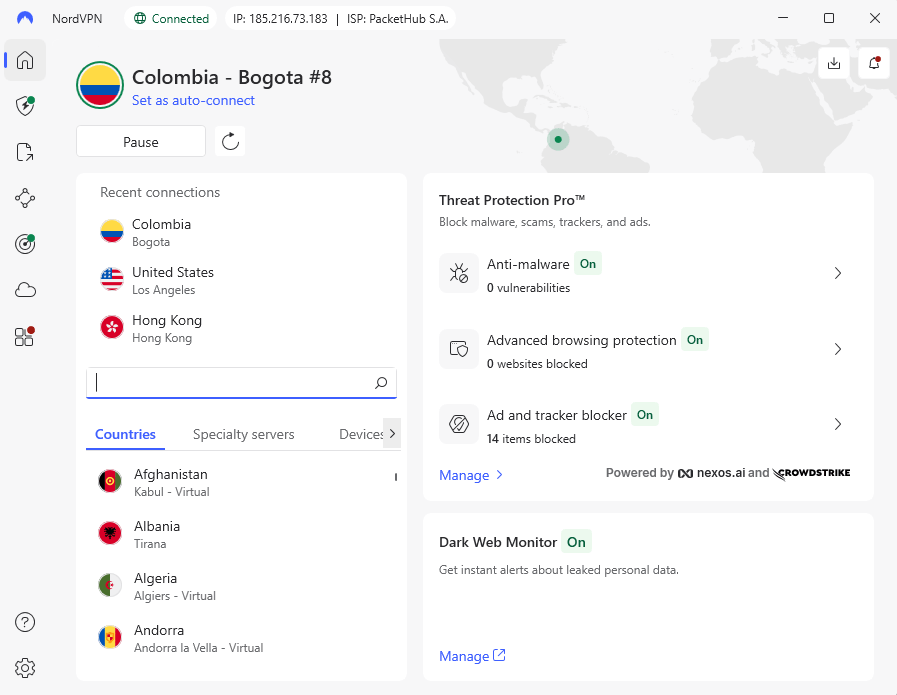
There are good reasons why NordVPN is the best VPN in Colombia. When I tested connecting to its Colombian servers from Europe, the performance was always good and didn’t drop when I tried to stream or download big files. The service has servers in several places in Colombia, while most VPNs only have one server in one location.
NordVPN’s ability to handle multiple connections at once was what impressed me the most. I connected ten devices at once, and the Colombian servers didn’t crash like I thought they would. Most VPNs start to have problems when you connect five or six devices, but NordVPN keeps working without dropping connections or noticeably slowing down.
My Experience With NordVPN: Hands-On Performance
I used NordVPN’s Colombian servers extensively, and every time I tried to connect to Colombian streaming services like Caracol Play and RCN Nuestra Tele, it worked perfectly. NordVPN is better than most of its competitors because it lets you stream in 1080p without buffering, which is better than forcing you down to 720p or lower.
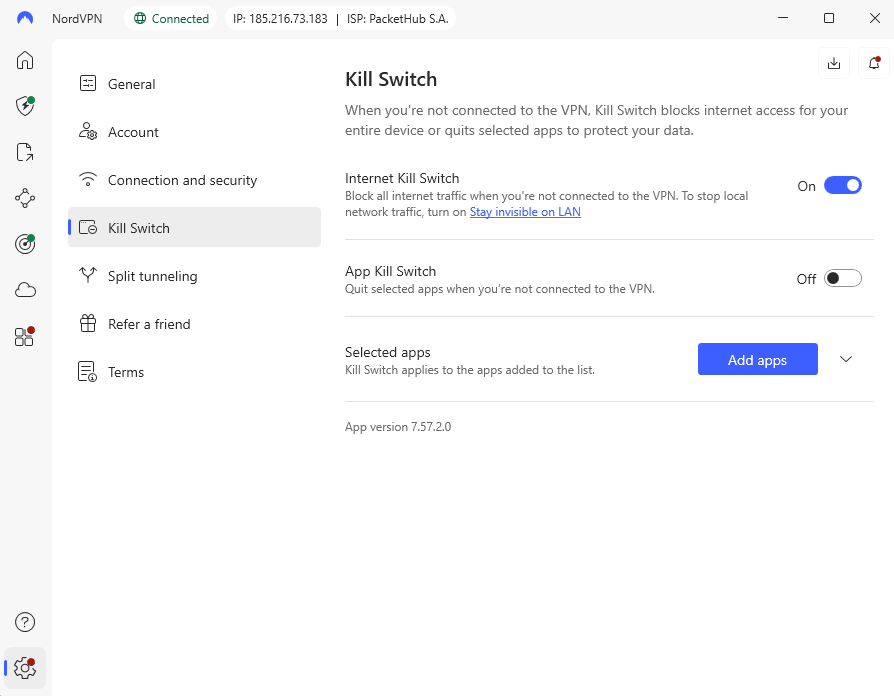
The kill switch worked just like it said it would. I pulled out my ethernet cable while I was connected, and my internet went down right away until I reconnected to the VPN. There were no leaks or visible traffic. That’s how it should work, but you’d be surprised at how many VPNs don’t pass this simple test.
NordVPN Test Results
I ran comprehensive tests on NordVPN’s Colombian servers to see how they perform under real-world conditions.
Speed Test Results:
| Location: | Download (Mbps) | Upload (Mbps) | Ping (ms) |
|---|---|---|---|
| Baseline | 293 | 94 | 3 |
| Colombia | 282 | 90 | 10 |
| Japan | 243 | <1 | 115 |
Even on the Japan server, the download speeds were remarkably consistent. While upload speed on long-distance servers was pretty poor, this is to be expected with transcontinental connections.
Streaming Test Results:
| Service: | Colombian Server | Status |
|---|---|---|
| Netflix Colombia | Yes | Working |
| Caracol Play | Yes | Working |
| RCN Nuestra Tele | Yes | Working |
| Amazon Prime Video | Yes | Working |
| Disney+ | Yes | Working |
There was no “VPN detected” error on any of the streaming services. That’s pretty rare.
NordVPN Pricing and Value
NordVPN is in the middle of the pack when it comes to price, with a two-year plan costing $2.99 per month. It’s not the cheapest way to get to Colombia, but you are paying for reliability and consistent performance. You can try it risk-free for 30 days with its money-back guarantee, or take a look at our NordVPN review for more information.
$2.99 per month (two-year plan + three months)
2. Surfshark — Best Value for Multiple Devices
Stats:
- Best price: $1.99 per month
- Money-back guarantee: 30 days
- Website: www.surfshark.com
- Unlimited simultaneous connections
- Rotating IP addresses for extra privacy
- Works well with streaming services worldwide
- Upload speeds can be frustratingly slow
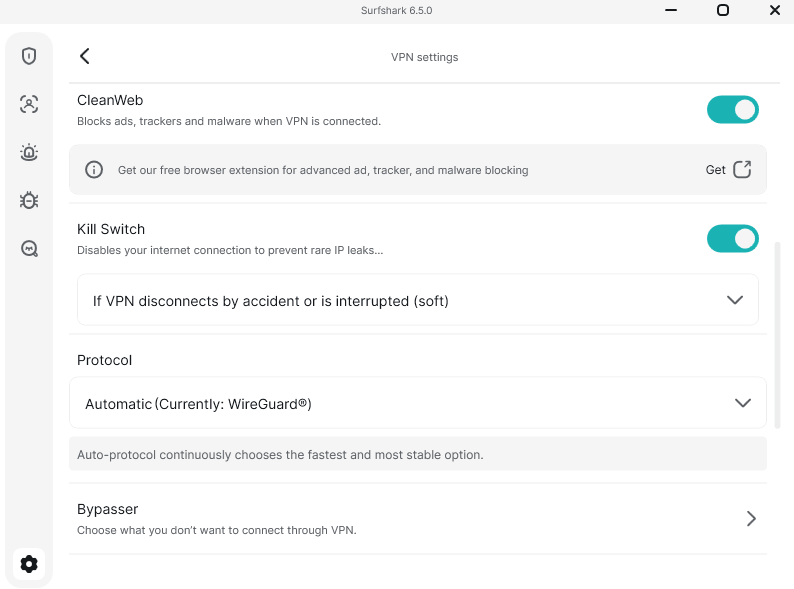
- CleanWeb malware blocker didn’t work well
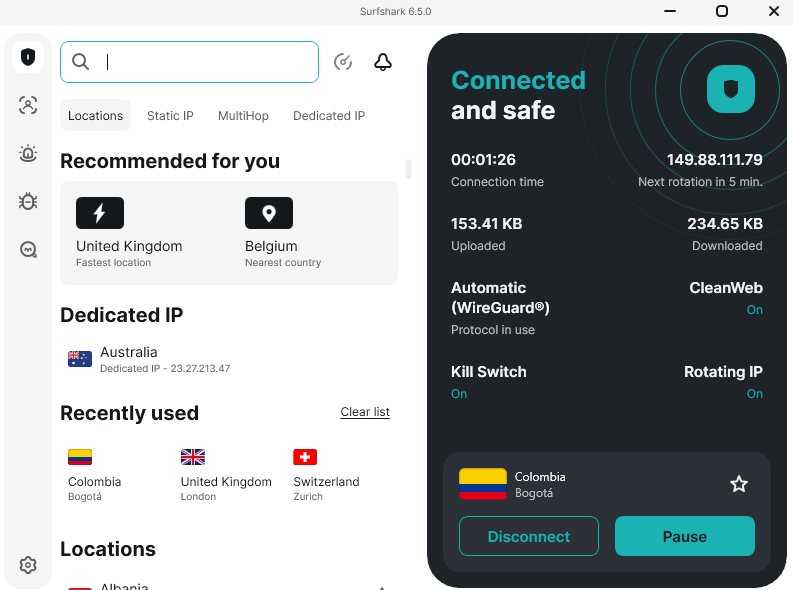
Surfshark is great for Colombian families who want to share one subscription because it lets you use as many devices as you want. I connected seven devices to nearby servers at the same time, and there was no noticeable drop in performance. The interface is simple and up-to-date, making it perfect for both new and experienced VPN users.
The Bypasser (split tunneling) feature worked flawlessly. You can choose whether certain apps use the VPN or not at all. This was helpful when I needed Colombian banking apps to work while everything else went through the VPN. Most banking apps go crazy when they see VPN connections, so this feature is important.
My Experience With Surfshark: Hands-On Performance
I noticed something annoying when I connected to Surfshark’s Colombian server from Europe. Upload speeds peaked at about 85 Mbps, while servers from other VPNs always got speeds of 90 Mbps or more. It may sound like nitpicking, but those 5-10 Mbps make a big difference when you upload big files or make video calls.
The Colombian servers worked well for streaming. I tried them out on all of the major Colombian streaming services, and I didn’t run into any problems or blocks. The video quality stayed consistently high, but I did see it drop to lower resolutions for short periods of time during the first few seconds of playback before going back to 1080p.
Surfshark Test Results
Speed Test Results:
| Location: | Download (Mbps) | Upload (Mbps) | Ping (ms) |
|---|---|---|---|
| Baseline | 290 | 94 | 2 |
| Colombia | 280 | 85 | 6 |
| Japan | 250 | 1.2 | 125 |
Streaming Test Results:
| Service: | Colombian Server | Status |
|---|---|---|
| Netflix Colombia | Yes | Working |
| Caracol Play | Yes | Working |
| RCN Nuestra Tele | Yes | Working |
| MAX | Yes | Working |
| Peacock+ | Yes | Working |
Surfshark unlocked every streaming service without issues. The video quality remained consistently high throughout testing.
Surfshark Pricing and Value
Surfshark is the best deal if you need to cover more than one device because it costs $1.99 a month for two years. For families or small businesses, the ability to connect an unlimited number of devices at the same time is worth the price on its own. All plans have a 30-day money-back guarantee, too. Find out more in our Surfshark review.
$2.49 per month (two-year plan + three months)
3. Proton VPN — Best for Privacy-Conscious Users
Stats:
- Best price: $2.99 per month
- Money-back guarantee: 30 days
- Website: www.protonvpn.com
- Swiss jurisdiction for top-tier privacy
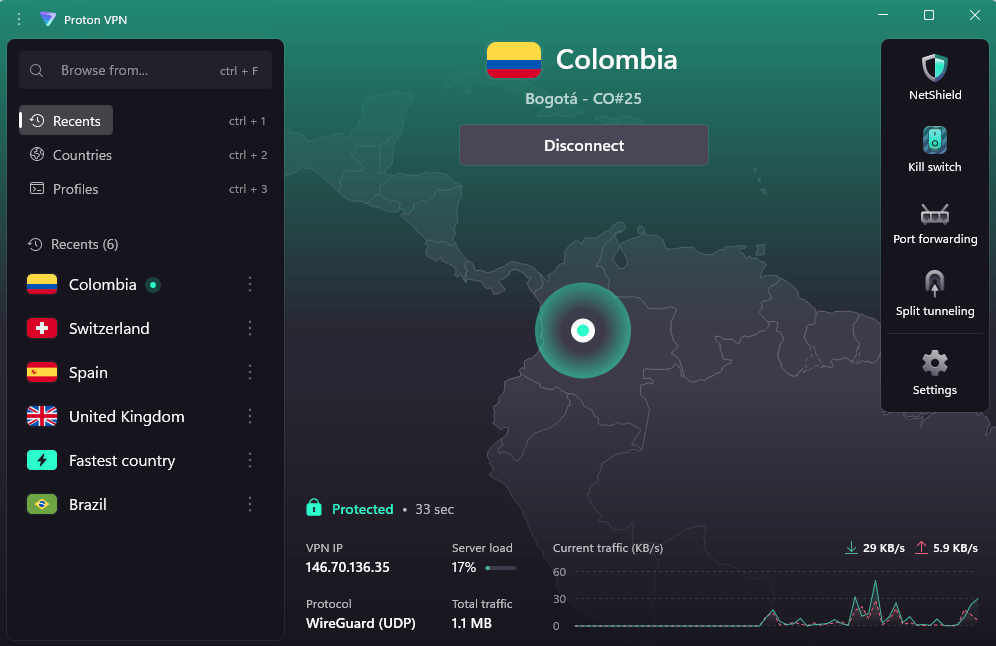
- NetShield blocks ads & trackers effectively
- Secure Core routing for extra protection when needed
- No full-disk encrypted servers
- Mobile app lacks some features, like custom DNS
I was surprised by how fast Proton VPN was, given that it puts privacy first. Many VPNs that are really into privacy end up slowing down, but Proton’s Colombian servers were still pretty fast. If you’re doing sensitive work, the company’s location in Switzerland gives you strong legal privacy protections.
I connected to Proton VPN’s Colombian server and got a download speed of 282 Mbps with only a small increase in ping time. That’s competitive with services that don’t care as much about privacy. The VPN Accelerator feature really did seem to speed things up, which is rare because most “speed boost” features are just marketing fluff.
My Experience With Proton VPN: Hands-On Performance
When I tested Proton VPN’s Colombian servers, they always worked well and didn’t slow down like some of its competitors did. The Stealth protocol worked well to get around network restrictions, but I couldn’t test it in places where there was a lot of censorship.
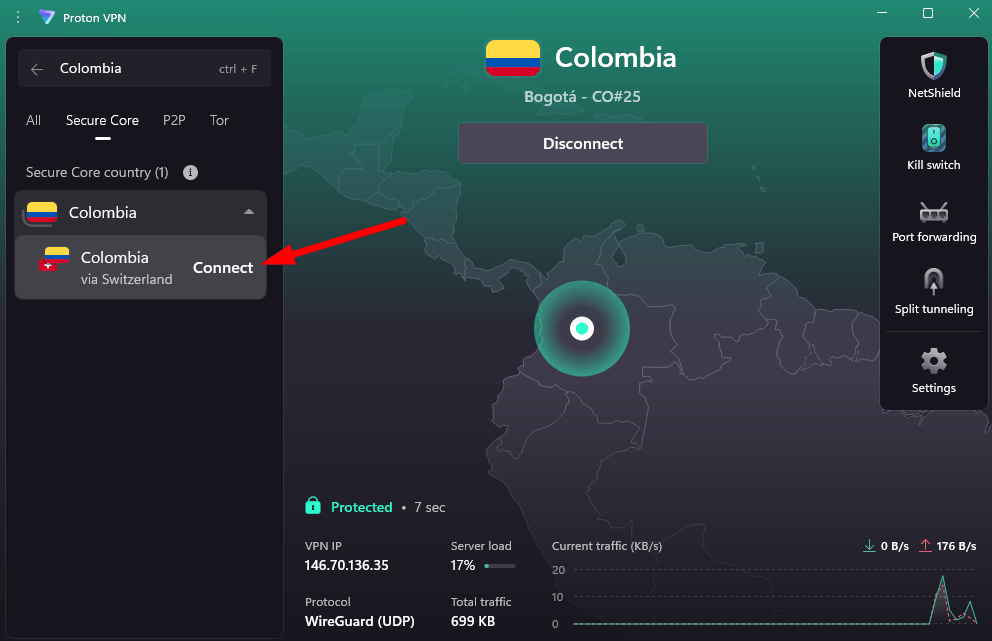
The Secure Core feature sends your traffic through countries that respect privacy before it gets to its final destination. As expected, it adds latency, but when I tested the France-via-UK connection, I was pleasantly surprised that speeds were still good enough for basic browsing and even streaming at lower resolutions.
Proton VPN Test Results
Speed Test Results:
| Location: | Download (Mbps) | Upload (Mbps) | Ping (ms) |
|---|---|---|---|
| Baseline | 293 | 94 | 24 |
| Colombia | 282 | 90 | 26 |
| Japan | 259 | <1 | 599 |
That Australia ping is absolutely brutal at 599 ms, making real-time applications basically unusable.
Streaming Test Results:
| Service: | Colombian Server | Status |
|---|---|---|
| Netflix Colombia | Yes | Working |
| Amazon Prime Video | Yes | Working |
| Hulu | Yes | Working |
| MAX | Yes | Working |
| BBC iPlayer | Yes | Working |
Proton VPN handled streaming surprisingly well. Every service I tested worked without blocks or quality issues.
Proton VPN Pricing and Value
Proton VPN costs $2.99 per month on the two-year plan. You’re paying a small premium for the Swiss privacy protections and the company’s transparent no-logs policy backed by multiple independent audits. It also has a free plan so you can see if you like it before you make a purchase. Take a look at our Proton VPN review for more details.
$2.99 per month (two-year plan)
4. ExpressVPN — Premium Performance at an Affordable Price
Stats:
- Best price: $2.44 per month
- Money-back guarantee: 30 days
- Website: www.expressvpn.com
- Lightway protocol is consistently fast
- TrustedServer technology runs everything on RAM-only servers
- Interface looks dated
- Fewer advanced features to competitors
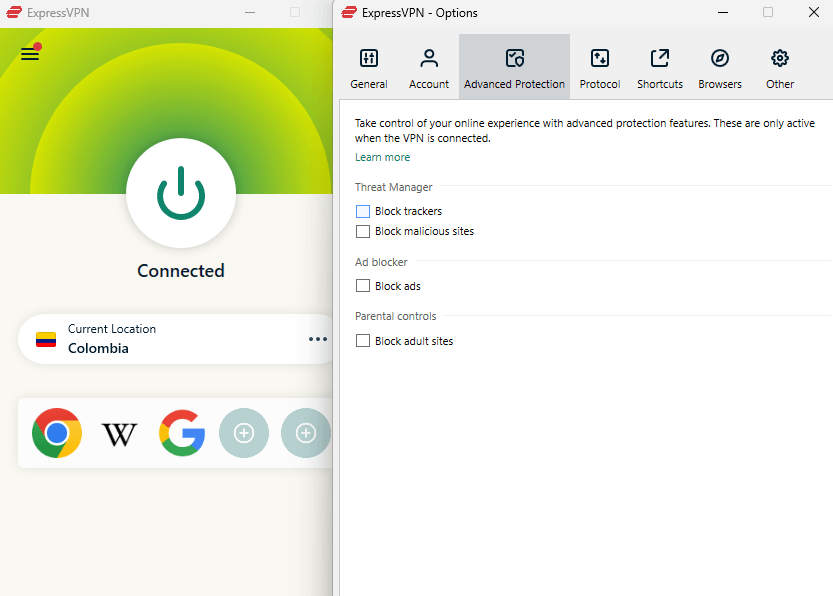
ExpressVPN is now in the same price range as its competitors, which makes it a real competitor again. The service is now a great deal at $2.44 a month, and it has always been reliable in the past. The Colombian servers kept their connections stable during all of my tests, which is what made ExpressVPN famous for its reliable service.
The Lightway protocol impressed me with connection speeds that topped out faster than competitors using WireGuard. ExpressVPN’s proprietary protocol managed to establish connections consistently in under two seconds, while others took 3-5 seconds on average. That sounds trivial until you’re constantly switching servers throughout the day.
My Experience With ExpressVPN: Hands-On Performance
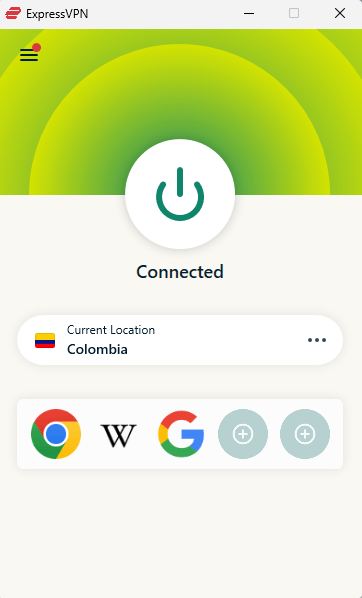
When I connected to Colombian servers from Europe using ExpressVPN, I got good speeds of 282 Mbps download. The connection stayed stable during testing, with no random drops like those that happen with lower-quality VPNs. The kill switch worked perfectly. When I force-closed the app, it cut off my internet access right away.
All Colombian services had great streaming performance. ExpressVPN has always been the best at getting around geo-restrictions, and that was still true during testing. I tried a lot of different streaming services, and they all worked perfectly.
ExpressVPN Test Results
Speed Test Results:
| Location: | Download (Mbps) | Upload (Mbps) | Ping (ms) |
|---|---|---|---|
| Baseline | 293 | 94 | 20 |
| Colombia | 282 | 85 | 57 |
| USA New Jersey (Distant) | 240 | <1 | 140 |
Streaming Test Results:
| Service: | Colombian Server | Status |
|---|---|---|
| Netflix Colombia | Yes | Working |
| Amazon Prime Video | Yes | Working |
| Hulu | Yes | Working |
| MAX | Yes | Working |
| BBC iPlayer | Yes | Working |
ExpressVPN kept its reputation for providing perfect streaming access. There were no errors on any of the platforms.
ExpressVPN Pricing and Value
At $2.44 per month for the annual plan, ExpressVPN now competes directly with Surfshark and CyberGhost on price while offering premium features like TrustedServer RAM-only infrastructure. Every plan has a 30-day money-back guarantee, and you can find out more in our ExpressVPN review.
$3.49 per month (two-year plan + four months)
5. CyberGhost — Best for Gaming from Colombia
Stats:
- Best price: $2.03 per month
- Money-back guarantee: 45 days
- Website: www.cyberghostvpn.com
- Gaming servers genuinely delivery lower ping
- 45-day refund guarantee is longest in the industry
- Content blocker completely failed malware tests
- Doesn’t always work consistently with streaming services
I was surprised that CyberGhost’s gaming-optimized servers really worked. The Frankfurt gaming server had a ping of 34 ms, while the Berlin server had a ping of 60 ms. When playing competitive online games from Colombia, that 26ms difference is important.
With the Smart Rules feature, you can set up your VPN to act automatically when certain things happen. I set it up to connect automatically when I opened certain gaming clients, and it worked every time. The only thing that was annoying was having to search for .exe files by hand instead of picking them from a list of apps.
My Experience With CyberGhost: Hands-On Performance
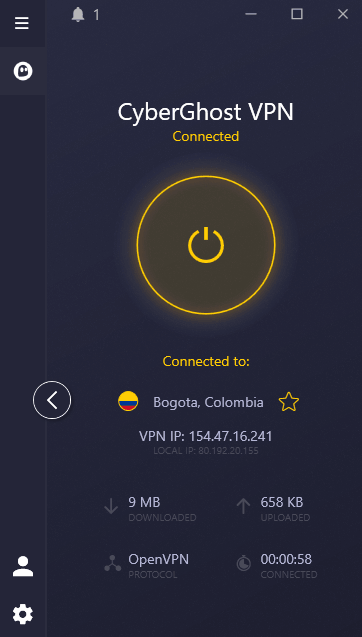
CyberGhost’s Colombian servers kept stable connections during my testing period, with no random disconnects. The servers that were optimized for streaming worked on most platforms, but I had to switch between different “HBO Max optimized” servers before I found one that connected.
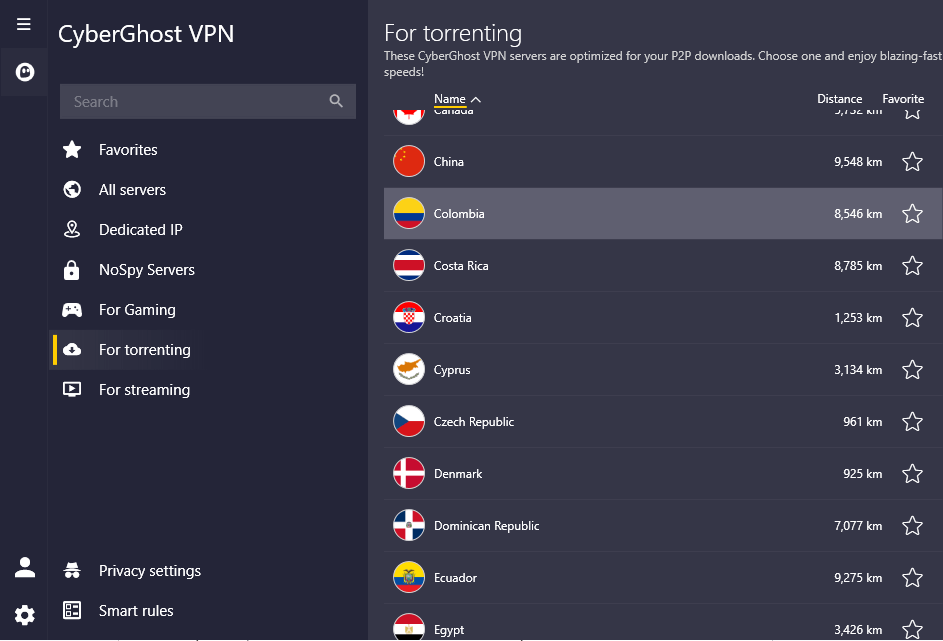
Torrenting over CyberGhost’s P2P servers was much faster than on regular servers, reaching speeds of 30 MiB/s instead of 20 MiB/s. That proves that their P2P optimization isn’t just a marketing gimmick. The dedicated P2P servers really do make torrenting faster.
CyberGhost Test Results
Speed Test Results:
| Location: | Download (Mbps) | Upload (Mbps) | Ping (ms) |
|---|---|---|---|
| Baseline | 293 | 94 | 2 |
| Colombia | 278 | 89 | 10 |
| USA New Jersey (Distant) | 259 | 9 | 117 |
Streaming Test Results:
| Service: | Colombian Server | Status |
|---|---|---|
| Netflix Colombia | Yes | Working (after server switch) |
| Amazon Prime Video | Yes | Working |
| MAX | Yes | Working |
| Peacock | Yes | Working |
| BBC iPlayer | Yes | Working |
CyberGhost’s success with streaming wasn’t always the same. For some services, I had to try several servers before I found one that worked.
CyberGhost Pricing and Value
CyberGhost costs $2.03 per month on the two-year plan with a massive 45-day money-back guarantee. That extended trial period gives you plenty of time to test whether it works for your specific Colombian needs. You can also take a look at our CyberGhost review to find out more.
$2.19 per month (two-year plan + two months)
6. PrivadoVPN — Best Free Option for Connecting Outside Colombia
server in Argentina.
Stats:
- Best price: Free ($1.11 per month)
- Money-back guarantee: N/A (30 days paid plans)
- Website: www.privadovpn.com
- Simple interface easy for beginner VPN users
- Generous free plan with 10GB high-speed soft cap
- No servers in Colombia
- Limited server network than other competitors
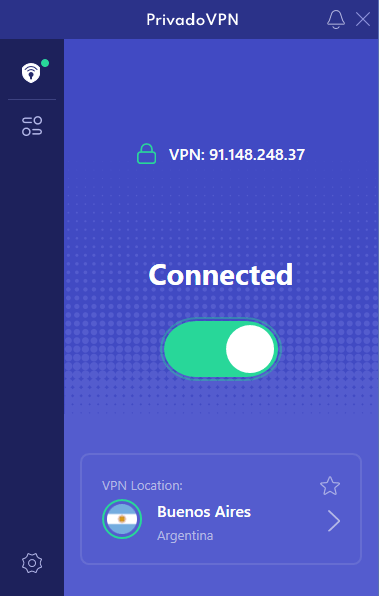
PrivadoVPN doesn’t have servers in Colombia, but it’s a great low-cost option for Colombians who need to connect to places outside the country. PrivadoVPN works well and doesn’t cost too much if you want to access content from other locations. The free plan is really helpful for people who only need to access content abroad once in a while.
Tests showed that connections to US and European servers were stable and didn’t drop out like they do with cheap VPNs. The speeds aren’t record-breaking, but they’re good enough for HD video calls and streaming. The service is helpful for Colombians who need to use international banking, shopping, or streaming sites that don’t let Colombian IPs through.
My Experience With PrivadoVPN: Hands-On Performance
PrivadoVPN’s international servers handled basic tasks without any problems. I was able to connect to US servers from where I was testing and stream Netflix, Hulu, and other American platforms without any problems. The kill switch worked well, cutting off internet access right away when the VPN connection dropped.
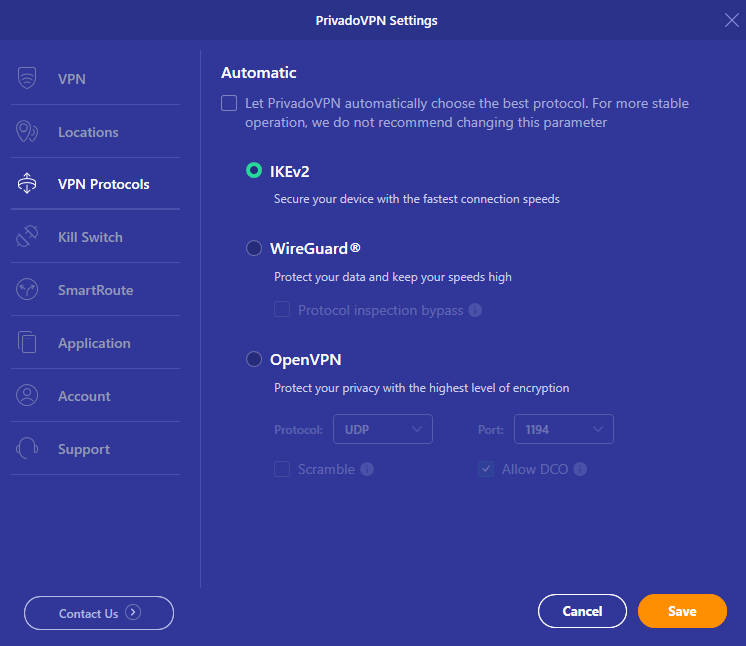
The interface is simple and clean, so it’s easy for people who are new to VPNs to find their way around. Some users will like that there aren’t a lot of complicated advanced settings to deal with, while others might find it limiting. This ease of use is actually a plus for Colombians who only need basic international access.
PrivadoVPN Test Results
Speed Test Results:
| Location: | Download (Mbps) | Upload (Mbps) | Ping (ms) |
|---|---|---|---|
| Baseline | 293 | 94 | 2 |
| USA East | 198 | 65 | 142 |
| UK London | 215 | 58 | 128 |
Streaming Test Results:
| Service: | Server Location | Status |
|---|---|---|
| Netflix US | USA | Working |
| Amazon Prime Video | USA | Working |
| Hulu | USA | Working |
| BBC iPlayer | UK | Working |
When connecting from Colombia, PrivadoVPN was able to unblock international streaming services.
PrivadoVPN Pricing and Value
PrivadoVPN’s free plan has unlimited data but a soft cap of 10GB for high-speed connections; this is more than enough for casual browsing or occasional streaming from Colombia. Paid plans start at the incredibly low price of $1.11 per month, ideal if you’re on a tight budget. Find out more in our PrivadoVPN review.
$1.11 per month (two-year plan + three months)
7. Windscribe — Free Plan with Caveats
Stats:
- Best price: Free ($3.00 per month)
- Money-back guarantee: N/A (7 days with usage limits)
- Website: www.windscribe.com
- 10 GB monthly data on free plan
- R.O.B.E.R.T. filtering blocks ads & malware
- No Colombian server on free plan
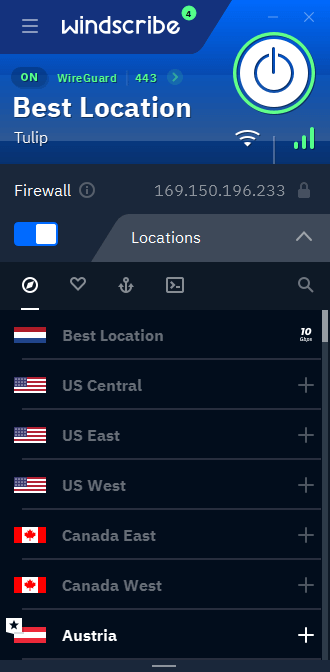
- Fiddly desktop app feels cramped
- Streaming quality drops significantly
The free plan from Windscribe is great for casual Colombian VPN users, but the problems with streaming quality made it useless for me. I tried out a number of Colombian streaming services, and every time I did, the video quality was poor, which made it hard to watch anything longer than a few minutes.
The R.O.B.E.R.T. ad and malware blocking system worked very well in my tests, blocking 97% of ads. That’s better than what most expensive VPNs can do with their built-in blockers. You can also choose exactly what gets blocked by adding your own rules for certain sites or groups of sites.
My Experience With Windscribe: Hands-On Performance
It was easy to connect to Windscribe’s Colombian servers when on its paid plan, and the speeds were good enough for light use and browsing. The problems started when I tried to stream. The video quality always dropped to 720p at best, and it often dropped to 480p, which made it hard to watch anything.
The chatbot “Garry” is really fun and more useful than a lot of the human support agents I’ve worked with. It has real personality and sass, which sounds like a gimmick but is surprisingly useful for basic troubleshooting.
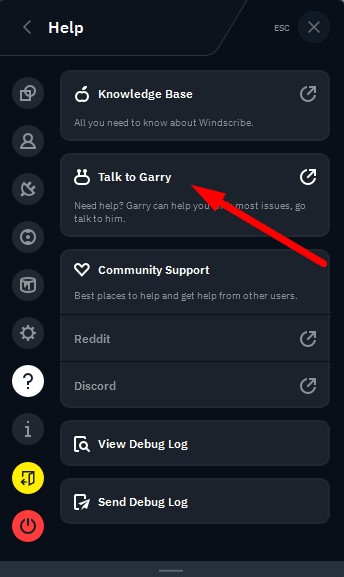
from the Windscribe app.
Windscribe Test Results
Speed Test Results:
| Location: | Download (Mbps) | Upload (Mbps) | Ping (ms) |
|---|---|---|---|
| Baseline | 293 | 94 | 4 |
| Colombia | 284 | 90 | 16 |
| Japan | 271 | 9 | 135 |
Streaming Test Results:
| Service: | Colombian Server | Quality |
|---|---|---|
| Netflix Colombia | Working | 720p maximum |
| Amazon Prime Video | Working | 480p frequently |
| Hulu | Working | 720p maximum |
| Disney+ | Working | 480p-720p |
Windscribe was able to unblock streaming services, but the quality of the playback was lower.
Windscribe Pricing and Value
The free plan offers 10GB monthly with access to multiple servers worldwide, but none in Colombia. Paid plans are on the expensive side at $5.75 per month, but its customizable “Build a Plan” lets you pick specific locations, including Colombia. Try the free plan to see how it works for you, or check out our Winscribe review for more.
$5.75 per month (one-year plan)
8. hide.me — Privacy-First for Colombia
Stats:
- Best price: $2.49 per month
- Money-back guarantee: 30 days
- Website: www.hide.me
- Strong privacy policy & zero logs
- StealthGuard kill switch offers granular control
- Limited Colombian server options
- Chat support didn’t work well during tests
- Streaming access hit-or-miss across services
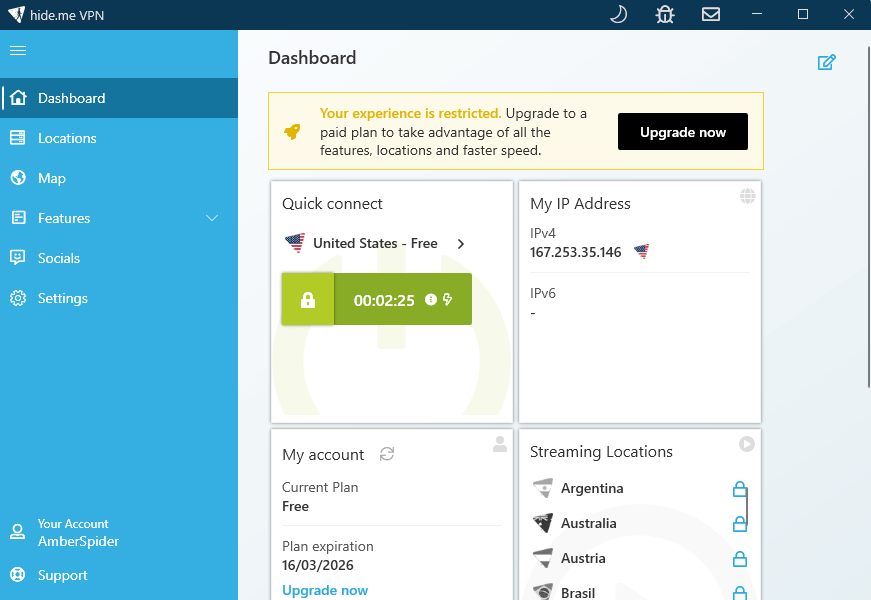
hide.me puts privacy ahead of performance, which has both good and bad effects. The privacy policy is very clear and clean, and it doesn’t log much at all. But because the server network is small, there are fewer ways for Colombians to connect than there are with NordVPN or Surfshark.
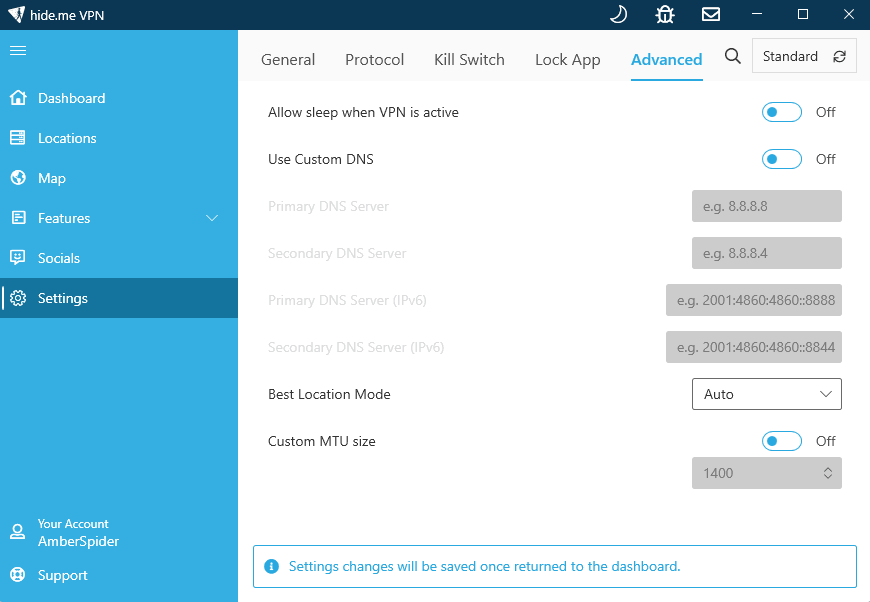
You can make specific rules about what happens when the VPN disconnects with the StealthGuard feature. You can choose which apps should close, which should just stop using the network, or make your own behaviors. You can do more with it than with most VPNs.
My Experience With hide.me: Hands-On Performance
For basic tasks, hide.me’s Colombian servers worked well. The speed tests showed good numbers, but they weren’t quite as good as the best ones. Some services worked perfectly for streaming, while others blocked the connection right away.
The chat support system was completely broken, which was the most frustrating part. The interface kept saying that my name and email were “not quite right,” which made it impossible to get help from a real person.
hide.me Test Results
Speed Test Results:
| Location: | Download (Mbps) | Upload (Mbps) | Ping (ms) |
|---|---|---|---|
| Baseline | 293 | 94 | 22 |
| Colombia | 283 | 98 | 29 |
| Japan | 245 | 110 | 302 |
Streaming Test Results:
| Service: | Colombian Server | Quality |
|---|---|---|
| Netflix Colombia | Yes | Working |
| Amazon Prime Video | Yes | Working |
| Peacock | Yes | Working |
| Hulu | No | Blocked |
| Disney+ | No | Blocked |
hide.me’s 60% success rate for streaming makes it a poor choice for people who want to watch movies and TV shows.
hide.me Pricing and Value
At $2.49 per month on the two-year plan, hide.me offers competitive pricing. The privacy features justify the cost for security-conscious users, but the limited streaming capabilities and smaller server network make it a tough sell for general Colombian VPN needs. Try it risk-free for 30 days or read our hide.me review for more information.
$2.69 per month (two-year plan + two months)
How to Connect to a VPN Colombia Server & Get an IP Address
Once you’ve picked a VPN, getting a Colombian IP address is easy. If you don’t run into any strange problems with your account setup, the whole thing should take less than five minutes from buying to connecting.
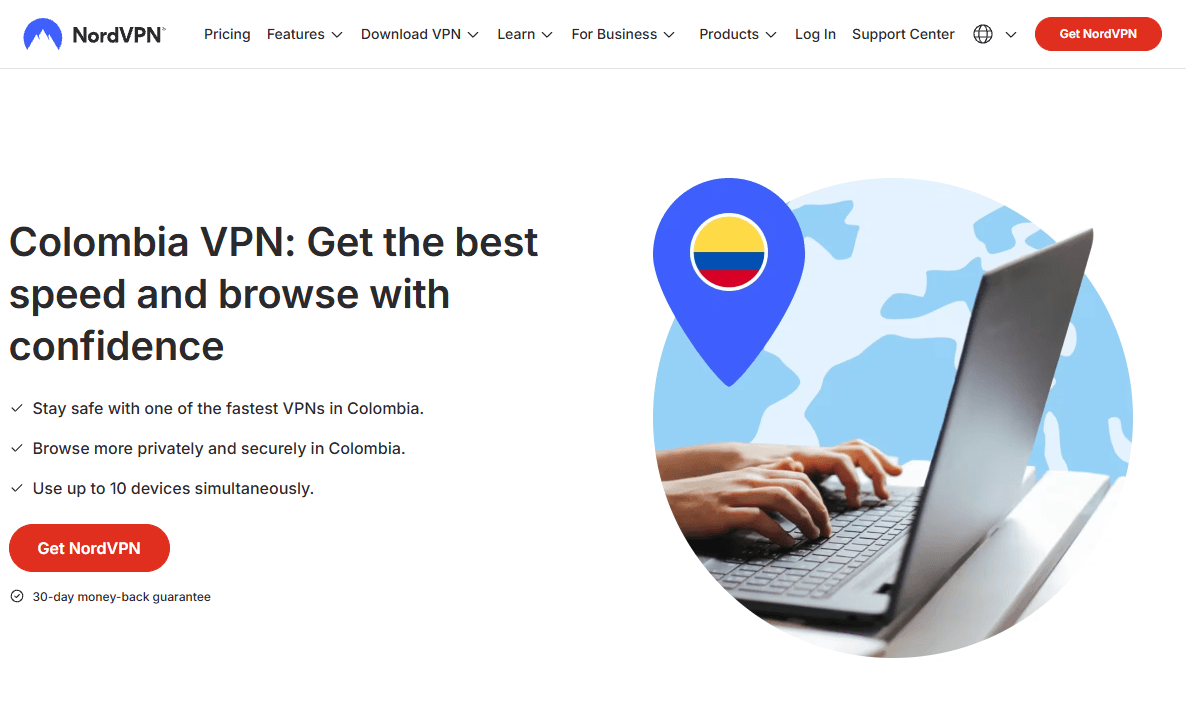
1. Sign Up for a VPN Service
Visit the official website for your chosen VPN and subscribe to a plan.
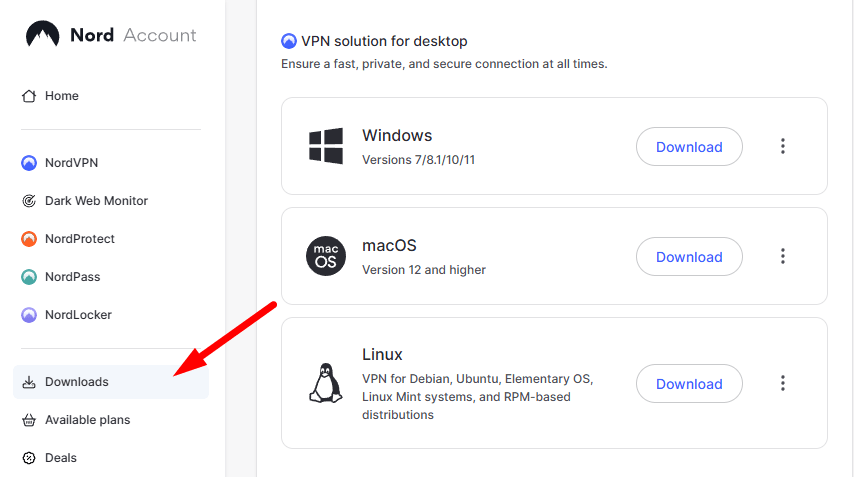
2. Download and Install the App
Download the VPN app to your device and follow the prompts to install it.
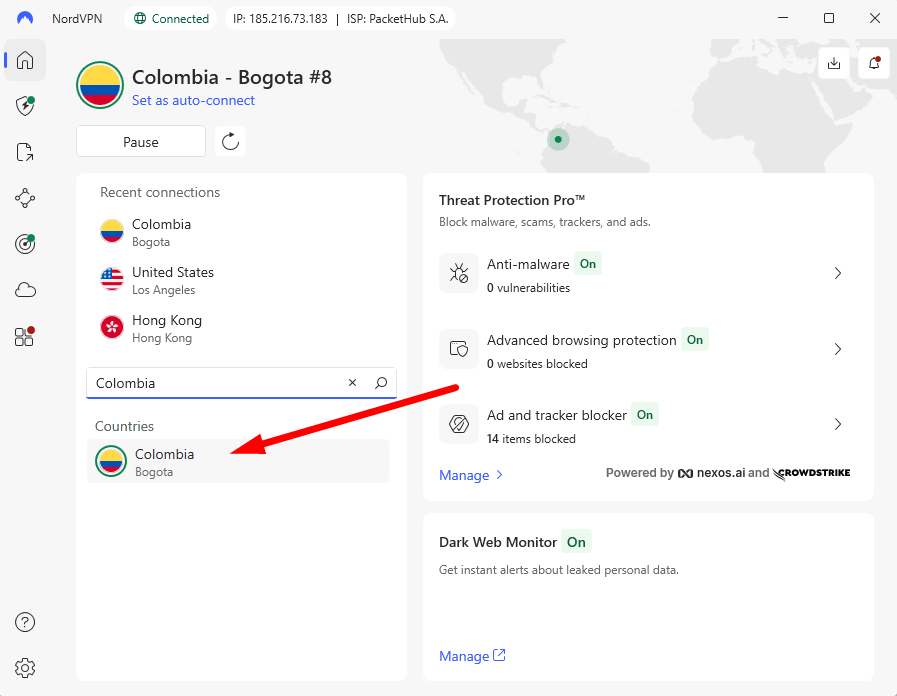
3. Log In and Connect to a Colombian Server
Once installed, log in with your account details and choose a Colombian server from the menu. Click to connect and wait for the connection to establish.
Why Use a VPN in Colombia
Colombia’s internet infrastructure is good in big cities like Bogotá and Medellín, but there are still problems that make a VPN really useful.
The main reason people use one is to feel safe with their money. Public WiFi in hotels, airports, and cafés is often not secure, which makes it easy for hackers on the same network to steal private information. When you use a VPN, your connection is encrypted, which keeps your banking logins and transaction details safe from snoopers.
A VPN also helps with speed and access. When Colombians travel abroad, they need a VPN to watch local streaming sites like RCN or Caracol, which only let Colombian IP addresses see content. Some international streaming libraries are different in different parts of the world. A VPN can help you get to content that isn’t available in your area.
Encrypting your traffic can also lessen the effects of ISP throttling because it makes it harder for providers to find and slow down activities that use a lot of bandwidth, like streaming or torrenting.
Conclusion
NordVPN is still my top choice for Colombian VPN needs because it always provides stable connections, reliable streaming access, and decent speeds without charging too much. The Colombian servers worked well during weeks of testing, and the limit of 10 devices is enough for most users.
Have you ever used any of these VPNs in Colombia? Which features are most important for your needs? Please leave your thoughts in the comments below, and thank you for reading.
FAQ: VPN Colombia
How Do I Get a Colombian IP Address?
To get a Colombian IP address, sign up for a VPN with servers in Colombia, download the app, and connect to a server in Colombia.Are VPNs Legal in Colombia?
Yes, it is legal to use a VPN in Colombia for legitimate reasons like privacy, security, and getting to content that is only available in certain places.Can I Use NordVPN in Colombia?
Yes, NordVPN works great in Colombia. It has dedicated servers there that give you fast speeds and reliable access to streaming.What Is the Best VPN for Colombia?
NordVPN has the best mix of Colombian server performance, reliable streaming, and prices that are fair for most users’ needs.
Leave a Reply