Best VPN for Firestick: Free & Paid Options in 2026
- Table of Contents
- Why Use a VPN With Firestick?
- My Testing Methodology: Selecting the Best Amazon Fire TV Stick VPNs
- The Best Paid VPNs (With Money-Back Guarantees) for Firestick
- 1. NordVPN -- Best VPN for Fire TV Devices NordVPN
- 2. Surfshark -- Best VPN for Multiple Simultaneous Connections
- 3. ExpressVPN -- Best Firestick VPN for Beginners
- The Best Free VPNs for Firestick
- 1. PrivadoVPN -- Best Totally Free VPN
- 2. Proton VPN -- Best Free VPN With Truly Unlimited Data
- 3. Windscribe -- Best Free VPN for Ad Blocking
- Are Free VPNs Safe to Use With Fire Stick?
- Free vs Paid Fire Stick VPN: Which Is Best for Me?
- How to Install & Use a VPN on Firestick
- Conclusion
- FAQ: VPN App for Fire TV Devices

Quick Summary: Best Paid VPNs for Firestick
NordVPN takes the top spot for its reliable streaming performance and simple Firestick app that even my technophobic uncle can navigate. Try it risk-free with the 30-day money-back guarantee.
- NordVPN – Fast speeds with 7,400+ servers and unblocks virtually every streaming service.
- Surfshark – Unlimited connections make it perfect for households with multiple Fire Sticks and other devices.
- ExpressVPN – Top-tier pick featuring the simplest Firestick app layout.
Best Free VPNs for Firestick:
PrivadoVPN has the best free plan, with 10GB-worth of high-speed data per month and reasonable streaming speeds after you hit the cap.
- PrivadoVPN – Unlimited data, with the first 10GB high speed for smooth, buffer-free streaming.
- Proton VPN – Truly unlimited data on the free plan but you can’t choose your server connection.
- Windscribe – 10GB monthly data cap with excellent ad-blocking built in.


Picking a VPN for your Firestick doesn’t need to be like cracking some secret code from another planet. I spent time trying different VPNs on my Fire TV Stick until I found six of the best VPNs that don’t drive you nuts or ruin movie night halfway through.
Plenty of VPNs say they’re made for Firestick, but really they just tossed together some basic Android TV version like it’s no big deal. I looked for VPNs that genuinely work well for streaming and keep your connection fast instead of slowing everything down. Plus, they’re easy to use even when you’ve only got that awkward little remote in hand.
- Money-Back Guarantee30 DaysWorldwide Server AmountOver 5,400+ servers in 59 countries
- Money-Back Guarantee30 DaysWorldwide Server Amount1700+ Servers in 63 Countries
- Money-Back Guarantee30 DaysWorldwide Server AmountOver 3,000 servers in 105 countries
- Money-Back Guarantee30 daysWorldwide Server Amount76 in 44 countries
- Money-Back Guarantee30 DaysWorldwide Server Amount1500 Servers in 61 Countries
- Money-Back Guarantee3 DaysWorldwide Server AmountServers in 55 Countries









Why Use a VPN With Firestick?
Your Firestick needs a VPN so you can access geo-blocked content and hide your streaming activity from your ISP.
Streaming sites like Netflix, BBC iPlayer, or Disney+ offer different shows based on your location. If you use a U.S. VPN server, then you can watch the entire American Netflix library.
It’s not only about streaming; your internet provider logs each click, including those binge sessions after midnight. Use a VPN and that info turns into nonsense, keeping your habits out of sight.
My Testing Methodology: Selecting the Best Amazon Fire TV Stick VPNs
I tested every VPN on my Firestick, trying multiple connections over several weeks to find the best-performing services.
- Installation: I went step by step, starting with downloading the app from Amazon’s store all the way through to content playback.
- Streaming performance: I tried out the VPNs on sites like Netflix, Hulu and Disney+, just so you know they actually function when needed.
- Connection speeds: I checked close and far servers with speed tests, focusing on downloads plus ping, to help you watch videos without lag.
- Ease of use: I flipped through menus, swapped servers, then tweaked options just to test how well the VPN handled basic actions.
- Server network: I checked the number of servers, plus if there were any specialized connections for streaming.
The Best Paid VPNs (With Money-Back Guarantees) for Firestick
These three VPNs offer the most reliable performance for Firestick streaming, with the added safety net of money-back guarantees.
| Provider: | Servers | Best Price | Streaming | Money-Back Guarantee |
|---|---|---|---|---|
| NordVPN | 7,400+ in 118 countries | $2.99/month | Unblocks everything | 30 days |
| Surfshark | 3,200+ in 100 countries | $2.19/month | Unblocks most services | 30 days |
| ExpressVPN | 3,000+ in 105 countries | $3.49/month | Unblocks everything | 30 days |
1. NordVPN — Best VPN for Fire TV Devices NordVPN
Stats:
- Best price: $2.99/month
- Money-back guarantee: 30 days
- Website: www.nordvpn.com
- Over 7,000 servers for speedy connections
- Meshnet lets you access home networks remotely
- Unblocks Netflix, Disney Plus, Hulu, BBC iPlayer, Max & more
- Not the cheapest option
- Firestick main screen can feel overwhelming
NordVPN is the best for Firestick, and there are several clear reasons why: it’s speedy, solid, and gets past streaming blocks like they’re nothing.
My Experience With NordVPN: Hands-On Performance
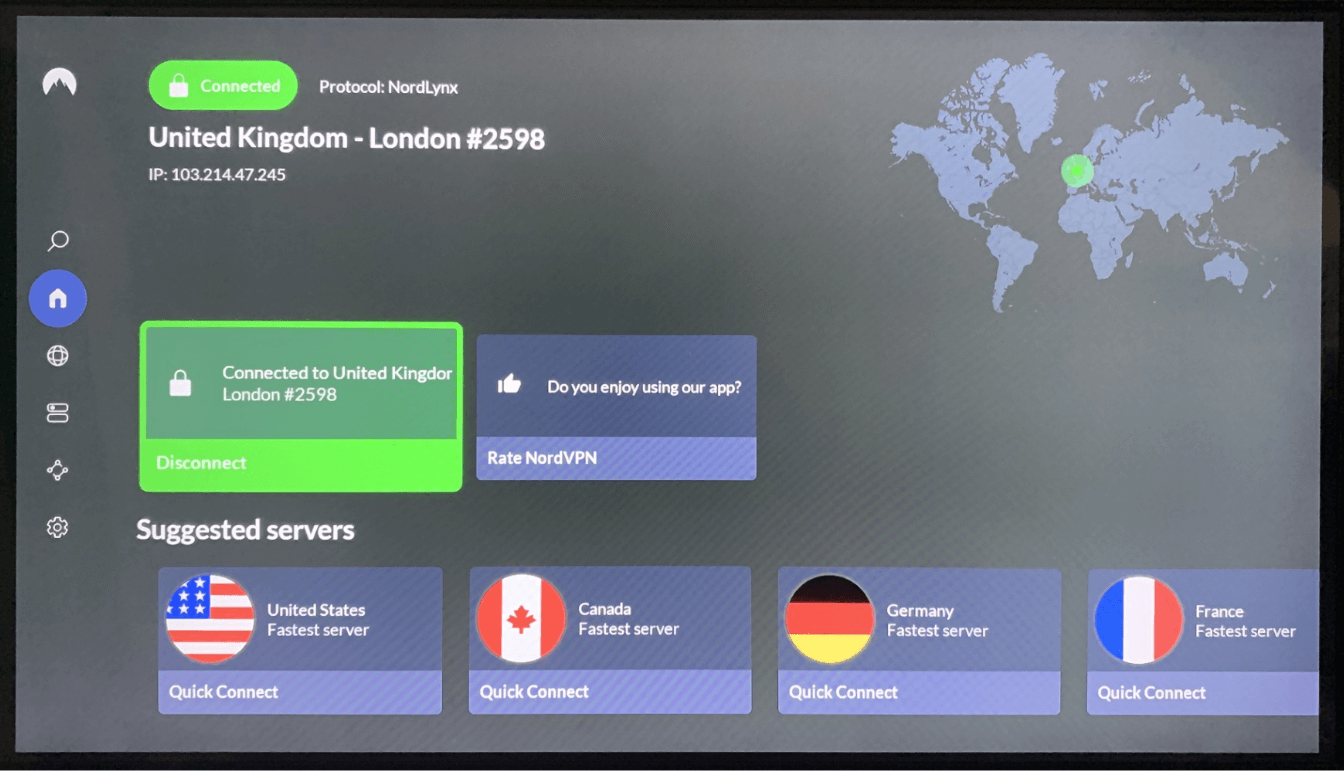
While I was testing it, NordVPN connected to nearby servers without much drop in speed. I used a US server to stream on Max and the video popped open right away in crisp HD, no pauses mid-play.
The Firestick app runs on NordLynx (Nord’s own take on WireGuard) automatically. It’s a solid pick for fast and reliable connections. The kill switch does what it should, too; I didn’t have any data leaks or issues with streaming platforms seeing my real IP address.
NordVPN Pricing and Value
NordVPN costs $2.99 a month if you go for the two-year deal, which is right in the middle when it comes to pricing. It’s pricier than Surfshark, but comprable to ExpressVPN.
The 30-day refund promise is 100% real; I tried it myself and your money is returned quickly, usually in less than a day. No hassle, no weird questions, and nobody tries to emotionally manipulate you into staying, which I really appreciate. To find out more, read our NordVPN review.
$2.99 per month (two-year plan + three months)
2. Surfshark — Best VPN for Multiple Simultaneous Connections
Stats:
- Best price: $2.19/month
- Money-back guarantee: 30 days
- Website: www.surfshark.com
- Unlimited simultaneous connections
- Affordable premium pick that feels solid
- Intuitive Firestick app that’s easy to navigate
- Customer support takes long to reply
- Latency can be high, causing occasional buffering
Surfshark shows you can get top-tier VPN perks without emptying your wallet. If you’ve got several Firesticks and multiple devices at home, the ability to connect all of them makes this option stand out.
My Experience With Surfshark: Hands-On Performance
While checking Surfshark’s local servers, download speeds stayed strong with only a minor slowdown. But latency shot up, even on nearby connections, meaning I had occasional lag when switching shows or pausing my stream.
The Firestick app stands out because it’s built well; nothing feels confusing. Picking servers is straightforward, while the options screen spells things out clearly rather than you have to guess what “Bypasser” stands for (turns out, that’s just its term for split tunneling).
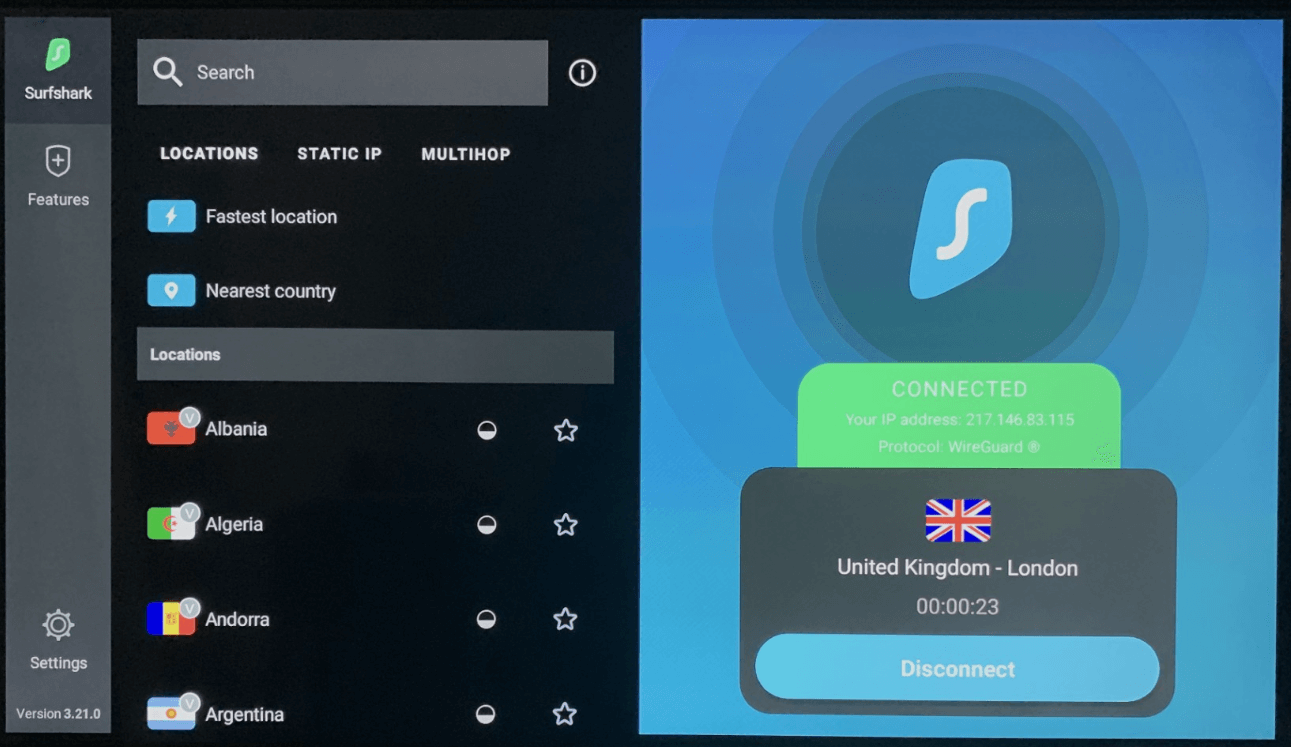
Surfshark Pricing and Value
A two-year deal costing $2.19 monthly means Surfshark beats most high-end VPNs on price. Unlimited devices let you cover everything you’ve got (maybe even your buddy’s gadgets, if you’re in a good mood). Plus, there’s a 30-day money-back guarantee for risk-free testing. Check out our Surfshark review for more information.
$2.49 per month (two-year plan + three months)
3. ExpressVPN — Best Firestick VPN for Beginners
Stats:
- Best price: $3.49/month
- Money-back guarantee: 30 days
- Website: www.expressvpn.com
- Fast speeds across its server network
- Easily avoids VPN blocks & restrictions
- Intuitive Fire Stick app with simple navigation
- Fewer servers than competitors
- More expensive than NordVPN or Surfshark
ExpressVPN is one of the more expensive options of the bunch, but when you actually use it, you’ll see why. It’s worth the extra cost for fast speeds and reliable streaming, if it fits your budget.
My Experience With ExpressVPN: Hands-On Performance
I tried ExpressVPN on local and distant servers, and its Lightway protocol is fast; it connects near instantly. While NordVPN needs about 3 or 4 seconds to get going, Lightway connects in less than two, every single time.
The kill switch worked well during tests, and the app itself is surprisingly easy to navigate on Firestick, even when using that fiddly remote.
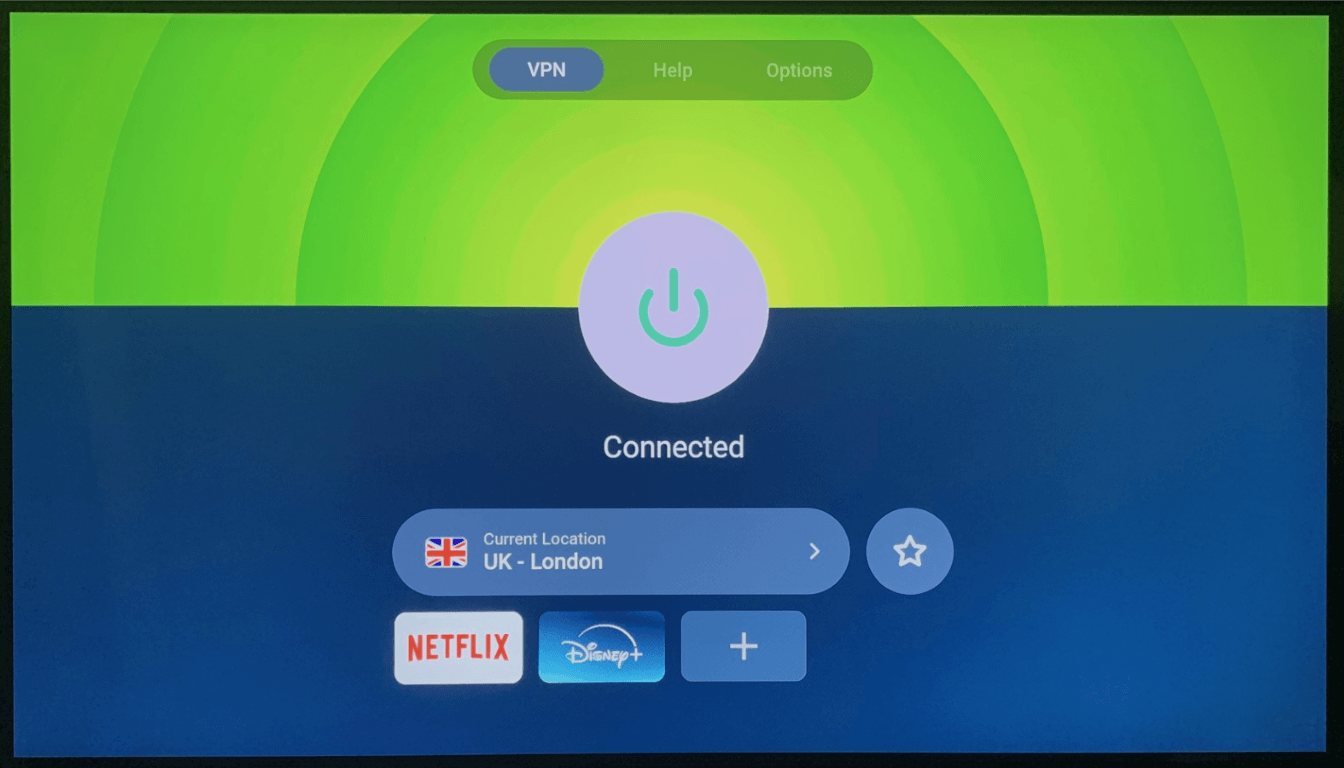
ExpressVPN Pricing and Value
The yearly deal breaks down to about $3.50 a month, so ExpressVPN ends up pricier than the rest. But it’s fast, stable and smooth, and easy to use on a Firestick. With a full month to test it risk-free, you’ll see whether the extra cost works for you. Take a look at our ExpressVPN review for more.
$3.49 per month (two-year plan + four months)
The Best Free VPNs for Firestick
Free VPNs come with limitations, but these three actually work for streaming if you can live with data caps and fewer server options.
| Provider: | Free Plan | Best Price* | Servers | Streaming |
|---|---|---|---|---|
| PrivadoVPN | Unlimited data, 10 servers | $1.11/month | 49 countries | Good |
| Proton VPN | Unlimited data, 8 countries | $4.49/month | 127 countries | Good |
| Windscribe | 10GB/month, 10 countries | $5.75/month | 69 countries | Excellent |
1. PrivadoVPN — Best Totally Free VPN
Stats:
- Best price: $1.11/month
- Money-back guarantee: 30 days
- Website: www.privadovpn.com
- Decent server selection
- Available in the Amazon Appstore
- Unlimited data, 10GB high-speed data limit
- Few customer support options
- After 10GB, speeds slow considerably
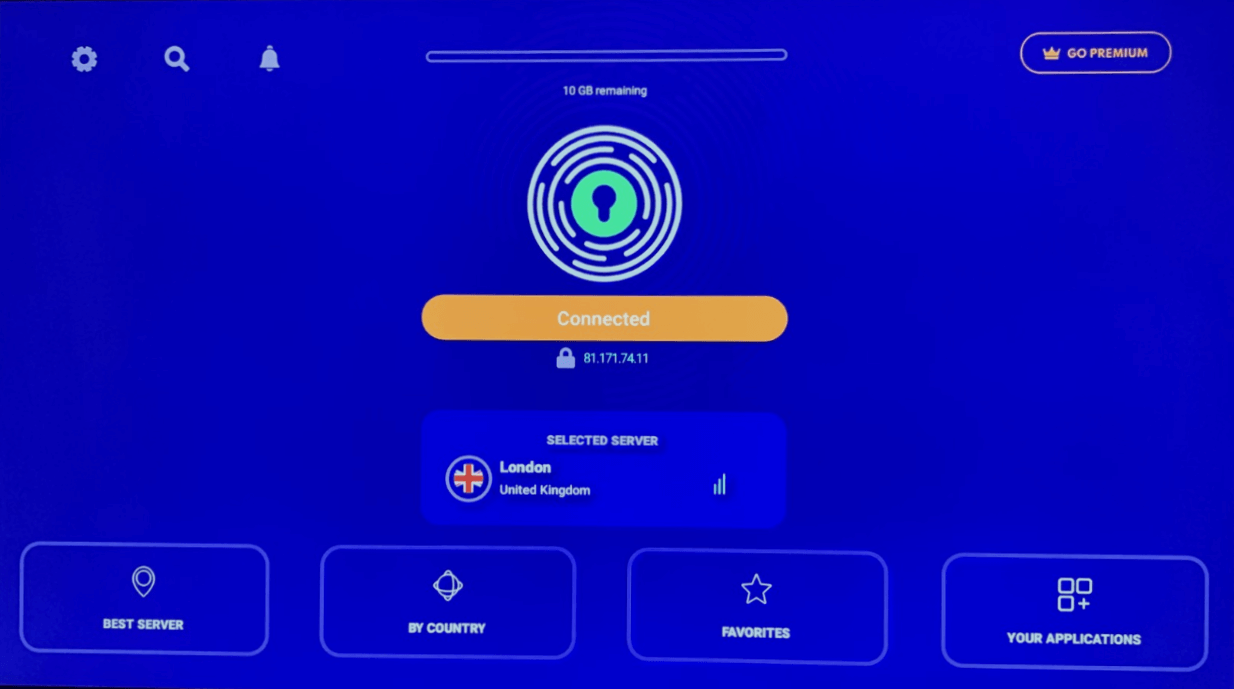
PrivadoVPN is the best free VPN for casual Firestick users who stream occasionally, rather than binging an entire series in one sitting. The 10GB high-speed monthly limit is a little annoying, but you can continue streaming after that (just with a bit more buffering).
My Experience With PrivadoVPN: Hands-On Performance
Impressively, PrivadoVPN’s free plan worked with every streaming service I tested on Firestick. Netflix, Hulu, Max, and Amazon Prime Video all connected on the first attempt. There’s only a handful of free servers though, so if you want to watch something from a specific country library, you may be out of luck.
PrivadoVPN Pricing and Value
The free plan costs nothing, but you’ll need to hand over an email address to sign up. If you switch to the paid version, it’s $1.11 per month for a two-year plan; very affordable for a reliable VPN. You can get your money back within 30 days of purchase, or find out if it’s right for you by reading our PrivadoVPN review.
$1.11 per month (two-year plan + three months)
2. Proton VPN — Best Free VPN With Truly Unlimited Data
Stats:
- Best price: $4.49/month
- Money-back guarantee: 30 days
- Website: www.protonvpn.com
- Audited zero-logs policy
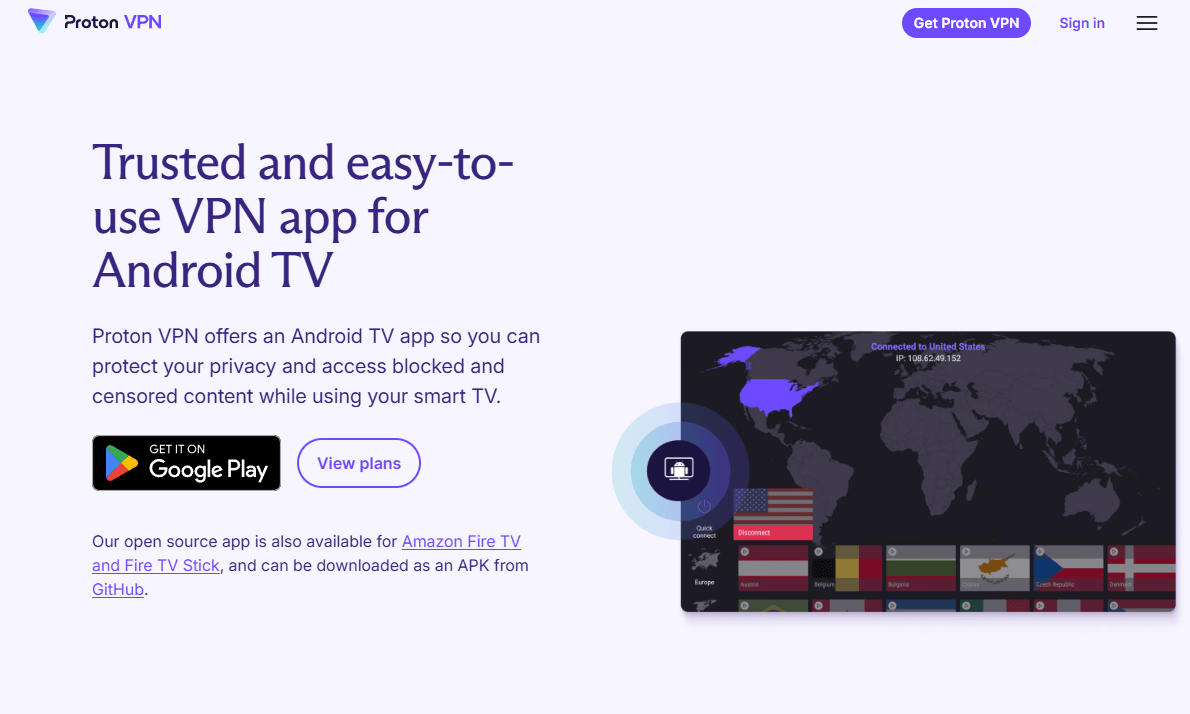
- Clean, professional Firestick app
- Actually unlimited data, no sneaky fine print or slowdowns
- Can’t choose your own server location
- Didn’t work with BBC iPlayer (if that’s your thing)
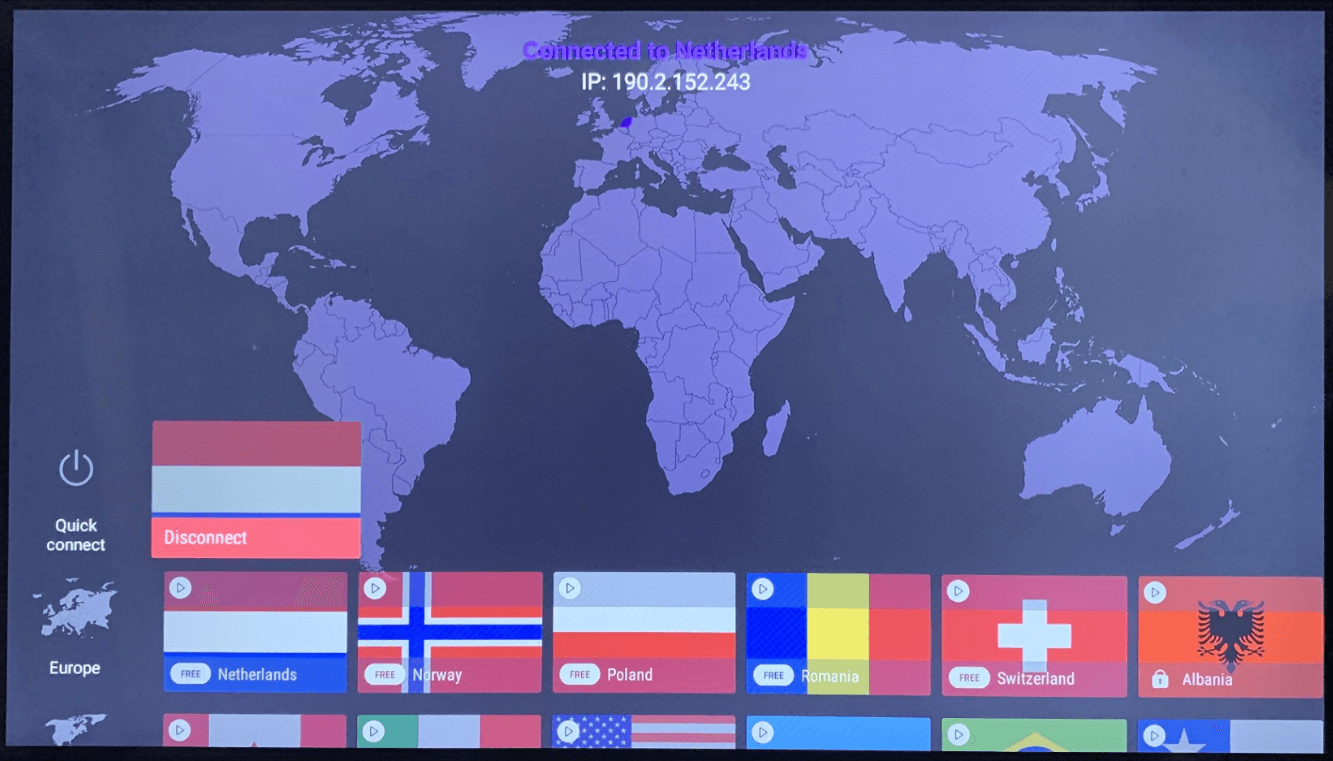
Proton VPN’s free plan is truly unlimited: no catches, no slowdowns after hitting a data cap, just endless use. However, it’s noticeably slower than its premium counterpart, and you can’t pick your server connection for specific streaming content.
My Experience With Proton VPN: Hands-On Performance
Proton VPN’s free servers aren’t the fastest, but they’re still okay for HD video playback. Connecting to distant servers drastically increased latency, making input slow to a crawl; but hey, that’s a distance issue, not the service itself. The Firestick app has clear menus and straightforward options laid out smartly, ideal for navigating with the remote.
Proton VPN Pricing and Value
The free option doesn’t cost a dime, but you might find it limited if you want to stream on location-specific servers. Upgrading to a two-year plan costs $4.49 per month, which is a little expensive. However, it’s got a 30-day refund guarantee, so you can try it without risk. Read our Proton VPN review for more details.
$4.49 per month (two-year plan)
3. Windscribe — Best Free VPN for Ad Blocking
Stats:
- Best price: $5.75/month
- Money-back guarantee: 7 days
- Website: www.windscribe.com
- 10GB monthly data cap
- Worked with many streaming platforms
- R.O.B.E.R.T ad blocking on the free plan
- Dated design feels stuck in 2005
- Small app screen feels squashed
Windscribe treats its free users very well, especially with its premium ad block tool included on every plan. While the data cap isn’t ideal for binge-watching your new favorite series, it’s fine for a movie or two each month.
My Experience With Windscribe: Hands-On Performance
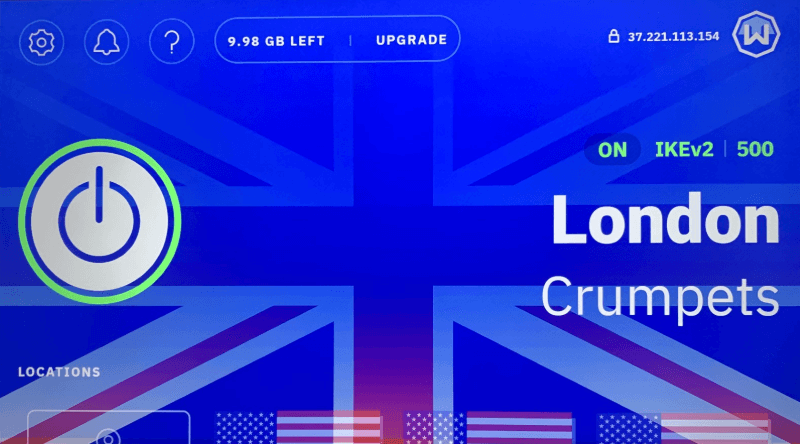
Windscribe is so frustrating to use on desktop, so I was thrilled to find the Firestick app is super easy to navigate and get connected. For a free service, it streams better than expected. Plus, around 97% of ads were blocked thanks to R.O.B.E.R.T, even on platforms like YouTube.
Windscribe Pricing and Value
The free 10GB plan only needs email verification. If you upgrade, the annual plan costs $5.75 monthly. The catch? The money-back guarantee only applies for seven days after purchase, which feels like asking you to try the product without actually trying it. Try the free plan first, or read our Windscribe review for more information.
$5.75 per month (one-year plan)
Are Free VPNs Safe to Use With Fire Stick?
The three free VPNs mentioned here are trustworthy. They’re run by real businesses that have checked no-log practices and they won’t pass your info to sketchy outsiders.
“Free VPN” usually points to shady data collection. When a service promises endless features (zero data caps, no interruptions, always free) it’s likely cashing in on your info behind the scenes. It’s all in the fine print that no one reads, but still feels sneaky.
The free versions of Proton, Windscribe, and PrivadoVPN earn cash by restricting tools, meant to entice you into upgrading. They’re not flawless, but they don’t hand over your web activity to marketers or clutter your Firestick videos with pop-up ads.
Are There Any Free VPNs I Should Avoid?
Avoid free VPNs that don’t spell out their income source. Since the service costs nothing, chances are that you are what they’re selling.
Specifically steer clear of:
- Hola VPN: Turns your phone or laptop into a gateway for strangers’ internet use, so if they do something shady, blame might land on you instead
- SuperVPN: Found with harmful software during safety checks
- Betternet: Gathers too much data and shoves ads into pages you visit
- TurboVPN: Based in China with unclear data policies
If you spot a no-cost VPN boasting 4.9 stars and countless installs, take a closer look; chances are those reviews were bought. Meanwhile, the many downloads stem from people unknowingly installing harmful software.
Free vs Paid Fire Stick VPN: Which Is Best for Me?
Pick a paid VPN when you stream every day, crave top-notch speed or require steady access into any streaming platform. Refund promises mean trying it costs nothing.
Free VPNs work for:
- Occasionally watching a movie online, maybe once or twice a month
- Trying the VPN before you pay for anything
- Switching to a backup VPN if your main one acts up
- Getting into a single region-locked platform
Paid VPNs make sense when:
- You stream a different series every week
- Speed matters for streaming in UHD
- You want to access several streaming platforms without hassle
- You need consistent access without data caps interrupting mid-episode
Here’s how I see it: if you stream more than 10 hours each month on your Firestick, paying for a VPN makes life easier. But if you want to watch region-locked content once in a while, try a free VPN.
How to Install & Use a VPN on Firestick
Installing a VPN on Fire Stick takes about five minutes if you know where to look (and about 15 minutes if you’re like me and forget where Amazon hides the search function). In this guide, I’m using NordVPN, but it’ll be the same for most VPNs.
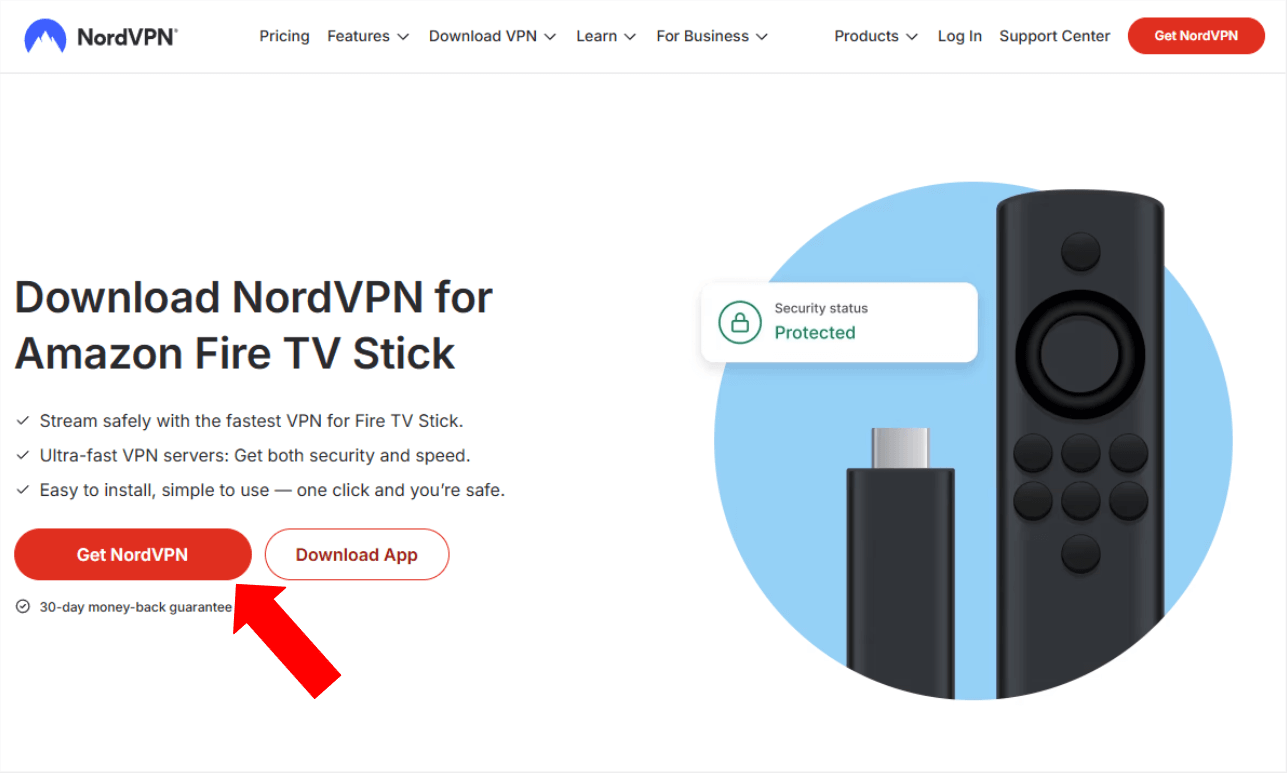
1. Subscribe to a VPN
Visit the VPN’s website on your phone or computer and sign up for a plan. All the VPNs I recommend offer Firestick apps.
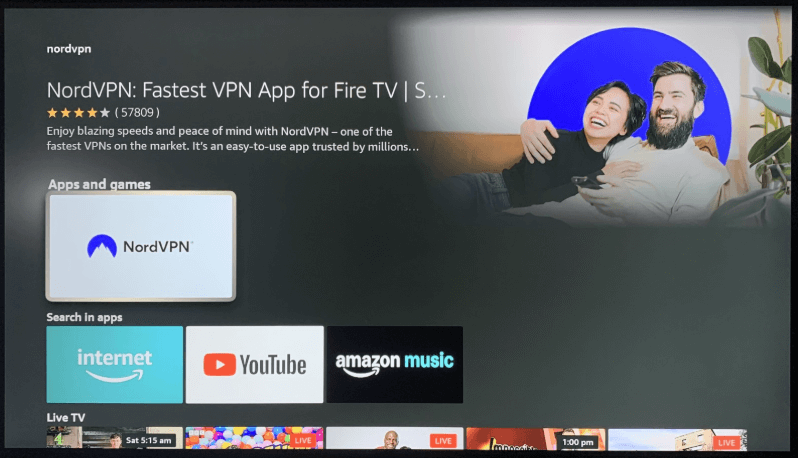
2. Download the VPN to Your Firestick
Search for your VPN in the Amazon Appstore and download it to your Firestick. This should only take a minute or two.
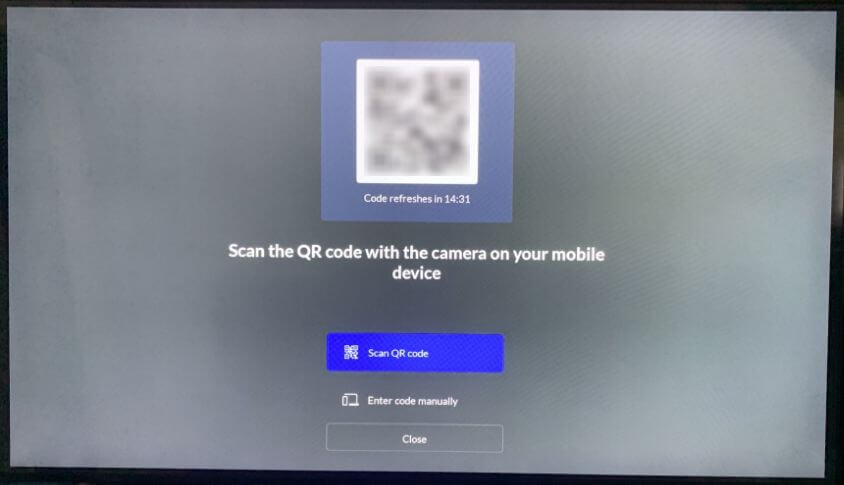
3. Sign in to the VPN
Open the app and log in. Most VPNs use QR codes or devices that are already logged in to verify your account.
4. Connect to a Server and Start Streaming
Select a server, tap to connect, and you’re done. The VPN will connect in a few seconds, and you can start streaming your favorite content.
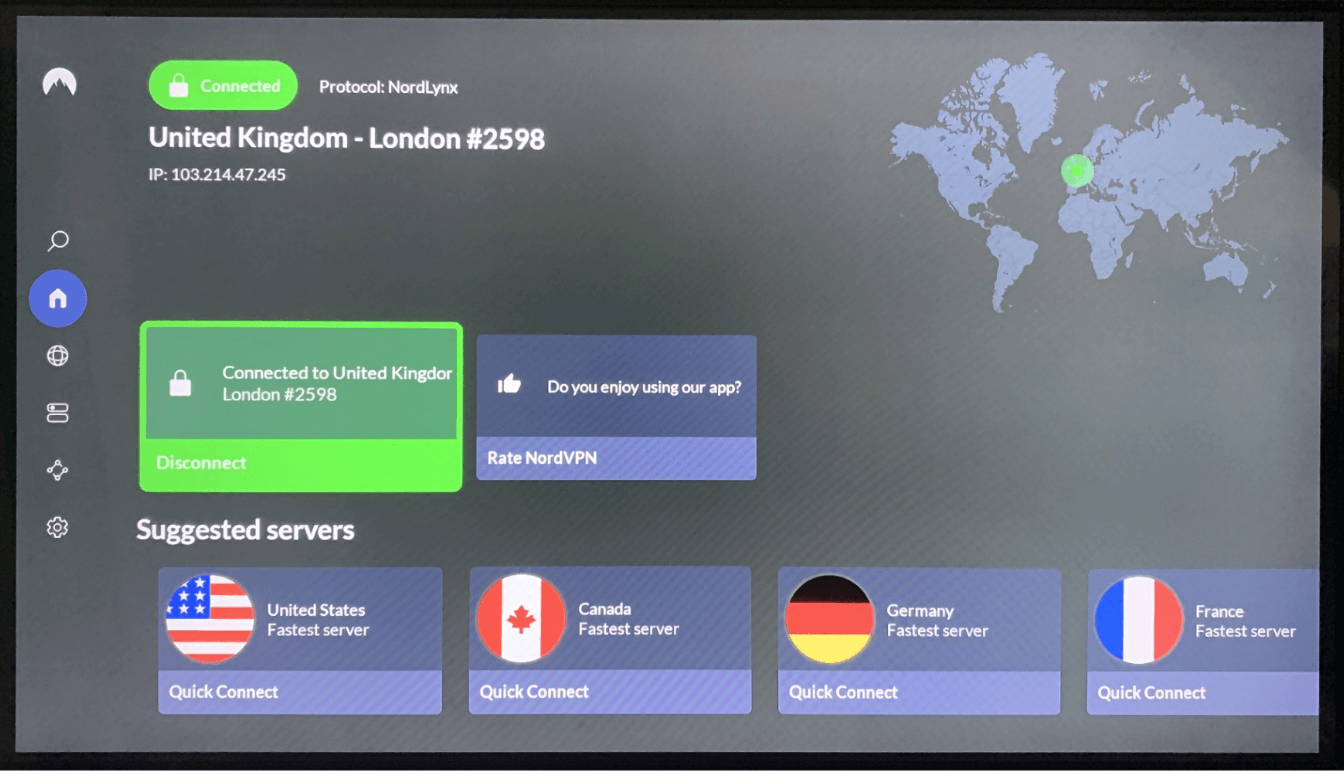
Should I Install a VPN on My Router?
Setting up a VPN with your router guards all gadgets tied to it, Firesticks included, even when those don’t have native VPN support.
The tricky part? Getting a router to work with a VPN takes some effort, switching between servers isn’t quick, and performance might drop. A lot of folks would rather install the VPN directly on their Firestick instead, especially if your house doesn’t have loads of gadgets connected.
If you’re planning to run a VPN through your router, check compatibility first. NordVPN, Surfshark, and ExpressVPN give straightforward guidance made for common router types.
Conclusion
NordVPN works well for people using Firestick who want reliable streaming on any service. With plenty of server options, quick speeds, and stable connections, it helps reach your streaming platforms without issues.
If you’d rather skip paying for a VPN, try PrivadoVPN’s free version: no limits on data, yet still reliable without costing a dime. Sure, there aren’t many servers available, but it works well enough during laid-back streaming sessions.
Have you had issues running a VPN on your Firestick? Have you found an off-the-radar VPN that still does the job right? Drop a line below if you have, and thank you for reading.
FAQ: VPN App for Fire TV Devices
What’s the Best VPN to Use on a Firestick?
NordVPN is the best VPN to use on a Firestick. It runs well on Firestick thanks to its huge server network, so you get steady access to streams without hiccups or annoying freezes during episodes.Is There a Free VPN for Firestick?
Yes, there are several free VPNs for Firestick. PrivadoVPN offers a free service that includes unlimited data, but you only get access to a handful of servers, and speeds are slower than premium versions.Is There Any 100% Free VPN?
Yes, there are 100% free VPNs. PrivadoVPN, Proton VPN and Windscribe are all 100% free VPNs with no sneaky charges, but they all have limits like data caps or server limits.
Leave a Reply