How to Encrypt Text Messages on Android & iPhone: Guide & Best Practices
- Table of Contents
- Are Text Messages Encrypted?
- Why You Should Encrypt Your Text Messages
- Step by Step: How to Send Encrypted Messages
- The Best Encrypted Messaging Apps
- 1. Signal
- 2. WhatsApp
- 3. iMessage
- Can a VPN Encrypt Text Messages?
- Encryption vs End-to-End Encryption: Is There a Difference?
- Can I Send Encrypted SMS Messages Without an App?
- Beyond Encryption: Best Practices for Keeping Your Messages Secure
- Conclusion
- FAQ: How to Send Secure Messages

Quick Summary: How to Encrypt Text Messages
To keep your texts private, grab a secure chat tool such as Signal, WhatsApp, or iMessage – just iPhones can use that last one. Set up a profile, confirm your mobile number, then begin chatting with others on the same platform. Messages you send get locked down from device to device without any extra steps.
Your texts likely aren’t nearly as safe as you believe. Regular SMS messages are just like yelling your PIN in a packed café: pretty much open to anyone nearby. If someone’s got the tools or access, they can peek at what you’re sending, like phone companies or tech-savvy snoopers tapping into signals mid-air.
The great thing? Locking down your texts isn’t nearly as tough as it sounds. Here’s a step-by-step guide so you can keep chats safe, spot which encrypted messaging apps truly guard your data, while learning the key details behind message privacy.
Are Text Messages Encrypted?
Nope, text messages aren’t encrypted, because regular texts don’t use encryption at all. Instead, basic SMS or MMS gets sent across your provider’s system without any scrambling, meaning folks who tap into that network might see what you wrote. But Apple’s iMessage locks things down completely if both sender and receiver use iPhones (that’s those blue chat bubbles you notice).
Yet when you message someone on Android, things switch to basic SMS, or those annoying green bubbles again. This fight between blue and green? It’s less about image, more about safety; one keeps chats locked down, the other sends them out in the open.
On Android, the built-in texting tool depends on who made your phone. Some go with basic SMS, others use RCS. Google’s Messages app supports secure chats through RCS, yet that protection kicks in only if both users have RCS turned on their phones. When one side lacks RCS support, it switches automatically to standard SMS without any lockup.
How Do I Know If My Messages Are Encrypted?
You’ll spot signs in your chat app that show if things are locked down. On an iPhone, blue bubbles tell you iMessage is secure, whereas green ones point to regular texts without protection. With Google Messages for Android, a lock appears when RCS chats are shielded. Other tools like Signal use similar symbols to signal safety.
Here’s the thing: sending an encoded message won’t work unless the person on the other end uses a matching setup, otherwise the codes don’t line up. Without shared tech, decryption fails completely.
Why You Should Encrypt Your Text Messages
You’d better lock down your texts, since bare messages might get grabbed by phone companies, spies, crooks, or just about anybody poking around cell systems. Chances are, what you’re typing holds stuff that matters, plus keeping random people out of your personal convos is just common sense.
Imagine mailing a note you can see through compared to one tucked in an envelope: plain messages might get glanced at by folks handling them on the way.
Encryption fills that gap. Meanwhile, it keeps you safe on public WiFi, since hackers often grab exposed info there. When messages use end-to-end encryption, anyone snagging them only gets scrambled junk – unless they’ve got the right key to unlock it.
Step by Step: How to Send Encrypted Messages
I’ll walk you through setting up Signal. It’s a solid encrypted chat tool that works smoothly on iPhone or Android, known for being safe yet easy to use.
1. Download and Install Signal
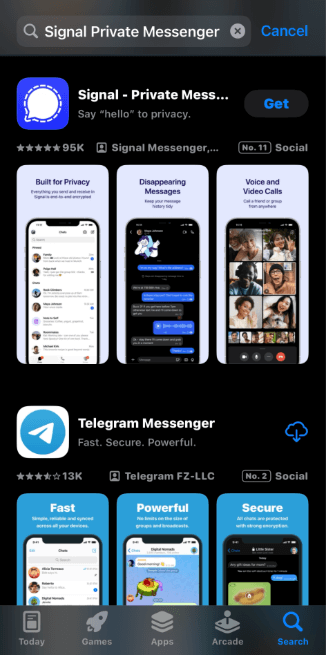
Head over to the app shop on your phone, then look up “Signal Private Messenger” so you can grab and set up the software.
2. Register Your Phone Number
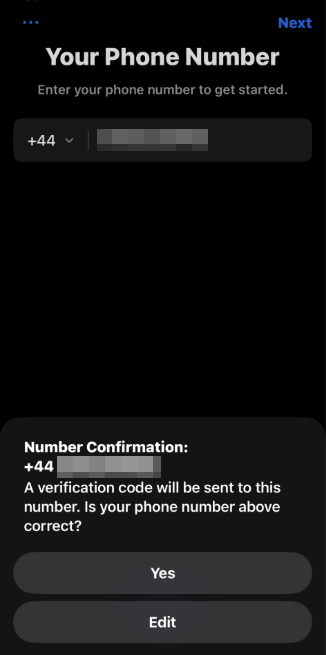
Signal needs your phone number to set up an account. Put in your digits and hit “next“. After that, type the six-number confirmation code you get.
3. Add Contacts and Start Messaging
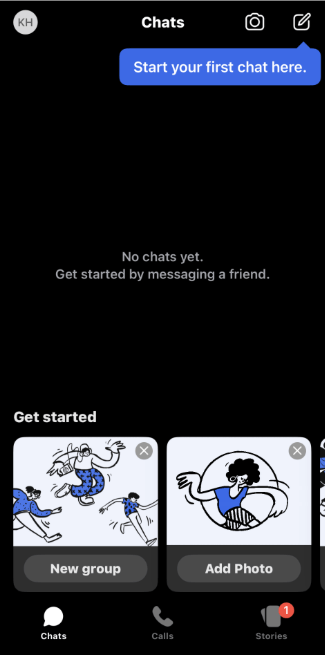
You can now pull in your contacts to check who’s already on the app, or just breeze past that and sign up using your name and a picture. After that, you’re good to go for sharing private messages.
The Best Encrypted Messaging Apps
Different secure chat apps shine in their own ways, so it depends on what matters most to you. After trying out loads of them, here’s a look at the top three that actually stand out.
1. Signal
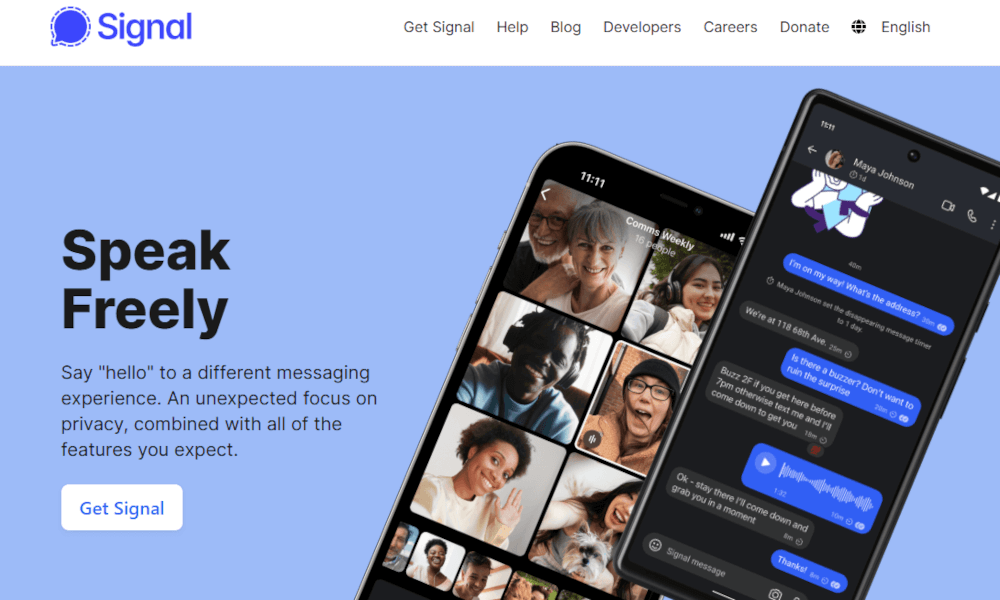
- Devices: iPhone, Android, Windows, Mac, Linux
- Free to check, open-code
- Free with zero ads & no hidden tracking
- Top-tier security via strong coding or data safeguards
- Needs your mobile digits to sign up
- Fewer users compared to WhatsApp or iMessage
Signal leads the pack when it comes to secure chats. Created by top crypto specialists using the Signal Protocol, its code is public, clear to inspect and built for privacy protection. Practically zero data tracking happens here; this means nobody tracks who you talk to, when those messages go out, or how you use the thing day-to-day.
If cops ask for your Signal info, the app only hands over when you signed up and the last time you went online. Personally, I stick with Signal whenever keeping things private’s a must, even if it doesn’t have all the flashy extras others pack in.
2. WhatsApp
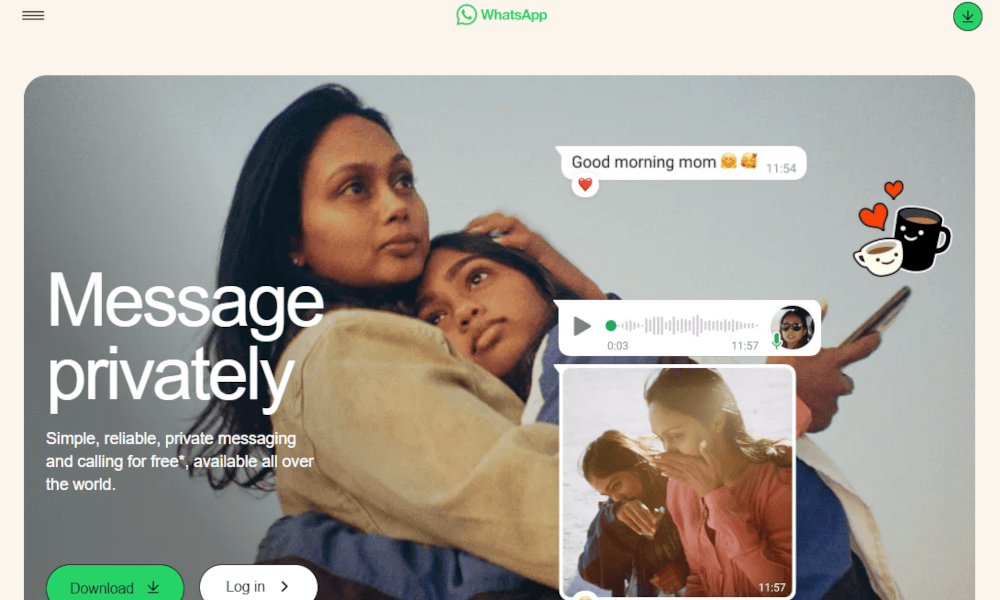
- Devices: iPhone, Android, Windows, Mac, Web
- Lots of people worldwide use it
- People can chat together while swapping files
- Secret coding keeps texts safe from start to finish
- Owned by Meta, raising privacy concerns
- Takes in a lot of background info on what you do
WhatsApp keeps your chats locked down, meaning just you and the person getting the message can see what’s said. Still, Meta collects loads of extra info, like whom you chat with, when that happens and how regularly it goes on. However, most folks are already on it, which means no need to convince friends or family to join something new.
If you’ve got to pick between regular texts and WhatsApp, stick with WhatsApp. Still, remember that Meta gets the gist of who you talk to, just not what’s said.
3. iMessage
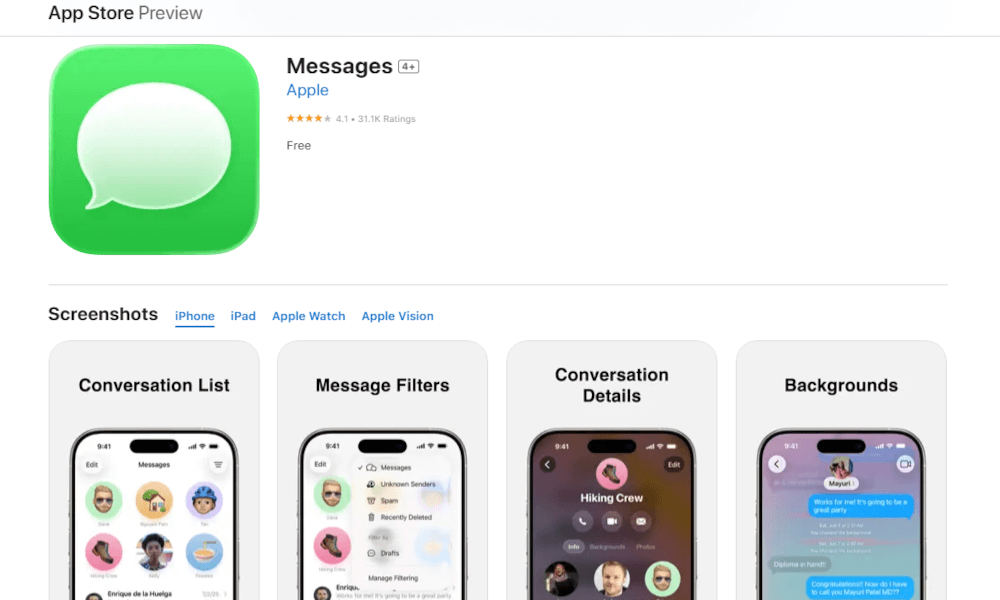
- Devices: iPhone, iPad, Mac, Apple Watch
- Built directly into the Apple ecosystem
- Works with SMS when you’re not messaging an iPhone
- Messages between iPhones stay private from start to finish
- Not as clear as free-to-see options out there
- Encryption applies only within Apple’s ecosystem
iMessage works right out of the box for iPhone owners: no fuss, no downloads needed. When you message another Apple gadget, your chats stay locked down from start to finish, giving strong privacy without hassle. Keep in mind that if someone outside the Apple world joins the thread, that tight security vanishes.
Can a VPN Encrypt Text Messages?
Nope, VPNs can’t encrypt text messages because they don’t function like that. While a VPN secures data flowing from your gadget to its server, regular texts rely on your mobile carrier’s signal. This means they bypass the encrypted tunnel completely.
A VPN might assist when using online chat tools such as Signal or WhatsApp – by masking your IP and securing data sent via wireless networks. Still, those platforms scramble your texts from start to finish right on your phone before sending them out.
If you’re after seriously secure chats, go for a messaging tool that’s built on encryption. To keep your overall online moves and location masked, grab yourself a high-quality VPN service. Pairing these two? That’s when your privacy gets the strongest shield possible.
Encryption vs End-to-End Encryption: Is There a Difference?
Yep, encryption and end-to-end encryption are quite different. While regular encryption keeps info safe while moving around, the company running the service can still unlock and see your messages. But when using end-to-end setup, just you and the receiver can view the content. Neither the app nor your carrier gets access, nobody does.
Imagine mailing a secure container. Regular encoding lets the courier unlock it, whereas full-path scrambling ensures just you and the receiver hold the keys.
WhatsApp locks down chats with full end-to-end protection so no one, not even the company, sees what you say. On the flip side, Google Messages using RCS secures info just while it’s moving, not when parked on their systems. That opens a door for them to access stored texts if needed. Whenever feasible, go for messaging tools that bake in complete encryption right from the start.
Is End-to-End Encryption Truly Secure?
In short: yep, end-to-end encryption is truly secure. When done right, it’s pretty much as safe as you can get. Cracking current codes, like AES-256 or what Signal uses, would need way more computer muscle than we’ve got now, even for top-tier government spies. But people? That’s where things fall apart: dumb passwords, infected gadgets or slick scam emails.
Still, encrypting data won’t mask metadata. If someone’s watching the network, they’ll spot who’s messaging whom and at what time, just not the actual content. Even with these drawbacks, end-to-end encryption is still the most effective way to protect your chats in everyday use.
Can I Send Encrypted SMS Messages Without an App?
You can’t send encrypted SMS messages without an app. In fact, SMS messages are never encrypted. Your words travel out in the open where snoops might see them. Some apps claim to lock down your messages, though they only function if both sides run the exact same software – which turns it into something different from normal texting. If you care about keeping things private, grab a secure tool like Signal.
Beyond Encryption: Best Practices for Keeping Your Messages Secure
Scrambling messages keeps them safe, yet that’s just part of how they stay protected. Check out these extra steps that actually boost your privacy:
- Try vanishing notes for private talks: Signal, for example, can erase texts by itself once your timer ends. This keeps stuff from sticking around where someone might dig it up afterward.
- Keep an eye on how messages are saved: storing them online might weaken security without you noticing. When chats exit your phone, they end up on remote servers; these are places where companies or hackers may peek in. Privacy’s a priority? Skip the online save option.
- Lock your gadget with something tough: world-class scrambling means nothing when anyone grabs your phone and sees everything right away. Go for a six-number code or use fingerprint login instead.
- Stay on top of your phone’s OS upgrades: these fixes close security holes hackers might use to peek at your chats. Lots of folks put off updates forever, sometimes even years; skip being one of them.
Conclusion
Securing your texts is one of the best moves you can make for keeping things private. Regular messages? They let phone companies, snoopers or even officials peek into what you’re saying. With encryption, just you and the person you’re texting can see what’s written. Setting it up is quick and totally free, so there’s no reason to stay unshielded.
Will you start using coded texts after learning how they help? Maybe you already share private stuff through messages? Any other tricks you use to block snoops from seeing your info? Drop a line below, and thanks for reading.
FAQ: How to Send Secure Messages
Are Text Messages Secure?
Nope, regular texts aren’t secure at all. They travel openly, meaning whoever taps into the system, like phone companies or tech intruders, might catch and peek at your messages.Is Google Messages Encrypted?
Yep, Google Messages are encrypted, at least most of the time. When both folks use RCS plus turn on security, Google Messages locks the chat. But if one switches to normal texting, that part stays unlocked.Is RCS Encrypted?
RCS can be encrypted. Google Messages locks down RCS talks from end to end when Android folks chat, though it depends on your network provider and how things are set up. Some versions of RCS don’t bother with message scrambling at all, so better check first instead of guessing your convos are safe.What Does the Lock Mean on Messages?
A little padlock on your messages means they’re encrypted. With Google Messages, it’s showing off RCS protection. Other apps, like Signal or WhatsApp, are telling you their end-to-end shields are up, guarding your talk.
Leave a Reply