Best Free VPN for Streaming: Free Providers for Movies, TV, Netflix, Live Sports & More
- Table of Contents
- Why Use a Free VPN for Streaming?
- My Methodology & How to Choose the Best Free VPN Service for Streaming
- The Best Totally Free Streaming VPNs
- 1. PrivadoVPN - Best Free VPN for Streaming Overall
- 2. Windscribe - Most Reliable Free Streaming Unblocking
- 3. hide.me - Fastest Free Streaming VPN
- 4. Proton VPN - Unlimited Data But Inconsistent Streaming
- 5. TunnelBear - Most User-Friendly But Severely Limited
- The Best Streaming VPNs With Free Trials/Money-Back Guarantees
- 1. NordVPN - Premium Streaming Without Restrictions
- 2. Surfshark - Best Value Premium Option
- How to Use a Free VPN With Streaming Platforms
- Are Free VPNs Really Safe for Streaming?
- Limitations of Streaming With Free VPNs
- Best Free VPNs for Streaming According to Reddit
- Conclusion
- FAQ: Free Streaming VPNs

Quick Summary: Best Free VPNs for Streaming
After weeks of testing, PrivadoVPN stands out as the most reliable option for streaming without constant buffering or connection errors.
- PrivadoVPN – Best overall free streaming VPN with unlimited data and 10GB high-speed allowance.
- Windscribe – Most streaming services unblocked with 10GB free data
- hide.me – Fastest free speeds with 10GB monthly limit
- Proton VPN – Unlimited data but hit-or-miss streaming reliability
- TunnelBear – User-friendly but limited to 2GB monthly data
Best Streaming VPNs With Free Trials/Money-Back Guarantees

Finding a free VPN for streaming is like chasing a myth. Most block streaming services entirely or crawl along at dial-up speeds, while some cut off mid-show due to data caps. For three weeks, I tried reputable free VPNs. I connected to free servers, attempted to stream Netflix and live sports, and learned which ones could handle Disney+ without throwing a fit.
The upside? Some no-cost VPNs actually work for streaming. Unfortunately, there’s usually a tight data limit, few servers, or shaky performance now and then. If you’re strategic about when and how you connect, these free options might save you a subscription fee while letting you watch your favorite shows.
- Money-Back Guarantee30 daysWorldwide Server Amount76 in 44 countries
- Money-Back Guarantee3 DaysWorldwide Server AmountServers in 55 Countries
- Money-Back Guarantee30 DaysWorldwide Server Amount2,000 servers in 75 countries
- Money-Back Guarantee30 DaysWorldwide Server Amount1500 Servers in 61 Countries
- Money-Back GuaranteeCase by case basisWorldwide Server Amount3,000+ servers in 46 locations
- Money-Back Guarantee30 DaysWorldwide Server AmountOver 5,400+ servers in 59 countries
- Money-Back Guarantee30 DaysWorldwide Server Amount1700+ Servers in 63 Countries












Why Use a Free VPN for Streaming?
The main reason to pick a free VPN for streaming is getting around regional blocks. Services like Netflix, Hulu, or Prime Video serve up different content based on location, so connecting with a VPN makes you appear to be in a different location. That trick opens doors to films and series you can’t normally watch at home.
Beyond location blocks, free VPNs might let you dodge slowdowns by ISPs that throttle streaming data on purpose. I’ve seen it happen most with live games; once the network spots heavy video use, speeds drop fast. With a solid VPN, your activity gets hidden through encryption, making it harder for your provider to meddle.
These tools also offer minimal safeguards when streaming on open WiFi hotspots. Having said that, if real safety matters to you, spending money on a premium option makes more sense.
My Methodology & How to Choose the Best Free VPN Service for Streaming
I tested these VPNs for weeks, running them through a 300 Mbps line out of Europe and connecting to available free servers. Instead of looking at broad features, I zeroed in on how well they handled streaming, because getting into Netflix isn’t quite the same as safe web surfing.
Here’s what I actually looked for:
- Streaming compatibility: Does it work with streaming sites like Netflix, Hulu or Disney Plus? I checked every VPN using no less than five big services, including Max, Prime Video, and BBC iPlayer; I also ran tests with live sports streams.
- Data limits: Just how much streaming fits into your plan? That 2GB might seem okay until you realize it barely covers one HD movie.
- Connection speeds: Free VPNs tend to be sluggish compared to paid ones, and some are unusably slow. I tested speeds on all available free connections to see what you’re really getting.
- Server locations: More available servers boosts chances of landing one that plays nice with your favorite streaming platforms. With free versions, you’re usually stuck picking from just a handful of options.
- Streaming quality: Can you really watch in HD, or is the picture super blurry? I checked if videos started in low resolution or stayed sharp at 1080p.
The Best Totally Free Streaming VPNs
Here’s how the top free VPNs stack up for streaming:
| Provider: | Data Cap | Free Servers | Streaming Success | Speed Rating |
|---|---|---|---|---|
| PrivadoVPN | Unlimited* | 13 cities | Good | Fast |
| Windscribe | 10GB/month | 10 countries | Excellent | Very Fast |
| hide.me | 10GB/month | 8 locations | Good | Very Fast |
| Proton VPN | Unlimited | 10 locations | Mixed | Moderate |
| TunnelBear | 2GB/month | 45 countries | Poor | Fast |
1. PrivadoVPN – Best Free VPN for Streaming Overall
for streaming securely.
Stats:
- Best price: Free ($1.11/month)
- Money-back guarantee: N/A (30 days on paid plans)
- Website: www.privadovpn.com
- Data cap: Unlimited (10GB high-speed allowance)
- Free server locations: 13 servers in 10 countries
- Decent speeds on free servers
- Unlimited data for endless streaming
- Works with a lot of streaming platforms
- Only 10GB high-speed data per month
- Can struggle to access Max & Disney+
PrivadoVPN gives you unlimited data each month, with a 10GB high-speed cap. You can connect to spots like New York, LA, London, or Frankfurt without hassle. While checking it out, I streamed Netflix US, Hulu, and Amazon Prime Video with no issues. That’s way better than other free services that fail once they hit those sites.
The 10GB high-speed limit seems tight until you realize that’s around five hours of HD video; enough to watch a couple of episodes or a movie or two. After you hit the cap, you’re switched to slower connections with unlimited use, so you can keep streaming, just in lower definition.
My Experience With PrivadoVPN: Hands-On Performance
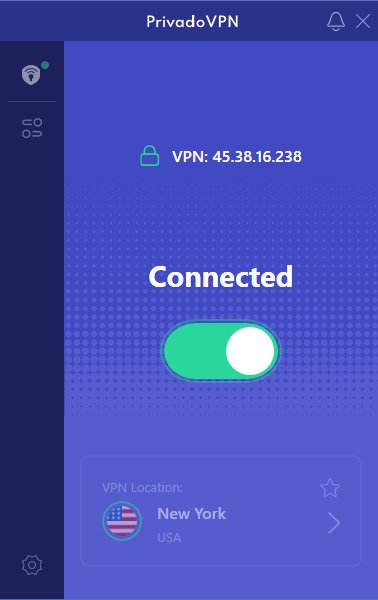
Connecting to PrivadoVPN’s New York server, I braced for the typical “VPN detected” warning on Netflix. But no: the American catalog popped right open. From there, I binged a few shows that my area normally blocks. The picture stayed sharp the whole time with 1080p quality and no buffering. Honestly, I didn’t expect that kind of smooth run from a free setup.
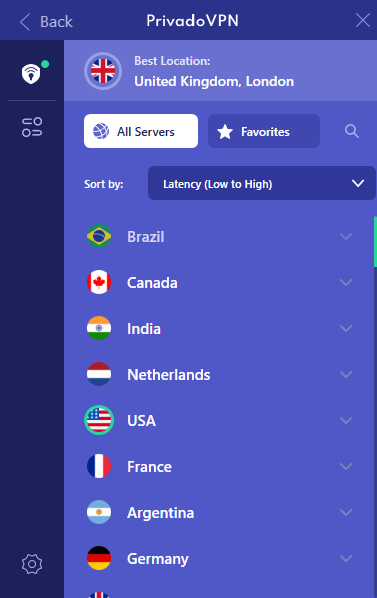
The layout feels clean, too; it’s nothing like those clunky VPN apps packed with confusing options you’ll never use.
PrivadoVPN Test Results
| Streaming Platform: | Unblocked? |
|---|---|
| Netflix | Yes |
| Hulu | Yes |
| Prime Video | Yes |
| BBC iPlayer | Yes |
| Disney Plus | No |
| Max | No |
Hulu worked fine, just like Prime Video, but Max and Disney Plus spotted the VPN right away, so no streaming for me there. You might have better luck if PrivadoVPN refreshes its free IPs.
PrivadoVPN Pricing and Value
The free option works fine for light use, but if you want more than 10GB of fast streaming per month, going premium might make sense; plans start at $1.11 monthly with a two-year deal. This price stands up well against similar services. Take a look at our PrivadoVPN review for more details.
$1.11 per month (two-year plan + three months)
2. Windscribe – Most Reliable Free Streaming Unblocking
Stats:
- Best price: Free ($5.75/month)
- Money-back guarantee: N/A (7 days on paid plan)
- Website: www.windscribe.com
- Data cap: 10GB/month
- Free server locations: 10 countries
- Unblocked every platform I tested
- Includes ad-blocking that actually works
- App feels fiddly to use
- 10GB monthly data allowance
Windscribe really surprised me when it actually worked on every big streaming site I tried, especially Disney Plus, which usually blocks VPNs. It’s the only no-cost option that let me stream Disney Plus, Max, Paramount Plus, and Peacock, along with regular ones such as Netflix and Prime Video.
While Windscribe got me to these platforms, videos looked way worse compared to other VPNs. Quality was stuck at 720p or less, despite having enough speed for crisp 1080p. Feels like it’s so busy getting past the bouncers it forgets to reserve a good table once you’re in.
My Experience With Windscribe: Hands-On Performance
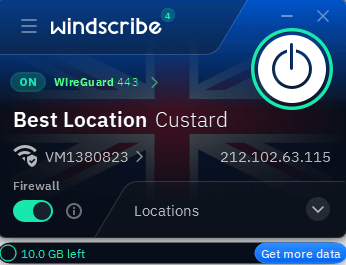
The interface is kind of squashed on desktop, and it’s not immediately clear which servers are available for free users. Once I chose a server, my connection was stable and fast. Connecting to Windscribe’s U.S. servers from Europe, right away tons of streaming platforms ran smoothly.

those are the free options.
The issue popped up once I began checking out shows. On Netflix, it stuck to 720p without asking; YouTube did the exact same thing. Even forcing 1080p didn’t help much; the stream just kept stuttering. Over on Paramount Plus, hitting play a few times was needed just to get Top Gun: Maverick going, which felt way more frustrating than necessary.
Windscribe Test Results
| Streaming Platform: | Unblocked? |
|---|---|
| Netflix | Yes |
| Hulu | Yes |
| Prime Video | Yes |
| BBC iPlayer | Yes |
| Disney Plus | Yes |
| Max | Yes |
Not only did Netflix fire up, but Hulu, Disney Plus, Max and Peacock worked without hiccups. Even BBC iPlayer loaded cleanly on a U.K. server, no blocks at all. For a zero-cost tool, this kind of performance really stands out.
Windscribe Pricing and Value
Windscribe’s free version actually works well, despite its streaming-quality struggles. For smoother streaming plus endless data, go Pro at $5.75 each month, or pick specific servers to match your needs, cutting the price down to $3 monthly. Read our Windscribe review for more.
$5.75 per month (one-year plan)
3. hide.me – Fastest Free Streaming VPN
Stats:
- Best price: Free ($2.69/month)
- Money-back guarantee: N/A (30 days paid plan)
- Website: www.hide.me
- Data cap: 10GB/month
- Free server locations: 8 locations
- Consistently fast speeds
- Successfully unblocked Netflix, Prime Video & Peacock
- Limited server selection
- Struggles with Disney+ & BBC iPlayer
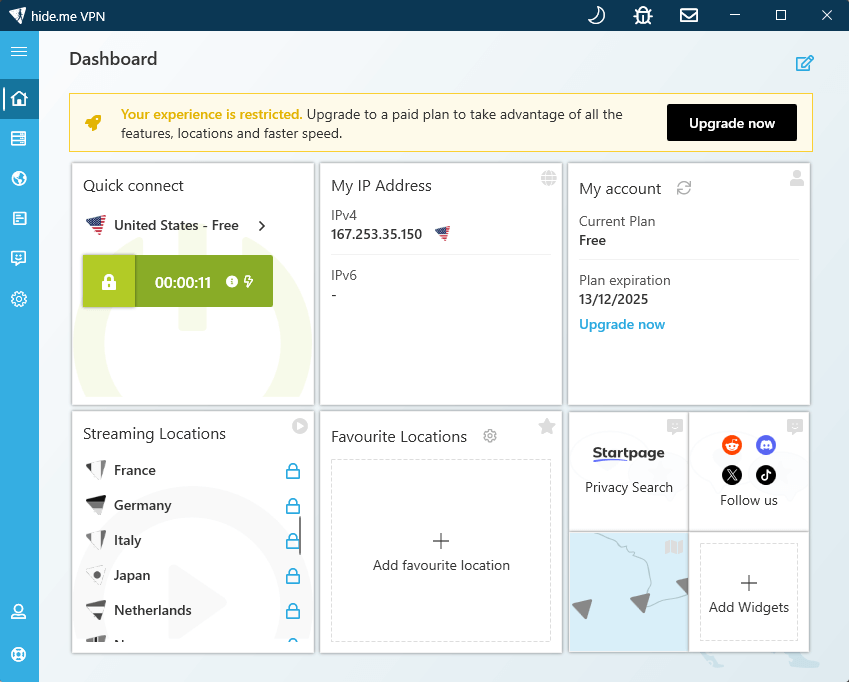
hide.me gave the fastest performance among free VPNs I checked, and speed really counts if you’re watching HD videos. On close servers, downloads kept going at over 280 Mbps, almost as fast as without a VPN. This meant no lag or pauses while streaming 1080p, whenever the service connected properly.
The bad part is that it doesn’t work with as many platforms as Windscribe. Netflix US fired up just fine, and so did Amazon Prime, Peacock, and YouTube. Disney Plus and BBC iPlayer blocked access right away.
My Experience With hide.me: Hands-On Performance
Weeks of trying slow VPNs left me frustrated; then I tried hide.me, which was way faster. Hooking up to the U.S. server brought speeds of 284 Mbps download and 98 upload, not bad for something free. Honestly, that’s more than enough to play 4K videos.
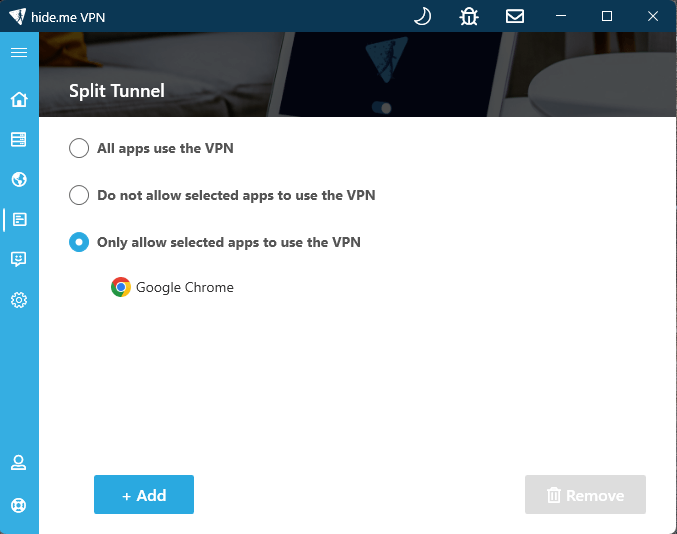
The layout feels clean, and there are some premium features included in the free plan, like split tunneling. There’s a map tool but it’s laggy to use, so choosing servers directly works faster.
hide.me Test Results
| Streaming Platform: | Unblocked? |
|---|---|
| Netflix | Yes |
| Hulu | Yes |
| Prime Video | Yes |
| BBC iPlayer | No |
| Disney Plus | No |
| Max | Yes |
Netflix US ran smoothly, just like Amazon Prime Video, and I watched episodes with zero lag. Trouble hit once I opened Disney Plus; an error popped up saying my VPN was detected. BBC iPlayer acted up too, even after disconnecting and reconnecting multiple times.
hide.me Pricing and Value
hide.me’s free version performs really well thanks to its fast speeds. Starting at $2.69 a month, the paid option has dedicated servers for access to streaming platforms. Check out our hide.me review for more information.
$2.69 per month (two-year plan + two months)
4. Proton VPN – Unlimited Data But Inconsistent Streaming
Stats:
- Best price: Free ($2.99/month)
- Money-back guarantee: N/A (30 days on paid plan)
- Website: www.protonvpn.com
- Data cap: Unlimited
- Free server locations: 10 locations
- Unlimited data
- Strong privacy credentials
- Transparent VPN company
- Speeds can vary significantly
- Can’t choose your server location
Proton VPN stands out among free options with unlimited data and no artificial speed throttling. You won’t find another no-cost service like this one, where watching full shows nonstop actually works without a hitch.
The stream works sometimes; it really depends on what app you’re using. Netflix, Hulu, and Prime Video ran smoothly every time I checked. But Disney Plus just wouldn’t play along, even after switching servers or clearing my browser cookies.
My Experience With Proton VPN: Hands-On Performance
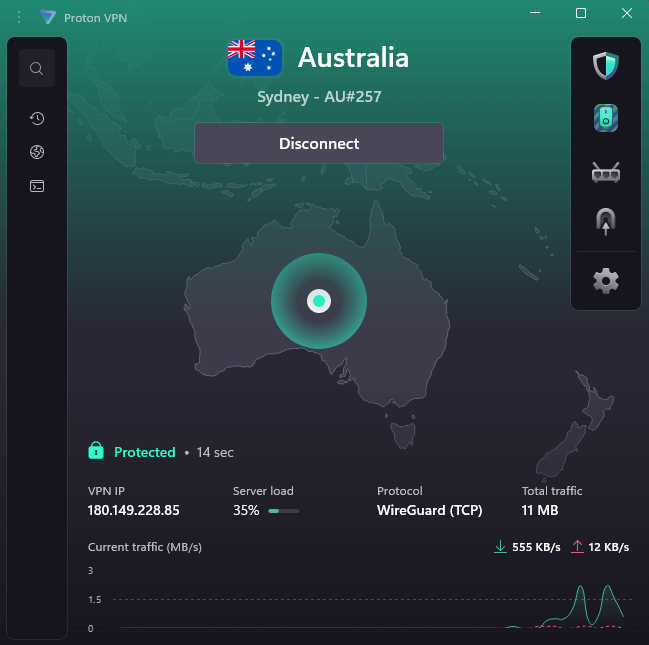
With unlimited data, things get interesting, especially if you stream nonstop. Connecting to Proton VPN’s local server let me binge Netflix with no hiccups or pop-ups saying I’d used too much. Picture stayed sharp the whole time, mostly in full HD on nearly every platform, which felt like a win compared to Windscribe’s shaky drop-offs.
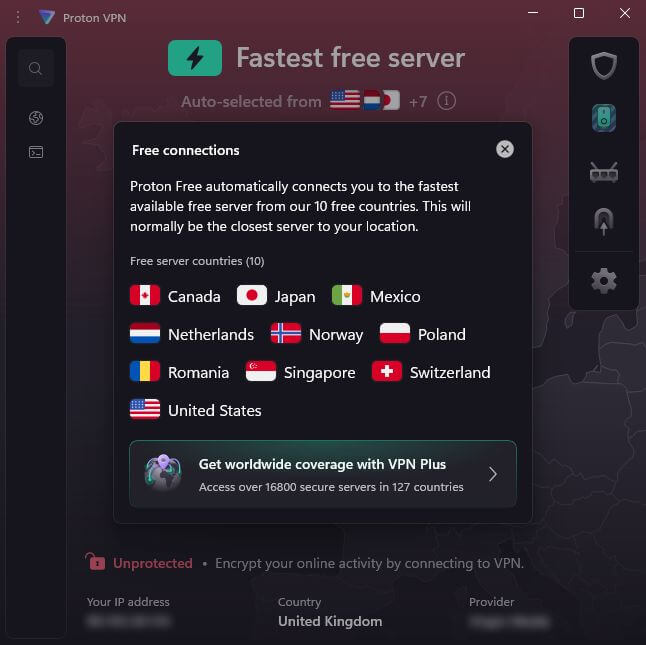
The trouble is, you can’t pick your own server. Proton VPN automatically connects you to the nearest and fastest option, so you’re stuck with whatever streaming library you’re given. This isn’t a huge issue, unless you want to watch something in a specific location; in that case, an upgrade might be worth a look.
Proton VPN Test Results
| Streaming Platform: | Unblocked? |
|---|---|
| Netflix | Yes |
| Hulu | Yes |
| Prime Video | Yes |
| BBC iPlayer | No |
| Disney Plus | No |
| Max | Yes |
Most streaming platforms allow Proton VPN’s servers to access content, but the platform availability is going to depend on your location. Despite running a test from the U.K., our testers couldn’t access BBC iPlayer; the nearest server connection was in the Netherlands.
Proton VPN Pricing and Value
If unlimited data matters most, and you don’t mind skipping Disney Plus, Proton VPN’s free plan works. For $2.99 each month, the upgraded option brings more servers you can actually choose from and faster connection speeds. Read our Proton VPN review for more details.
$4.49 per month (two-year plan)
5. TunnelBear – Most User-Friendly But Severely Limited
Stats:
- Best price: Free ($4/month)
- Money-back guarantee: N/A
- Website: www.tunnelbear.com
- Data cap: 2GB
- Free server locations: 45+ countries
- Incredibly simple to use
- Works with local streaming services
- Can only access the fastest server
- 2GB data cap is barely enough for one movie
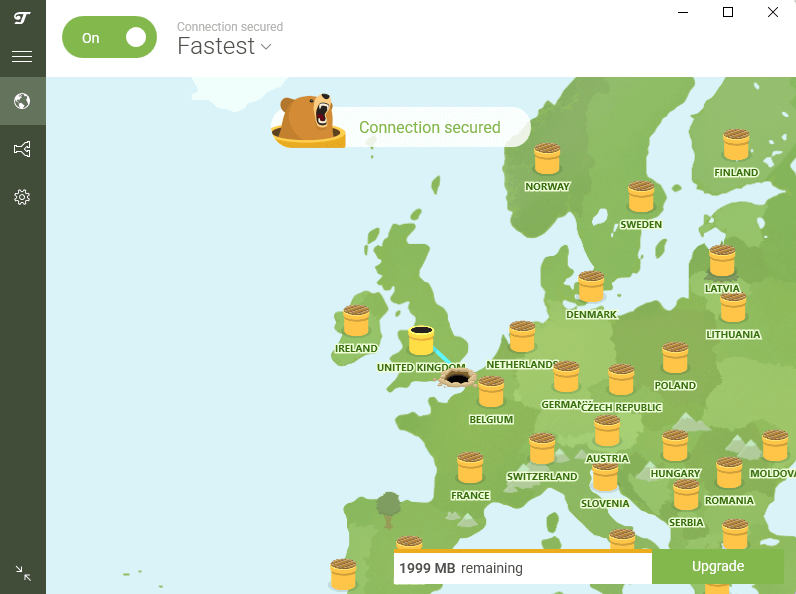
TunnelBear’s got cute vibes; cartoon bears burrowing through maps, and there are bouncy visuals everywhere. But it’s the tightest on data; just 2GB each month, only enough to check if streaming works well before you pay up.
The 2GB cap gives around two hours of standard definition playback, or maybe sixty minutes if you go HD, and barely covers a full film without dropping quality. It’s obvious this works more like a test run instead of a proper no-cost option.
My Experience With TunnelBear: Hands-On Performance
TunnelBear’s layout feels easy enough that even my tech-awkward family might use it. This just proves how simple it is and hints at how messy other VPNs can be. Tap the connect button once, and watch a doodle bear dig through earth until it gets there. It also comes with some configurable settings if you want to make a few changes.
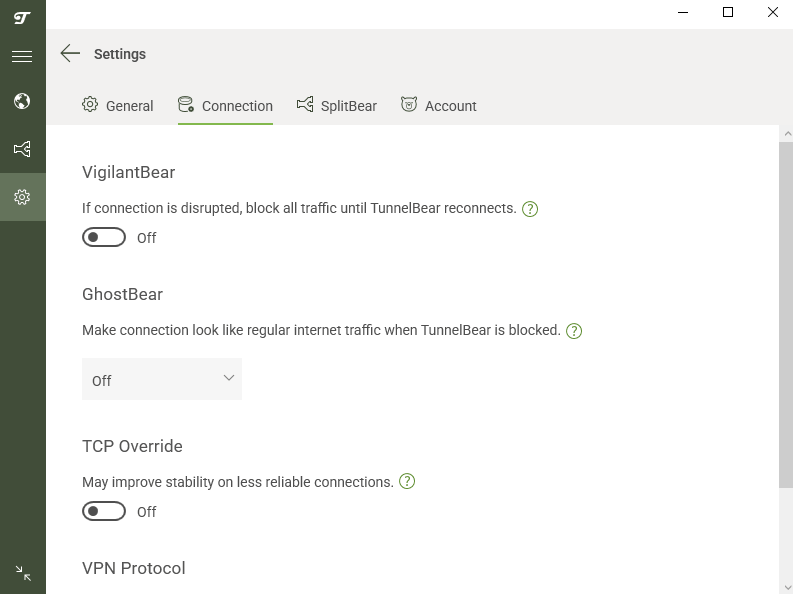
Frustratingly, despite “having access” to all of TunnelBear’s servers, you’ll be auto-connected to the fastest option on the free plan. Like Proton VPN, this means you’re restricted to content in whatever location TunnelBear deems best.
TunnelBear Test Results
| Streaming Platform: | Unblocked? |
|---|---|
| Netflix | Sometimes |
| Hulu | No |
| Prime Video | Yes |
| BBC iPlayer | No |
| Disney Plus | No |
| Max | Yes |
Streaming varied a bit. Netflix ran fine on some servers, yet failed on others in an unpredictable way. Prime Video linked without issues; however, Disney Plus and Hulu spotted the VPN right away.
TunnelBear Pricing and Value
The free version works like a test run. If you enjoy the layout, going for the $4-a-month option lifts server limits and promises smoother streams. Check out our TunnelBear review for more information.
$3.33 per month (three-year plan)
The Best Streaming VPNs With Free Trials/Money-Back Guarantees
If free VPNs aren’t cutting it, these premium options let you test before committing:
| Provider: | Money-Back Guarantee | Best Price | Streaming Success | Speed Rating |
|---|---|---|---|---|
| NordVPN | 30 days | $2.99/month | Excellent | Very Fast |
| Surfshark | 30 days | $1.99/month | Excellent | Fast |
1. NordVPN – Premium Streaming Without Restrictions
Stats:
- Best price: $2.99/month
- Money-back guarantee: 30 days
- Website: www.nordvpn.com
- Huge server network
- Consistently fast speeds
- Works with all streaming platforms
- No truly free plan
- Interface feels a little cluttered
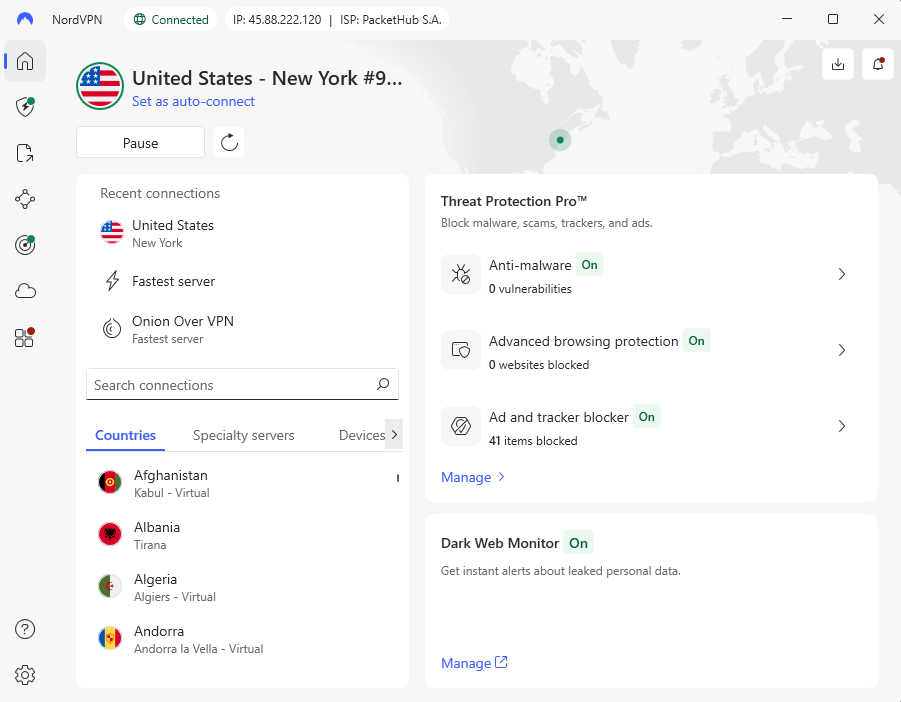
NordVPN shows how smooth streaming can feel without data limits or blocked servers. Not only did big names like Netflix and Disney+ run perfectly, but also smaller platforms like local news sites. Even faraway locations didn’t slow things down, with speeds over 280 Mbps. That performance made watching 4K content a no-brainer whenever it was offered.
My Experience With NordVPN: Hands-On Performance
The gap between free services and Nord showed right away during streaming. Content loaded quickly, ran at top quality, and never stalled. Jumping on different US servers let me open Netflix, Hulu, Disney+, Max, Paramount, and Peacock, and I could access them all without issues.
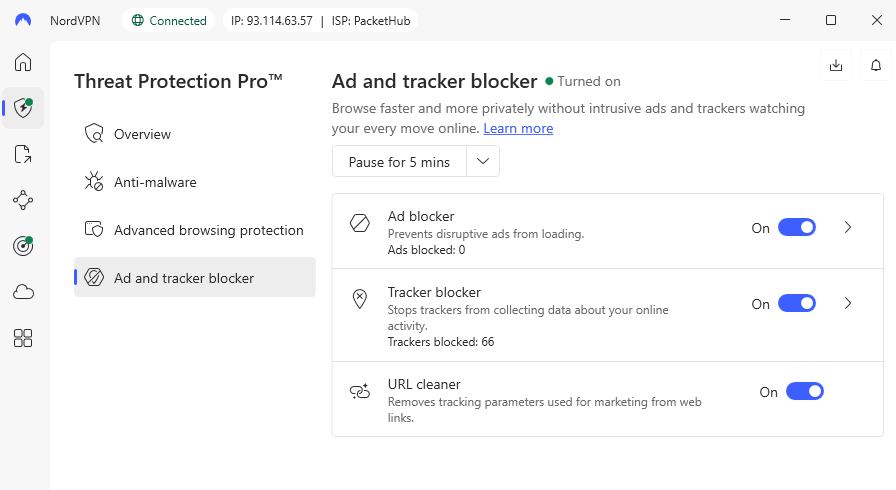
The 30-day refund offer works like a longer test run. The only annoying thing was that getting my money back meant digging through account options instead of seeing clear info upfront. Plan renewal also happens automatically unless you switch it off, which is annoying.
NordVPN Test Results
| Streaming Platform: | Unblocked? |
|---|---|
| Netflix | Yes |
| Hulu | Yes |
| Prime Video | Yes |
| BBC iPlayer | Yes |
| Disney Plus | Yes |
| Max | Yes |
From my location, I could access global content on multiple streaming platforms. I didn’t see any “VPN detected” proxy errors, just instant access to my accounts and smooth streaming after.
NordVPN Pricing and Value
For $2.99 a month on a two-year deal, NordVPN is a pretty affordable deal. Since slow speeds frustrate serious streamers, this one handles demand well enough to cover the price. Try it risk-free for 30 days, or find out more in our NordVPN review.
$2.99 per month (two-year plan + three months)
2. Surfshark – Best Value Premium Option
Stats:
- Best price: $1.99/month
- Money-back guarantee: 30 days
- Website: www.surfshark.com
- Connect unlimited devices
- Works with all streaming platforms tested
- No truly free plan
- Upload speeds slow on most servers
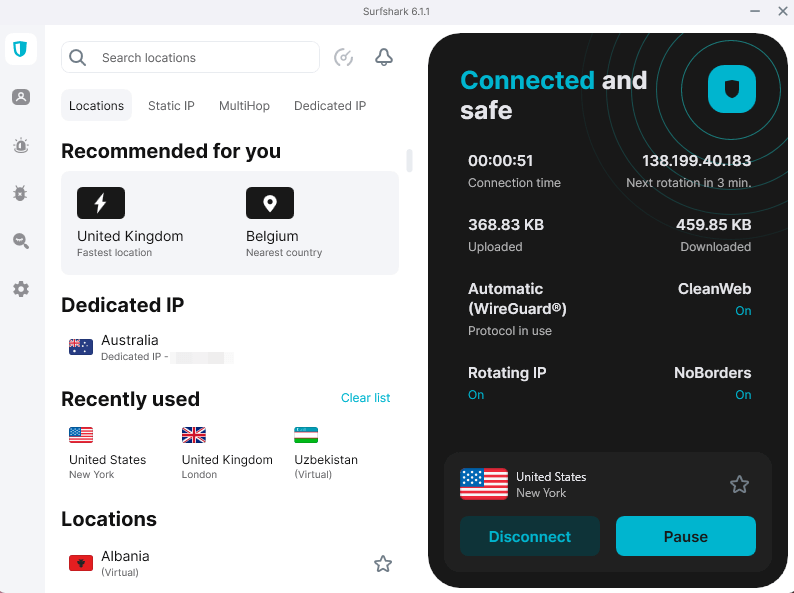
Surfshark lets you hook up as many gadgets as you want, so your whole home crew can use just one plan. When it comes to watching shows, what really stands out is how smoothly it handled every streaming site I threw at it, without any drop in picture clarity.
My Experience With Surfshark: Hands-On Performance
Surfshark caught my attention thanks to its clean layout and solid stream handling. Each platform opened up just fine, kept full HD clarity, and ran smoothly no matter what. Having endless gadget access really helped during checks on my computer, mobile, and tablet. Plus, it’s really easy to use, which is ideal if you’re a beginner.
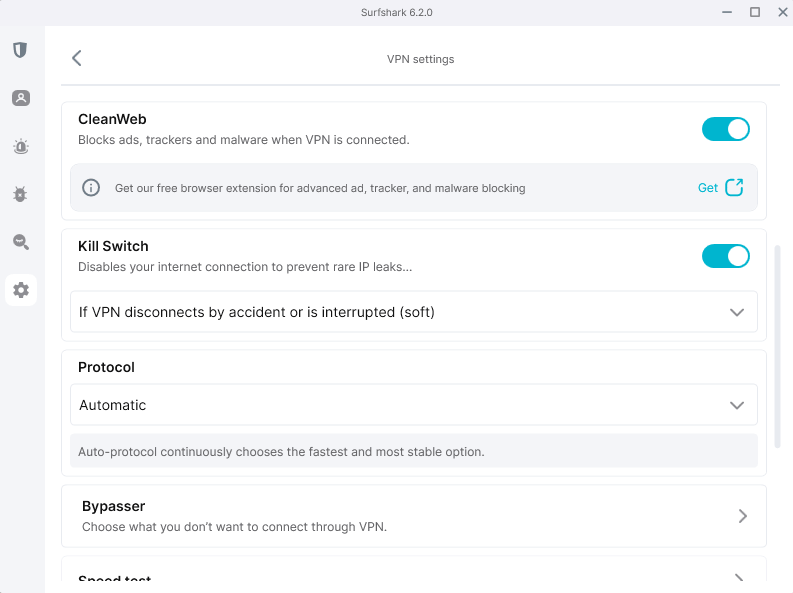
The main letdown? Upload speeds dipped to about 20 Mbps and latency increased, even on local servers. That won’t mess up your streaming beyond perhaps a little more initial loading, but if you want to video chat or share files, you’ll notice the impact.
Surfshark Test Results
| Streaming Platform: | Unblocked? |
|---|---|
| Netflix | Yes |
| Hulu | Yes |
| Prime Video | Yes |
| BBC iPlayer | Yes |
| Disney Plus | Yes |
| Max | Yes |
Surfshark regularly rotates and refreshes its IP address to avoid blocks, and it works. I didn’t have any proxy errors or problems connecting to global streaming platforms.
Surfshark Pricing and Value
For just $1.99 each month with a two-year deal, Surfshark is cheaper than NordVPN and lets you hook up every gadget you own. Since there’s a 30-day refund promise, trying it out for your favorite shows takes zero risk. Read our Surfshark review for more.
$2.49 per month (two-year plan + three months)
How to Use a Free VPN With Streaming Platforms
Setting up a free VPN for streaming takes about five minutes once you know the process. Here’s how to get started:
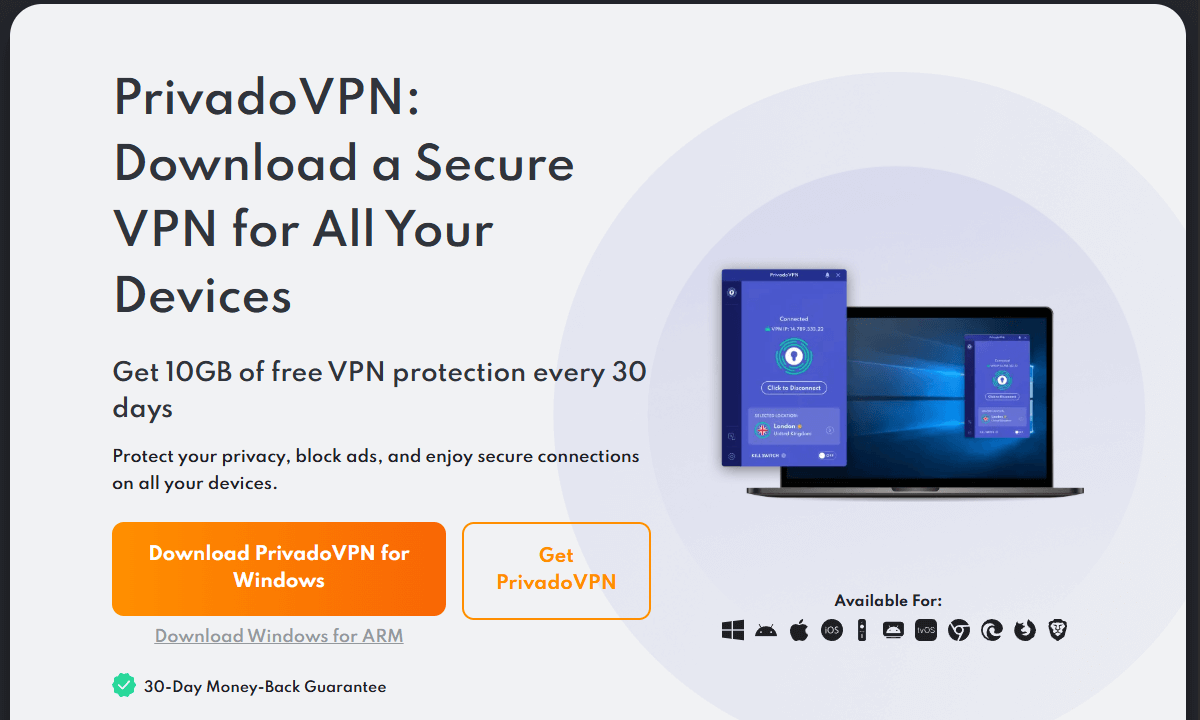
1. Choose and download your free VPN
Visit your chosen VPN’s official website and sign up for an account if needed. Download the correct app for your device.
2. Install the VPN and connect to a server
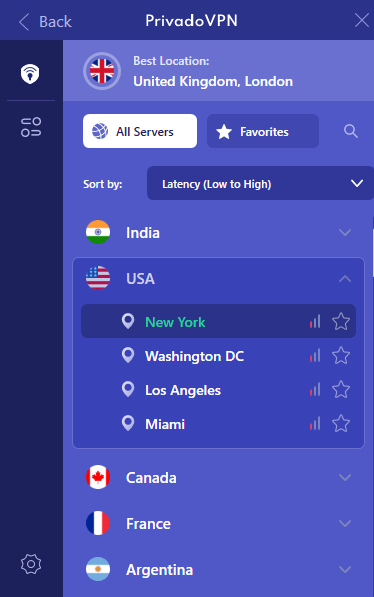
Choose a server in a location that allows access to your favorite streaming platform, if the VPN allows it. Otherwise, hit the “connect” button to auto-connect to the fastest option.
3. Open your streaming platform and start watching
In your browser or app, visit your desired streaming platform, choose your content, and start streaming. Stay connected to the VPN to avoid any disruption while you watch.

Are Free VPNs Really Safe for Streaming?
The free VPNs listed here are actually secure, since they’re run by teams who prioritize data privacy. They rely on solid encryption, don’t track user activity, and have premium plans that help fund their basic versions. You won’t find shady software here aiming to leak info to ads or load viruses on your gadget.
Still, staying safe online isn’t black and white. Most free VPN services earn cash by capping functionality (pushing users to pay later) instead of selling personal info. The ones I suggest cover costs using income from subscribers who opt for paid plans.
Random free VPNs from app marketplaces could go another route entirely, tracking what sites you visit and then selling that data to advertisers or bombarding you with ads. Bottom line: when there’s zero cost, no option to upgrade, and no obvious way they profit, you’re likely the one being traded.
Limitations of Streaming With Free VPNs
Face it – here’s what you actually get with free VPNs:
- Data caps vanish in no time: Streaming HD eats through even a big 10GB allowance. A typical month gives you roughly ten hours at SD quality, while HD cuts that down to five.
- Free VPNs can mess up your videos: Quality drops fast, no matter how good your internet is. You’re stuck with 720p or worse, sometimes even 480p.
- Inconsistent platform compatibility: One service works, another doesn’t. These sites keep tweaking how they spot VPNs, so what runs today might crash tomorrow without warning.
- Only a few servers: Basic plans usually stick you with just a couple of servers, so your show choices take a hit. Hoping to stream a program from one particular place? If your free VPN doesn’t have a server in that location, you’re in for a tough time.
- Slow speeds: Free servers often run slow since tons of people use them. That means lag, delays, or videos pausing out of nowhere.
- Possibility of VPN detection: Sites like Hulu keep hunting down VPN users. Free VPNs rely on a handful of shared IPs, so they get spotted quickly. This means you’ll hit that annoying “we see you’re using a VPN” warning.
Free vs Paid VPNs for Streaming
Here’s how free and paid VPNs actually compare for streaming:
| Feature: | Free VPNs | Paid VPNs |
|---|---|---|
| Data limits | 2-10GB monthly (or unlimited with restrictions) | Unlimited |
| Streaming quality | 720p-1080p (often reduced) | 4K capable |
| Platform compatibility | Hit-or-miss, frequently blocked | Consistently reliable |
| Server locations | 5-13 countries typically | 60-100+ countries |
| Connection speeds | Adequate for HD, occasional buffering | Fast, minimal slowdown |
| Device connections | 1-unlimited (varies) | 5-unlimited devices |
| Customer support | Limited or bot-only | 24/7 live chat |
| Ad blocking | Rarely included | Usually included |
Best Free VPNs for Streaming According to Reddit
Reddit fans often pick PrivadoVPN or Proton VPN when they want something free because they give endless data and keep things private, even if servers are limited. After that, Windscribe pops up a lot since it works well for bypassing blocks. A few folks stick with TunnelBear but say restrictions get annoying over time.
On various forums, users say some free VPN are drowned out by ads prompting upgrades. Some also highlight red flags, like apps asking for card details or any free service that doesn’t have a clear way it makes money.
Conclusion
After weeks of testing, PrivadoVPN is the best option for a free streaming VPN. It unblocks streaming platforms pretty reliably, has unlimited data, and is very secure. For users who can swing a small investment, NordVPN is the best premium option, with a 30-day money-back guarantee for risk-free testing.
What’s your experience using free VPNs to stream? Did you find one that actually runs smoothly on sites you love? Let us know in the comments and tell us what worked or drove you nuts. If you’ve got hacks to boost performance, throw those in as well. Thanks for reading.
FAQ: Free Streaming VPNs
Which Is the Best Free VPN for Streaming?
PrivadoVPN is the best free VPN for streaming. It handles most streaming platforms better than others. It’s a solid no-cost option for decent streaming performance and strong security.Will Netflix Ban Me If I Use a VPN?
No, Netflix won’t ban you if you use a VPN. If it detects VPN use, you’ll only be able to see globally available Netflix Originals content, no local libraries.Is There a 100% Free VPN?
Yes, PrivadoVPN, Windscribe, hide.me, Proton VPN and TunnelBear are all 100% free VPNs.
Leave a Reply