
Best VPN for Gaming in 2026: 7 Paid & Free Options
- Table of Contents
- Why Use a VPN for Gaming?
- How to Choose the Best VPN for Gaming: Features I Test For
- The Best Gaming VPNs
- 1. NordVPN -- Fastest VPN for Gaming
- 2. Surfshark -- Best for Multiple Gamers
- 3. ExpressVPN -- Simple VPN With Premium Speeds
- 4. CyberGhost -- Best for PC Gaming
- 5. Private Internet Access -- Best for Customizing Gaming Connections
- Best Free VPNs for Gaming
- 1. Proton VPN -- Best Free Gaming VPN
- 2. PrivadoVPN -- Best Free Pick for Casual Gamers
- Are Free VPNs Good for Gaming?
- How to Use a VPN For Gaming
- Conclusion
- FAQ: What Is the Best VPN for Gaming?

Quick Summary: Best Gaming VPNs
NordVPN takes the top spot for gaming with consistently low ping times and excellent speeds on nearby servers. Try NordVPN risk-free for 30 days.
- Best gaming VPN with stable, low-latency connections and support for as many as 10 devices
- Good for households with unlimited simultaneous connections, ideal for multiple gamers
- Easiest for beginners, with top-notch speeds and a user-friendly interface
- Offers dedicated gaming servers, and advanced settings are explained clearly
- Customizable settings let you fine-tune settings to prioritize speed or security
- Best free VPN for gaming with no data caps and decent performance
- Free VPN with affordable paid plans and good speeds













Gaming with a VPN doesn’t have to mean laggy connections or packet loss. I tested seven VPNs across multiple servers and gaming scenarios and found that the best VPN for gaming can actually reduce ping by routing you through less congested pathways. The wrong VPN, however, will make you feel like you’re playing underwater.
Look, I get it. Asking your connection to take a detour before reaching the game server sounds counterintuitive. But here’s what actually matters: your ISP might be throttling your traffic, or you might get better routing through a top VPN server than your ISP’s default path. Plus, you get protection from DDoS attacks and access to region-locked games and sales.
- Money-Back Guarantee30 DaysWorldwide Server AmountOver 5,400+ servers in 59 countries
- Money-Back Guarantee30 DaysWorldwide Server Amount1700+ Servers in 63 Countries
- Money-Back Guarantee30 DaysWorldwide Server AmountOver 3,000 servers in 105 countries
- Money-Back Guarantee45 DaysWorldwide Server Amount7,300 Servers worldwide
- Money-Back Guarantee30 DaysWorldwide Server Amount84 countries
- Money-Back Guarantee30 DaysWorldwide Server Amount1500 Servers in 61 Countries
- Money-Back Guarantee30 daysWorldwide Server Amount76 in 44 countries
Kate Hawkins is a freelance writer and editor with over a decade of experience, specializing in VPN software and technology since 2019. Her work, featured on platforms like WizCase, includes reviews, how-to guides and articles. She holds a BA in English literature and drama from Queen Mary University of London. Outside of work, Kate enjoys horror novels, scary movies, rock and metal music and video games, particularly the Broken Sword series.
Last updates:
- 10/30/2025
We’ve updated our article with fresh speed tests and new provider analysis.
Why Use a VPN for Gaming?
A VPN sends your connection through an encrypted tunnel to a secure server in another location. For gamers, that can give three big advantages: protection from DDoS attacks (especially important for streamers), access to region-locked content and smoother routing that can bypass ISP throttling or unstable server paths.
What Does a VPN Do for Gaming?
When you game through a VPN, your data takes a quick detour; it’s encrypted and sent through the VPN server before reaching the game server. That extra step is why fast speeds and close server locations matter so much.
In my tests over several weeks, nearby VPN servers added just 5-15 ms of delay, which most players won’t notice. Long-distance servers were a different story, sometimes adding 100 ms or more which is enough to throw off your timing in competitive matches.
The encryption also prevents your ISP from seeing what you’re doing, which stops them from throttling your bandwidth when they detect gaming traffic. Some ISPs do this during peak hours, and a VPN completely bypasses it.
How to Choose the Best VPN for Gaming: Features I Test For
Every VPN claims to be perfect for gaming, which is about as helpful as every gaming headset claiming it gives you ‘competitive advantage.’ Here’s what I actually test when evaluating gaming VPNs:
- Low ping times on nearby servers: Anything under 20ms added latency is excellent for gaming.
- Fast download speeds: Your VPN needs to support at least 25 Mbps download speeds for smooth gaming.
- Large server network: More VPN servers near you means better options for low-latency connections.
- No bandwidth throttling: Some VPNs slow down when they detect high bandwidth usage.
- Reliable connections: Disconnects mid-game are unacceptable, period.
- Good mobile performance: Console and mobile gamers need apps that actually work.
- Split tunneling: Route only gaming traffic through the VPN server while other apps use your regular connection.
The Best Gaming VPNs
Each VPN below went through identical testing with a baseline 300 Mbps down and 100 Mbps up connection.
| Provider: | Best Price | Ping | Data Cap | Compatibility |
|---|---|---|---|---|
| NordVPN | $3.09/month | +7ms | Unlimited | Windows, Mac, Linux, Android, iOS, routers |
| Surfshark | $1.99/month | +4ms | Unlimited | Windows, Mac, Linux, Android, iOS, routers |
| ExpressVPN | $3.49/month | +68ms | Unlimited | Windows, Mac, Linux, Android, iOS, routers |
| CyberGhost | $2.19/month | ~8ms | Unlimited | Windows, Mac, Linux, Android, iOS, routers |
PIA | $2.19/month | +9ms | Unlimited | Windows, Mac, Linux, Android, iOS, routers |
| Proton VPN* | $3.59/month | Variable | Unlimited | Windows, Mac, Linux, Android, iOS, routers |
| PrivadoVPN* | $1.11/month | +82ms | Unlimited** | Windows, Mac, Linux, Android, iOS, routers |
**High-speed data for first 10GB monthly
1. NordVPN — Fastest VPN for Gaming
- Consistently low ping
- 10 simultaneous connections
- Excellent speeds with the NordLynx protocol
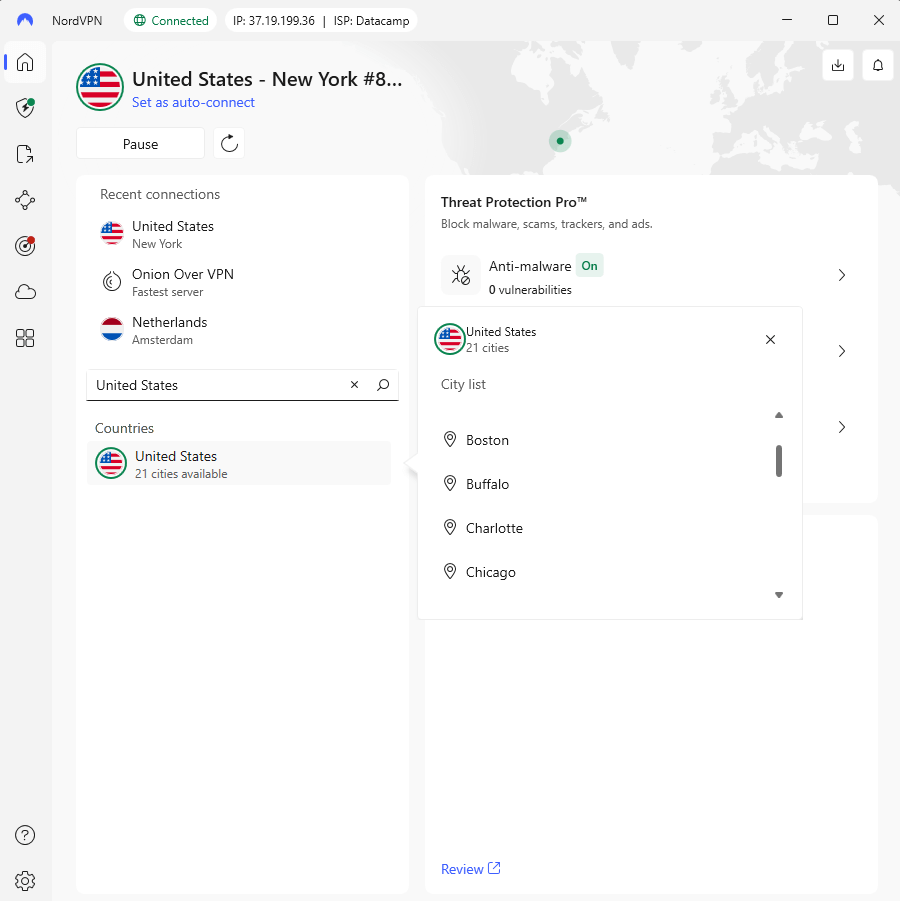
- New app design feels cluttered
- Hard to select specific city servers
- Login redirects through a browser window
NordVPN delivers exactly what gamers need: speed, stability and minimal latency. In my tests, the NordLynx protocol repeatedly topped my performance charts. Connected to a Bulgarian server, my ping only increased by 7 ms over baseline, with upload speeds holding steady around 90 Mbps – truly impressive for a VPN.
My Experience With NordVPN: Hands-On Performance
Gameplay was smooth and consistent across competitive titles like League of Legends, with no noticeable lag. Even during peak hours, connections were stable enough for ranked matches. The kill switch is also sophisticated, letting you disconnect specific apps or cut your internet connection entirely if the VPN drops. Manual testing showed this works as configured.
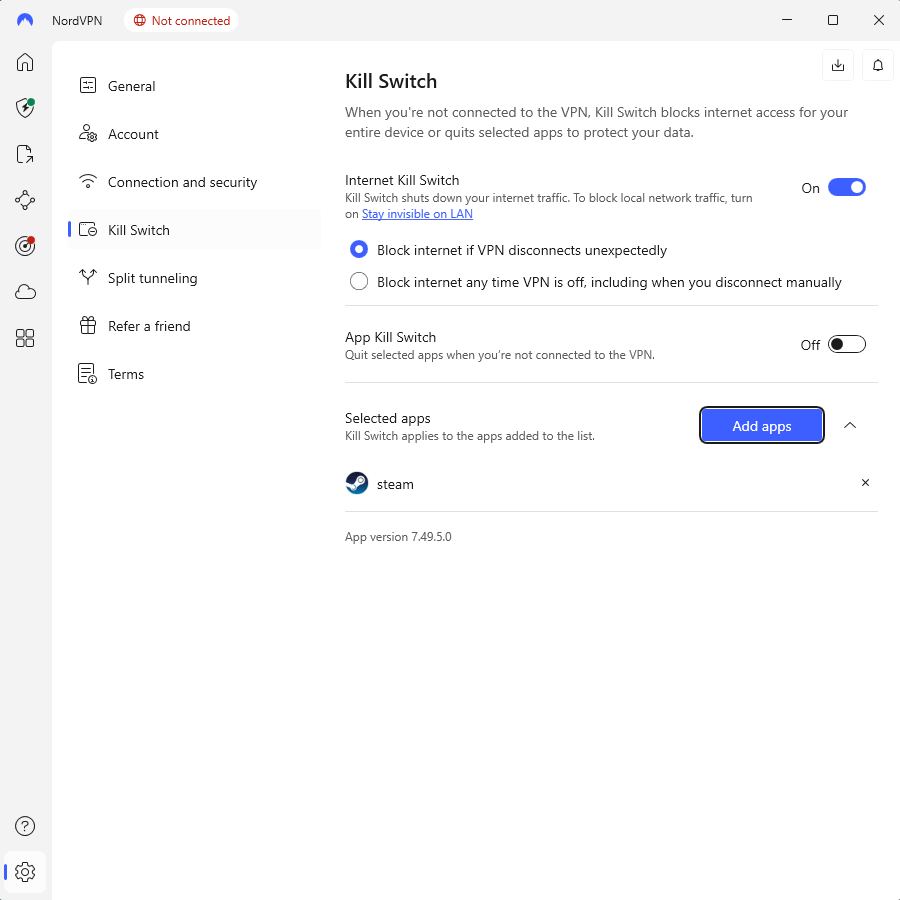
My main complaint is the interface redesign: the homepage prominently shows weekly connection time and file sharing options, neither of which matter for online gaming. Get past it though, and it’s pretty simple to choose nearby servers and start gaming quickly.
NordVPN Test Results
| Server: | Upload | Download | Latency |
|---|---|---|---|
| Unprotected | 94Mbps | 293Mbps | 3ms |
| Bulgaria (Nearby) | 90Mbps | 282Mbps | 10ms |
| USA (Distant) | 0.95Mbps | 243Mbps | 115ms |
Nearby server performance is outstanding as you’re losing almost nothing in practical terms. The distant server locations tell a more typical story with severely throttled upload and higher latency, but that’s physics rather than NordVPN’s fault.
NordVPN Pricing and Value
At $3.09 per month on the two-year plan, NordVPN lands comfortably in the midrange. It costs a little more than budget options, but the faster speeds and reliability justify the difference. The 30-day money-back guarantee is simple and genuinely risk-free if you want to test it first. Check out our NordVPN review for more information.
$3.09 per month (two-year plan + three months)
2. Surfshark — Best for Multiple Gamers
- Easy-to-navigate interface
- Unlimited simultaneous connections
- Excellent nearby server performance
- Inconsistent upload speeds
- Malware blocking can be unreliable
- Some features & setting lack clear explanations
Surfshark’s unlimited device connections make it ideal for shared households or gamers who play across multiple systems. In testing, its Bulgaria server nearly matched NordVPN’s speeds, adding just 4 ms of ping while maintaining 280 Mbps downloads and 85 Mbps uploads – excellent performance for nearby gaming servers.
My Experience With Surfshark: Hands-On Performance
Here’s the frustrating part: of the nearby servers, only Bulgaria delivered those excellent speeds. When I tested Albania, Serbia, and Greece, upload speeds crashed to under 3 Mbps and ping shot past 40 ms. I contacted support but nothing fixed it. For online gaming, you’ll need to test servers one by one to find the gems so prepare for some trial and error.
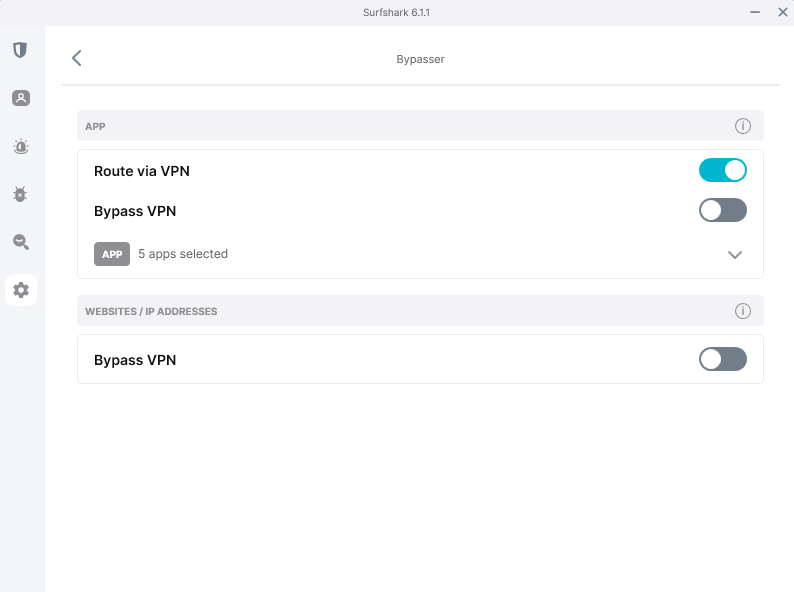
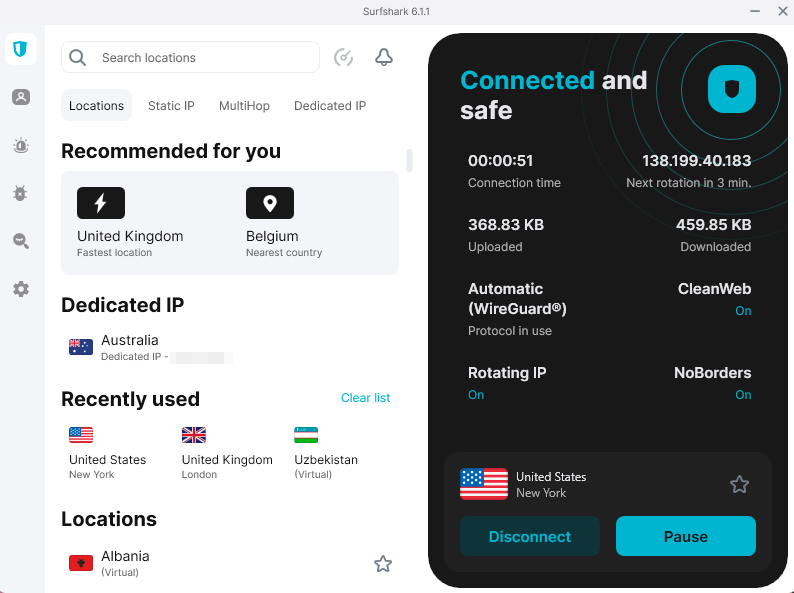
The interface, at least, is gorgeous – big, legible, and well-organized. The split tunneling feature (called “Bypasser”) lets you send only your game traffic through the VPN connection while other apps enjoy full, unprotected speed.
Surfshark Test Results
| Server: | Upload | Download | Latency |
|---|---|---|---|
| Unprotected | 94Mbps | 290Mbps | 2ms |
| Bulgaria (Nearby) | 85Mbps | 280Mbps | 6ms |
| USA (Distant) | 1.2Mbps | 250Mbps | 125ms |
Surfshark’s nearby Bulgaria server was great for gaming, with only a small drop in upload and minimal extra ping. Long-distance performance was mixed; downloads stayed fast, but uploads dropped off noticeably. It’s a solid choice for casual play or streaming, but less reliable for competitive gaming where every millisecond counts.
Surfshark Pricing and Value
At $1.99 per month, Surfshark is one of the cheapest VPNs. Despite the low price, it delivers dependable gaming performance when connected to the right server. The refund process is simple: open live chat, type “refund” and a bot sends a link to complete it in seconds. I got my refund approved within hours. Read our Surfshark review for more.
$2.49 per month (two-year plan + three months)
3. ExpressVPN — Simple VPN With Premium Speeds
- Comprehensive feature set
- Up to 14 simultaneous connections
- Excellent speeds with Lightway protocol
- Expensive tiers
- Not much configurability
- Uses some virtual servers
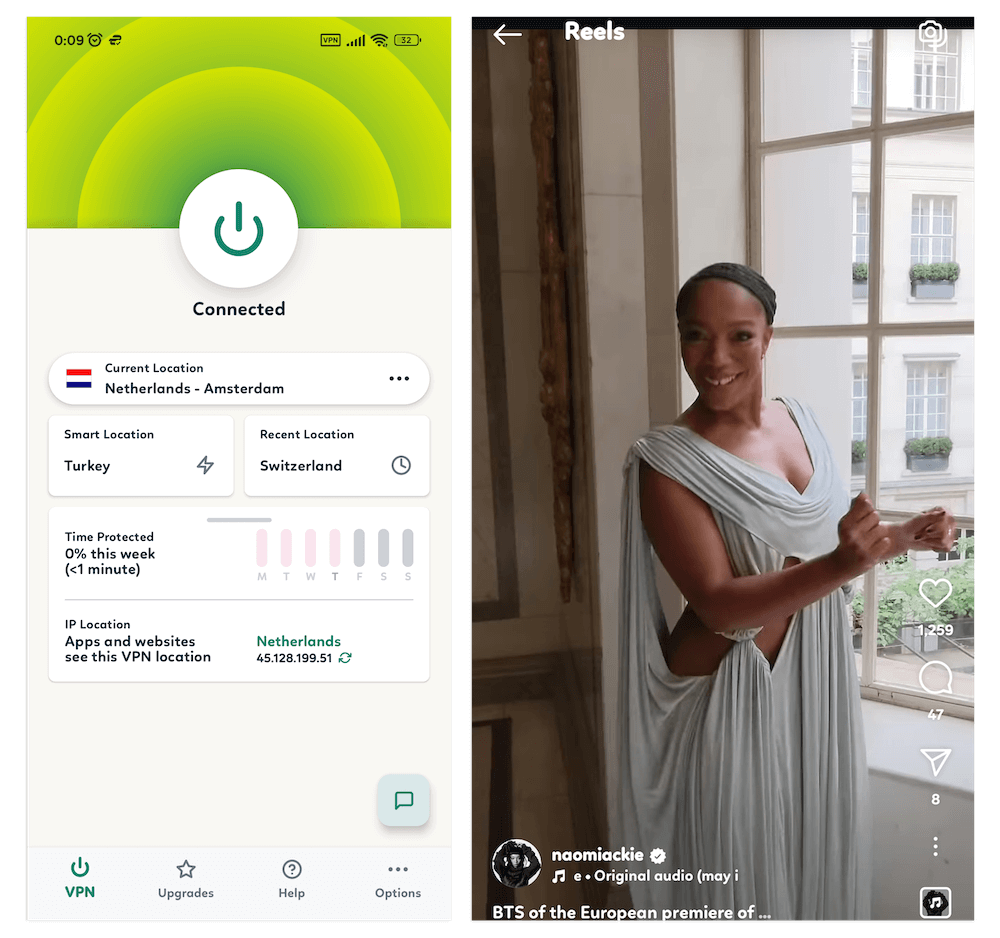
ExpressVPN higher tiers cost about twice as much as competitors, but you’re paying for speed (and it delivers). Its interface is clean and user-friendly, making it easy to connect and switch servers. On a nearby server, I measured 276 Mbps download with 21 Mbps upload and 70 ms ping; the upload is a bit low, but downloads were stable for gaming.
My Experience With ExpressVPN: Hands-On Performance
The Lightway protocol lives up to its name. It’s lighter than OpenVPN and noticeably faster in real-world use. I tested it across multiple gaming sessions, and even streaming while online gaming ran smoothly with no buffering.
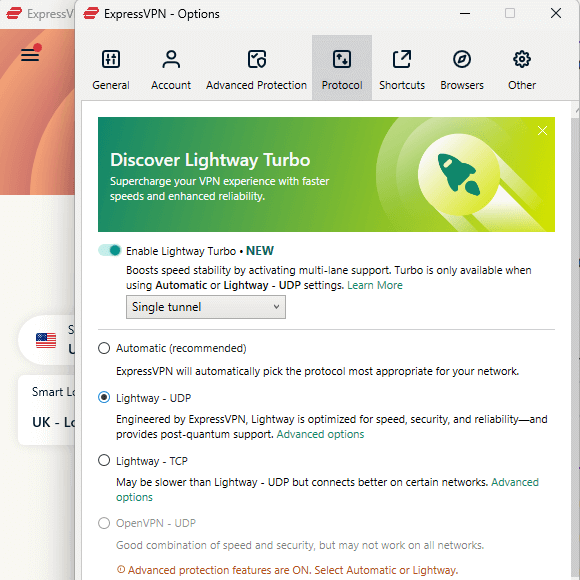
ExpressVPN’s interface is clean and intuitive, with activation-code login that’s far simpler than juggling passwords. The kill switch worked reliably, and adult site blocking performed well. During testing, I hit one small snag – the “reset password” link in the mobile trial email wasn’t clickable, so I had to request a manual reset.
ExpressVPN Test Results
| Server: | Upload | Download | Latency |
|---|---|---|---|
| Unprotected | 94Mbps | 295Mbps | 2ms |
| Bulgaria (Nearby) | 21Mbps | 276Mbps | 70ms |
| USA (Distant) | 3.5Mbps | 241Mbps | 239ms |
Download speeds stayed strong on both nearby and distant servers, keeping gameplay smooth, while upload speeds dipped slightly at longer ranges. Ping increased on faraway servers, but overall performance stayed fast and stable.
ExpressVPN Pricing and Value
At $3.49 per month for its Basic plan, you get everything you need for smooth, lag-free gaming. Upgrade to higher tiers and you’ll snag extras like a password manager and more device connections (handy if your household has more gadgets than sense). All plans come with a 30-day money-back guarantee. Find out more in our ExpressVPN review.
$3.49 per month (two-year plan + four months)
30-days money-
4. CyberGhost — Best for PC Gaming
- Best price: $2.19
- Money-back guarantee: 45 days on long-term plans, 14 days on monthly
- Website: cyberghostvpn.com
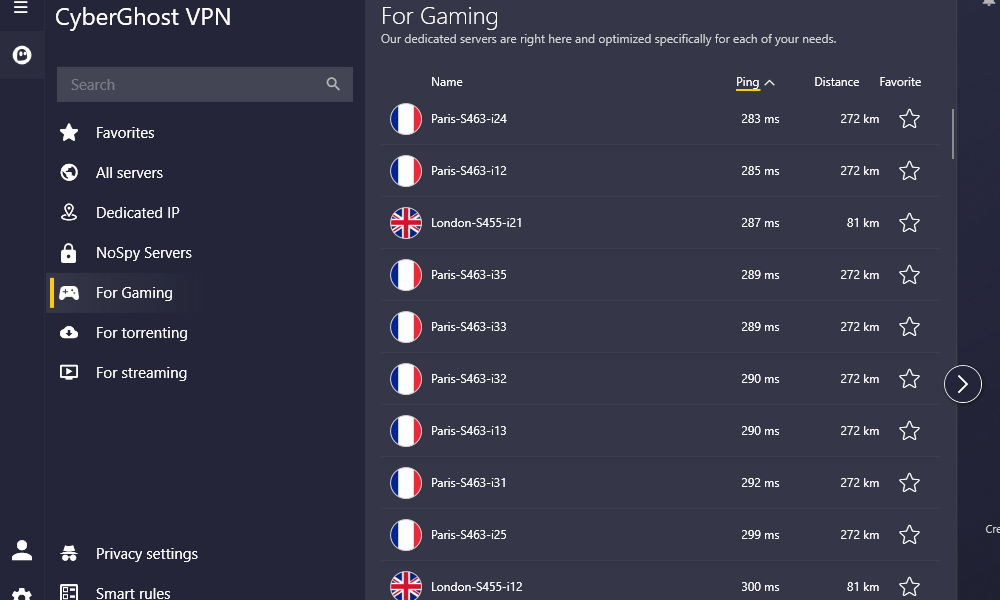
- Gaming-optimized servers
- Detailed feature explanations
- Good nearby server performance
- Fewer advanced features
- Only 7 simultaneous connections
- Shorter guarantee on monthly plan
CyberGhost’s interface is built for non-experts: privacy settings and smart rules are front and center, while the techy stuff hides behind a clearly labeled cog. Its feature descriptions are refreshingly detailed, actually explaining what each option does, why you’d want it, and what happens when you turn it on (looking at you, vague Surfshark tooltips).
My Experience With CyberGhost: Hands-On Performance
Gaming performance on nearby servers was solid, with only about 8 ms of added ping – perfectly fine even for competitive shooters. CyberGhost’s gaming-optimized servers did edge out regular ones in the same location; not a night-and-day difference, but definitely a measurable improvement.
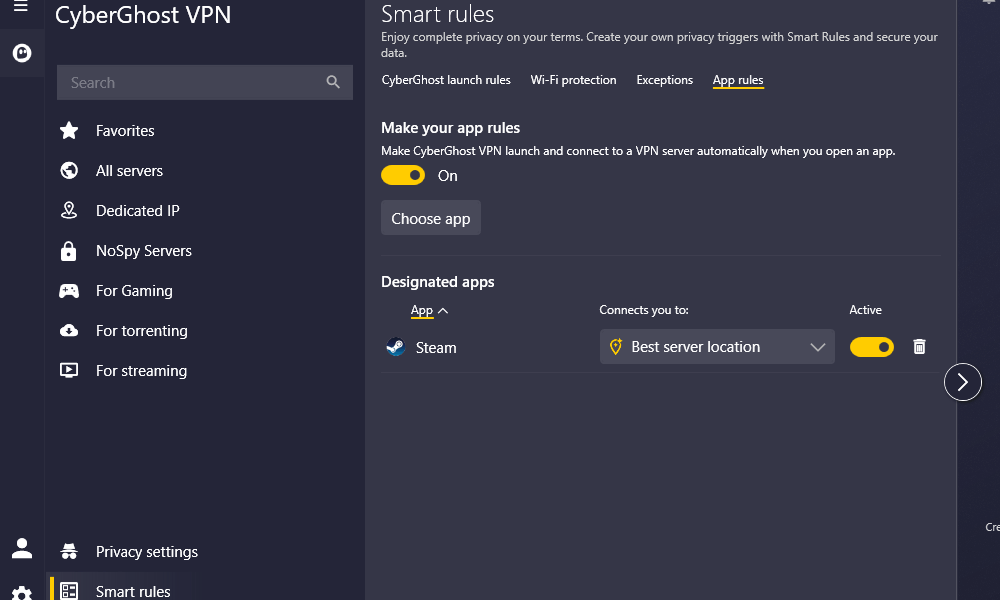
The interface makes smart choices about what to show. New users get the settings they’ll actually want to tweak, while power users can still dig into the full technical menu. It’s a tricky balance to strike, and CyberGhost pulls it off well.
CyberGhost Test Results
| Server: | Upload | Download | Latency |
|---|---|---|---|
| Unprotected | 94Mbps | 293Mbps | 3ms |
| Bulgaria (Nearby) | 85Mbps | 280Mbps | 11ms |
| USA (Distant) | 2Mbps | 245Mbps | 120ms |
CyberGhost’s performance is consistent with Surfshark and NordVPN on nearby servers, with slightly higher ping on distant connections that could cause a little in-game lag.
CyberGhost Pricing and Value
$2.19 per month makes CyberGhost one of the most affordable premium VPNs I tested while still offering solid gaming performance. The 45-day money-back guarantee is the longest in the industry, though the seven-device limit could feel restrictive for larger households.
$2.19 per month (two-year plan + two months)
5. Private Internet Access — Best for Customizing Gaming Connections
- Broad server locations
- Strong download performance
- Rich configurability & VPN protocol options
- Occasional speed inconsistency
- Upload speeds can lag behind competitors
- Advanced settings may overwhelm VPN newcomers
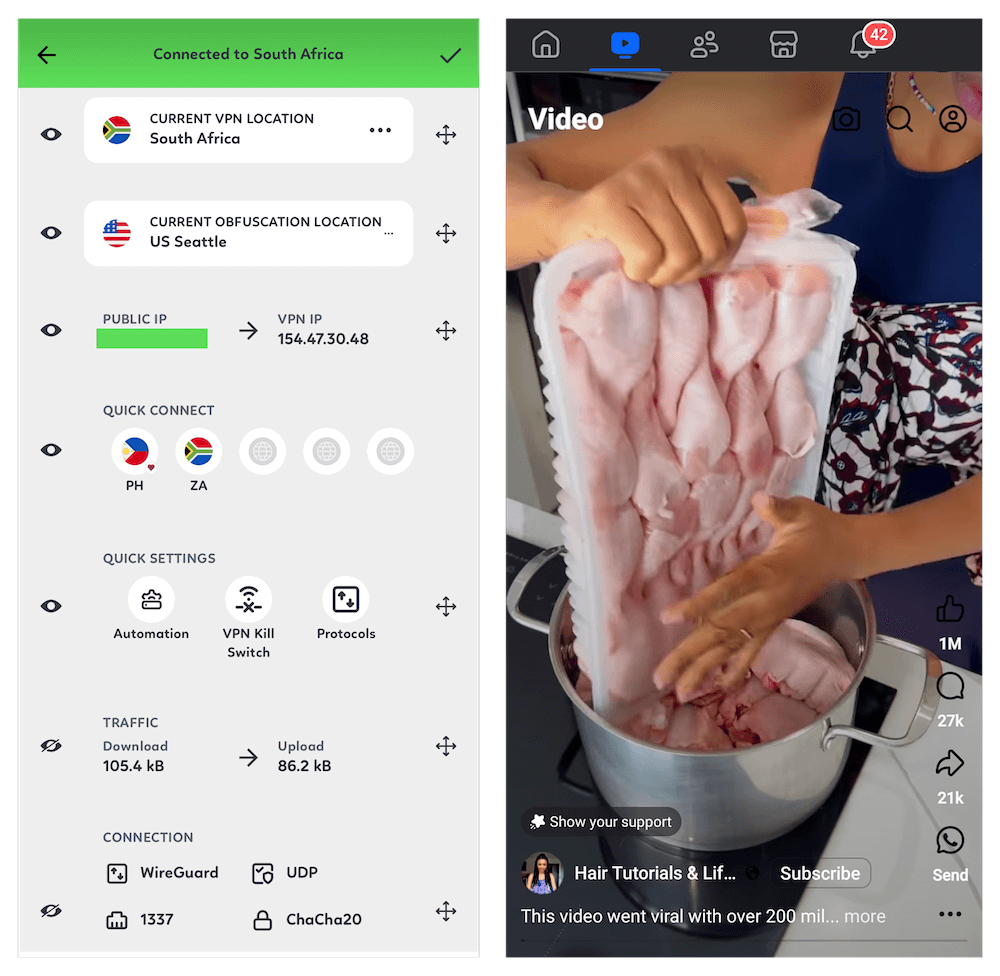
Private Internet Access (PIA) is built for power users, but it’s not intimidating for beginners. The clean dashboard puts quick-connect and essential controls up front, with advanced options tucked neatly in menus. It’s a rare mix of user-friendly and highly customizable, ideal if you want to fine-tune your setup.
My Experience With PIA: Hands-On Performance
Using PIA day to day felt smooth and intuitive. Quick-connect was always accessible, and switching locations took a single click. I liked that you can see ping next to each server, which makes picking a gaming-friendly option easy. The app was stable through long play sessions and didn’t hog system resources.
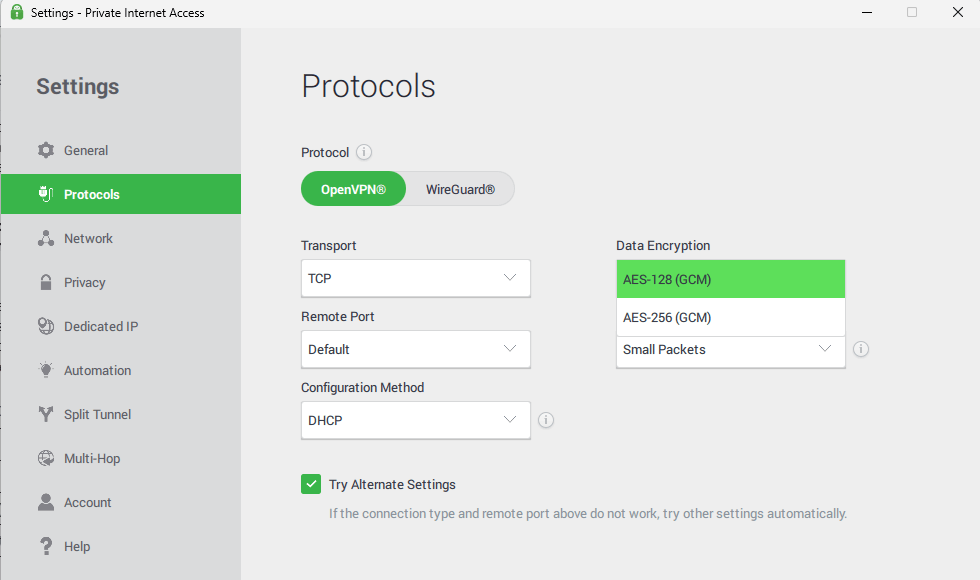
Digging deeper, PIA gives you a satisfying level of control. You can change encryption strength, switch between WireGuard and OpenVPN, set auto-connect rules, and even forward ports – a rare perk for gamers who host private servers or want the lowest possible latency. Despite all that power, the menus are logically arranged, so you don’t feel lost.
PIA Test Results
| Server: | Upload | Download | Latency |
|---|---|---|---|
| Unprotected | 94Mbps | 290Mbps | 3ms |
| Bulgaria (Nearby) | 70Mbps | 275Mbps | 10ms |
| USA (Distant) | 8Mbps | 215Mbps | 150ms |
PIA was consistent on nearby servers with only a slight ping increase, making it solid for most gaming. Long-distance connections were fast for downloads but saw a steep drop in upload speeds, so competitive players may want to stick to closer servers.
PIA Pricing and Value
PIA is a low-cost option, with plans starting at $2.19 per month. It offers impressive customization for the price, and the 30-day money-back guarantee makes it easy to test on your own gaming setup before committing.
$2.19 per month (two-year plan + two months)
Best Free VPNs for Gaming
Free VPNs are rarely good for gaming; they have to make money somehow, which often means bandwidth limits, slower speeds or selling your data. The two exceptions below actually work for gaming, though with compromises.
1. Proton VPN — Best Free Gaming VPN
- No bandwidth throttling
- Unlimited data on free plan
- Customizable dashboard widgets
- Variable connection speeds
- Free users can’t choose servers
Proton VPN is the rare free VPN that doesn’t immediately cripple your gaming experience. The free tier gives you unlimited data, which already puts it ahead of 95% of free VPNs. The catch is server access. You can’t choose your server on the free plan, and speeds can be unpredictable as free users get lower priority than paying customers during peak times.
My Experience With Proton VPN: Hands-On Performance
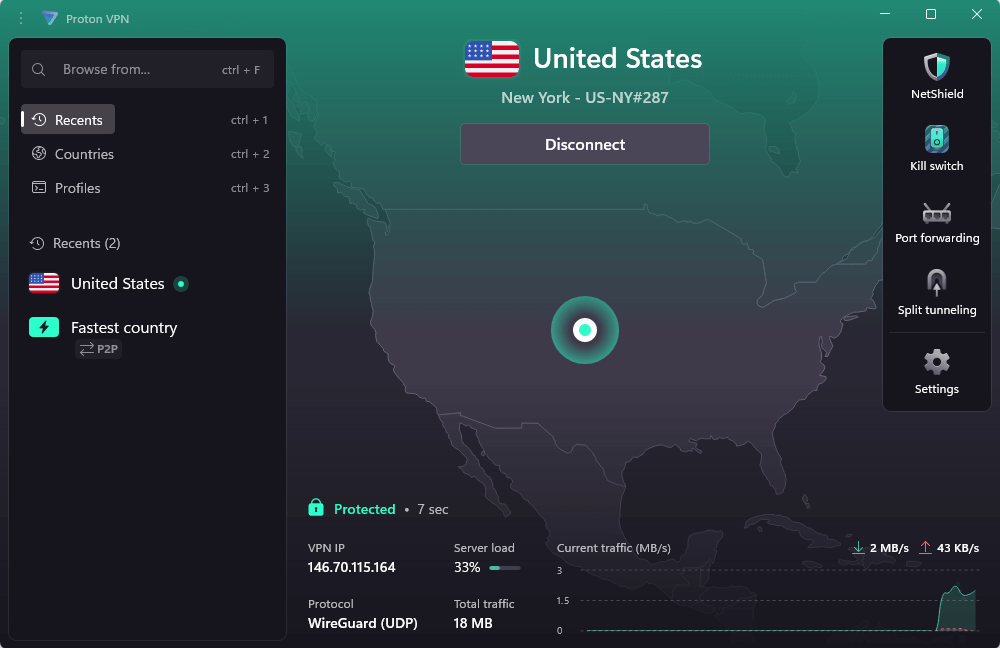
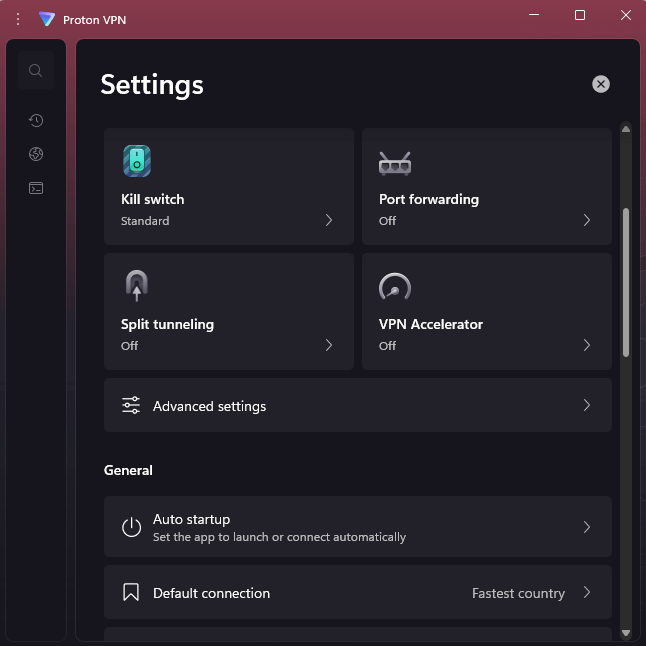
I tested both the free and paid tiers. On the paid plan with 10 device connections, gaming performance was solid, and I loved the customizable widget-based dashboard for quick server switching. The settings menu is smartly organized into General, Connection, and Support, making features like split tunneling and protocols easy to find.
Free tier gaming worked acceptably during off-peak hours but degraded noticeably during evening gaming sessions when other users loaded the servers. If you’re on a budget and game during afternoons or late nights, this could work. Peak evening gaming will be frustrating.
Proton VPN Test Results
| Server: | Upload | Download | Latency |
|---|---|---|---|
| Unprotected | 94Mbps | 290Mbps | 3ms |
| Bulgaria (Nearby) | 62Mbps | 232Mbps | 15ms |
| USA (Distant) | 47Mbps | 218Mbps | 40ms |
On the paid tier, Proton VPN kept 70–80% of my baseline speeds on nearby servers with only a small ping increase, making it reliable for gaming. The free tier was more hit-or-miss – fine during off-peak hours but slower and higher latency when servers were busy.
Proton VPN Pricing and Value
The free tier genuinely works if you’re patient and flexible about gaming times. The $3.59 per month paid tier delivers solid performance and removes the server limitations, making it competitive with budget paid options. The 30-day money-back guarantee applies to paid plans, and you can learn more about free and paid options in our Proton VPN review.
$4.49 per month (two-year plan)
2. PrivadoVPN — Best Free Pick for Casual Gamers
- Simple apps
- Clear privacy policy
- Unlimited data – first 10GB high speed
- Free servers slow at peak times
- High latency on long-distance servers
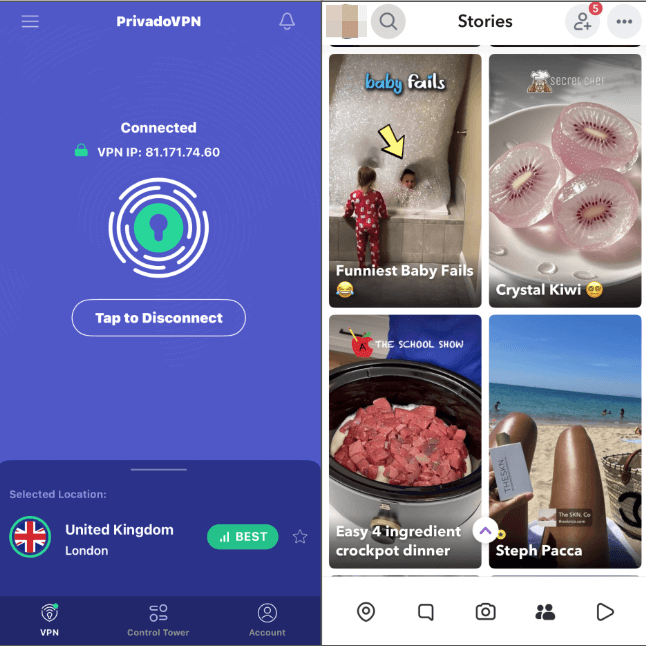
PrivadoVPN is a rare free VPN that doesn’t feel sketchy, with no strange pop-ups or “watch an ad for more bandwidth” gimmicks. The apps are refreshingly simple: pick a location, connect, and play. Power users won’t find deep customization here, but for anyone who just wants to stay protected while gaming or streaming, it’s clean and approachable.
My Experience With PrivadoVPN: Hands-On Performance
Using PrivadoVPN day to day felt effortless. The dashboard is minimal but practical; you can pin favorite VPN servers, see connection details, and get back in the game quickly. It stayed stable during long sessions, and the built-in latency display makes it easy to pick the best server.
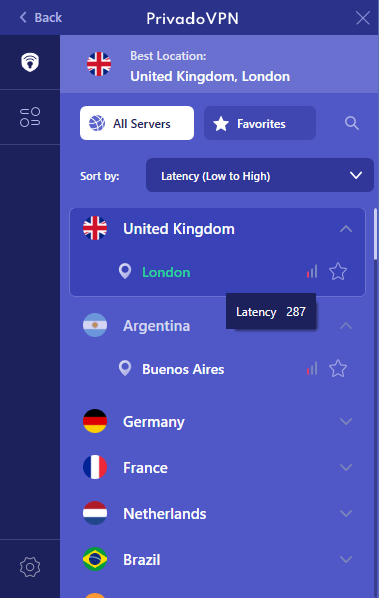
you pick a fast connection.
It’s clearly built for casual use, though. There’s no port forwarding, minimal protocol control, and only a handful of simple settings. That makes it fine for safe browsing or light gaming, but competitive players might find the experience limiting.
PrivadoVPN Test Results
| Server: | Upload | Download | Latency |
|---|---|---|---|
| Unprotected | 93Mbps | 289Mbps | 2ms |
| Bulgaria (Nearby) | 6Mbps | 246Mbps | 20ms |
| USA (Distant) | 5.4Mbps | 105Mbps | 348ms |
Nearby speeds were solid, but long-distance servers added noticeable latency and slower upload. It’s fine for casual play, but not ideal for low-ping competitive matches.
PrivadoVPN Pricing and Value
PrivadoVPN’s free plan is generous, offering unlimited data and decent speeds as long as you stick to local servers. When you outgrow that cap, the paid plan starts at $1.11 per month, which is still cheaper than most big-name VPNs. It’s a great “starter VPN” for gamers on a budget who want something safe and simple. Read more in our PrivadoVPN review.
Are Free VPNs Good for Gaming?
Free VPNs rarely work well for gaming because they struggle to provide fast speed and low latency. Most are funded through data caps, speed throttling, or selling your data. Free VPNs like Proton VPN can handle casual gaming. If you play often, the $2-$4 monthly cost of a paid service like NordVPN is worth it for steady speeds and reliable performance.
How to Use a VPN For Gaming
Setting up a VPN for PC gaming is straightforward: install the app, connect to a nearby server, and start your game. Consoles don’t support VPN apps directly, so the easiest workaround is using your phone as a mobile hotspot. For a longer-term setup, you can also configure the VPN on your router.
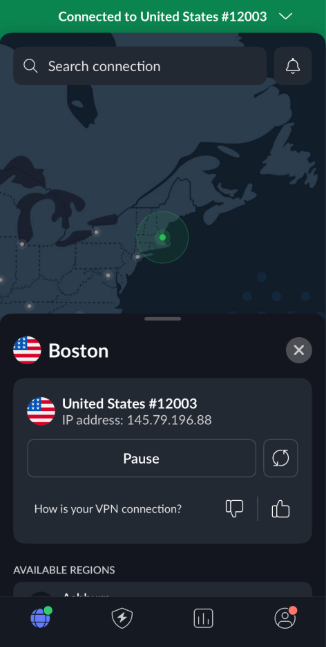
1. Install the VPN on Your Phone
Download your VPN app on your phone and connect to a nearby server.
2. Enable Mobile Hotspot
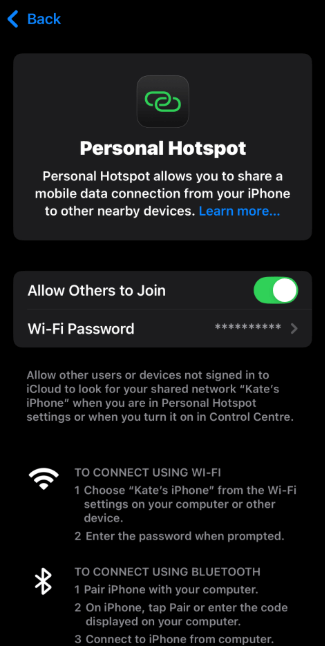
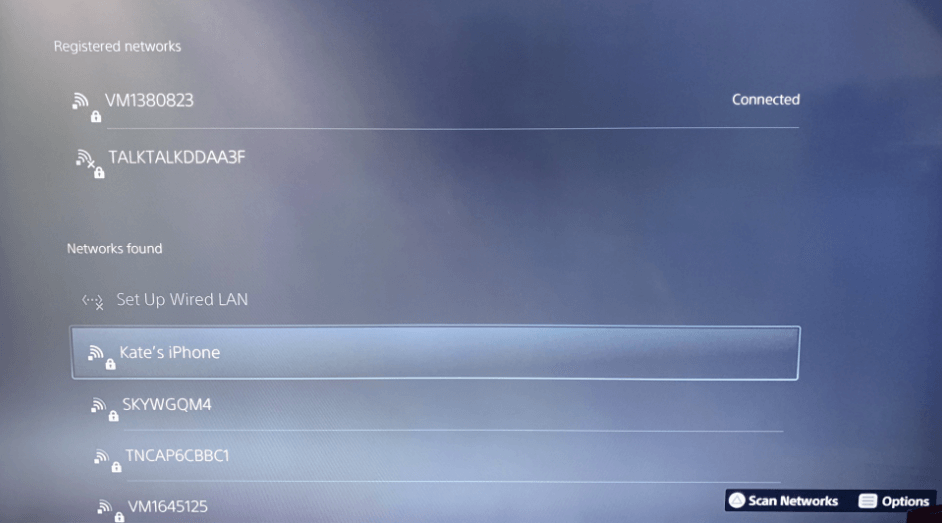
Turn on mobile hotspot in your phone’s settings (usually under “Network & Internet Connection” or “Connections”). Make sure your phone is connected to your home WiFi, not cellular data, to avoid data charges.
3. Connect Your Console to the Hotspot
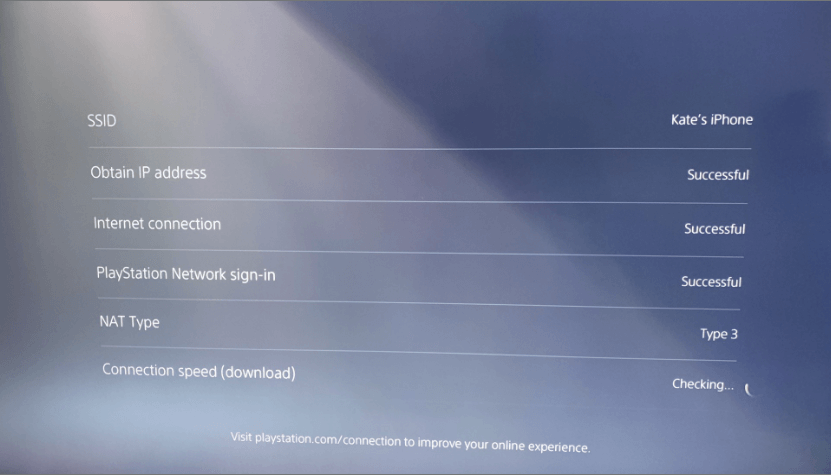
Go to your console’s network settings and connect to your phone’s hotspot like any WiFi network. Your gaming traffic now routes through the VPN on your phone.
4. Test Your Connection and Enable the Kill Switch
Run a connection test on your console to verify everything works. Enable your VPN’s kill switch to block IP leaks if the connection drops.
Conclusion
NordVPN offers the best overall gaming experience with low latency and excellent speeds, while Surfshark provides better value thanks to its unlimited connections. There are a couple of free options to choose from, but if you game regularly, a paid VPN is well worth it.
What VPN do you use for gaming? Have you found specific servers that work well for your region? Drop your experience in the comments below. Thanks for reading.
FAQ: What Is the Best VPN for Gaming?
What’s the Best VPN Protocol for Gaming?
WireGuard and NordLynx are the best VPN protocols for gaming as they provide the lowest latency and best performance.What’s the Best VPN for Gaming?
NordVPN is the best VPN for gaming as it offers the best mix of speed, reliability and low ping across all platforms.Is Using a VPN for Gaming Legal?
Yes, using VPNs for gaming is legal in most countries, though some games and gaming platforms discourage their use.Is a VPN Good for Gaming?
Yes, using a VPN can be good for gaming as it can reduce throttling, prevent DDoS attacks and access region-locked content, but it may add 5-20 ms of latency.
Leave a Reply