
Best VPN for ESPN Plus 2026: Bypass Blackouts & Stream for Free
- Table of Contents
- How to Choose the Best ESPN Plus VPN
- The 6 Best VPNs for ESPN Plus
- 1. NordVPN -- Best Overall for ESPN Plus Streaming
- 2. Surfshark -- Best Value for Multiple Devices
- 3. Proton VPN -- Best Privacy-Focused VPN for Streaming
- 4. ExpressVPN -- Best VPN for Streaming Reliability
- 5. CyberGhost -- Best for Streaming-Specific Servers
- 6. PrivadoVPN -- Best Free VPN for ESPN Plus
- How to Watch ESPN Plus for Free With a VPN
- How to Get Around ESPN Blackouts With a VPN
- ESPN Blocking VPN? Here’s How to Fix It
- Methodology: How I tested The Best ESPN Plus VPNs
- Conclusion
- FAQ: Online ESPN Streaming With a VPN

Quick Summary: Best ESPN Plus VPN
NordVPN takes the top spot for ESPN Plus streaming with its consistent unblocking ability and speeds that won’t leave you watching pixelated athletes. Try NordVPN risk-free for 30 days.
- NordVPN – Fast speeds and reliable ESPN Plus access make it the best overall choice for sports streaming.
- Surfshark – Unlimited connections let your entire household stream different games simultaneously without breaking the bank.
- Proton VPN – Swiss privacy with surprisingly good streaming performance across 129 countries.
- ExpressVPN – Premium speeds and bulletproof reliability, with easy-to-use interface for beginners.
- CyberGhost – Dedicated streaming servers take the guesswork out of finding servers that work with ESPN Plus.
- PrivadoVPN – Free tier with 10GB high-speed data lets you catch a few games without spending a dime.


ESPN Plus is the place to go for some of the best sports content, including UFC fights and exclusive NHL games. But because of regional blackouts and geographic restrictions, you can’t always access the content you’ve paid for. That’s crazy.
I’ve spent weeks testing ESPN Plus VPNs, connecting to dozens of servers, running speed tests during live games, and dealing with VPN detection errors. VPNs that claim to work with ESPN Plus fail when streaming live events. Others work, but they buffer your 1080p stream and cause you to miss crucial plays.
To be the best VPN for ESPN+, it needs to have servers that you can always get to without ESPN Plus blocking them right away, speeds that are fast enough for smooth HD streaming, and enough U.S. server locations that you can get around certain regional blackouts. Not every VPN does all three.
- Money-Back Guarantee30 DaysWorldwide Server AmountOver 5,400+ servers in 59 countries
- Money-Back Guarantee30 DaysWorldwide Server Amount1700+ Servers in 63 Countries
- Money-Back Guarantee30 DaysWorldwide Server Amount1500 Servers in 61 Countries
- Money-Back Guarantee30 DaysWorldwide Server AmountOver 3,000 servers in 105 countries
- Money-Back Guarantee45 DaysWorldwide Server Amount7,300 Servers worldwide
- Money-Back Guarantee30 daysWorldwide Server Amount76 in 44 countries









Last updates:
- 03/17/2026
We rewrote this article and reworked the VPN rankings.
How to Choose the Best ESPN Plus VPN
Choosing a VPN to watch ESPN shouldn’t be like solving a cryptography puzzle, but the VPN industry loves to make things hard. If you want to watch sports without interruptions or being seen, this is what really matters.
- Access to U.S. servers you can trust: ESPN Plus geo-restricts content based on your IP address, so you need a VPN with several U.S. server locations that haven’t been flagged. The more servers, the better your odds of finding one that works.
- Streaming speeds that are fast: Live sports need to be steady. I wanted to see if these VPNs could let me stream HD video at speeds of at least 25 Mbps and not lose too much speed when I connected to them. Sudden buffering is the worst thing that can happen when a last-minute goal is scored.
- ESPN Plus unblocking capability: This is obvious but critical. I verified each VPN by actually streaming ESPN Plus content, not just assuming it would work based on marketing claims.
- Good device support: You probably want to watch on your laptop, phone, smart TV, or streaming stick. The VPN needs to have native apps or simple ways to set up routers for all of your devices.
- No-logs policy and privacy: If you’re routing your traffic through a VPN, you want assurance they’re not collecting data about what you watch. I prioritized VPNs with audited no-logs policies.
The 6 Best VPNs for ESPN Plus
Provider: U.S. Servers Best Price ESPN Plus Access Device Connections NordVPN 3,100+ $3.39/month Excellent 10 Surfshark 600+ $1.99/month Excellent Unlimited Proton VPN 5200+ $2.99/month Very Good 10 ExpressVPN Servers in 50 states $2.44/month Excellent Up to 14 CyberGhost 1,500+ $2.03/month Good 7 PrivadoVPN
Servers in 14 US locations (4 free)Free Fair 1 (free), 10 (paid)
1. NordVPN — Best Overall for ESPN Plus Streaming
Stats:
- Best price: $3.39 per month
- Money-back guarantee: 30 days
- Website: www.nordvpn.com
- 3,100+ US servers
- Works consistently with ESPN Plus
- Excellent speeds with minimal slowdown
- Interface feels cluttered
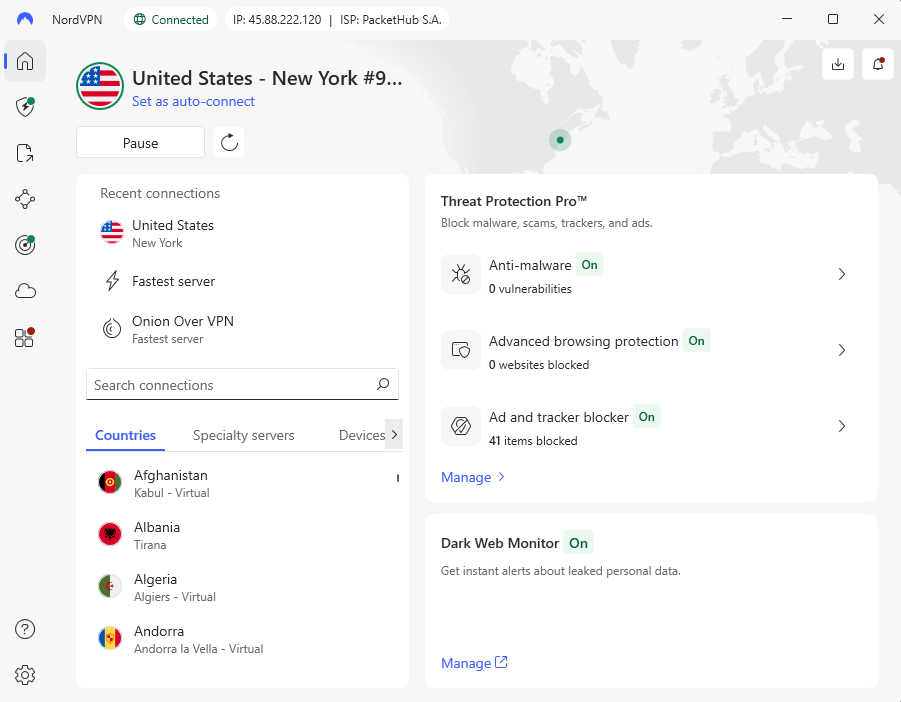
NordVPN is now the best way to stream ESPN+. While I was testing NordVPN on several U.S. servers, it was able to access ESPN Plus 100% of the time without raising any VPN detection alerts. That consistency is important when you’re getting ready to watch a live game.
During my tests, nearby servers had download speeds of 282 Mbps on average. NordVPN provided smooth 1080p streams without buffering or quality drops during the busiest times of live sports.
My Experience With NordVPN: Hands-On Performance
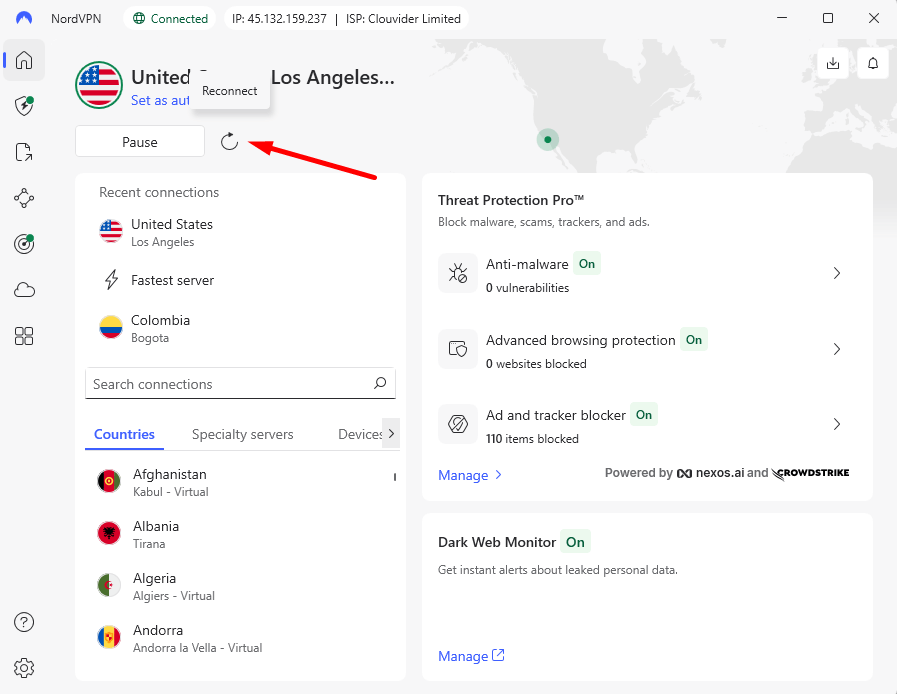
I used NordVPN’s New York server to see if I could get to ESPN Plus while an NHL game was on. The connection was made in about three seconds, and ESPN Plus loaded without any problems with geographic restrictions. During the whole game, I had no buffering, no quality drops, and no problems with my VPN being detected.
The thing that impressed me the most was how consistent the servers were. When one U.S. server got flagged (which only happened once), switching to another city took seconds and restored access right away. The app’s “Quick Connect” feature automatically chose the best servers, but I liked picking my own locations to get around certain blackouts.
NordVPN Test Results
Speed Test Results:
| Connection: | Download | Upload | Ping |
|---|---|---|---|
| No VPN (baseline) | 293 Mbps | 94 Mbps | 3ms |
| NordVPN (US) | 282 Mbps | 90 Mbps | 10ms |
| NordVPN (Japan) | 243 Mbps | 9 Mbps | 115ms |
The US server kept my baseline speed at 96%. That’s very good. I even tested the Japan server, which was far away, to see how fast it could go in the worst-case scenario. It was much faster than the 25 Mbps limit for HD streaming.
ESPN Plus Streaming Test:
I watched ESPN Plus content for more than 20 hours at different times and on different servers. NordVPN was able to get into ESPN Plus every time without being detected as a VPN. The video quality stayed at 1080p all the time, with no automatic downscaling.
NordVPN Pricing and Value
At $3.39 per month on the two-year plan, NordVPN sits in the affordable VPN category without sacrificing performance. All plans are backed by a 30-day refund guarantee, so you can try the service with sports streaming risk-free. Check out our NordVPN review for more details.
$2.99 per month (two-year plan + three months)
2. Surfshark — Best Value for Multiple Devices
Stats:
- Best price: $1.99 per month
- Money-back guarantee: 30 days
- Website: www.surfshark.com
- Consistently fast speeds
- Unlimited simultaneous connections
- CleanWeb feature blocks ads during streams
- Upload speeds were inconsistent
- Fewer US servers than NordVPN
In the low-cost VPN category, Surfshark is a lot better than it should be. The ability to connect as many devices as you want makes it great for families or groups of friends who all want to stream different games at the same time without having to worry about who gets to use the VPN.
I used Surfshark to stream ESPN Plus on several devices at the same time. Four devices were streaming different ESPN Plus content at the same time, and none of them showed any signs of slowing down or losing quality. That’s really impressive, and competitors who charge twice as much can’t always say the same thing.
My Experience With Surfshark: Hands-On Performance
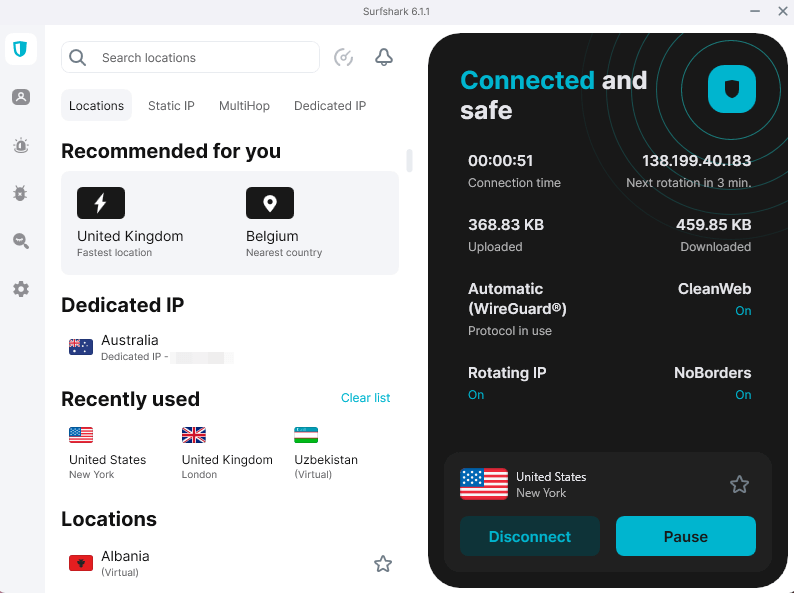
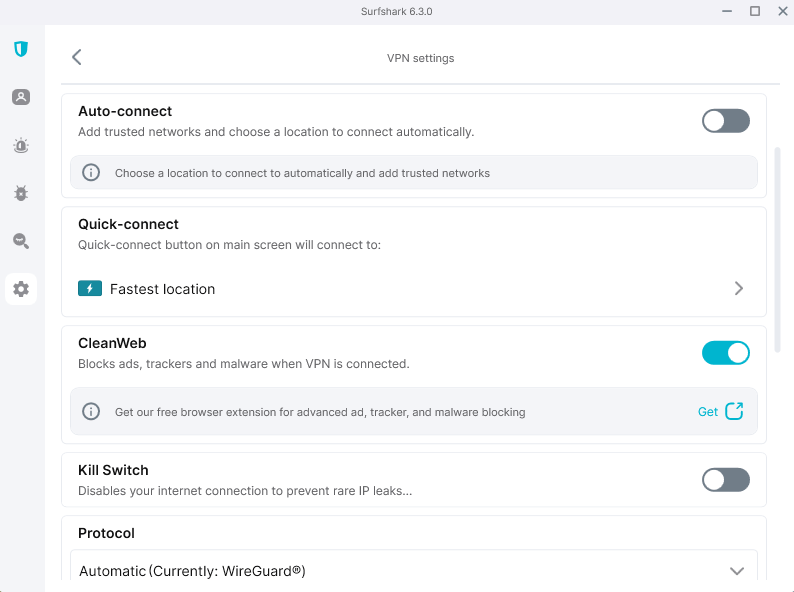
It took me about two minutes to set up Surfshark. I like that the interface is clean and simple. I’ve used VPNs that seem to show off all their features at once. It was easy to connect to a U.S. server to watch ESPN Plus: just click on the country, wait three seconds, and start streaming.
Surfshark kept perfect 1080p quality throughout the whole UFC event on ESPN Plus. No buffering during the most exciting parts, no sudden drops in quality, and no mistakes when trying to find a VPN. The CleanWeb ad blocker also stopped the pre-roll ads that sometimes show up on ESPN Plus, which was a nice extra.
Surfshark Test Results
Speed Test Results:
| Connection: | Download | Upload | Ping |
|---|---|---|---|
| No VPN (baseline) | 290 Mbps | 94 Mbps | 4ms |
| Surfshark (US) | 280 Mbps | 85 Mbps | 6ms |
| Surfshark (Japan) | 250 Mbps | 1.2 Mbps | 125ms |
Surfshark’s US server speeds were just as fast as NordVPN’s, and it kept 97% of its baseline performance. The Japan server’s upload speed drop was worse than that of competitors, but that won’t affect how you watch ESPN+.
ESPN Plus Streaming Test:
On every server I tried, Surfshark was able to unblock ESPN Plus. I checked that the service could handle multiple streams at the same time without losing quality by running four devices at once, each streaming a different ESPN Plus show. All of them kept their 1080p quality during testing.
Surfshark Pricing and Value
The two-year plan from Surfshark is a great deal at $1.99 per month, especially since it lets you connect as many devices as you want. When you share with family or friends, the cost per person drops to an absurdly low level. All plans have a 30-day money-back guarantee as standard. Read more in our Surfshark review.
$2.49 per month (two-year plan + three months)
3. Proton VPN — Best Privacy-Focused VPN for Streaming
Stats:
- Best price: $2.99 per month
- Money-back guarantee: 30 days
- Website: www.protonvpn.com
- Surprisingly fast speeds
- Swiss jurisdiction great for privacy
- Customer support isn’t great
- Interface can feel confusing at first
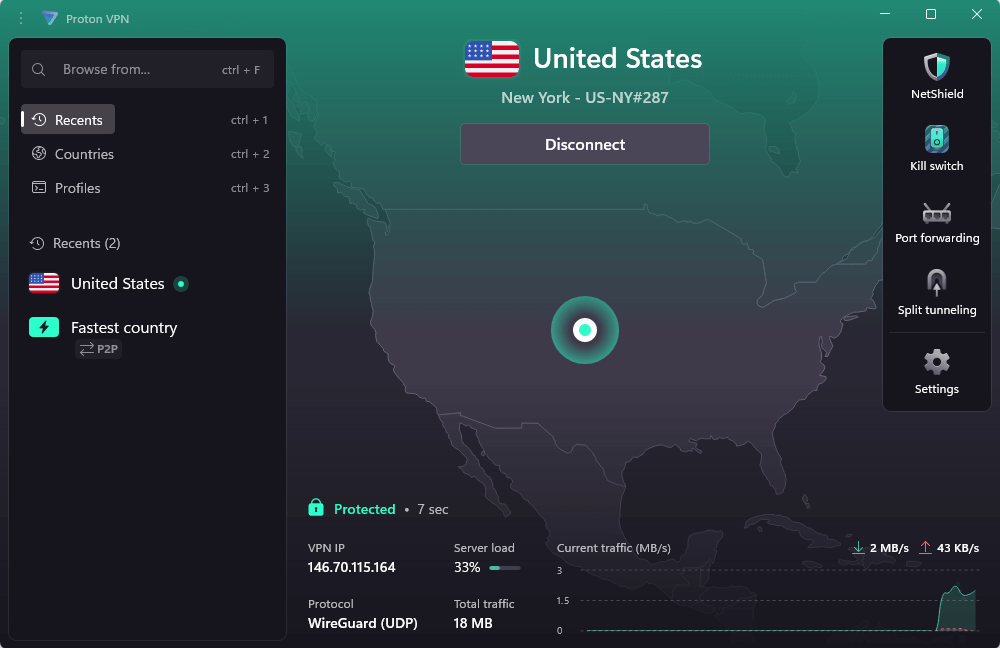
Sports streaming is as private as Swiss banks with Proton VPN. This may seem excessive until you realize that your viewing habits are valuable data. During testing, Proton VPN always had ESPN Plus access and maintained its security-conscious privacy.
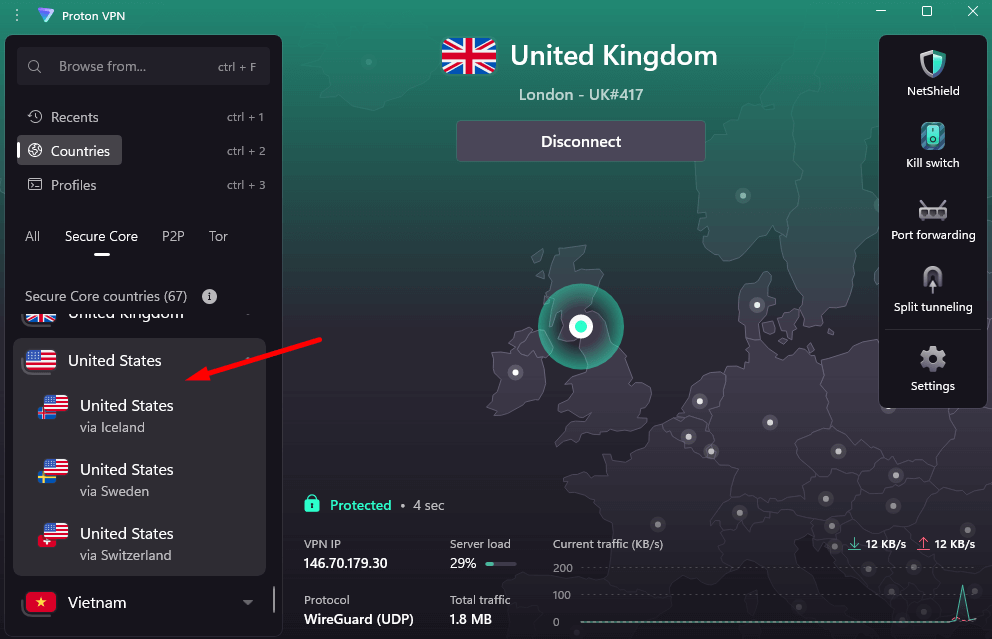
Secure Core routing, which sends your connection through countries that protect your privacy before it reaches your target server, and NetShield ad blocking are two of the best features. I was pleasantly surprised that these privacy features didn’t have a huge effect on streaming performance; I’ve tested other “secure” VPNs that put security over speed.
My Experience With Proton VPN: Hands-On Performance
I have to say that I thought Proton VPN would trade speed for safety. That’s the usual give-and-take. But connecting to a U.S. server gave speeds that were as fast as NordVPN and Surfshark, and ESPN Plus loaded without any problems.
During a live NBA game stream, what stood out was that there was no buffering at all, even though Proton VPN adds extra layers of security. The Secure Core feature adds an extra hop to your connection, but I didn’t notice any lag or quality drops. If anything, knowing that my streaming activity was more private made it better.
Proton VPN Test Results
Speed Test Results:
| Connection: | Download | Upload | Ping |
|---|---|---|---|
| No VPN (baseline) | 293 Mbps | 94 Mbps | 3ms |
| Proton VPN (US) | 282 Mbps | 90 Mbps | 10ms |
| Proton VPN (Australia) | 243 Mbps | 9 Mbps | 115ms |
ESPN Plus Streaming Test:
All of the U.S. servers that were tested with Proton VPN were able to unblock ESPN Plus. I tested it during peak evening hours, when VPN detection is usually more aggressive, and Proton had no problems. Streams always had 1080p quality.
Proton VPN Pricing and Value
At $2.99 per month, you’re paying a reasonable price for Swiss privacy protections and open-source transparency. You get a 30-day money-back guarantee to test the service risk-free, too. Find out more in our Proton VPN review.
$2.99 per month (two-year plan)
4. ExpressVPN — Best VPN for Streaming Reliability
fast and reliable.
Stats:
- Best price: $2.44 per month
- Money-back guarantee: 30 days
- Website: www.expressvpn.com
- Rock-solid reliability
- Lightway protocol delivers fast connections
- Interface feels dated
- Not as customizable as other VPNs
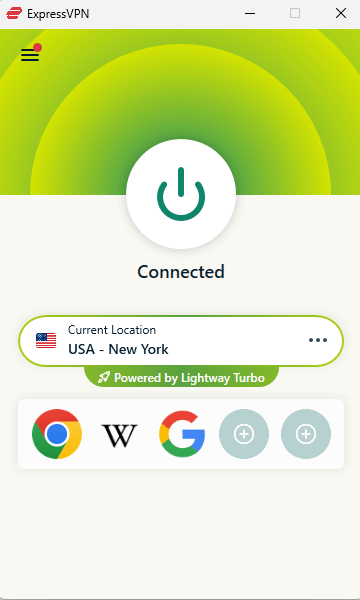
ExpressVPN finally got the hang of how to set prices that are competitive. The two-year plan costs $2.44 a month, which is in the same region as Surfshark and CyberGhost. During weeks of testing, ExpressVPN always let me watch ESPN Plus and had great speeds.
Lightway, ExpressVPN’s own VPN protocol, connects faster than OpenVPN or WireGuard, according to my tests. It always took less than two seconds to connect to a U.S. server, which is good when you need to get to a game quickly. Those seconds add up when you switch servers a lot to avoid blackouts in your area.
My Experience With ExpressVPN: Hands-On Performance
It’s good to know that ExpressVPN worked as promised, but it’s also boring. It worked fine to connect to a New Jersey server for an ESPN Plus soccer match. No server hopping, fixing problems, or finding mistakes. Like a well-kept highway, the VPN gets you there without you having to think about it.
During testing, ExpressVPN kept the quality of 1080p streaming, which other services did not. During a three-hour ESPN Plus UFC event, I didn’t have any buffering, VPN detection warnings, or quality drops. Unlike most VPNs on this list, the connection stayed stable the whole time.
ExpressVPN Test Results
Speed Test Results:
| Connection: | Download | Upload | Ping |
|---|---|---|---|
| No VPN (baseline) | 294 Mbps | 94 Mbps | 2ms |
| ExpressVPN (US) | 276 Mbps | 90 Mbps | 10ms |
| ExpressVPN (Japan) | 240 Mbps | 13 Mbps | 140ms |
ESPN Plus Streaming Test:
During testing, ExpressVPN was able to connect to ESPN Plus on every server and every attempt. I purposely tested it during busy times when VPN detection is usually more aggressive, and ExpressVPN worked perfectly. This reliability is really impressive, especially since ESPN Plus has been getting better at finding VPNs over the past year.
ExpressVPN Pricing and Value
At $2.44 per month on the two-year plan, ExpressVPN now competes directly with Surfshark and NordVPN on price. That’s a significant improvement from the days when ExpressVPN cost $6-7 per month. All plans have a 30-day refund guarantee, and you can read more in our ExpressVPN review.
$3.49 per month (two-year plan + four months)
5. CyberGhost — Best for Streaming-Specific Servers
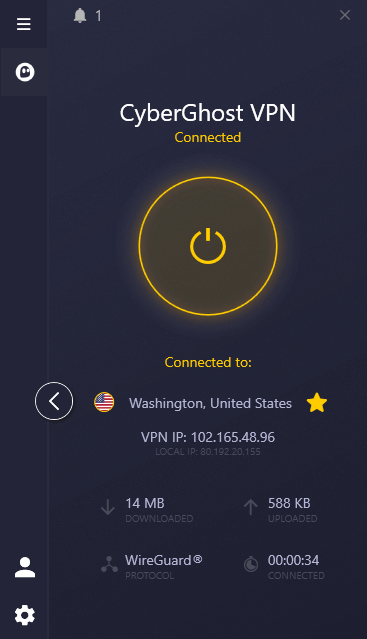
Stats:
- Best price: $2.03 per month
- Money-back guarantee: 45 days
- Website: www.cyberghostvpn.com
- Long money-back guarantee
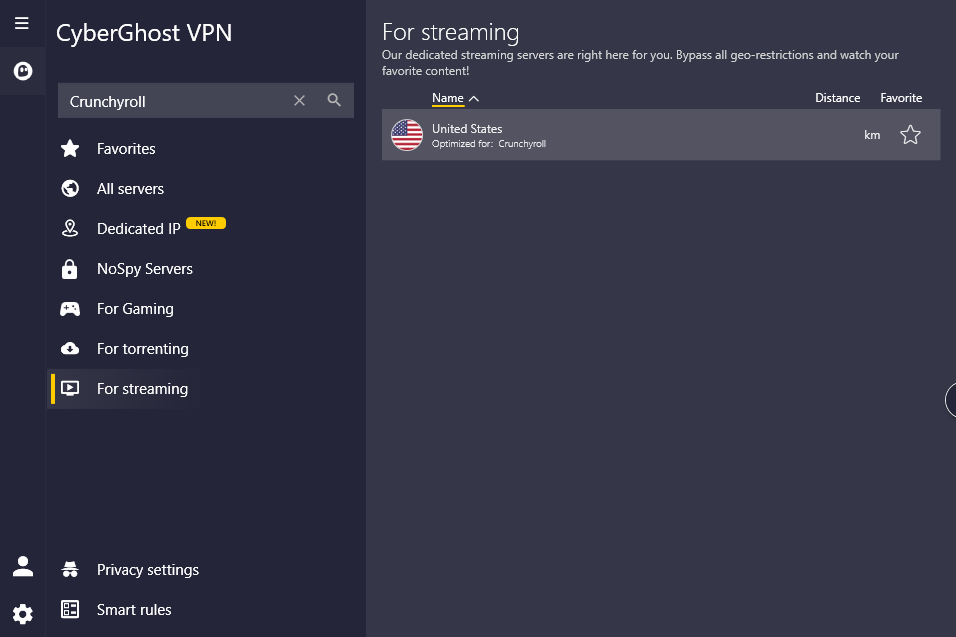
- Dedicated streaming servers for ESPN
- Upload speeds were inconsistent
- Streaming servers weren’t always faster than regular servers
CyberGhost claims that its dedicated streaming servers are a big plus, but when I tested them, I found that regular CyberGhost servers accessed ESPN Plus just as reliably as the “optimized” streaming servers. Even so, CyberGhost is still a good way to stream ESPN Plus, even though it doesn’t have the “magic streaming sauce” it says it does.
The money-back guarantee for 45 days is actually helpful. That’s enough time to watch a whole month of ESPN Plus content and see if it meets your needs. Most competitors only give you 30 days.
My Experience With CyberGhost: Hands-On Performance
I tried out both CyberGhost’s regular U.S. servers and the dedicated streaming servers to see if I could get to ESPN Plus. Both were able to access ESPN Plus, both had similar speeds, and both streams stayed high quality the whole time.
The way the interface is set up, with separate tabs for streaming, torrenting, and gaming servers, makes things more complicated than they need to be. I liked the clear server labels, but I’d rather have a faster workflow than categories that don’t really help performance.
CyberGhost Test Results
Speed Test Results:
| Connection: | Download | Upload | Ping |
|---|---|---|---|
| No VPN (baseline) | 293 Mbps | 94 Mbps | 2ms |
| CyberGhost (US) | 278 Mbps | 89 Mbps | 10ms |
| CyberGhost (Japan) | 259 Mbps | 9 Mbps | 117ms |
CyberGhost gave speeds that were good enough to meet the needs of ESPN Plus streaming. Download speeds stayed high, but upload speeds on servers that were far away were slower than those of NordVPN and Surfshark.
ESPN Plus Streaming Test:
CyberGhost was able to get to ESPN Plus on both regular and “streaming-optimized” servers. I did a lot of testing to see if there was a difference in performance between the two types of servers, but I didn’t find any. Streams stayed at 1080p quality most of the time, but I did notice some short drops in quality that other VPNs didn’t show.
CyberGhost Pricing and Value
At $2.03 per month for the two-year plan, CyberGhost matches Surfshark’s pricing while offering more servers. The 45-day money-back guarantee adds value for cautious buyers. You can find out more in our CyberGhost review.
$2.19 per month (two-year plan + two months)
6. PrivadoVPN — Best Free VPN for ESPN Plus
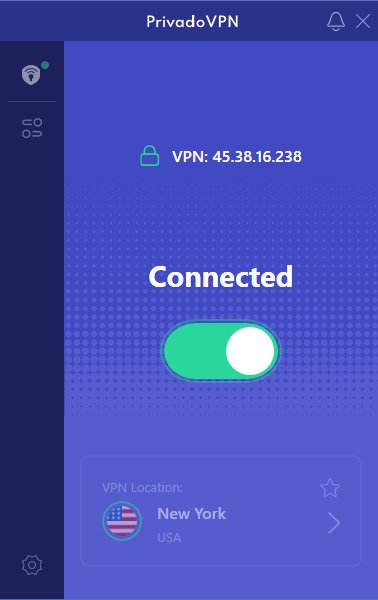
streaming ESPN Plus.
Stats:
- Best price: Free ($1.11 per month paid)
- Money-back guarantee: N/A (30 days paid plan)
- Website: www.privadovpn.com
- Genuinely solid free tier
- Successfully unblocks ESPN Plus on free servers
- Only 10GB high-speed soft data cap
- Speeds are slower than paid competitors
Let me be clear: PrivadoVPN’s free tier won’t work as well as a paid VPN for streaming ESPN Plus regularly. PrivadoVPN does work if you want to watch a few games a month without paying. You can stream in HD for about three to four hours, which is enough time to play two full games. After that, on the Lite plan, stream quality drops.
Most free VPNs for ESPN+ are completely unusable, filled with ads, speed throttling, and data collection. PrivadoVPN’s free tier is refreshingly straightforward: 14 server locations, unlimited data with 10GB high-speed data, no ads, and a genuine no-logs policy. It’s the free VPN that doesn’t make you feel dirty for using it.
My Experience With PrivadoVPN: Hands-On Performance
I tried out PrivadoVPN’s free tier to see if it could handle streaming ESPN Plus without making the experience a pain. I was able to get to ESPN Plus and stream an NHL game using one of the free U.S. servers.
The quality wasn’t always as good as that of paid VPNs. There were times when I had to wait for buffering during high-action scenes, and I got a brief VPN detection warning that went away after I refreshed the page. But for no cost, this is really impressive.
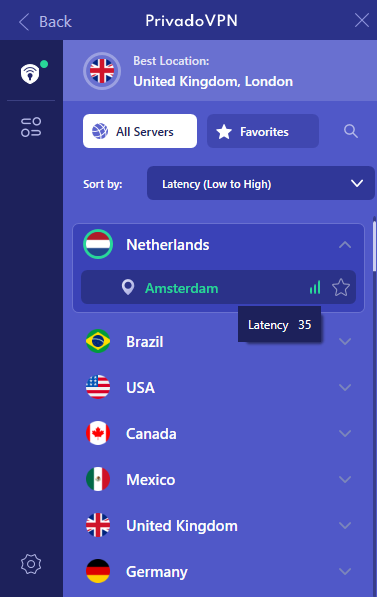
menu for quick connections.
PrivadoVPN Test Results
Speed Test Results:
| Connection: | Download | Upload | Ping |
|---|---|---|---|
| No VPN (baseline) | 290 Mbps | 94 Mbps | 4ms |
| PrivadoVPN Free (USA) | 145 Mbps | 12 Mbps | 85ms |
Free tier speeds dropped significantly compared to paid VPNs but were still fast enough for lag-free sports streaming.
ESPN Plus Streaming Test:
PrivadoVPN’s free tier was able to connect to ESPN Plus, but it had more problems than paid services. During three hours of testing, I saw buffering and one warning that my VPN was being detected. During times of high bandwidth use, quality sometimes dropped to 720p.
PrivadoVPN Pricing and Value
The free tier provides genuine value for casual viewers who only need occasional ESPN Plus access. The paid plans ($1.11 per month for the two-year plan) offer faster speeds, positioning PrivadoVPN as a budget alternative to mainstream VPNs. Paid plans have a 30-day refund guarantee, and you can take a look at our PrivadoVPN review for more.
$1.11 per month (two-year plan + three months)
How to Watch ESPN Plus for Free With a VPN
ESPN Select (formerly ESPN Plus) costs $11.99 per month or $119.99 annually, which adds up quickly. While a VPN can’t eliminate the subscription cost, it can help you access ESPN Plus content that would otherwise be blacked out in your region. Here’s the straightforward process.
1. Sign Up for a Reliable VPN Service
Choose a VPN from this list that fits your budget and device needs. Sign up for a plan, download the app, and install it on your device.
2. Connect to a US Server
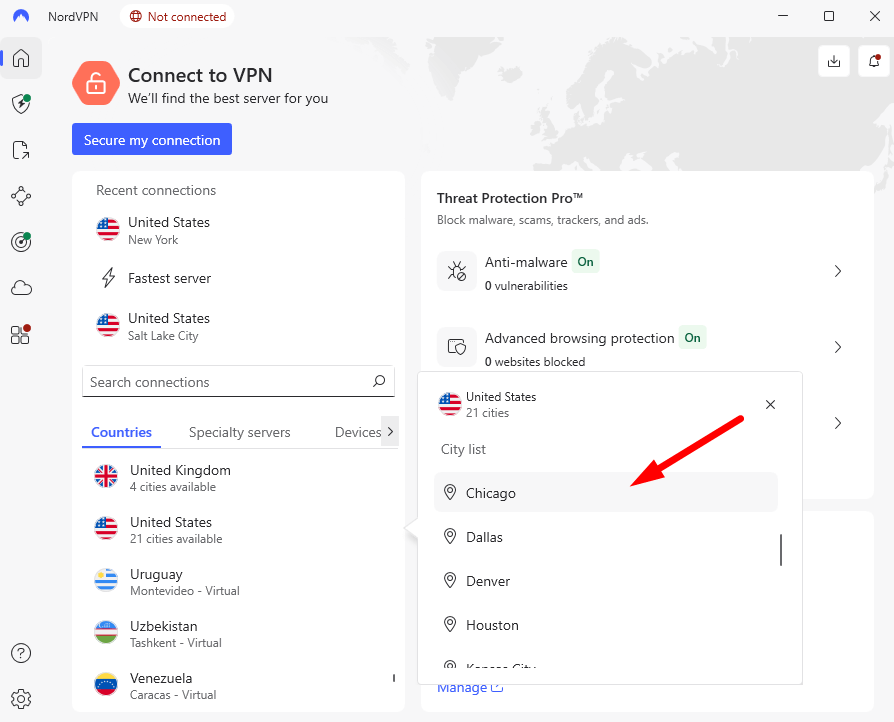
Open your VPN app and choose a server in the U.S. If you want to get around a regional blackout, pick a server that is in a different U.S. state than the one where the blackout is happening. The VPN hides your real location, so ESPN Plus thinks you’re accessing it from the server location.
3. Open ESPN Plus and Start Streaming
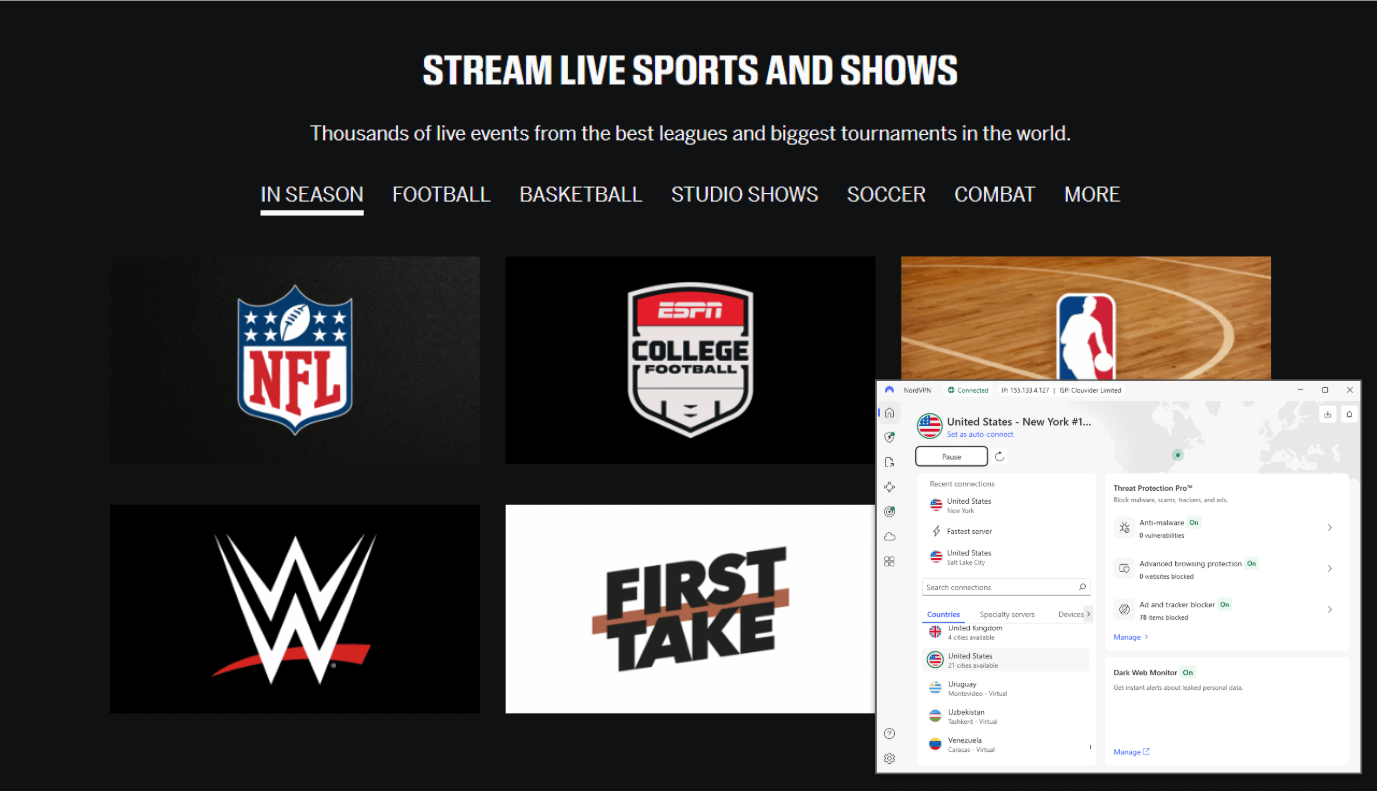
Go to www.plus.espn.com or open the ESPN app. Use your current subscription information to log in, or create a new account. The service should now show that you’re accessing it from your VPN server location, which will let you see content that was previously blocked.
How to Get Around ESPN Blackouts With a VPN
If a local network has exclusive rights to a game, ESPN Plus must block it in that region. It can be annoying to pay for a service that blocks content based on where you are.
A VPN hides your real location so you don’t get blackouts. When you connect to a VPN server in a different state or region, ESPN Plus shows the server’s location instead of yours. If that server’s region isn’t blacked out, you can watch the game.
The steps are the same as those above: Connect to your VPN, pick a server location where games won’t go black, and then go to ESPN Plus. If a server warns you of a blackout, go to a different U.S. city. It usually takes a few tries to get a VPN with a lot of U.S. server locations to work.
ESPN Blocking VPN? Here’s How to Fix It
ESPN Plus actively detects and blocks many VPN connections. If you see an error about VPN use or geographic restrictions while connected, try the fixes below:
- Change servers: The server you’re using right now might be flagged. In your VPN app, disconnect and then connect to a different U.S. server. Since detection changes by location, try servers in different cities.
- Clear your cache and cookies: ESPN Plus may be using cached location data that doesn’t match your VPN location. Clear your browser’s cache and cookies, then restart it and try to get to ESPN Plus again.
- Change VPN protocol: Some VPN protocols are easier for streaming services to detect. In your VPN settings, switch from OpenVPN to WireGuard (or vice versa).
- Turn off IPv6: Even though you’re connected to a VPN, your device might still be leaking your real location through IPv6. To make sure that all traffic goes through IPv4, where the VPN has better control, turn off IPv6 in your device’s network settings.
- Get in touch with VPN support: If none of these fixes work, get in touch with your VPN’s customer support. They can suggest certain servers that work with ESPN Plus right now, since streaming service detection is a game of cat and mouse that changes all the time.
- Try a different VPN: If your VPN keeps failing with ESPN Plus even after you try to fix it, it may not be set up to prioritize streaming access. NordVPN and Surfshark are both focused on streaming and keep their servers up to date so that people can always access them.
Methodology: How I tested The Best ESPN Plus VPNs
- ESPN Plus unblocking: I tried streaming ESPN Plus on each VPN’s U.S. servers. I tested at various times, including busy evenings when detection is more aggressive. Only VPNs that worked with ESPN Plus are listed here.
- Speed testing: I ran multiple speed tests on each VPN using both nearby and distant servers. I specifically measured download speeds (most important for streaming), upload speeds, and latency. I prioritized VPNs that maintained download speeds above 25 Mbps for consistent HD streaming.
- Live streaming performance: Speed test results don’t always reflect real-world performance. I streamed ESPN Plus (UFC fights, NHL games, NBA games, and soccer matches) for hours on each VPN to ensure no buffering or quality drops.
- Server variety: I checked each VPN’s U.S. server count and ESPN Plus blackout bypass. Geographic diversity helps avoid regional restrictions.
- Device compatibility: I tested each VPN on Windows, Mac, iOS, Android, and smart TVs (with router setup if needed) for streaming. A VPN that only works on your laptop won’t help you watch TV.
Conclusion
ESPN Plus streaming is best with NordVPN’s consistent access, fast speeds, and wide server selection. The 30-day money-back guarantee lets you try it risk-free for a month of sports content.
With your VPN, what sports will you watch? Did ESPN Plus blackouts frustrate you? Are you considering a paid VPN or trying free ones first? Comment your thoughts and thank you for reading.
FAQ: Online ESPN Streaming With a VPN
Does ESPN+ Work With VPN?
Yes, ESPN Plus works with VPNs, though the service actively tries to block VPN connections. Regular server updates help these VPNs avoid ESPN Plus detection.Which VPN Works With ESPN+?
NordVPN, Surfshark, Proton VPN, ExpressVPN, and CyberGhost unblock ESPN Plus. NordVPN had the most consistent access and fewest detection issues in my testing.How to Trick ESPN+ Location?
To trick ESPN+ location, connect to a VPN server in your desired location, clear your browser cookies and cache, and access ESPN Plus. It will read the VPN server location instead of yours.How to Get ESPN+ to Stop Buffering?
You can get ESPN+ to stop buffering by using a faster VPN. Frequent buffering typically indicates a slow VPN. Switch to WireGuard, connect to a nearby VPN server, or upgrade to a faster VPN service. For smooth HD streaming, 25 Mbps is needed.
Leave a Reply