The Best VPN for Comcast Xfinity in 2026
- Table of Contents
- How to Choose the Best VPN for Comcast Xfinity
- The Best Comcast Xfinity VPN Services
- 1. NordVPN -- Best Overall VPN for Comcast Xfinity
- 2. Surfshark -- Best Budget-Friendly VPN for Xfinity Households
- 3. Proton VPN -- Best Privacy-Focused VPN for Xfinity
- 4. ExpressVPN -- Best Beginner VPN for Xfinity
- 5. PrivadoVPN -- Best Free VPN for Xfinity
- Comcast Xfinity VPN Setup & Use Guide
- Troubleshooting: Xfinity VPN Not Working
- Why You Need a VPN for Comcast Xfinity
- Does Xfinity Router Support VPN Services?
- What Is Advanced Security on Comcast Xfinity Routers?
- Conclusion
- FAQ: Best Comcast VPNs

Quick Summary: Best VPN for Comcast Xfinity
Comcast Xfinity claims it won’t throttle connections, but its history suggests otherwise. If you want to stop bandwidth throttling without making your internet slow down, using a high-speed VPN, like NordVPN, is the best choice. With the 30-day money-back guarantee, you can try it without risk.
- NordVPN — Best overall for Xfinity with consistent speeds and reliable throttling prevention.
- Surfshark — Budget-friendly option with unlimited connections for the whole household.
- Proton VPN — Privacy-focused choice with transparent practices and solid performance.
- ExpressVPN — Premium service with fool-proof setup that’s great for beginners.
- PrivadoVPN — Free option with 10GB high-speed data, then switches to slower speeds.


If you’re reading this, Comcast probably throttled your Netflix binge session last night. Or maybe you saw that your torrents were suddenly moving very slowly, like they were stuck in traffic. ISPs like to act like bandwidth throttling doesn’t happen, but people who use Comcast Xfinity know better.
For the past month, I’ve been testing VPNs on Xfinity connections to see which ones really get around throttling without causing any new problems. Spoiler: most VPNs that say they “turbocharge your speeds” do the opposite, slowing your connection slightly because of encryption overhead.
The best VPN for Comcast Xfinity needs to do three things: stop throttling, keep speeds up, and not cost more than your internet bill. Let’s see which of the top VPNs can deliver.
- Money-Back Guarantee30 DaysWorldwide Server AmountOver 5,400+ servers in 59 countries
- Money-Back Guarantee30 DaysWorldwide Server Amount1700+ Servers in 63 Countries
- Money-Back Guarantee30 DaysWorldwide Server Amount1500 Servers in 61 Countries
- Money-Back Guarantee30 DaysWorldwide Server AmountOver 3,000 servers in 105 countries
- Money-Back Guarantee30 daysWorldwide Server Amount76 in 44 countries







How to Choose the Best VPN for Comcast Xfinity
Testing VPNs on Comcast turned out to be a bigger job than I thought it would be. When you’re dealing with Xfinity’s type of “network management,” here is what really matters in a good VPN:
- Server locations: More VPN servers give you a better shot at finding one that isn’t crowded. When lots of people use the same server, speeds slow down since they share the bandwidth. With my 30 Mbps connection in Oregon, U.S., VPNs that had larger networks often provided better speeds since it was simpler to locate less crowded servers.
- Connection speeds on local servers: I ran dozens of speed tests on nearby servers to see how much each VPN slowed my Xfinity connection. The results ranged from “barely noticeable” to “did my internet just time travel back to 2005?”
- The ability to avoid throttling: ISPs like Comcast might slow down specific traffic, especially for streaming and torrenting during busy times. I checked how well each VPN could avoid peak-hour slowdowns.
- Streaming compatibility: A VPN that stops Xfinity throttling but can’t unblock streaming services like Netflix is like a fast car without a steering wheel. Each of my recommended VPN services can access major streaming platforms without proxy errors.
- Router compatibility: Xfinity routers are notoriously picky about VPN configurations. I checked which VPN services offer simple router setup guides and which ones turn it into a more technical, trial-and-error experience.
I’m not going to act like Comcast slowing down your connection is just a conspiracy theory. The company claims it no longer throttles users and doesn’t have a system for managing congestion.
Comcast has previously used throttling, especially during high-bandwidth activities like torrenting. The company now calls its approach “network management,” but users might still experience slower speeds during busy times when the network is crowded.
If you’re experiencing throttling, a VPN can speed things up by encrypting your data and sending it through a remote server. This masks online activities like streaming or torrenting that might get deprioritized with Xfinity internet speeds. During my tests, I noticed a clear difference at peak times. Some VPNs kept steady speeds, while unprotected connections varied a lot.
The Best Comcast Xfinity VPN Services
| VPN: | Starting Price | Servers | Streaming | Speed (nearby U.S.) |
|---|---|---|---|---|
| NordVPN | $3.39/month | 9,000+ in 188 locations | Netflix, Hulu, Disney+, BBC iPlayer | 280/300 Mbps |
| Surfshark | $1.99/month | 4,500+ in 100 countries | All major platforms | 280/300 Mbps |
| Proton VPN | $2.99/month | 15,000+ in 129 countries | Netflix, Hulu, BBC iPlayer | 282/300 Mbps |
| ExpressVPN | $3.49/month | 3,000+ in 105 countries | All major platforms | 276/300 Mbps |
| PrivadoVPN | Free ($1.11/month paid plans) | 300+ servers in 50 locations | Netflix, Amazon Prime | Varies |
1. NordVPN — Best Overall VPN for Comcast Xfinity
Stats:
- Best price: $3.39 per month
- Money-back guarantee: 30 days
- Website: www.nordvpn.com
- Consistent speeds across server network
- Works reliably with all major streaming services
- Threat Protection blocks some ads & malware
- App interface feels cluttered
When I tested it on Comcast Xfinity connections, NordVPN always worked better than other services. Even during peak evening hours, when Xfinity tends to slow down streaming traffic, VPN speeds stayed the same. With a large server network, you can find a fast connection nearby, which is important when your ISP is already slowing down your speeds.
The service keeps speeds high, despite encryption, by using Nord’s proprietary NordLynx protocol — which is basically WireGuard with more privacy layers. When I tested it, connecting to a nearby U.S. server only slowed my download speed from 30 Mbps to 29 Mbps.
Top Features for Comcast Xfinity Users
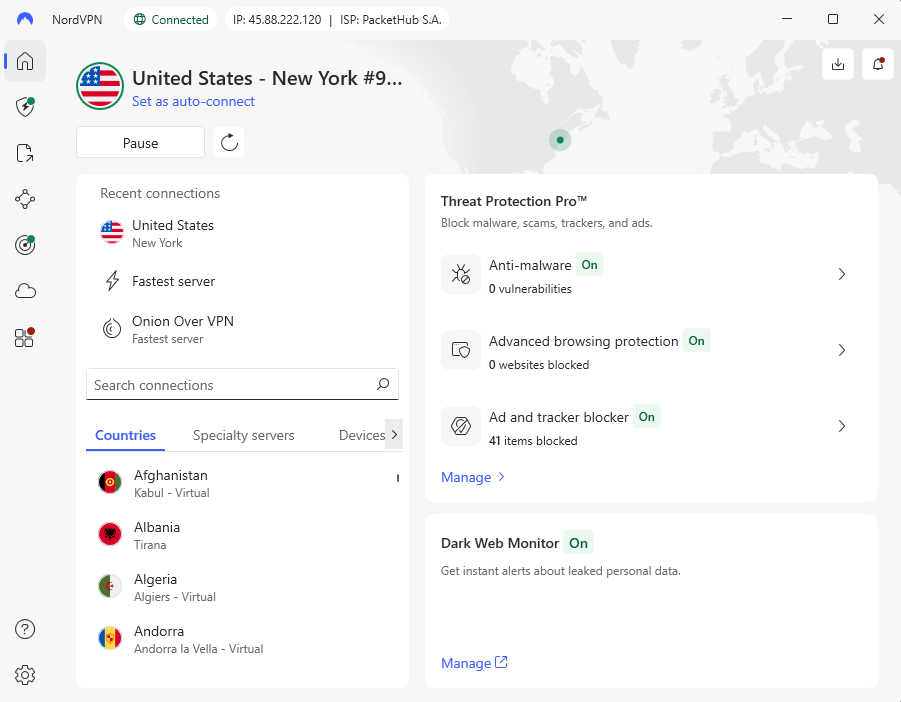
- Threat Protection Pro: Blocks ads, trackers, and malware sites without needing the VPN to be on. During testing, it stopped test malware sites before my browser’s built-in protection could.
- Specialty servers: Dedicated P2P servers maintained stable torrent speeds with no disconnections. The obfuscated servers bypass deep packet inspection if Comcast starts getting aggressive about VPN detection.
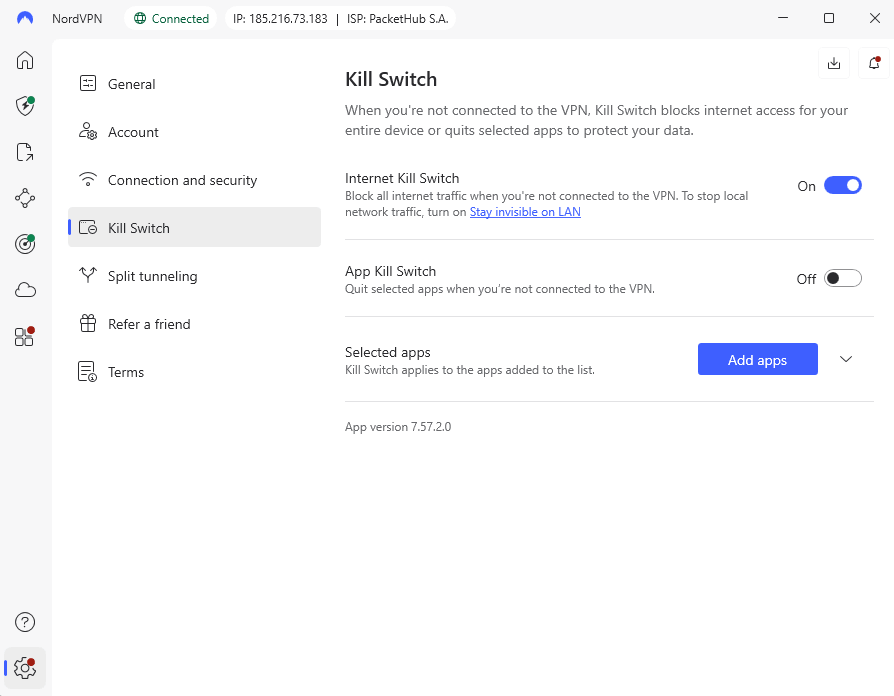
- Kill switch options: System-level and app-level kill switches ensure traffic doesn’t leak if the VPN drops. I tested this by force-closing NordVPN through the task manager, and it immediately blocked all internet access.
- Meshnet: Lets you create secure connections between devices for file sharing. Once you get past the slightly confusing initial setup, Meshnet works flawlessly.
- Split tunneling: Route specific apps through or around the VPN. This feature comes in handy when you want to encrypt torrents while keeping your smart home devices connected to your regular internet.
My Experience With NordVPN: Hands-On Performance
NordVPN works without drama. After testing it multiple times over the past year, I can confidently say NordVPN is my top recommendation for Xfinity users. The app connects quickly, stays connected, and doesn’t disconnect like budget apps. After adjusting to the interface redesign (the app shows weekly connection time and file sharing stats I don’t need), it’s smooth sailing.
Netflix streaming with Xfinity and NordVPN had no buffering in 4K. Since the BBC aggressively blocks VPNs, U.K. servers worked perfectly for BBC iPlayer, my benchmark test. During a week of heavy testing, I connected to servers in Albania, Bulgaria, and the U.K. without encountering congestion.
The support experience was mixed. The live chat connected me to a human agent quickly, but my first agent’s knowledge seemed limited. After escalation, I got detailed technical answers. It seems like tier-1 agents only know how to answer simple questions, while tier-2+ agents really know how VPNs work.
NordVPN Test Results
| Connection: | Download | Upload | Ping |
|---|---|---|---|
| No VPN (Portland, OR) | 30.00 Mbps | 5.88 Mbps | 14 ms |
| Seattle, WA (nearby) | 29.49 Mbps | 5.75 Mbps | 36 ms |
| Mexico | 15.13 Mbps | 4.23 Mbps | 166 ms |
| North Macedonia | 29.69 Mbps | 5.40 Mbps | 421 ms |
Performance nearby was solid, with little speed drop on the Seattle server. Some distant servers were inconsistent, with Mexico experiencing slower speeds, while places like North Macedonia performed better. NordVPN works best with nearby connections, while long-distance servers are usable but not as reliable.
Streaming Compatibility:
NordVPN successfully unblocked Netflix U.S., Hulu, Max, Disney+, BBC iPlayer, Peacock, and Paramount Plus. I didn’t encounter any proxy errors during testing. Some streaming servers took longer to connect than regular servers, but once connected, streaming quality was consistently high.
Throttling Prevention:
When I used NordVPN’s P2P servers to torrent, I didn’t see any Comcast throttling. Download speeds stayed at 20+ MiB/s all the time, but unprotected torrenting on Xfinity usually slows down to single-digit speeds after a few minutes. When I disconnected on purpose, the kill switch worked correctly, stopping any unencrypted traffic from leaking.
NordVPN Pricing and Value
At $3.39 monthly for the two-year plan, NordVPN sits in the premium-but-reasonable price range. All plans are backed by a 30-day refund guarantee so you can try it before committing to a subscription. For more details, read our NordVPN review.
$2.99 per month (two-year plan + three months)
2. Surfshark — Best Budget-Friendly VPN for Xfinity Households
Stats:
- Best price: $1.99 per month
- Money-back guarantee: 30 days
- Website: www.surfshark.com
- Excellent ad blocking
- Consistently fast on nearby servers
- Unlimited simultaneous connections
- Expensive resubscription pricing
- Upload speeds dropped noticeably
- CleanWeb malware blocking isn’t great
Surfshark is the best deal for Xfinity homes because it lets you connect as many devices as you want. Surfshark protects everything for a monthly price that’s less than the cost of a coffee, which is an incredible value for families where everyone is streaming, gaming and torrenting.
The design of the interface is worth mentioning because it looks great and works well. Everything is clearly marked, the buttons are the right size, and the color contrast makes it easy to find your way around. Surfshark’s modern look is refreshing after using other VPNs with interfaces that look like they were made in 2008.
Top Features for Comcast Xfinity Users
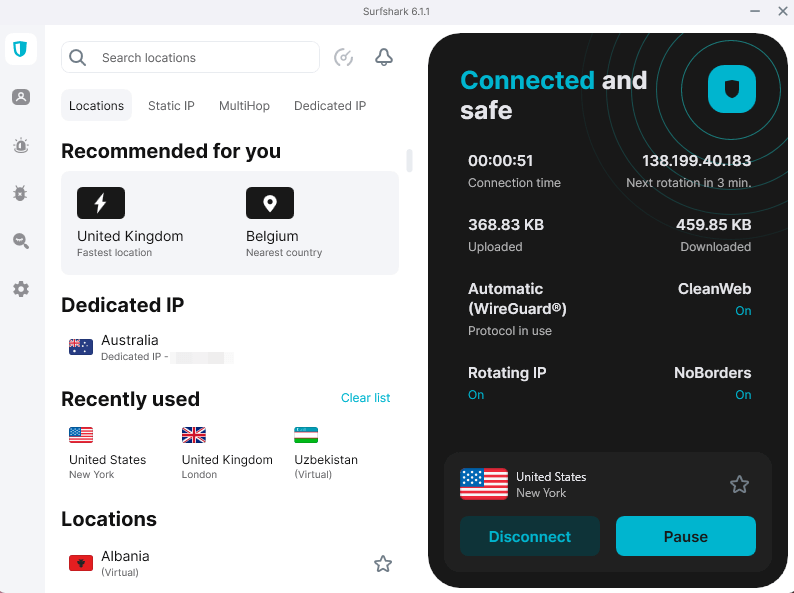
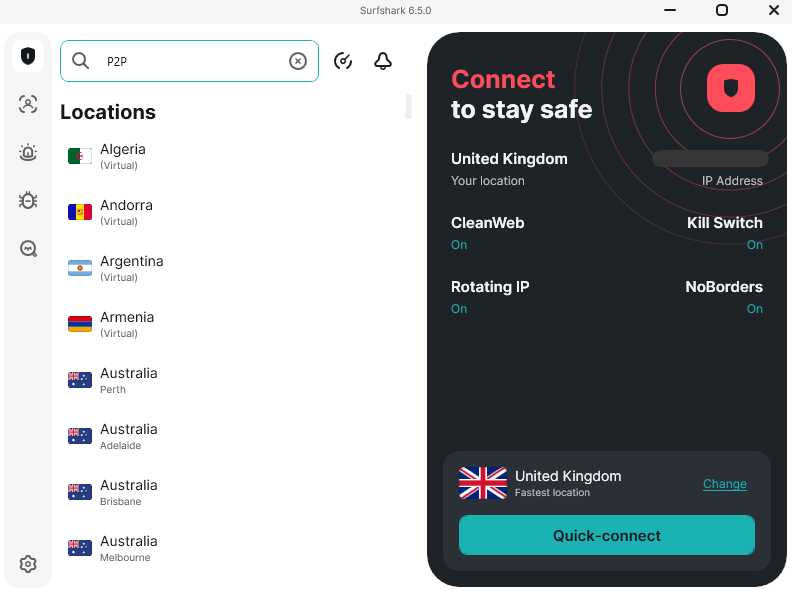
- Dynamic MultiHop: Surfshark lets you make your own multihop server pairs, which is different from most VPNs that let you use only pre-set double-hop routes. I tried a connection from France to the U.K. that worked and showed my exit node IP instead of the entry node. However, very far apart pairs (like Canada and Croatia) sometimes showed the entry node IP.
- Unlimited devices: You can connect every device in your house without playing the “which devices need protection most” game. This feature alone justifies the price for households with multiple streamers.
- CleanWeb ad blocking: Blocked 126 out of 135 ads in testing (93% effectiveness). However, YouTube ads consistently pierced through, and the malware blocking feature completely failed to catch a single WICAR test site.
- Rotating IP: Your IP address changes automatically while you’re connected (it changed after about 30 minutes in my tests), which makes it harder to track without having to change servers manually.
- NoBorders mode: This turns on when you’re in a country that has strict VPN rules. It’s ideal if you’re traveling somewhere with network restrictions and don’t want to lose access to your favorite sites.
My Experience With Surfshark: Hands-On Performance
My experience testing Surfshark showed off a VPN service that is great in the ways that matter most. The Bulgarian server from Surfshark downloaded torrents at a rate of 30 MiB/s, which was faster than my other servers. This means that Surfshark makes the most of their P2P infrastructure, unlike other services that just call random servers “P2P supported.”
The streaming was almost perfect. I tried out Netflix, Max, BBC iPlayer, Peacock, and Paramount Plus. None of them had any problems with buffering or quality. Disney+ required trying a few different U.S. servers before finding one that worked, but once connected, it streamed smoothly. Hulu took several refreshes to start streaming but then maintained consistent quality.
Upload speeds were steady on all tested servers, which is impressive compared to some VPNs that have trouble with consistency. Download speeds may slow down on farther connections, but upload performance stays strong, making Surfshark a dependable choice for video calls, streaming, and other upload-heavy activities.
Surfshark Test Results
| Connection: | Download | Upload | Ping |
|---|---|---|---|
| No VPN (Portland, OR) | 30.00 Mbps | 5.72 Mbps | 18 ms |
| Bend, OR (nearby) | 29.46 Mbps | 5.69 Mbps | 34 ms |
| United Kingdom | 28.43 Mbps | 5.57 Mbps | 353 ms |
| South Africa | 17.73 Mbps | 5.49 Mbps | 670 ms |
Local performance was great, with servers running at almost full speed. Upload speeds remained steady on all servers, unlike before. We saw some drops in download speed from far-off places, particularly in South Africa, but overall, Surfshark held up well, proving to be reliable for both local and international use.
Streaming Services:
Netflix USA, Max, BBC iPlayer, Peacock, Paramount Plus, and Disney+ all worked. After the first blocked attempt, BBC iPlayer needed the cache cleared, and then it worked fine. During hour-long test sessions, the streaming quality stayed at 1080p, and there were no buffering issues.
Throttling Bypass:
Surfshark’s P2P servers worked perfectly for torrenting, and the speeds stayed high enough to show that Comcast wasn’t slowing down the connection. The regular Bulgaria server hit 20 MiB/s, while the P2P-optimized Bulgaria server hit 30 MiB/s. When we tested it, the kill switch worked as it should.
Surfshark Pricing and Value
At $1.99 per month for the two-year plan, Surfshark offers the most aggressive pricing among premium VPNs. For a large household with many devices, it practically pays for itself in terms of reducing hassle and securing your connections. However, note that the resubscription price doesn’t have the big signup discount. Try Surfshark risk-free for up to 30 days, or read our Surfshark review for more details.
$2.49 per month (two-year plan + three months)
3. Proton VPN — Best Privacy-Focused VPN for Xfinity
Stats:
- Best price: $2.99 per month
- Money-back guarantee: 30 days
- Website: www.protonvpn.com
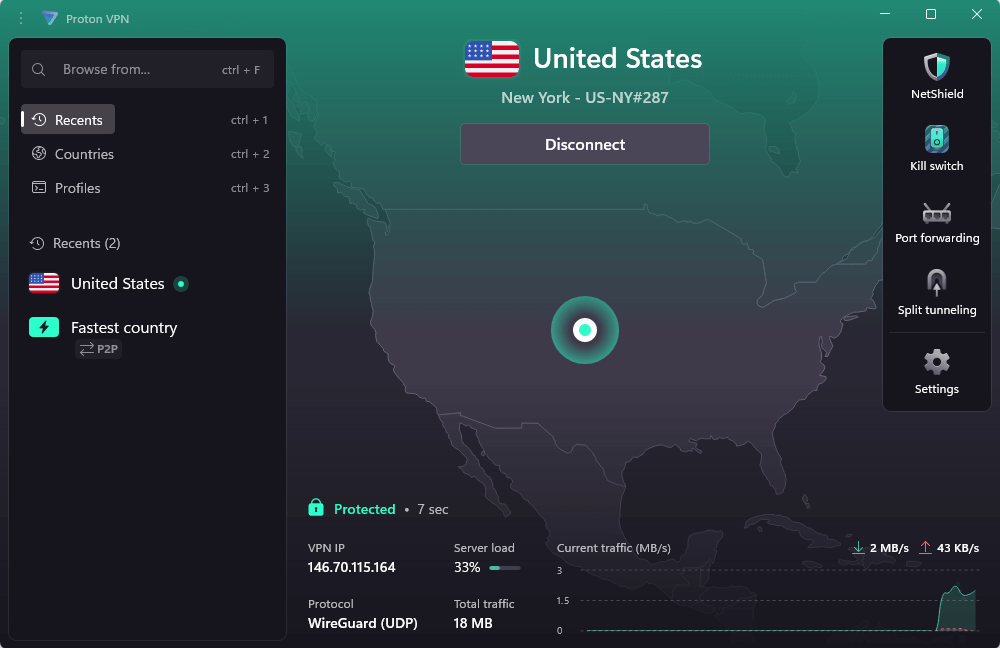
- NetShield ad & malware blocking
- Solid speeds with VPN Accelerator
- Transparent Swiss jurisdiction & independent audits
- Secure Core adds latency to connections
- Customer support can be slow to respond
Proton VPN is a secure and private VPN option, with no-logs policy and Swiss jurisdiction to help limit data collection, and its open-source apps enhance security transparency. During my testing, I noticed strong leak protection and well-documented privacy features instead of vague claims.
In my testing for this article, Proton VPN connected the fastest, usually in 2 to 3 seconds, while some other VPNs took 10 to 15 seconds to “connect” before they made the tunnel. This makes a difference when switching servers to find a more stable or faster connection, especially during peak hours.
Top Features for Comcast Xfinity Users
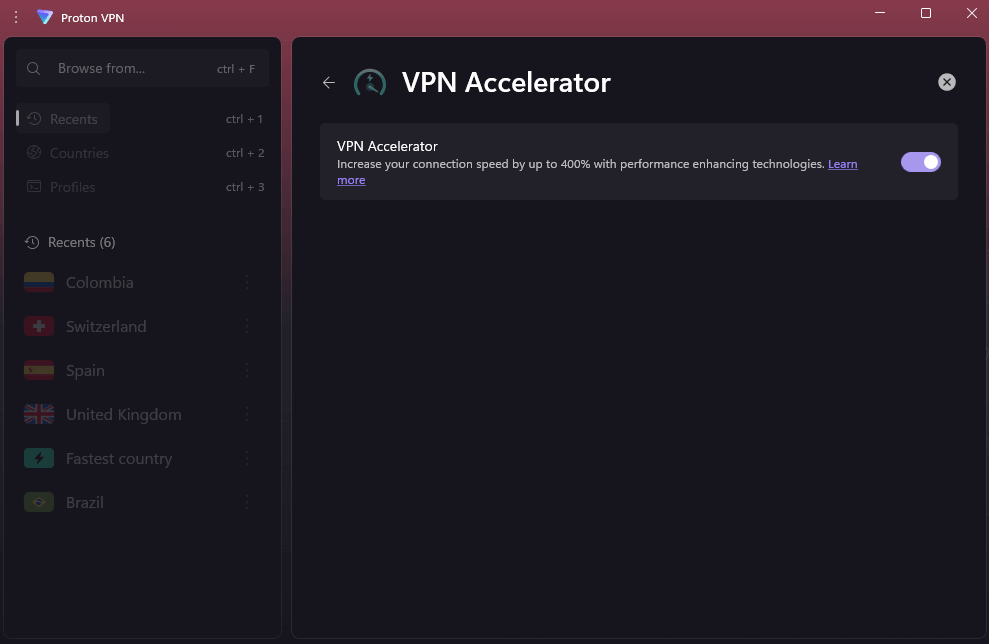
- VPN Accelerator: A feature that boosts speeds on long-distance connections by optimizing data routing through its network. This helped cut down the typical lag from distant servers, making speeds more manageable than anticipated.
- NetShield: This feature blocks ads and malware at the DNS level. It worked well in tests, blocking most ads well — but like all DNS-based solutions, it can’t stop YouTube ads that come from the same domain as the videos.
- Secure Core: Sends VPN traffic through countries that respect privacy (like Switzerland, Iceland, and Sweden) before it gets to its final VPN server. It adds lag time, as expected, but it makes sensitive activities safer.
- Kill switch with Always-On mode: This is a standard kill switch that has a permanent mode that blocks all internet access unless a VPN is connected. It’s good for people who download torrents and want to be sure they are safe.
My Experience With Proton VPN: Hands-On Performance
When I used Proton VPN, it felt like I was using software made by people who use VPNs themselves. Little things showed how thoughtful they were: hover tooltips that clearly explain features, settings that make sense, and documentation that doesn’t assume you already know what everything means.
Considering Proton’s focus on privacy rather than streaming, its streaming performance was impressive. Netflix was flawless, Hulu streamed well and BBC iPlayer connected smoothly. However, Disney+ refused to work on multiple servers, displaying the same VPN detection error. Since most VPNs I’ve tested struggle with Disney’s detection, this seems to be a Disney issue, not a Proton issue.
Speed tests revealed that Proton’s VPN Accelerator kept speeds usable even over long distances. Servers nearby maintained good performance, but those far away, like in India, showed a bigger drop. Still, the speeds were stable enough for simple browsing and streaming, despite the higher latency.
Proton VPN Test Results
| Connection: | Download | Upload | Ping |
|---|---|---|---|
| No VPN (Portland, OR) | 30.00 Mbps | 5.92 Mbps | 26 ms |
| U.S. (nearby) | 29.76 Mbps | 5.58 Mbps | 182 ms |
| United Kingdom | 17.91 Mbps | 5.61 Mbps | 327 ms |
| India (distant) | 8.96 Mbps | 5.52 Mbps | 533 ms |
Performance nearby was great, with U.S. servers almost hitting full speeds. Mid-range connections like the U.K. saw some slowdowns, but distant places like India experienced bigger drops. Upload speeds were steady on all servers, making Proton VPN dependable even with some expected performance drops due to distance.
Streaming Compatibility:
Without getting any proxy errors, I was able to get to Netflix, Hulu, Max, BBC iPlayer, Peacock, and Paramount Plus. Disney+ blocked all the servers that were tested. During long test sessions, the streaming quality easily reached 1080p with no buffering.
Privacy Verification:
All of the DNS leak tests passed with no data leaks. When I force-closed the app, the kill switch stopped all traffic right away. Wireshark testing showed that the encryption tunnel was set up correctly and that there was no packet leakage in cleartext.
Proton VPN Pricing and Value
Proton VPN costs $2.99 per month for a two-year plan, which makes it an affordable option. It has a free VPN option with unlimited data, but it’s not a great option for streaming because you can’t choose the VPN server connection. All plans come with a 30-day money-back guarantee, and you can check out our Proton VPN review for more.
$2.99 per month (two-year plan)
4. ExpressVPN — Best Beginner VPN for Xfinity
Stats:
- Best price: $3.49 per month
- Money-back guarantee: 30 days for new subscribers
- Website: www.expressvpn.com
- Extremely easy to use
- Works consistently with major streaming services
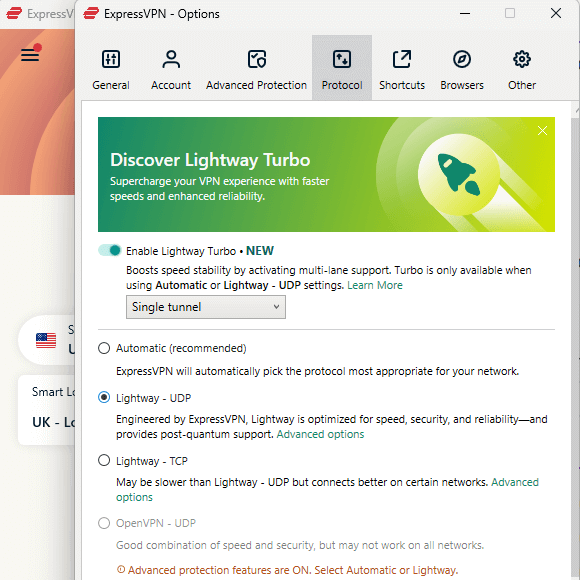
- Proprietary Lightway Turbo protocol optimized for speed
- Not as configurable as other VPNs
ExpressVPN has reversed its reputation as an expensive premium option. While it feels wrong to call it “budget-friendly,” $3.49 a month is cheaper than many competitors. ExpressVPN does what most people want from a VPN: it works right away without having to fix problems or read sadistic router setup guides.
I’ve tested ExpressVPN many times, and it always gives me the most predictable test results. Everything works: good speeds, servers that stay up, and streaming services that work.
Top Features for Comcast Xfinity Users
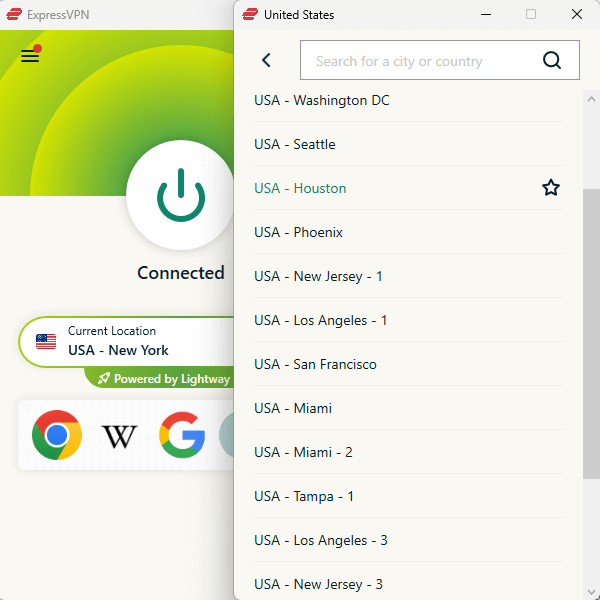
- Lightway protocol: A proprietary protocol from ExpressVPN that provides fast and reliable connections. In tests, connections were made faster than OpenVPN implementations, and the effect on battery life on mobile devices was much less.
- TrustedServer technology: All servers only use RAM, so all data is wiped when the VPN server is restarted.
- MediaStreamer: A Smart DNS feature for devices that don’t support VPN apps, like some game consoles and smart TVs. It doesn’t encrypt your traffic like a VPN, but it can help access geo-restricted content by rerouting DNS requests. Setup requires registering your IP address, after which it runs automatically.
- Network Lock: The kill switch in ExpressVPN worked every time I tested it by force-closing the app through the task manager.
My Experience With ExpressVPN: Hands-On Performance
ExpressVPN consistently delivers. I didn’t have to do any troubleshooting to get any of the streaming services to work the first time. Netflix loaded quickly, BBC iPlayer streamed in HD, and Hulu connected without having to try three servers.
Its Lightway protocol delivered strong speeds in testing. Nearby servers like Seattle maintained nearly full performance, while more distant locations saw expected drops in download speed. Even so, connections remained stable enough for everyday use.
In my opinion, the interface needs a visual overhaul. Functionality is fine, but the design screams “2015 software.” However, that’s also partly why it’s so easy to use; everything feels intuitive and familiar.
ExpressVPN Test Results
| Connection: | Download | Upload | Ping |
|---|---|---|---|
| No VPN (Portland, OR) | 30.00 Mbps | 5.89 Mbps | 18 ms |
| Seattle, WA (nearby) | 29.97 Mbps | 5.41 Mbps | 28 ms |
| Toronto, Canada | 12.47 Mbps | 5.54 Mbps | 165 ms |
| Netherlands | 12.25 Mbps | 5.54 Mbps | 312 ms |
Performance nearby was great, with Seattle keeping up full speeds. Mid- and long-distance servers had steady drops in download speeds, but overall performance stayed stable. Upload speeds were consistent in different locations, making ExpressVPN a dependable choice for daily use, though far connections may not be ideal for high-bandwidth tasks.
Streaming Services:
ExpressVPN works perfectly on all tested platforms, including Netflix, BBC iPlayer, Hulu, Max, Disney+, Peacock, and Paramount Plus. There were no proxy errors or buffering streams, and the streaming quality was the best it could be (4K on Netflix).
Reliability Testing:
The kill switch worked when the VPN connection dropped. The DNS leak tests went smoothly. Wireshark verification confirmed that an encrypted tunnel was set up without any cleartext packet leakage. There are no dropped connections during the 24-hour stability test.
ExpressVPN Pricing and Value
The new pricing at $3.49 per month (with the extended two-year plan) makes ExpressVPN competitive with mid-range services. It comes with a 30-day refund guarantee for new users on all plans, and you can take a look at our ExpressVPN review for more information.
$3.49 per month (two-year plan + four months)
5. PrivadoVPN — Best Free VPN for Xfinity
Stats:
- Best price: Free; $1.11 per month paid plan
- Money-back guarantee: 30 days on paid plan
- Website: www.privadovpn.com
- Zero logging policy
- Clean & simple interface
- Unlimited-data free tier (no hard cap)
- Limited free server locations
- After 10GB monthly, switches to slower speeds
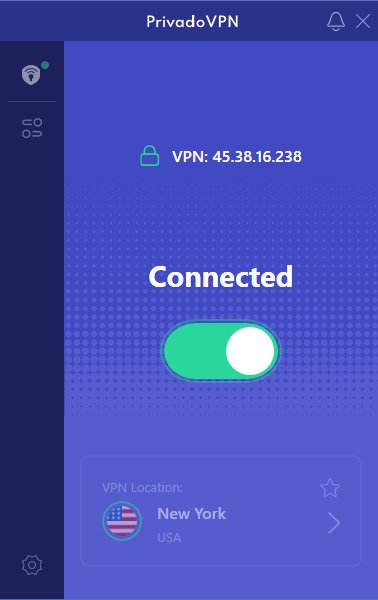
PrivadoVPN is the most honest free VPN I’ve used. This is beneficial because there are a lot of “free” VPNs out there that show ads, sell your data, or get money in strange ways. With the free plan, you get 10GB of full-speed data each month. After that, the VPN picks your server and gives you unlimited slower speeds.
I mainly tested PrivadoVPN to see how it behaves compared to other free VPNs, particularly whether it injects ads, trackers, or other unwanted content into browsing sessions.
In my testing, I didn’t encounter any ads, redirects or suspicious activity. Its privacy policy is also relatively clear, stating that it logs minimal connection data, like bandwidth usage and session timestamps, which is anonymized and deleted after a short time.
Top Features for Comcast Xfinity Users
- Free tier with no hard limits: Instead of being completely disconnected after using your 10GB of fast data, the free plan swaps to unlimited slower service. You can still use the VPN for basic browsing and SD streaming, but the speed drop is clear.
- No logging on the free plan: PrivadoVPN has a no-logs policy for all users, even free ones.
- Access to Netflix and Prime Video: Both streaming services worked on free tier servers during testing. At 1080p, quality was at its highest, which seems to be an artificial limit or a result of the speed limits on the free tier.
- No ads: Many free VPNs put their own ads or tracking into your connection. PrivadoVPN doesn’t do that, so it’s really free instead of “pay with your attention.”
My Experience With PrivadoVPN: Hands-On Performance
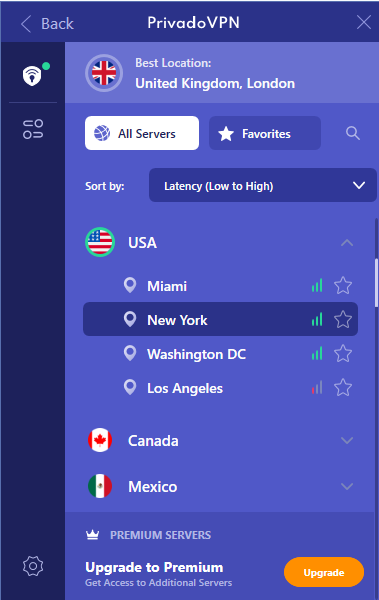
Trying out PrivadoVPN’s free tier revealed that it’s actually functional, not just a limited trial. Free VPNs can be pretty unreliable, often dropping connections or forcing you to reconnect when too many people are using the servers. PrivadoVPN’s servers in the U.S., U.K. and Canada connected quickly and remained stable, but speeds did vary based on server load.
Netflix always worked on U.S. free servers, but the quality sometimes dropped to 720p during busy times. There was no buffering when I watched Amazon Prime Video. BBC iPlayer blocked all attempts to connect and showed the usual “not available in your region” message.
After my 10GB monthly limit, the service switched to “Lite” mode with slower speeds and automatic server selection. We tested this degraded mode at 5-10 Mbps, which is fine for browsing and SD streaming but not HD video. It also automatically connects you to PrivadoVPN’s servers without your location choice.
PrivadoVPN Test Results
| Connection: | Download | Upload | Ping |
|---|---|---|---|
| No VPN (Portland, OR) | 30.00 Mbps | 6.00 Mbps | Baseline |
| U.S. server (full speed) | 27.31 Mbps | 4.70 Mbps | Full speed |
| U.S. server (Lite mode) | 8 Mbps | 2 Mbps | After 10GB |
The full-speed free tier worked well, but it was noticeably slower than paid VPNs. The Lite mode slows down speeds a lot, making HD streaming hard, but basic browsing still works.
Free Tier Limitations:
- 10GB monthly high-speed data
- Single device connection only
- After 10GB, unlimited slow speeds with auto-server selection
- 10 server countries: U.S., U.K., Canada, Germany, France, Netherlands, Mexico, Argentina, Switzerland, Brazil
Streaming Compatibility:
Netflix and Amazon Prime worked on free tier servers. Other platforms worked, but not consistently; you may need to switch servers or disconnect and reconnect before you gain uninterrupted access.
PrivadoVPN Pricing and Value
The free tier costs literally nothing with no credit card required, making it ideal for occasional VPN users or people testing whether they need a VPN at all. If you need access to more servers or want consistently fast speeds, paid plans start at $1.11 per month. Try it risk-free for 30 days, or read our PrivadoVPN review for more.
$1.11 per month (two-year plan + three months)
Comcast Xfinity VPN Setup & Use Guide
It’s easy to set up a VPN for Comcast Xfinity because you’re installing software on your devices instead of changing the settings on the Xfinity router itself (which is technically possible but too complicated for most people).
1. Choose and Subscribe to a VPN
Pick a VPN, create an account, and select your subscription length. Long-term plans are better value overall but have a bigger upfront cost.
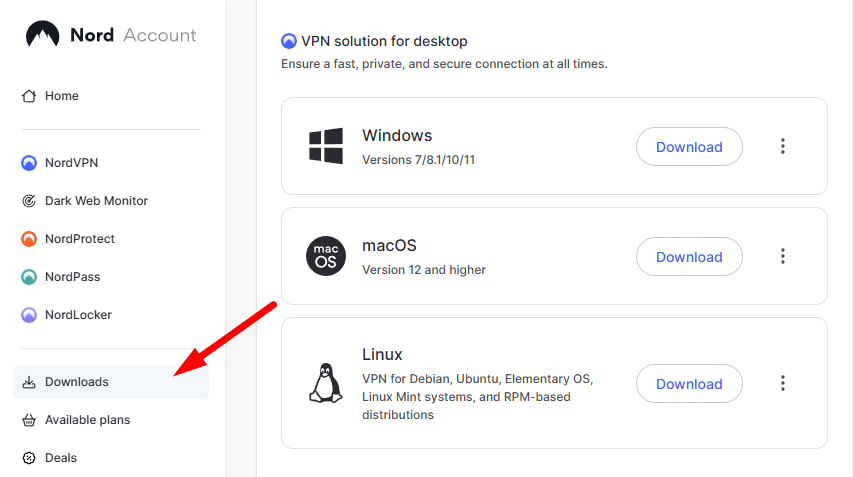
2. Download and Install the VPN
Download the appropriate app for your device from the VPN provider’s website. Avoid downloading VPNs from random websites, as these may not be legitimate.
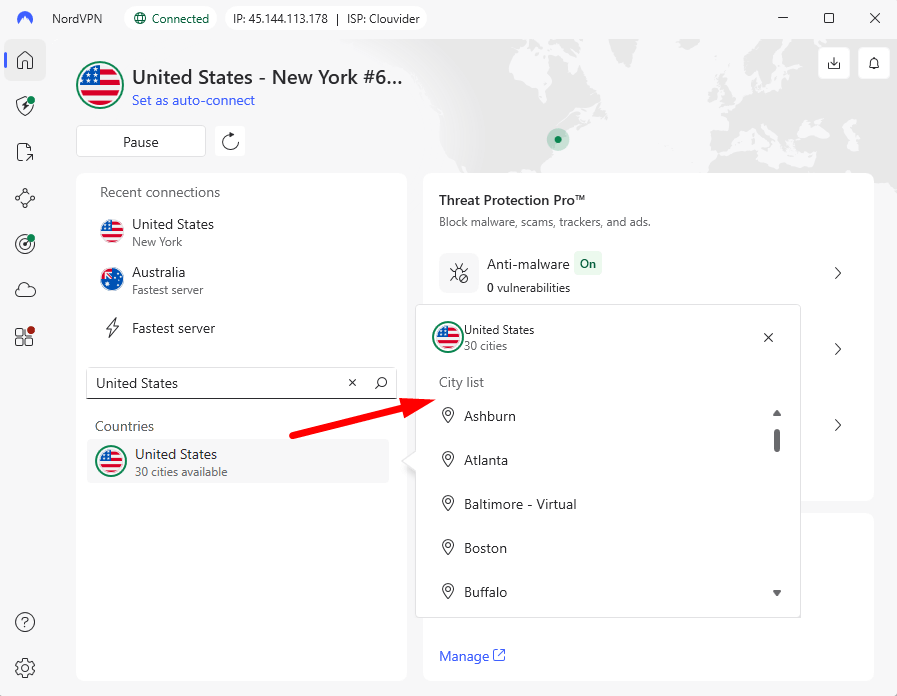
3. Connect to a Server
Open the VPN, log in with your credentials, and click the connect button. Most VPNs automatically choose a nearby server for optimal speeds. You can also manually select a server to access specific or geo-blocked content.
Troubleshooting: Xfinity VPN Not Working
When your VPN stops working with Comcast Xfinity, the problem usually falls into one of five categories. Here’s how to fix the most common issues.
1. Switch VPN Protocols
Comcast might manage your traffic depending on your connection, including any VPN usage patterns. If your connection is slow or drops, try changing the protocols in your VPN settings. If a quicker protocol like UDP has issues, OpenVPN TCP usually offers a steadier connection.
NordLynx and Surfshark WireGuard can sometimes hide the VPN connection better than OpenVPN. Some VPNs have “stealth” or “obfuscated” modes that make it hard for ISPs to see what you’re doing.
2. Change VPN Servers
Sometimes, the streaming services you’re trying to reach block individual VPN servers, or they get too full with too many users. Disconnect the VPN and try a different server in the same country.
If Netflix says “you seem to be using an unblocker,” don’t assume that your whole VPN is being detected; just switch servers. There have been times when server #1 in New York was down, but server #3 worked perfectly.
3. Disable IPv6 on Your Device
By default, Comcast gives out IPv6 addresses, but some VPNs don’t send IPv6 traffic through their tunnel. This causes IP address leaks, which means that your real IPv6 address can be seen even though IPv4 traffic is encrypted. To stop this leak, turn off IPv6 in your network settings for a short time. Most services still work with IPv4-only connections.
4. Flush DNS Cache
Your device stores DNS queries in a cache, which means that even after you connect to a VPN, it may still use your ISP’s DNS servers. This can make it hard to connect or keep tracking.
To flush your DNS cache, open Command Prompt (Windows) or Terminal (Mac) and type the right command. For Windows, type “ipconfig /flushdns” and for Mac, type “sudo dscacheutil -flushcache.” After flushing DNS, restart your browser.
5. Check Xfinity Gateway Settings
Comcast’s gateway modems have a number of security features that can sometimes get in the way of VPN connections. Log in to your Xfinity gateway admin panel (usually at 10.0.0.1) and see if “Advanced Security” or something like that is blocking VPN ports.
You might need to add exceptions for VPN traffic. If you don’t know much about networking, be careful when you change your router settings.
Why You Need a VPN for Comcast Xfinity
Comcast Xfinity claims it has stopped using dedicated systems to manage congestion or throttle heavy users. However, its past and ongoing user reports indicate that the situation may be more complex. Similar to other ISPs, it employs general “network management” practices that may impact speeds during busy periods.
A key reason to use a VPN with Xfinity is to prevent possible slowdowns during streaming or torrenting. High-bandwidth activities, such as 4K streaming, can still be impacted during peak internet-usage times, even without explicit throttling. A VPN ensures that Comcast only sees encrypted traffic directed to a server, keeping your activities and services you use private.
Another reason is privacy. Internet service providers are allowed to user collect. Comcast claims it doesn’t sell “personally identifiable” browsing data, but this distinction has its limits; anonymized data can frequently be re-identified or still utilized for targeted advertising. A VPN encrypts your traffic, limiting what your ISP can see and gather.
How a VPN Prevents Comcast Bandwidth Throttling
Bandwidth throttling occurs when an ISP reduces the speed of specific types of traffic, like streaming video or torrenting. This usually involves examining traffic patterns or packet data to pinpoint high-bandwidth activities and optimize network performance.
A VPN protects your data by encrypting the traffic between your device and the VPN server. Your ISP sees this as a single encrypted connection rather than individual activities. It can’t see whether you’re streaming Netflix, downloading torrents or browsing the web; only that you’re connected to a VPN server.
Imagine it as mailing packages. Without a VPN, every package is clearly labeled, which makes it simple to handle them differently. Using a VPN ensures that every package is uniformly sealed, making it impossible to prioritize or throttle specific types of content.
However, this isn’t guaranteed to work perfectly. ISPs can still implement wider traffic management by slowing down all encrypted or high-usage connections during peak hours. Advanced traffic analysis techniques can identify VPN usage patterns, but they demand more effort and are less accurate.
How a VPN Stops Comcast From Monitoring Your Online Activity
Without a VPN, Comcast can see every website you visit because DNS queries and HTTP/HTTPS connections go through their network. Your ISP can still see the domain names you visit and build a profile of your browsing habits, even if HTTPS encryption protects the content of the pages.
A VPN sends all of your internet traffic through an encrypted tunnel to the servers of the VPN provider. From there, it goes out to the internet. Comcast can only see encrypted traffic going to the IP address of the VPN server. They can’t see what websites you visit, what you search for, or what you read.
Here’s what Comcast sees with and without a VPN:
- Without VPN: Full list of domain names visited, connection timestamps, amount of data transferred to each site, protocols used.
- With VPN: Single encrypted connection to VPN server IP address, total data transferred through that connection, connection duration. No visibility into actual destinations or content.
However, switching your trust from Comcast to your VPN can also be an issue. VPN providers that don’t care about your privacy could log and sell your browsing data like ISPs. Therefore, choose VPNs with verified no-logs policies; NordVPN, Surfshark, Proton VPN, ExpressVPN and PrivadoVPN do not log browsing activity, according to independent audits.
Does Xfinity Router Support VPN Services?
Xfinity routers and gateway modems support VPN passthrough, allowing device VPN connections without router configuration. The VPN app on your computer or phone creates the encrypted tunnel, and the Xfinity router forwards it without interfering.
Although possible, installing a VPN directly on your Xfinity gateway is usually not worth the hassle. Xfinity gateway modems don’t have VPN client software, so you must configure OpenVPN manually in advanced settings. The process is complicated, poorly documented, and can break your internet connection if misconfigured.
The better approach is installing VPN software on each device that needs protection. This gives you more control and simpler troubleshooting when issues arise. For smart TVs and game consoles that don’t support VPN apps, use your VPN provider’s smart DNS feature or connect those devices to a router with VPN installed.
If you insist on router-level VPN, buy a separate compatible router (Asus, Netgear, or Linksys models with DD-WRT or Tomato firmware support) rather than trying to configure the Xfinity gateway. Connect this secondary router to your Xfinity gateway and configure the VPN on the secondary router.
What Is Advanced Security on Comcast Xfinity Routers?
Xfinity’s Advanced Security is a feature that protects your home network by blocking malware, phishing, and other suspicious activities at the network level. Comcast utilizes AI and machine learning to monitor traffic in real time and respond to emerging threats.
It primarily functions by filtering DNS requests and preventing access to recognized malicious domains. It operates on Xfinity’s network, so it automatically applies to all connected devices without needing additional software.
It does have its limitations. It focuses primarily on recognizing known threats, which means it might overlook new or more advanced attacks. Additionally, it doesn’t serve as a substitute for traditional antivirus or endpoint protection.
Privacy is another important factor to consider. Xfinity’s Advanced Security feature analyzes network traffic, so it needs to see your online activity. A VPN encrypts your traffic, restricting what your ISP can access. The two tools have distinct functions, and utilizing both provides more comprehensive protection.
Conclusion
NordVPN is my top choice for Comcast Xfinity users who want to stop throttling without having to fix problems all the time. The service always had fast speeds, worked with all the streaming services I tried, and kept connections stable without dropping them at random times.
Which VPN has worked best with your Comcast Xfinity internet? Have you noticed that throttling affects your streaming or gaming on certain services? How fast is your current VPN setup? Please share your experiences in the comments below, and thank you for reading.
FAQ: Best Comcast VPNs
Why Does Comcast Throttle Bandwidth?
ISPs like Comcast manage network traffic to maintain performance during busy periods. While Comcast says it no longer uses specific throttling systems, general traffic management can still lead to slower speeds for high-bandwidth activities, especially during peak times.Does NordVPN Work With Xfinity?
Yes, NordVPN works great with Xfinity connections. I tested it a lot and found that it keeps fast speeds while also preventing unnecessary slowdowns.Which VPN works best with Xfinity?
NordVPN is the best choice for Xfinity users when it comes to speeds and reliability. Surfshark is a better deal for homes that need to connect many devices at a time.Is Comcast Blocking VPN Services?
Comcast doesn’t always block VPN services, but they might slow down encrypted traffic when the network is busy. Using modern protocols like WireGuard usually keeps you from being detected.
Leave a Reply