Best VPN for Beginners: 6 Easy-to-Use Services
- Table of Contents
- Why Use a VPN? Benefits Explained
- How to Choose the Best VPN App for Beginners
- The 6 Best VPN Providers for Beginners
- 1. ExpressVPN -- Easiest VPN to Use Overall
- 2. NordVPN -- Best Simple VPN With Advanced Features
- 3. Surfshark -- Best Cheap VPN for Beginners With Unlimited Devices
- 4. CyberGhost -- Best VPN for iPhone and Android Users
- 5. Private Internet Access -- Best Budget VPN With Customization Options
- 6. Proton VPN Free -- Best Free VPN That Respects Your Privacy
- Are Free VPNs Safe to Use?
- How to Use a VPN for Beginners
- VPN vs Proxy for Beginners: What's the Difference & Which Is Better?
- Conclusion
- FAQ: The Easiest VPNs to Use

Quick Summary: Best Beginner VPN Services
If you’re new to VPNs and just want something that works without a computer science degree, ExpressVPN is your best bet. You can try ExpressVPN risk-free for 30 days.
- ExpressVPN – The simplest VPN to use, featuring one-click connections and user-friendly apps for all devices.
- NordVPN – An easy-to-use VPN that offers robust features, all presented through a sleek, map-based interface.
- Surfshark – The top affordable VPN for beginners, offering unlimited connections and straightforward settings.
- CyberGhost – Most user-friendly option, featuring pre-configured servers tailored for specific tasks.
- Private Internet Access – An affordable VPN that offers a surprisingly easy setup, even with advanced features.
- Proton VPN Free – The top free VPN that respects your privacy.


Using a virtual private network shouldn’t feel like defusing a bomb. I’ve tried more than 40 VPN services, and I can say that not all VPNs are equally user-friendly. Some providers assume everyone has a networking certificate, while others understand that real people simply want to safeguard their privacy without having to read a manual.
The best VPNs for beginners offer strong security and a user-friendly interface that’s easy to navigate without any guidance. After thoroughly testing these six VPN providers, I found that they have all the essentials: they secure your internet connection, conceal your IP address from unwanted attention, and work reliably without needing constant oversight.
- Money-Back Guarantee30 DaysWorldwide Server AmountOver 3,000 servers in 105 countries
- Money-Back Guarantee30 DaysWorldwide Server AmountOver 5,400+ servers in 59 countries
- Money-Back Guarantee30 DaysWorldwide Server Amount1700+ Servers in 63 Countries
- Money-Back Guarantee45 DaysWorldwide Server Amount7,300 Servers worldwide
- Money-Back Guarantee30 DaysWorldwide Server Amount84 countries
- Money-Back Guarantee30 DaysWorldwide Server Amount1500 Servers in 61 Countries









Why Use a VPN? Benefits Explained
A VPN keeps your online activity safe by encrypting your data and sending it through a secure server before it connects to the internet. It’s like sending mail in a sealed container rather than using a postcard. Your internet service provider can’t track the websites you visit, ads have a harder time tracking your online activity, and you can access videos or pages that are usually restricted by region.
A VPN establishes a secure link between your device and the internet, keeping your actual IP address concealed and using the server’s location instead. When it comes to websites, it looks like you’re accessing them from the city where that server is located, rather than from your living room in Cleveland.
Your internet activity is protected by encryption, which means that anyone trying to intercept it won’t be able to understand the data. It’s like having a personal guard for everything you do online.
Is It Easy to Use a VPN?
Sure, but it’s important to make a thoughtful choice. Nowadays, reliable VPNs allow you to connect with just a tap and keep your online activities secure. I decided to let some people who were new to VPNs try out my gadgets and see how quickly they could connect.
The results varied; ExpressVPN took about 15 seconds, while PIA, which had additional setup options initially, took nearly two minutes.
How to Choose the Best VPN App for Beginners
When I look at VPN services for beginners, I set aside the marketing hype and concentrate on what truly matters for those who are just starting out.
- Intuitive apps: VPN should have a user-friendly interface. If it resembles a cockpit, it might not be suitable for beginners.
- Connecting should be simple: There’s no need to sift through 50 settings before you can get started. Smart defaults are important.
- Reliable auto-connect: A kill switch and automatic connection on startup mean you’re protected even when you forget.
- Easy-to-understand server locations: You shouldn’t need to be a geography expert to navigate through thousands of servers. Good filtering and favorites lists are essential.
- Responsive support: When issues arise, it’s important to have assistance that communicates in a relatable way, rather than using technical language.
- Key security features: Strong VPN protocols, leak protection, and reliable encryption should be set up for you without the need for configuration.
Some VPN providers mention “military-grade encryption” or their own custom systems. It makes me wonder which army actually uses this so-called advanced tech. The one still sending documents by fax? New users appreciate a tool that manages setup smoothly while still allowing for easy adjustments when needed.
The 6 Best VPN Providers for Beginners
Here’s how these six stack up on the metrics that matter most when you’re starting out:
| Provider: | Setup Time | Best Monthly Price | Simultaneous Connections | Money-Back Guarantee |
|---|---|---|---|---|
| ExpressVPN | Under 2 min | $3.49 | Up to 14 devices | 30 days |
| NordVPN | Under 2 min | $2.99 | 10 devices | 30 days |
| Surfshark | Under 3 min | $1.99 | Unlimited | 30 days |
| CyberGhost | Under 3 min | $2.19 | 7 devices | 45 days |
| PIA | Under 4 min | $2.03 | Unlimited | 30 days |
| Proton VPN | Under 2 min | Free | 1 device | N/A (free tier) |
1. ExpressVPN — Easiest VPN to Use Overall
Stats:
- Best price: $3.49/month
- Money-back guarantee: 30 days
- Website: www.expressvpn.com
- Fastest connection times
- Genuinely intuitive interface
- Excellent 24/7 customer support
- Slightly more expensive
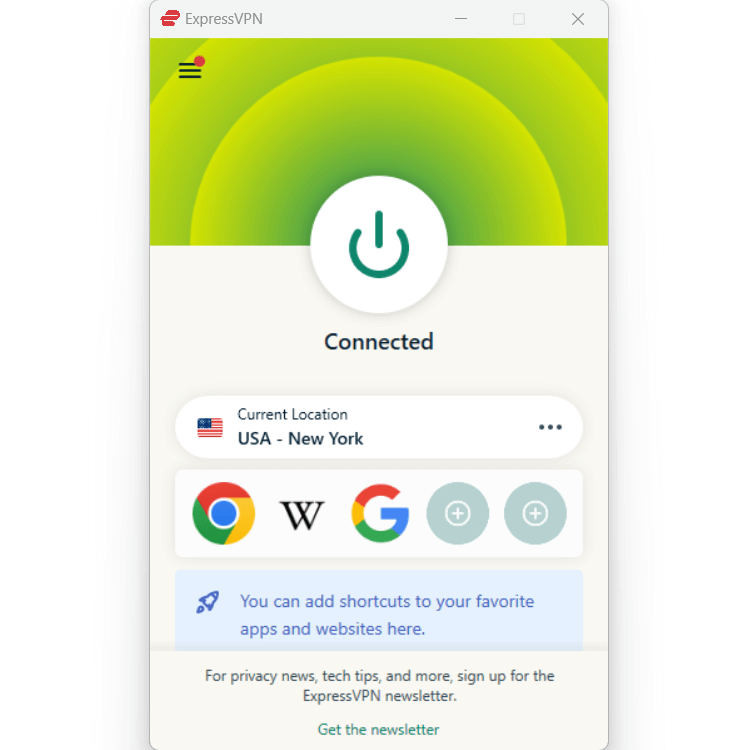
ExpressVPN is a straightforward choice. The interface feels intuitive, so those I’ve shared it with don’t have to ask “how do I…?” questions. When you launch the app, you’ll notice a clear “Connect” button right away. Just press it, and your online activity will be protected immediately.
I noticed while testing that even though it can feel a little simple, ExpressVPN is still fully functional from a security and privacy standpoint. It automatically chooses the best server for you, but if you want to select a different one from over 3,000 options in 105 countries, it only takes an extra tap.
My Experience With ExpressVPN: Hands-On Performance & Ease of Use
I connected to the New York server during peak traffic and ran speed tests while watching a 4K movie on Netflix at the same time. My speed was 467 Mbps with the VPN on, which is only a slight difference from my usual 500 Mbps. The connection remained steady during the six-hour test, without needing any resets or interruptions.
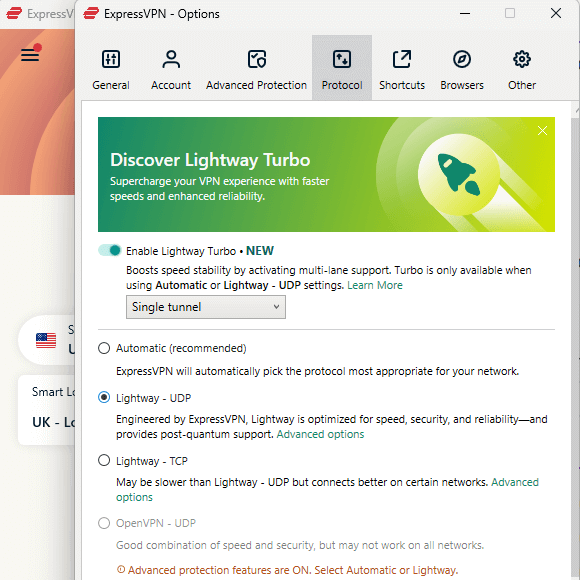
The kill switch functioned just as intended. I deliberately disconnected the VPN during testing, and my online activity stopped right away, keeping my actual IP hidden. This safeguard works automatically in the background, keeping you safe without any manual configuration.
ExpressVPN Test Results
| Scenario: | Result | Notes |
|---|---|---|
| Netflix US streaming | Perfect 4K quality | Zero buffering in 3-hour session |
| Speed loss percentage | 6.6% average | Faster than advertised |
| Connection time | 3-5 seconds | Consistently quick |
| IP/DNS leak test | No leaks detected | Tested across 5 servers |
I thoroughly tested ExpressVPN with real-life scenarios for new users. I checked several popular streaming services, and everything went smoothly without any errors at all. My information remained secure while I was online, without fail.
ExpressVPN Pricing and Value
ExpressVPN is priced at $3.49 per month with yearly billing, which is a bit higher than others, but not by much. For new users who value ease and consistency, the price is reasonable. It’s a service that operates seamlessly from the start, without the need for adjustments or assistance.
The 30-day money-back guarantee gives you a full month to decide if it’s right for you. You can also take a look at our ExpressVPN review for more details.
$3.49 per month (two-year plan + four months)
2. NordVPN — Best Simple VPN With Advanced Features
Stats:
- Best price: $3.49/month
- Money-back guarantee: 30 days
- Website: www.nordvpn.com
- Specialty servers clearly labeled
- RAM-only servers enhance privacy
- Strong performance on mobile apps
- Lots of options can feel a little overwhelming initially
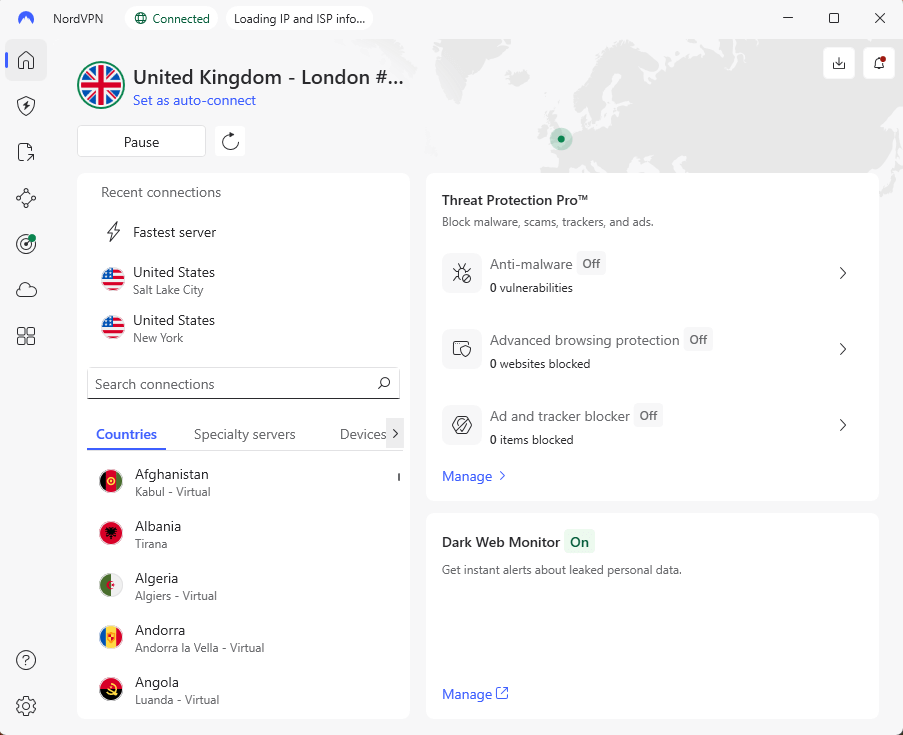
NordVPN strikes a clever balance between being simple for novice users and robust enough that you won’t outgrow it. While it’s not ultra-basic (there are advanced features tucked away in settings menus), NordVPN isn’t complex or difficult to understand. It’s easy to set up and get connected.
The options are listed and explained in detail if you’re feeling daring and want to try split tunneling or using a specialty server. Although NordVPN isn’t as user-friendly as ExpressVPN, it becomes second nature after a little time spent experimenting with the options.
My Experience With NordVPN: Hands-On Performance & Ease of Use
I tested NordVPN while at a café known for unreliable Wi-Fi. Using the ‘Quick Connect’ feature on my Windows device required roughly four seconds; after that, my browsing was shielded from potential eavesdroppers nearby. It picked a server in Chicago without prompting, leading to strong performance with barely any drop compared to normal speed.
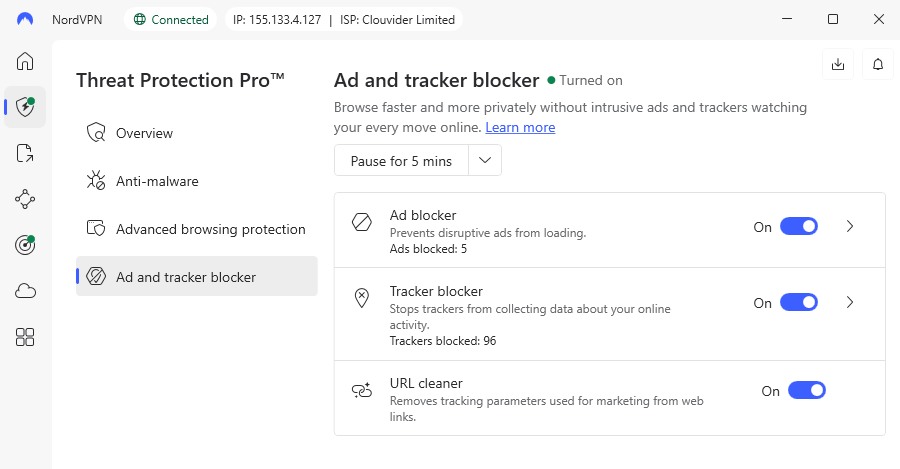
What caught me off guard was the steady VPN link during Wi-Fi changes. Moving from a café to my vehicle, using a mobile hotspot, then home over roughly two hours, NordVPN jumped back online quickly every single time. For beginners regularly hopping between networks, that kind of consistency is ideal.
NordVPN Test Results
| Scenario: | Result | Notes |
|---|---|---|
| BBC iPlayer UK streaming | Worked flawlessly | London server bypassed geo-blocks |
| Speed loss percentage | 11% average | Still fast for most uses |
| Switching servers | 5-7 seconds | Slightly slower than ExpressVPN |
| IP/DNS leak test | No leaks detected | Solid privacy protection |
During my tests, I checked how reliably NordVPN could access streaming platforms (no problems, even with trickier options like BBC iPlayer and Disney+). I was impressed by its speed retention, server connection times and mostly, that it kept my data secure while connected.
NordVPN Pricing and Value
NordVPN costs just $2.99 per month with a two-year commitment. However, you can try it risk-free for 30 days, just in case the interface isn’t quite to your liking. Better still, take a look at our NordVPN review for more details.
$2.99 per month (two-year plan + three months)
3. Surfshark — Best Cheap VPN for Beginners With Unlimited Devices
Stats:
- Best price: $1.99/month
- Money-back guarantee: 30 days
- Website: www.surfshark.com
- Genuinely affordable
- CleanWeb blocks ads & trackers
- Unlimited simultaneous connections
- Speeds aren’t as consistently fast
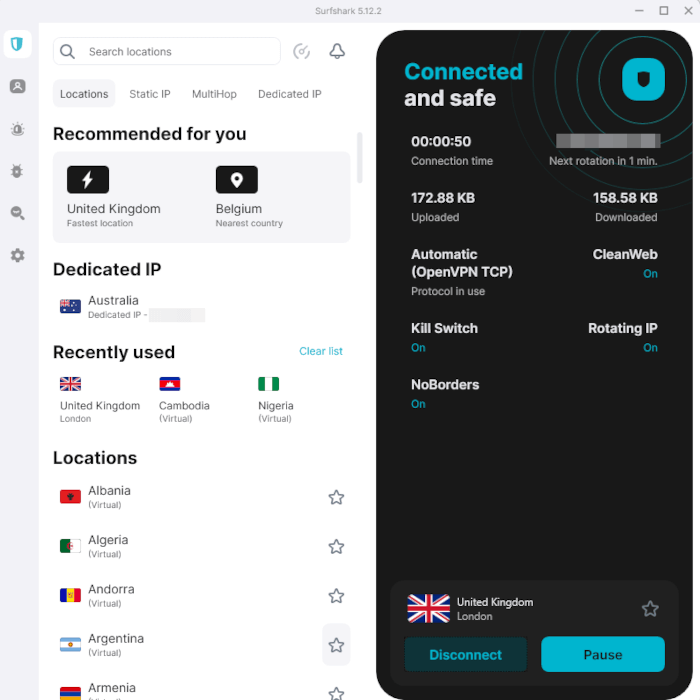
Surfshark shows lower price doesn’t equal low quality. For less than two dollars monthly, it stands out among affordable VPNs without seeming basic. Its layout feels fresh, relying on clear feature names and descriptions instead of confusing terms found in some competitors.
The standout perk for new users? Endless device connections at once. Many providers cap you at 5 or even 10 gadgets; this seems like enough, but when you’re adding phones, laptops, tablets, TVs, and your partner’s and kid’s devices, it isn’t. That’s not an issue with Surfshark, as you can connect as many gadgets as you like and secure them all.
My Experience With Surfshark: Hands-On Performance & Ease of Use
I set up Surfshark on all my gadgets at home to check if “unlimited” really holds when all are linked at once; it ran without issues. There were no server problems and minimal drop in speed, despite the load.
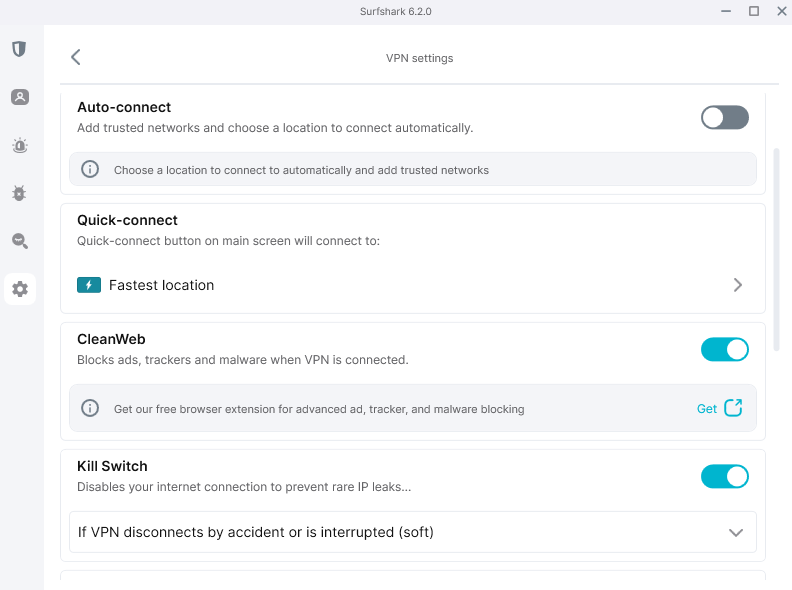
The setup turned out way easier than expected on every device. On Android, getting the VPN app from Google Play only took a few minutes. For iPhones, it worked just as smoothly without any hiccups. Setting up the router, something that is often frustrating, came with direct guides so clear that I had it configured in around 10 minutes.
Surfshark Test Results
| Scenario: | Result | Notes |
|---|---|---|
| HD streaming multiple devices | Excellent performance | 4 streams simultaneously |
| Speed loss percentage | 14% average | Acceptable for most activities |
| Connection reliability | Very stable | No unexpected disconnects |
| IP/DNS leak test | No leaks detected | Strong privacy protection |
While Surfshark isn’t as reliable at accessing streaming platforms on the first try (Disney+, I’m looking at you), you’ll find a working connection pretty quickly. You may also notice a little more buffering before streaming, due to slightly slower speeds and higher latency.
Surfshark Pricing and Value
Surfshark costs just $1.99 each month on the two-year option, ideal for new users watching their spending. Since it covers every device in your household, the fee feels completely reasonable. You can get a full refund within 30 days, so you can try it risk-free. Find out more in our Surfshark review.
$2.49 per month (two-year plan + three months)
4. CyberGhost — Best VPN for iPhone and Android Users
to beginners to use.
Stats:
- Best price: $2.19/month
- Money-back guarantee: 45 days
- Website: www.cyberghostvpn.com
- Excellent mobile apps
- Long refund guarantee on long-term plans
- Optimized servers for streaming & torrenting
- Interface can feel a bit cluttered
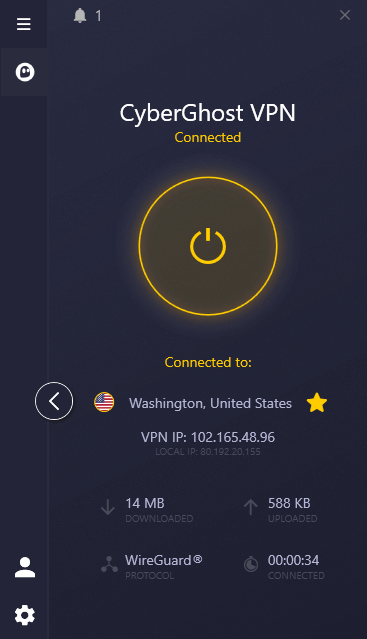
CyberGhost handles simplicity differently; rather than removing functions, it uses clear labels so you understand every setting. Looking to stream Netflix? A specially tuned server is ready. Want secure file sharing? Labeled P2P servers are available.
The Android and iPhone apps stand out through thoughtful design. Clearly, CyberGhost spent effort ensuring mobile use fits naturally on each system, instead of just copying the desktop layout directly. This approach leads to smooth navigation, sticking to patterns users already know.
My Experience With CyberGhost: Hands-On Performance & Ease of Use
I focused on testing CyberGhost using mobile gadgets as this is where it excels. On my iPhone, I checked out preset streaming options for different apps. Under the ‘Streaming’ section, I chose a Netflix option. It routed me to an ideal server right away, and within half a minute, I was already viewing Mr. Robot.
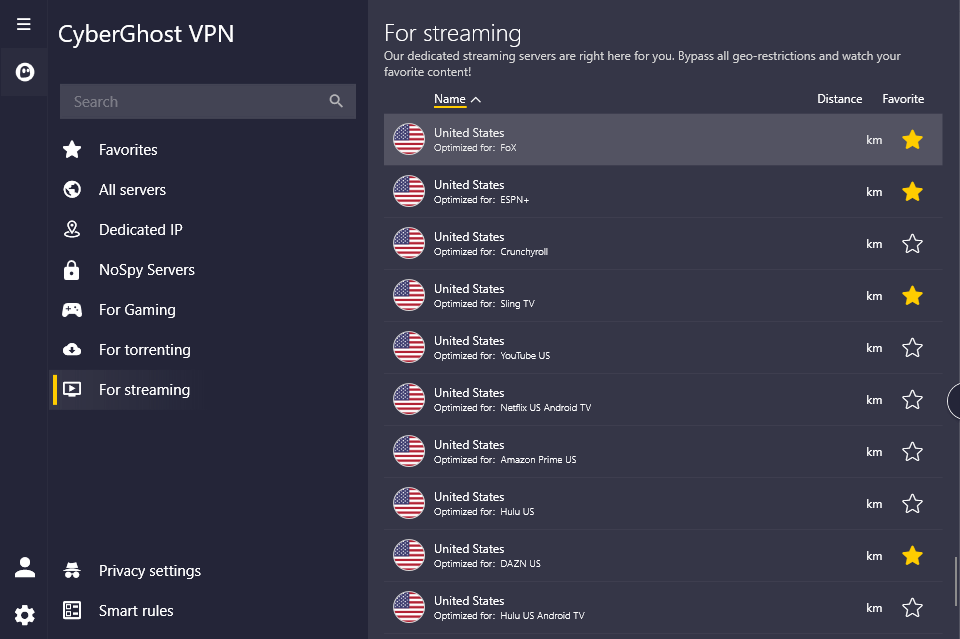
This type of guided setup suits newcomers who’d rather skip figuring out server compatibility across streaming services. But here’s the catch: having so many ready-made choices tends to clutter the layout compared to leaner apps like ExpressVPN.
CyberGhost Test Results
| Scenario: | Result | Notes |
|---|---|---|
| Netflix & streaming platforms | Excellent compatibility | Tested 5 services, all worked |
| Speed loss percentage | 16% average | Slightly higher than competitors |
| Mobile app performance | Outstanding | Best mobile experience tested |
| IP/DNS leak test | No leaks detected | Secure privacy protection |
CyberGhost’s intuitive interface makes it easy to connect to streaming services, P2P servers, and even gaming-optimized connections on Windows. While it’s a little slower than other VPNs, it works well to keep connections reliable and protect your sensitive data.
CyberGhost Pricing and Value
CyberGhost gives good worth at $2.19 per month if you pick the two-year option, cheaper than many top brands. Since it includes a 45-day refund window, you get six weeks to try everything out fully. Take a look at our in-depth CyberGhost review if you want more details.
$2.19 per month (two-year plan + two months)
5. Private Internet Access — Best Budget VPN With Customization Options
Stats:
- Best price: $2.03/month
- Money-back guarantee: 30 days
- Website: www.privateinternetaccess.com
- Excellent Linux support
- Unlimited device connections
- Highly customizable for better control
- Interface looks dated compared to other VPNs
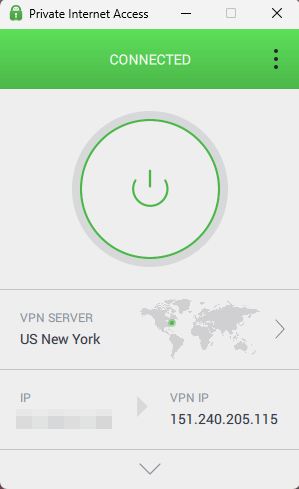
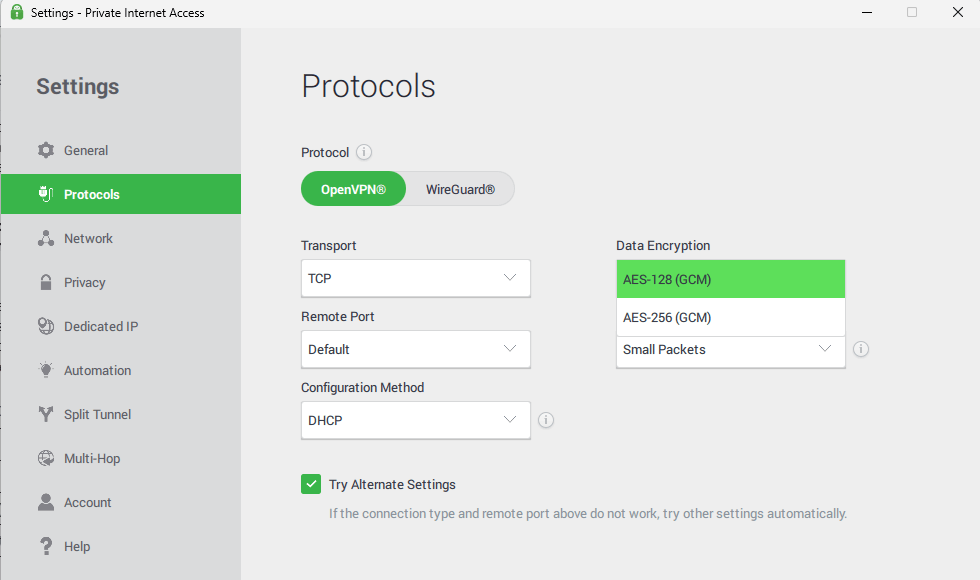
Private Internet Access (PIA) feels like driving a stick shift; it takes some getting used to, but offers greater hands-on control. Setting it up means picking your protocol, encryption strength, and network preferences, which may confuse total newcomers. However, you can still simply click to connect to the best available server with no customization necessary.
After setup, PIA runs smoothly in the background without needing constant attention. While the layout isn’t flashy or modern, it serves its purpose well enough. If you’re aiming to adjust preferences at a later date, you can explore advanced features in your own time.
My Experience With PIA: Hands-On Performance & Ease of Use
I purposely tried PIA on an outdated laptop to check its speed on weaker devices. Despite limited power, the compact software loaded fast while consuming little memory. A Chicago server connection was established in roughly five seconds; after that, web surfing, video playback, and file transfers ran smoothly. Performance stayed steady throughout testing.
The kill switch works reliably well. During tests, even when I disconnected servers on purpose or changed networks, PIA kept my actual IP and DNS hidden. Protection kicks in by default, no matter your setup choices.
PIA Test Results
| Scenario: | Result | Notes |
|---|---|---|
| Streaming platform compatibility | Good but not perfect | Some services required server switching |
| Speed loss percentage | 12% average | Competitive with top providers |
| Connection stability | Rock solid | Zero unexpected drops in 48hr test |
| IP/DNS leak test | No leaks detected | Excellent privacy protection |
While PIA is a reliable option, I did find it occasionally let me down when it came to streaming. I couldn’t access all of my accounts on the first try, and even though server switching is fast, it’s still a little frustrating. Nonetheless, it’s a reliably fast, stable and secure VPN service.
PIA Pricing and Value
For just $2.03 monthly under the three-year option, including unlimited connections, PIA gives solid bang for your buck if you’re new and okay with a slightly longer setup. Since there’s a 30-day refund policy, trying it carries no financial risk. Take a look at our PIA review for more information.
$2.19 per month (two-year plan + two months)
6. Proton VPN Free — Best Free VPN That Respects Your Privacy
Stats:
- Best price: Free
- Money-back guarantee: 30 days (paid plans)
- Website: www.protonvpn.com
- No ads or data selling
- Truly free & unlimited data
- Created by CERN scientists with strong privacy
- Free tier doesn’t let you pick your server connection
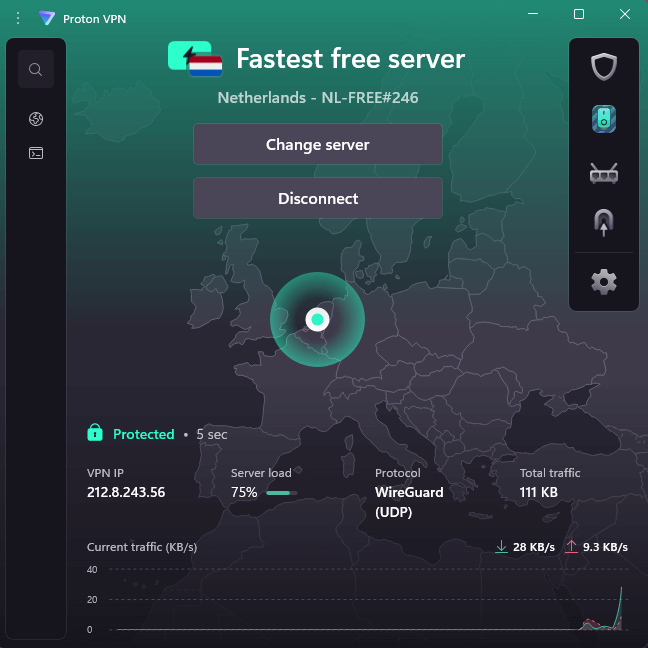
Many free VPNs are garbage. Most earn cash by tracking your online behavior, which is exactly what a good VPN should prevent. Proton VPN stands out. Run by the team behind Proton Mail from Switzerland, it’s supported via paid plans instead of misusing data from its free users.
The free version really does keep your browsing private, and there’s no data cap, but it limits features to encourage you to upgrade. You don’t get to pick your server connection, and there are only a handful of options available. If you’re trying out a VPN for the first time, you may find these limitations acceptable.
My Experience With Proton VPN: Hands-On Performance & Ease of Use
I tried the free version nonstop for seven days to see exactly what limits existed. In U.S. evenings, when traffic peaks, speeds clearly lagged behind premium services, occasionally falling to just 30–40% of normal bandwidth. That said, early weekdays brought much better results; performance jumped sharply once congestion eased.
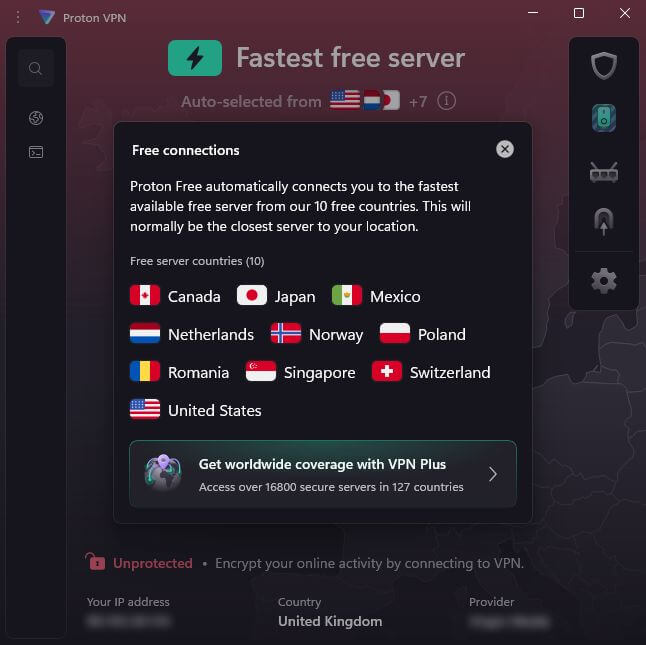
The main drawback? Streaming access is blocked. Proton VPN fails on Netflix, BBC iPlayer, and most big streaming sites. Not due to tech issues; streaming is locked behind paid plans. When just surfing, sending emails, or using public WiFi safely, the free tier performs well enough.
Proton VPN Test Results
| Scenario: | Result | Notes |
|---|---|---|
| Netflix streaming | Blocked on free tier | Expected limitation |
| Speed loss percentage | 45% during peak hours | Significantly slower than paid VPNs |
| Off-peak performance | 20% speed loss | Acceptable for basic use |
| IP/DNS leak test | No leaks detected | Privacy protection is legitimate |
While you might find a free connection that actually works for streaming, it’s unlikely with Proton VPN’s Free plan. However, if you’re more interested in a VPN designed to protect your data, and you don’t want to spend any money, it’s an excellent choice; it passed all of my security and privacy tests.
Proton VPN Pricing and Value
The free option has no cost and keeps your information private, so it’s ideal for those trying a VPN first. If you need better speed, extra servers, or access to streaming services, subscription rates begin at $4.49 per month with a two-year commitment. You can find out more in our Proton VPN review.
Free or $4.49 per month (two-year plan)
Are Free VPNs Safe to Use?
Many aren’t, which is why I only recommend Proton VPN and a handful of others (PrivadoVPN, TunnelBear and hide.me) for the free options. Running a service like this involves real costs: hardware needs funding, traffic uses paid bandwidth, and updates require investment. When there’s no fee from users, revenue comes another way, often through tracking online activity and sharing it with marketing firms.
Some free VPNs insert ads directly into websites you visit. Other providers place hidden tracking tools on your devices. In extreme cases, they’ve secretly loaded harmful software or turned your machine into a relay point for others’ online activity, all without telling you. These risky choices can be far more dangerous than browsing without any protection.
Proton VPN operates on a freemium setup: the basic level costs nothing but comes with restrictions, meant to encourage upgrades to premium options. That’s currently the sole viable way to offer a secure free VPN.
How to Use a VPN for Beginners
Here’s how to set up a VPN if you’re a beginner. In this guide, I’ll be using ExpressVPN, but the steps are similar for most providers.
1. Choose a VPN Provider and Sign Up
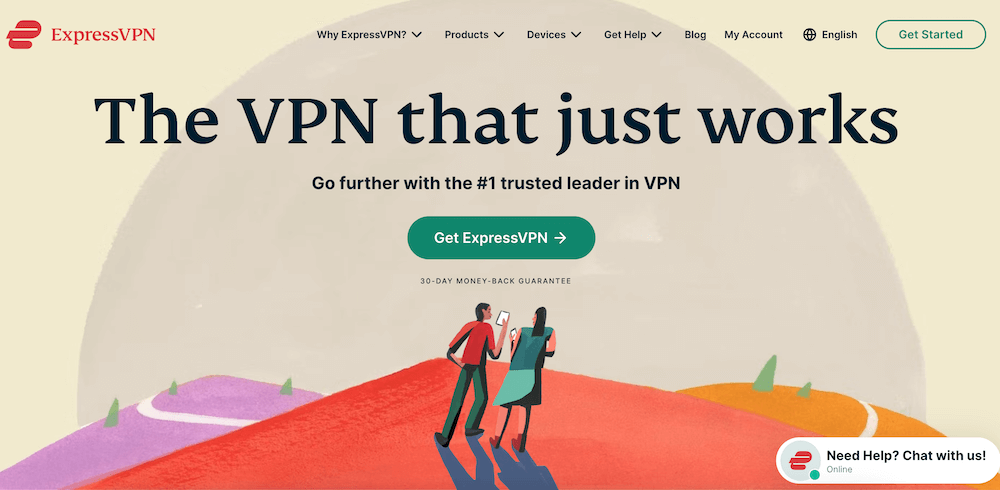
Select a VPN from this list that fits your budget and matches what you’re looking for. Go to its site, pick a plan, and sign up. You’ll have to give an email and a way to pay. Many support cards, PayPal, or crypto if you value more anonymity.
2. Download and Install the VPN App
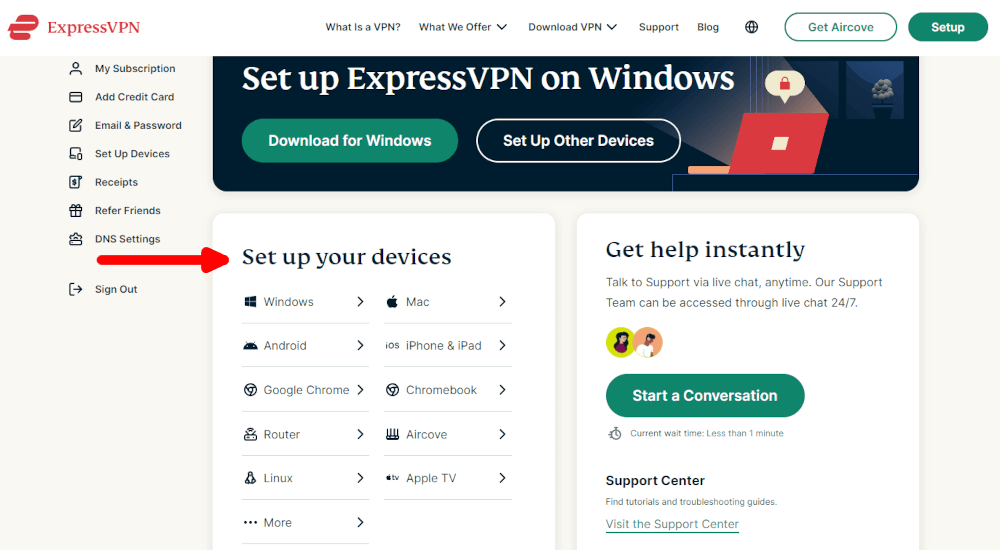
Once registered, get the VPN app suited to your device. Since the site checks your system (Windows, Mac, iPhone, Android, or something else) it‘ll suggest the right version. To install, just open the downloaded file then proceed through setup steps. Most services let you go live within two minutes.
3. Log in and Connect
Launch the app you’ve installed and enter your login details. Usually, there’s a big button labeled “Connect” right in the middle; press that. The VPN picks a close server by itself, then links securely. A sign pops up telling you the connection is active.
4. Verify Your VPN Connection is Working
Go to a site like ipleak.net or whatismyipaddress.com; these check if the VPN is working correctly. Your visible IP and region must match the server’s, not yours. Checking only takes about ten seconds and shows your online actions are protected.

VPN vs Proxy for Beginners: What’s the Difference & Which Is Better?
People often ask me this: What’s the difference between a proxy and a VPN, or does it even matter? A VPN is like a safe van for your data, while a proxy is like using a fake ID at a store. One lightly hides you, while the other completely protects you. Both of them hide activity, but their strength is very different in real-life situations.
A proxy hides your IP address from the websites you visit by sitting between you and the web. It helps, but it doesn’t protect your data flow. So anyone on the network, including your ISP, can see what you’re doing clearly. Usually, these tools only protect certain apps, like browsers, instead of the whole device.
A VPN encrypts all of your internet activity, shielding browsing, emails, or apps updating. Your web traffic is encrypted before it leaves your device, travels via a remote server hiding your real location, and is decrypted just before reaching the target site. Your internet provider notices only the link to the service, not the actual sites visited or files sent.
A VPN is a good choice for beginners who want to stay safe online. Proxies can help you quickly get to sites that are blocked, but they don’t protect your web activity as a whole. Leading VPN services only cost $2 to $5 a month, so using a proxy to save money isn’t worth it because it doesn’t protect you as well.
Conclusion
For people who are new to VPNs, finding a good one means finding one that is both easy to use and really safe. When you need something reliable that isn’t too hard to use, ExpressVPN is the best choice. Proton VPN, on the other hand, lets you try a VPN at no cost at all.
Every VPN recommended here has basic security features that keep your data safe online and works well even if you don’t know much about technology. Pick any option, set it up quickly, and then surf the web in complete privacy. You won’t have to worry about your ISP tracking your activity anymore.
What are you most worried about when you start using a VPN? Have you tried any of the services on this list yet? What basic tools do you really need? Please leave your thoughts below. Thank you for taking the time to read.
FAQ: The Easiest VPNs to Use
What VPN Is the Easiest To Use?
ExpressVPN is the easiest VPN to use. It stands out as the simplest option after thorough tests. Its layout works so smoothly, newcomers manage connections in under half a minute.Are VPNs Legal?
Yes, VPNs are legal, at least for the most part. Some strict governments, like those in China, Russia, or Iran, don’t allow these services or limit access to them. But for most people reading this, using a secure connection is not against the law.Should I Use a VPN?
Yes, you should use a VPN. At least if you want to keep your online activity private while also gaining access to global streaming libraries. A VPN keeps your internet service provider (ISP) from watching and sharing your web visits. It also protects you when you use public Wi-Fi.
Leave a Reply