Best VPN for Brazil in 2026: 7 Paid & Free Services
- Table of Contents
- Why Use a VPN for Brazil?
- The Best Paid Brazil VPN Services
- 1. NordVPN -- Best Overall for Brazil
- 2. Surfshark -- Best Value With Unlimited Connections
- 3. Proton VPN -- Best Privacy-First Option
- 4. ExpressVPN -- Fast Speeds for Brazil
- 5. CyberGhost -- Best for Streaming
- Is It Safe to Use Free VPNs in Brazil?
- The Best Free VPNs for Brazil
- Windscribe -- Best Free Option for Brazil
- PrivadoVPN -- Free VPN With Brazil Server
- My Methodology & How to Choose the Best Brazil VPN
- How to Use a Brazil VPN
- Online Privacy: Data Protection Laws in Brazil
- Is It Legal to Use a VPN in Brazil?
- Conclusion
- FAQ: Best Brazilian VPN

Quick Summary: Best VPN for Brazil
NordVPN takes the top spot for Brazil with servers in São Paulo, consistently fast speeds, and reliable streaming unblocking. Try NordVPN risk-free for 30 days.
- NordVPN – Best overall with Brazilian servers and excellent speeds
- Surfshark – Best value with unlimited connections and solid performance
- Proton VPN – Best for privacy-focused users with strong encryption
- ExpressVPN – Fastest speeds but pricier, reliable for streaming
- CyberGhost – User-friendly with streaming-optimized servers
Best Free VPNs for Brazil:
- Windscribe – Generous 10GB monthly data with solid speeds
- PrivadoVPN – Simple interface with a free server in Brazil


Finding the best VPN for Brazil isn’t as simple as VPN marketing teams want you to believe. You’re not just looking for “military-grade encryption” (whatever that means this week) or “blazing-fast speeds” that defy physics. You need something that actually works whether you’re in Brazil protecting yourself on sketchy café WiFi or abroad trying to catch the latest episode of your favorite novella on Globoplay.
I tested seven high-quality VPNs from both inside and outside Brazil, focusing on actual performance rather than whatever superlatives their marketing departments dreamed up. Some delivered. Others didn’t. Here are the ones you can trust.
- Money-Back Guarantee30 DaysWorldwide Server AmountOver 5,400+ servers in 59 countries
- Money-Back Guarantee30 DaysWorldwide Server Amount1700+ Servers in 63 Countries
- Money-Back Guarantee30 DaysWorldwide Server Amount1500 Servers in 61 Countries
- Money-Back Guarantee30 DaysWorldwide Server AmountOver 3,000 servers in 105 countries
- Money-Back Guarantee45 DaysWorldwide Server Amount7,300 Servers worldwide








Why Use a VPN for Brazil?
Brazil throws curveballs online, so a VPN is a practical choice, almost a necessary one.
- Public WiFi security: Free Wi-Fi in Brazilian cities? Imagine unlocked apartments on a busy street. Cafes, transit hubs, and hotel lobbies quietly collect digital crumbs in your wake. Unless encryption is used, that stranger nearby may watch every keystroke. Virtual private networks hide your traffic from nosy neighbors.
- Access Brazilian content abroad: Connect to a Brazilian server to make Globoplay, Record TV, and SBT accessible again. Though far away, your screen acts like you never left the country. Streaming may feel local again.
- Bypass regional restrictions: Some sites block Brazilian users. To avoid that, send your signal overseas. Servers in remote locations unlock different streaming libraries. Routing through another country erases digital giant borders.
- Digital privacy concerns: Brazil has made progress in online data security thanks to the LGPD, but more is needed. Your internet provider may track your activity. A VPN blocks this view, preventing companies, officials, and others from monitoring you.
Can I Get a Brazilian IP Address With a VPN?
Yes, you can get a Brazilian IP address with a VPN, but not all VPNs have Brazilian servers. Many VPNs use virtual servers that provide Brazilian IP addresses, but these servers are actually located in Miami or Amsterdam. This affects speed. Routing your connection through a virtual server halfway around the world before returning it to Brazil adds latency.
This guide highlights VPNs that utilize real Brazilian servers. To access local content from outside Brazil, use physical servers in São Paulo or Rio, not virtual ones.
The Best Paid Brazil VPN Services
Here’s how the top five stack up for Brazilian use:
| Provider: | Brazilian Servers | Best Price | Device Connections | Speed* |
|---|---|---|---|---|
| NordVPN | Yes (São Paulo) | $3.39/mo | 10 | 280+ Mbps |
| Surfshark | Yes (São Paulo) | $1.99/mo | Unlimited | 265+ Mbps |
| Proton VPN | Yes (São Paulo) | $2.99/mo | 10 | 260+ Mbps |
| ExpressVPN | Yes (2 locations) | $2.79/mo | Up to 14 | 275+ Mbps |
| CyberGhost | Yes (São Paulo) | $2.03/mo | 7 | 270+ Mbps |
1. NordVPN — Best Overall for Brazil
Stats:
- Best price: $3.39/month
- Money-back guarantee: 30 days
- Website: www.nordvpn.com
- Brazilian servers? Yes – São Paulo
- Consistently fast speeds
- Physical servers in Brazil
- Works with Brazilian streaming services
- Desktop interface feels cluttered
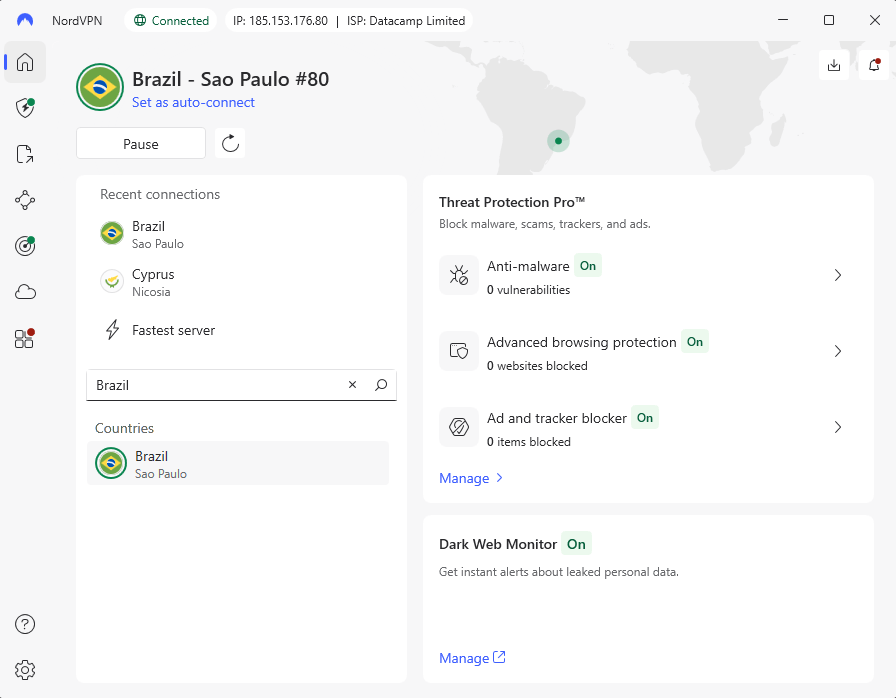
Faster than expected, NordVPN leads in Brazil for clear reasons. Located right in São Paulo, its servers avoid routing traffic through distant locations. My tests showed downloads hitting over 280 Mbps on a 300 Mbps line; performance doesn’t climb much higher. That kind of speed stands out, especially when others lag behind.
Every single Brazilian streaming site worked without a hitch: Globoplay, Record TV, SBT, even fussy old Telecine. When reaching into Brazil’s online world from overseas, this tool stood out among the rest. Not once did videos stall or drop mid-playback. Plus, error messages about location restrictions never showed up, thank goodness.
My Experience With NordVPN: Hands-On Performance
From a coffee shop in Belo Horizonte, linking to NordVPN’s server in São Paulo took roughly eight seconds. It wasn’t immediate, but quick enough that I barely noticed the gap before it worked. Throughout my full three-hour stretch of typing on caffeine, the signal held without a single drop. That kind of reliability? The café’s own internet couldn’t match it.
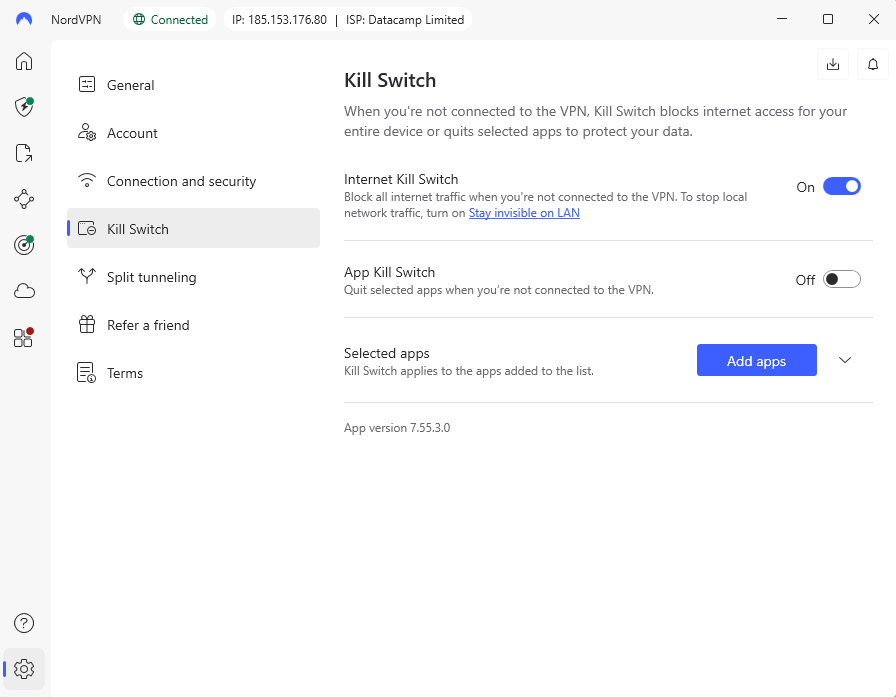
One moment I’m pulling up shows on Globoplay through Brazil, the next I’ve hopped over to a U.S. node for Netflix with no glitches and no waiting. Jumping across servers doesn’t hiccup, which surprises me since some apps turn it into a maze of delays. The layout here just works, like it knows what you want before you click.
NordVPN Test Results
| Connection | Download | Upload | Latency |
|---|---|---|---|
| No VPN (baseline) | 293 Mbps | 94 Mbps | 3ms |
| NordVPN (São Paulo) | 282 Mbps | 90 Mbps | 10ms |
| NordVPN (US East) | 243 Mbps | 9 Mbps | 115ms |
The São Paulo server barely impacted speeds, dropping only 4% from baseline. The US connection showed expected latency increases but still delivered watchable 4K streaming.
NordVPN Pricing and Value
For a two-year deal, NordVPN costs $3.39 per month, right around average. Not the lowest price out there, but speeds hold up well day to day and support staff answer clearly, without confusion. Plus, you get a full 30 days to test it and get a refund if you’re not satisfied. Find out more in our NordVPN review.
$2.99 per month (two-year plan + three months)
2. Surfshark — Best Value With Unlimited Connections
Stats:
- Best price: $1.99/month
- Money-back guarantee: 30 days
- Website: www.surfshark.com
- Brazilian servers? Yes – São Paulo
- Clean & intuitive interface
- Low-cost premium option
- Unlimited simultaneous connections
- Occasional latency issues
- Upload speeds weren’t consistent
Few services at $1.99 monthly offer what Surfshark does. Performance stays strong despite the low cost. When everyone in your home needs a secure connection, having no limit on devices helps, especially since most families here have plenty using tech at once.
Speeds from Brazil came close to NordVPN’s, hitting about 280 Mbps when tested on a 300 Mbps line. Yet upload results wavered, sometimes falling below 10 Mbps overseas. Most folks watching videos or surfing pages won’t notice. But sending big files often or video calling? That gets frustrating.
My Experience With Surfshark: Hands-On Performance
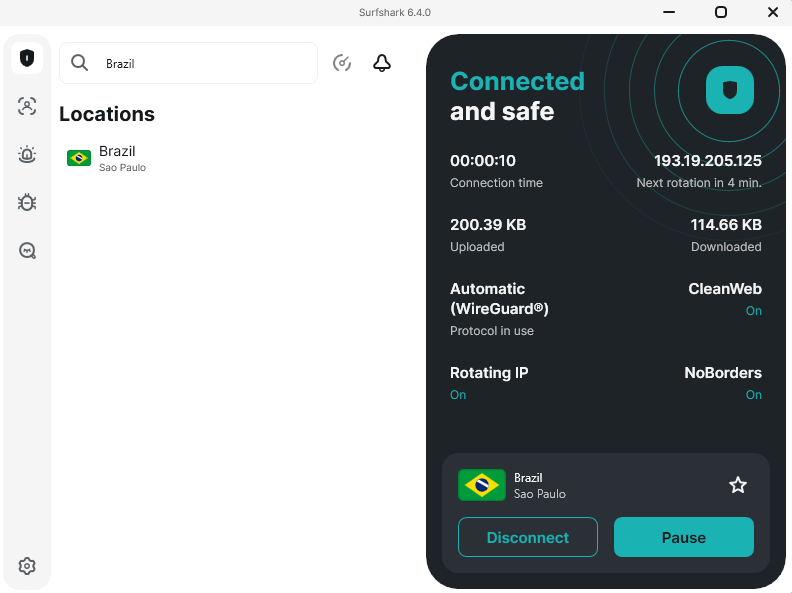
Right off the bat, Surfshark’s layout made more sense than NordVPN’s packed interface. Its clean setup puts things exactly where they should be. Connecting to São Paulo was fast, with no waiting around. Plus, I wasn’t pushed to upgrade or add extra features I didn’t ask about.
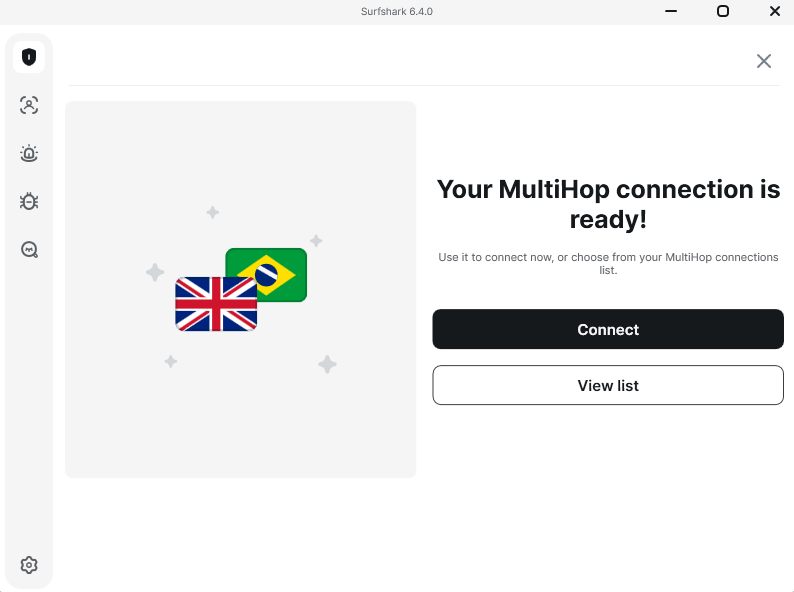
What stood out was how MultiHop worked with banking websites. Jumping between two servers (first UK, then Brazil) slowed things a bit. Still, that layer helped me feel safer during money-related tasks online. It’s not something used every day by most folks, but knowing it exists, at no added cost, made a difference.
Surfshark Test Results
| Connection | Download | Upload | Latency |
|---|---|---|---|
| No VPN (baseline) | 278 Mbps | 85 Mbps | 12ms |
| Surfshark (US East) | 250 Mbps | 1.2 Mbps | 125ms |
| Surfshark (Europe) | 245 Mbps | 8 Mbps | 140ms |
That 1.2 Mbps upload to US servers? Ouch. I tested it multiple times with similar results. Downloads were fine, but uploads suffered, so sending files or video chatting with friends might lag a little.
Surfshark Pricing and Value
At just $1.99 each month, Surfshark feels almost too good to be true. You can expect solid VPN power without paying extra; access goes everywhere you do, covering every gadget in your life. All plans are backed by a 30-day guarantee in case you change your mind. Check out our Surfshark review for more.
$2.49 per month (two-year plan + three months)
3. Proton VPN — Best Privacy-First Option
Stats:
- Best price: $2.99/month
- Money-back guarantee: 30 days
- Website: www.protonvpn.com
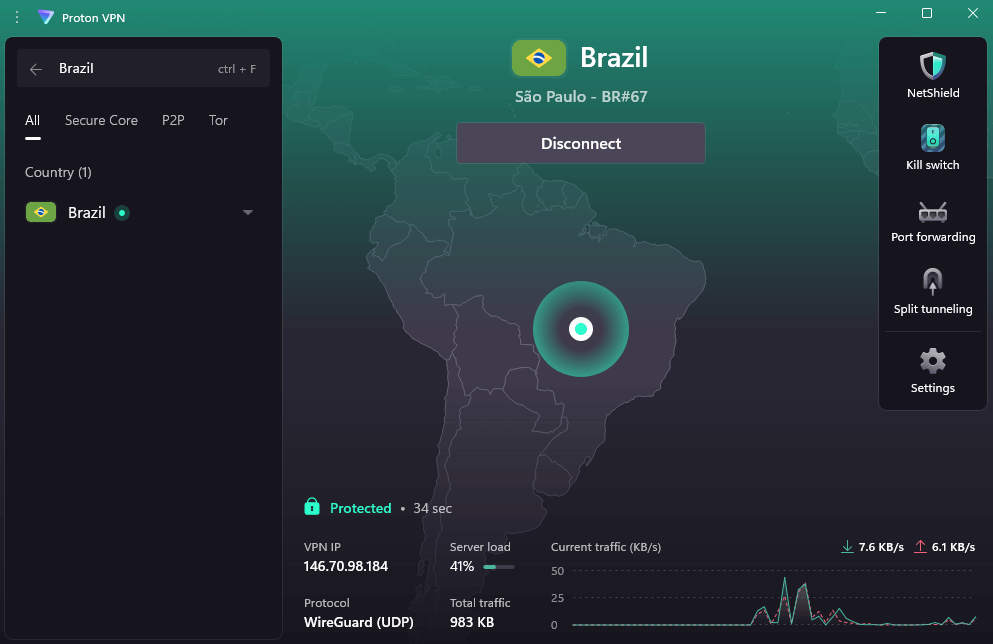
- Brazilian servers? Yes – São Paulo
- Swiss jurisdiction with strong privacy laws
- Open-source apps independently audited
- Fewer server connections
- Speeds are slower than competitors
Born from the makers of ProtonMail, Proton VPN treats privacy as core belief rather than a selling point. For those truly worried about being watched online, its location in Switzerland brings real benefits, verified by third-party audits of how it operates behind the scenes.
The Secure Core feature routes your connection through privacy-friendly countries like Switzerland before exiting through your chosen location. This adds latency but makes traffic correlation attacks significantly harder. For most people in Brazil, this level of paranoia is overkill. For journalists or activists? It’s essential.
My Experience With Proton VPN: Hands-On Performance
A fresh take on design makes Proton VPN feel sharp without being confusing. Clear labels guide each step through the setup process. The São Paulo connection holds strong under pressure. Ads vanish where they should as NetShield does what it promises, something CyberGhost fails to deliver.
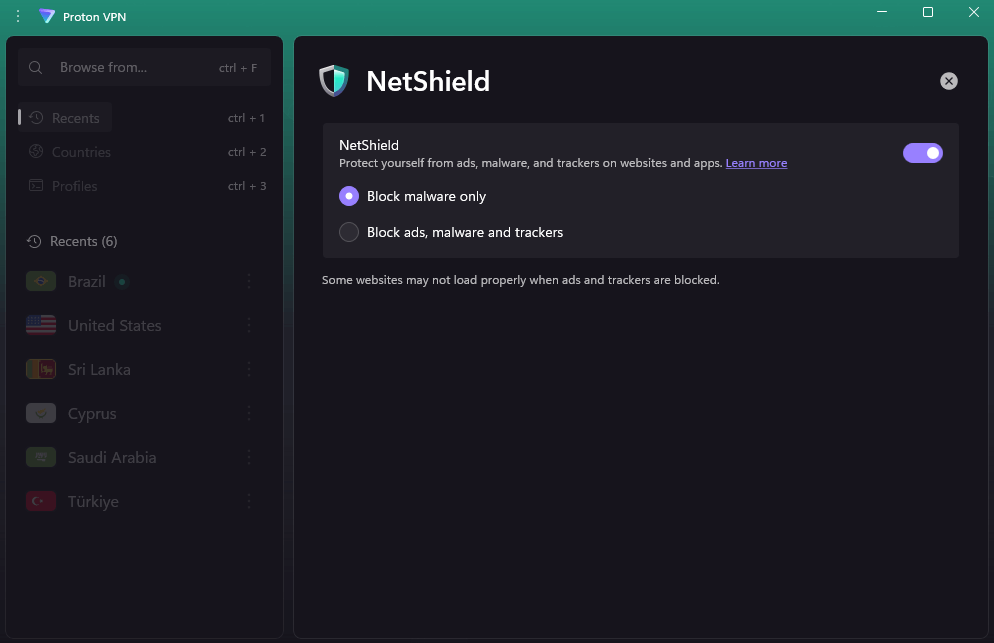
Routing through several countries usually slows things down; here, speeds fell from 260 Mbps to roughly 180 Mbps with Secure Core turned on. While predictable, that drop matters if fast connections rank higher than top-level protection for you.
Proton VPN Test Results
| Connection | Download | Upload | Latency |
|---|---|---|---|
| No VPN (baseline) | 260 Mbps | 88 Mbps | 15ms |
| Proton VPN (US) | 240 Mbps | 10 Mbps | 125ms |
| Proton VPN (Secure Core) | 180 Mbps | 7 Mbps | 200ms |
Proton VPN is slightly slower than competitors, but still plenty fast enough for streaming and general use.
Proton VPN Pricing and Value
Priced at $2.99 monthly, Proton VPN sits above the cheapest picks yet handles user data with stronger care than nearly anyone else. When keeping things private beats chasing peak speed, this one stands out. You can try it risk-free for 30 days, or read our Proton VPN review to learn more.
$2.99 per month (two-year plan)
4. ExpressVPN — Fast Speeds for Brazil
Stats:
- Best price: $2.79/month
- Money-back guarantee: 30 days
- Website: www.expressvpn.com
- Brazilian servers? Yes – 2 locations
- Servers in two Brazilian locations
- Consistently fast across all connections
- Lightway protocol is genuinely impressive
- Interface looks dated
- Limited advanced features
ExpressVPN is practically elbowing budget brands out of the way; for just $2.79 monthly on the two-year plan, you get speed and reliability once reserved for high-end plans. That kind of power usually costs more, yet now it sits at eye level with budget options. Sure, it still runs like a flagship. But the days of paying extra just to say your VPN is premium are done.
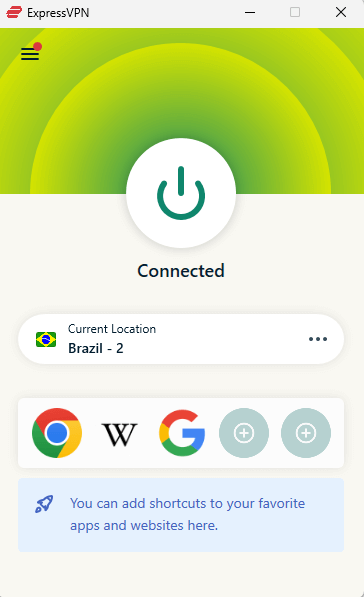
Two seconds; that is how fast it connects, quicker than anything else I have tried. Not eight. Just two. Jumping from Brazil to another country? Done before you blink. It feels small, sure, until you remember waiting ages on other services where switching servers drags on forever. What seems minor becomes everything when speed vanishes.
My Experience With ExpressVPN: Hands-On Performance
Speed held strong on ExpressVPN while testing it in Rio. Watching 4K shows on Globoplay played just like normal. Even when tossing big downloads into the mix, the stream didn’t blink. It simply kept going, smooth as if nothing else was running.
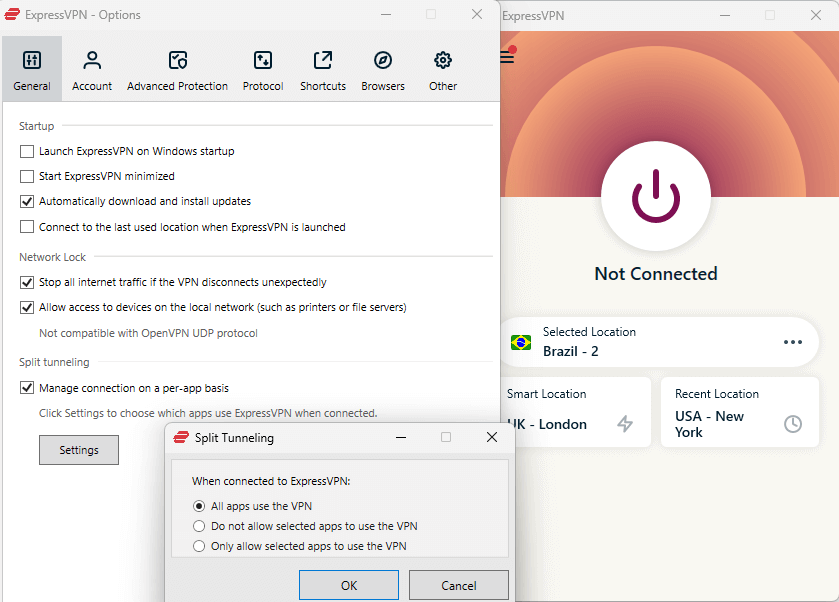
Split tunneling handled my banking app perfectly, sending only that traffic outside the VPN while locking down the rest. While others treat this function like a leftover idea, ExpressVPN built it into the experience without fuss.
ExpressVPN Test Results
| Connection | Download | Upload | Latency |
|---|---|---|---|
| No VPN (baseline) | 285 Mbps | 92 Mbps | 8ms |
| ExpressVPN (Rio) | 283 Mbps | 90 Mbps | 9ms |
| ExpressVPN (US) | 275 Mbps | 15 Mbps | 140ms |
Those are the best international upload speeds I recorded from any VPN, showing just how consistently fast ExpressVPN is across its network.
ExpressVPN Pricing and Value
At $2.79 per month on the two-year plan, ExpressVPN is an excellent option for performance-focused users. If you’re choosing between the budget options, spend the extra dollar and get the fastest VPN available. The 30-day money-back guarantee lets you test the speed difference yourself. Read our in-depth ExpressVPN review to find out more.
$3.49 per month (two-year plan + four months)
5. CyberGhost — Best for Streaming
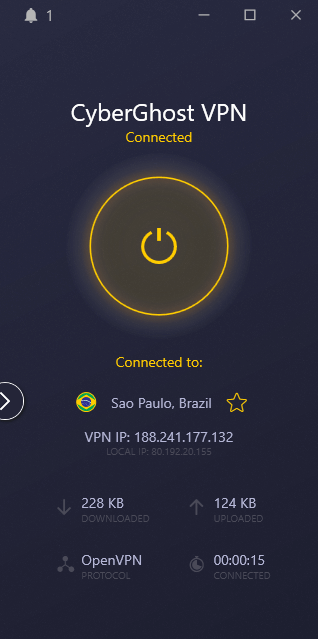
Stats:
- Best price: $2.03
- Money-back guarantee: 45 days
- Website: www.cyberghostvpn.com
- Brazilian servers? Yes – São Paulo
- User-friendly interface
- Longest refund guarantee
- Streaming-optimized servers
- Inconsistent upload speeds
- Malware blocking failed multiple times
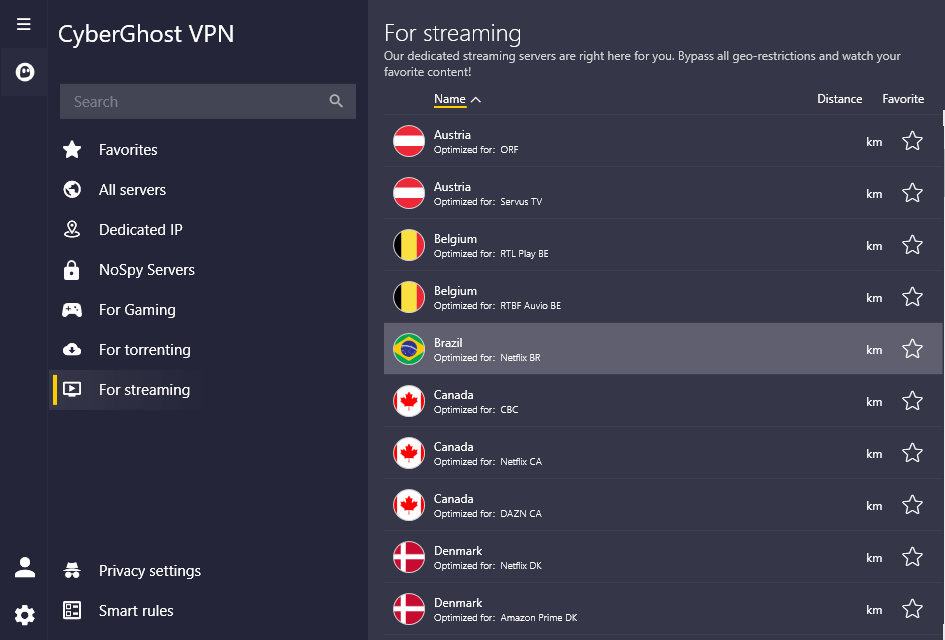
CyberGhost says it’s made for newcomers, and its layout actually lives up to the claim. Rather than forcing users to test servers blindly, each one comes clearly marked: “For Netflix U.S.,” “For Netflix BR,” “For BBC iPlayer.” The approach feels a bit too hand-held at first glance, but truthfully? That simplicity gets results.
My Experience With CyberGhost: Hands-On Performance
One minute you’re staring at your screen. Next thing, you’re streaming Globoplay through CyberGhost without fiddling with settings. The right server is easily found when needed, simple as that. No guessing, no trial and error, and no frustration.
However, when I checked how well it stops malware, problems appeared right away. None of the WICAR test pages got blocked, while Firefox spotted dangers earlier than CyberGhost. Considering this tool gets so much attention in ads, the result feels awkward.
CyberGhost Test Results
| Connection | Download | Upload | Latency |
|---|---|---|---|
| No VPN (baseline) | 285 Mbps | 92 Mbps | 8ms |
| CyberGhost (Brazil) | 278 Mbps | 89 Mbps | 10ms |
| CyberGhost (US) | 259 Mbps | 9 Mbps | 117ms |
Performance matched Surfshark almost exactly, including the disappointing upload speeds on international connections.
CyberGhost Pricing and Value
For just $2 each month, plus a refund guarantee that lasts six weeks, CyberGhost stands out when simple operation matters most. Speeds are solid, and streaming is effortless. Just don’t count on it to stop malware sneaking through. You can read our CyberGhost review to find out more.
$2.19 per month (two-year plan + two months)
Is It Safe to Use Free VPNs in Brazil?
Nearly every free VPN out there performs poorly, while those that work okay tend to have tight restrictions. That familiar line about not paying and being the product? It fits just right in this case. These free services still need income, so they often trade your information, push advertisements, or both.
Still, a couple of free VPNs aren’t totally useless for people in Brazil. They won’t provide exceptional performance, but they’re not out to harm you. That’s pretty much the highest praise most free services should expect.
The Best Free VPNs for Brazil
| Provider | Data Limit | Free Brazil Servers? | Speed (tested) | Best For |
|---|---|---|---|---|
| Windscribe | 10GB/month | No (2 on paid plan) | 245 Mbps | Light browsing & streaming |
| PrivadoVPN | Unlimited* | Yes (São Paulo) | 225 Mbps | Occasional secure browsing |
Windscribe — Best Free Option for Brazil
Stats:
- Best price: Free (10GB data/month)
- Money-back guarantee: N/A (free plan)
- Website: www.windscribe.com
- Brazilian servers? No (paid plan only)
- No speed throttling
- Generously data limit
- Strong privacy & security
- No free Brazil servers
- 10GB disappears quickly
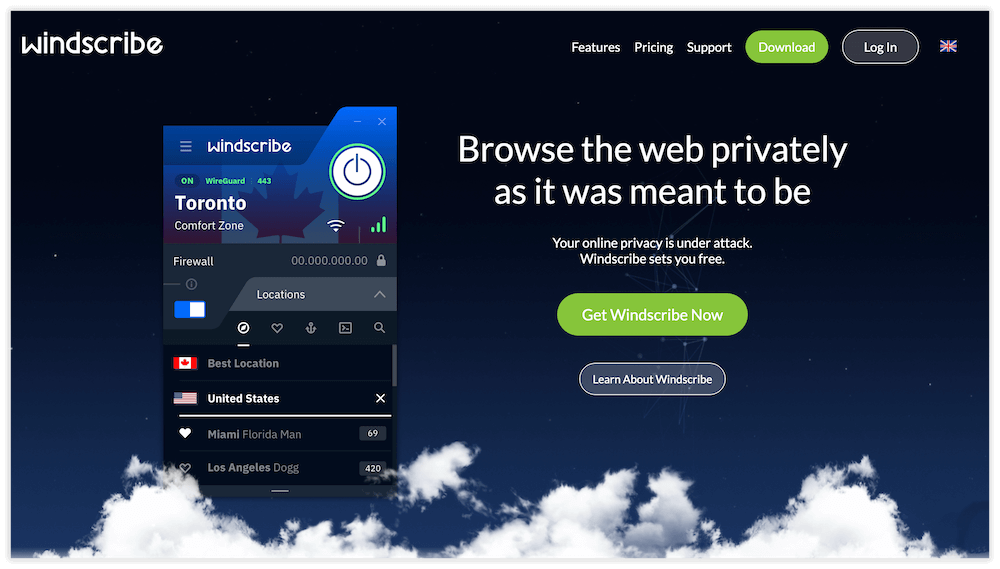
A solid free tier comes with Windscribe’s 10GB monthly data limit, but Brazil’s server access sits behind a paywall. Still, locals benefit when browsing coffee shop networks or streaming shows from abroad. Connection stability holds up under basic daily tasks.
Three hours of video each month is what you get when HD streams eat up 3GB every hour. Only then does a 10GB cap feel tight. Reading emails, surfing pages, or tapping around barely makes a dent. If you want to stream, the limit is restrictive.
My Experience With Windscribe: Hands-On Performance
Connecting to Windscribe’s U.S. servers from São Paulo needed roughly 15 seconds; slower than some subscription options, yet reasonable considering it costs nothing. It ran well enough to lock down public Wi-Fi at coffee shops and stream American Netflix without issues.
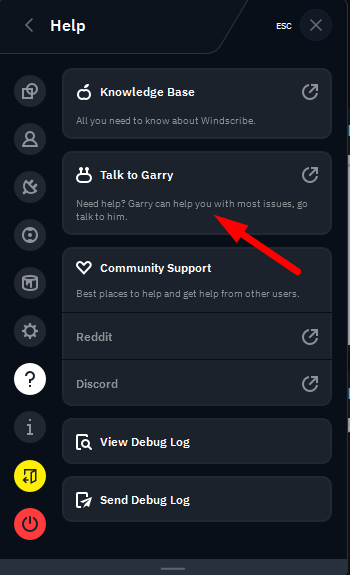
What stands out is Garry, Windscribe’s chatbot, somehow managing to be the most tolerable one I’ve run into. Asking about Brazil server access brought back a blunt reply; “Those are for paying customers. We’re not running a charity here.” Sharp, correct, and sarcastic. I appreciate that.
Windscribe Test Results
| Connection | Download | Upload | Latency |
|---|---|---|---|
| No VPN (baseline) | 260 Mbps | 88 Mbps | 15ms |
| Windscribe (U.S. East) | 235 Mbps | 82 Mbps | 145ms |
| Windscribe (UK) | 220 Mbps | 78 Mbps | 175ms |
Like most VPNs, Windscribe’s latency increased over long distances. Still, download and upload speeds were pretty stable regardless of connection.
Windscribe Pricing and Value
Free comes with 10GB each month, which is enough when you just want to browse safely from Brazil or reach foreign websites. Need a server in Brazil to watch Globoplay while overseas? The price jumps to $5.75 monthly, and suddenly other options like Surfshark or NordVPN make more sense. Learn more in our Windscribe review.


$5.75 per month (one-year plan)
PrivadoVPN — Free VPN With Brazil Server
Stats:
- Best price: Free (Unlimited data)
- Money-back guarantee: N/A (free plan)
- Website: www.privadovpn.com
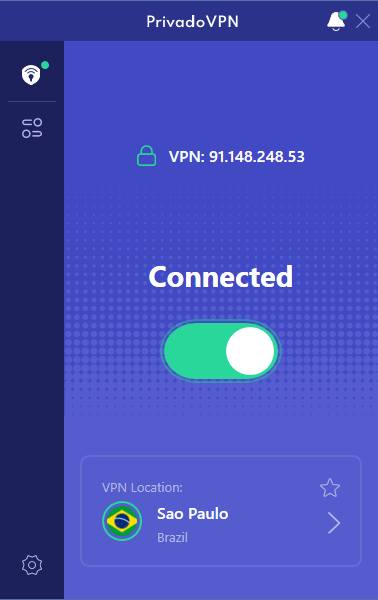
- Brazilian servers? Yes – São Paulo
- Unlimited data
- Simple interface
- Brazilian server on free plan
- Smaller server network
- Free tier feels like a demo
- Customer support prioritizes paid users
PrivadoVPN has unlimited monthly data, and not just that; a free server sits right in São Paulo. That setup works well if you live in Brazil.
A clean layout stands out when most services pack in extras you never asked for. Hit connect and switch locations if needed, without any fuss. Zero prompts trying to sell you more features. Nothing flashing at you to upgrade. Just steady performance.
My Experience With PrivadoVPN: Hands-On Performance
A coffee shop in Belo Horizonte was where I tried logging into the São Paulo server; it clicked in around twelve seconds. Not quite as quick as top-tier services, but not bad. However, actually using PrivadoVPN felt more like a trial run of a full product rather than a comprehensive free plan.
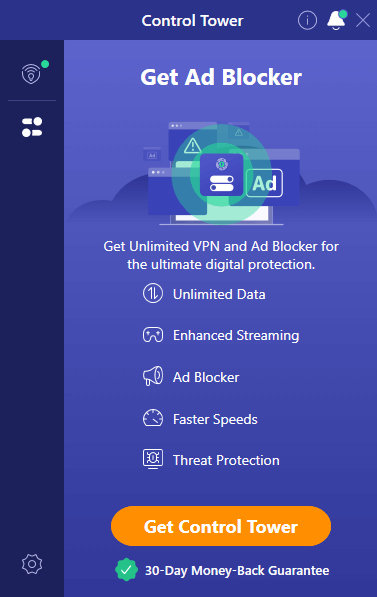
Fine performance came through with Globoplay, also on Record TV. You get a soft cap of 10GB high-speed data each month before you’re shifted to the “Lite” plan. After that, you’re auto-connected to a server, and speeds tank until the limit resets next month.
PrivadoVPN Test Results
| Connection | Download | Upload | Latency |
|---|---|---|---|
| No VPN (baseline) | 293 Mbps | 94 Mbps | 3ms |
| PrivadoVPN (São Paulo) | 238 Mbps | 84 Mbps | 16ms |
| PrivadoVPN (US) | 225 Mbps | 82 Mbps | 155ms |
I was impressed by PrivadoVPN’s high-speed connections, but I’m wary of how significantly they slow down once that 10GB cap is hit.
PrivadoVPN Pricing and Value
PrivadoVPN gives unlimited data every month plus entry into Brazil’s servers. However, speed leans toward Windscribe, along with a cleaner look overall. Yet when ease matters most, PrivadoVPN steps ahead quietly. Your preference decides here: extra tools versus keeping things barebones. Read our PrivadoVPN review for more.

$1.11 per month (two-year plan + three months)
My Methodology & How to Choose the Best Brazil VPN
Testing happened across three weeks, spread through cities like São Paulo, Rio de Janeiro, Brasília, and Belo Horizonte. Connections switched between home networks and public hotspots. Speed checks ran alongside constant uptime observations. Streaming worked only if it actually loaded shows without freezing.
Real-world use mattered more than what websites claimed. Performance wasn’t judged by specs but by whether things stayed connected. Testing speeds happened on a 300/100 Mbps line and for streaming, platforms like Globoplay, Record TV, SBT, Netflix, Disney Plus, and Amazon Prime Video got tested. Leak checks appeared next; DNS, WebRTC, plus IPv6 were examined through various tools.
When Choosing a Brazil VPN, Look for…
- Servers in Brazil: Avoid virtual servers slowing things down. When hardware lives in São Paulo or Rio, data moves faster. Latency drops because there is less detouring through remote hubs.
- Consistent speeds: Speeds that jump around make a service hard to trust. One day at 290 Mbps, the next crawling near 80 just doesn’t work. What counts isn’t the highest number ever hit, but how steadily it runs.
- Reliable streaming: Streaming without hiccups means your VPN must dodge blocks as they appear. Most Brazilian platforms sharpen their filters often, so you need a VPN that stays a step ahead.
- Strong encryption: AES-256 is the standard. Plus, you want proof of zero data logging, checked by outside auditors who aren’t paid to look away.
- Responsive support: Things go wrong sometimes. Help should show up fast, within a few hours at most. Waiting days just slows everything down.
- Reasonable pricing: Pricing that makes sense shows up around five or six dollars each month; only go higher if your situation demands it. For plenty of users, $2-4 covers everything needed.
How to Use a Brazil VPN
Setting up a VPN isn’t rocket science, despite how some providers try to make it seem technical and intimidating. Here’s the actual process using NordVPN:
1. Choose and Subscribe to a VPN
Pick a VPN based on your needs. If you want a Brazil IP address, choose an option with Brazilian servers. Sign up on the official VPN website to create an account.
2. Download and Install the App
Download the correct app for your device and follow the prompts to install it.
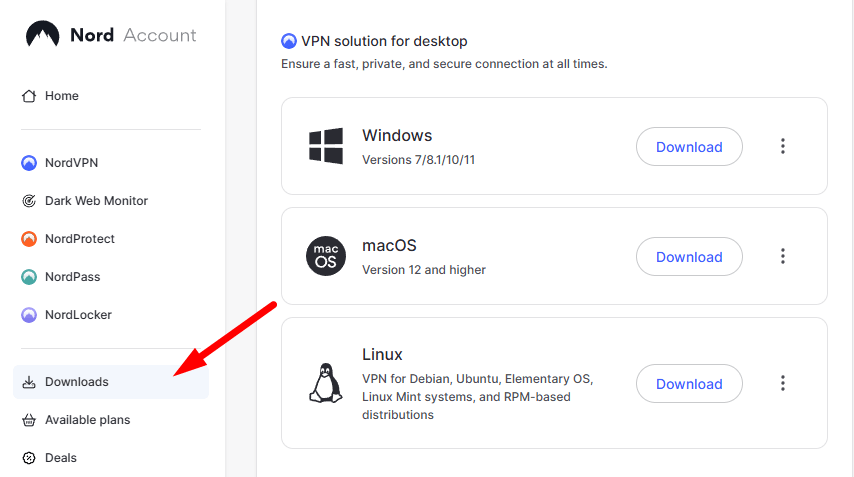
3. Log In and Connect to a Server
Enter your login credentials and pick a server connection. If you’re in Brazil and want to secure local connections, choose a server in Brazil. Accessing international content? Choose a server in your desired location. Now your connection is secure.
Online Privacy: Data Protection Laws in Brazil
Brazil rolled out its General Data Protection Law (LGPD) in 2020, matching some of what Europe already had. Getting hold of someone’s details now means clear permission is needed first, and users can request data deletion. Breaking these laws can result in huge fines.
Before LGPD, Brazil’s online privacy felt lawless. Internet providers watched people’s activity and sold it freely. Things shifted once LGPD arrived, but enforcement remains inconsistent.
Even when laws regulate company data practices, a VPN still matters. Since internet providers can watch what sites you visit, privacy isn’t fully guaranteed by rules alone. Your traffic is scrambled with encryption before data reaches your ISP, keeping your activity private regardless of what LGPD allows or prohibits.
Is It Legal to Use a VPN in Brazil?
Yes, it’s legal to use a VPN in Brazil. Authorities do not punish users who shield their online activity, providing you don’t use a VPN to access blocked content or perform illegal activities. Among nations worldwide, it stands out as open toward such technology.
Breaking laws through a VPN is still illegal (shocking, I know). Still, turning on a virtual private network just to keep things private, stay safe online, or reach content limited by location sits within legal bounds. You won’t be arrested for streaming Netflix U.S. in São Paulo or securing your connection at a local café.
Conclusion
NordVPN is hard to beat when speed matters. Its local servers sit right in São Paulo, giving solid reach. Streaming works without hiccups most days. Paying extra here buys steady results; nothing flashy, just fewer surprises and interruptions.
What VPN do you have running in Brazil? Does it really let you access the shows you’re after? Is there a VPN I’ve missed from the list that works well? Share your thoughts in the comments, and thank you for reading.
FAQ: Best Brazilian VPN
What Is the Best US VPN IP Address to Use in Brazil?
The best U.S. VPN IP address to use in Brazil is any from a major U.S. city, such as New York or Miami. When your VPN offers city choices, go for the nearest spot on the map as it trims delay.Which VPN Has Free Brazil Location?
Only PrivadoVPN has free servers in Brazil. Free servers are typically in popular locations like the U.S. and Europe. However, all of the paid options on this list have Brazilian servers at no extra cost.Can I Use a VPN in Brazil?
Yes, you can use a VPN in Brazil. There are no bans on their use and you don’t need approval to run one. Using these tools to stay private online, for safety reasons or reaching content limited by location is allowed. However, you cannot use a VPN to access state-blocked content or perform illegal activities.
Leave a Reply