Best VPN for Crunchyroll in 2026: Watch Anime Anywhere
- Table of Contents
- Do You Need a VPN for Crunchyroll?
- How to Choose the Best VPN for Crunchyroll
- The Best VPNs for Crunchyroll
- 1. NordVPN -- Best VPN for Crunchyroll
- 2. Surfshark -- Best Budget VPN for Crunchyroll
- 3. Proton VPN -- Best Privacy-Focused VPN for Crunchyroll
- 4. ExpressVPN -- Most Reliable VPN for Crunchyroll
- 5. CyberGhost -- Best Beginner-Friendly VPN for Crunchyroll
- 6. Windscribe -- Best Free VPN for Crunchyroll
- How to Use a VPN for Crunchyroll on Desktop
- How to Use a VPN for Crunchyroll on Mobile?
- Can You Watch Crunchyroll with a VPN on a Smart TV?
- Can You Watch Crunchyroll with a VPN on Roku?
- How to Watch Crunchyroll with a VPN on Xbox?
- Does Crunchyroll Ban VPN Use?
- Crunchyroll VPN Not Working: What to Do
- What’s the Best VPN Server Location for Crunchyroll?
- Top Anime Series You Can Watch on Crunchyroll
- Conclusion
- FAQ: Crunchyroll VPN

Quick Summary: Which VPN Is Best for Crunchyroll?
The best VPN for Crunchyroll is NordVPN, with fast streaming speeds, a global server network, and the ability to bypass blocks. Try it risk-free for 30 days.
- NordVPN – Blazing-fast streaming on over 8,700 servers, works consistently with Crunchyroll.
- Surfshark – Cheap option that lets you connect every device, plus it handles streaming well.
- Proton VPN – Swiss privacy powerhouse with strong unblocking and 4K streaming across 129 countries.
- ExpressVPN – Fast streaming plus access across 105 nations, perfect for anime lovers on the move.
- CyberGhost – Easy to use, with dedicated servers optimized for streaming.
- Windscribe – Solid pick for a free plan offering 10GB each month alongside fair speed performance.


Crunchyroll blocks shows based on where you live (blame copyright rules). In the U.S., folks get access to more than a thousand anime picks missing elsewhere. If you don’t use a workaround like a high-quality VPN, you’re limited to only what’s available locally.
Platforms such as Crunchyroll often shut down access from known VPN IPs, so low-cost or free tools tend to flop. The VPNs I suggest come with big server setups, so if Crunchyroll shuts off access from one IP, you’ve still got plenty of others waiting.
Read on to learn the best VPNs for Crunchyroll and how to use them for streaming.
- Money-Back Guarantee30 DaysWorldwide Server AmountOver 5,400+ servers in 59 countries
- Money-Back Guarantee30 DaysWorldwide Server Amount1700+ Servers in 63 Countries
- Money-Back Guarantee30 DaysWorldwide Server Amount1500 Servers in 61 Countries
- Money-Back Guarantee30 DaysWorldwide Server AmountOver 3,000 servers in 105 countries
- Money-Back Guarantee45 DaysWorldwide Server Amount7,300 Servers worldwide
- Money-Back Guarantee3 DaysWorldwide Server AmountServers in 55 Countries










Do You Need a VPN for Crunchyroll?
Yes, using a VPN helps with Crunchyroll when you’re after more anime or moving between countries. Since Crunchyroll checks your IP spot, some big titles (think Naruto, One Piece, or My Hero Academia) can vanish from the library just because of your location.
I felt that annoyance personally while running tests in Europe. Instead of a full catalog, I got just a tiny slice, nothing like what subscribers see in the US. That’s because Crunchyroll shuts out most VPNs to follow copyright and broadcasting rules. Still, high-end VPNs refresh IPs often, dodging those bans before they even stick.
How to Choose the Best VPN for Crunchyroll
Picking a Crunchyroll VPN isn’t just grabbing the option with tons of servers or the lowest cost. Instead, focus on real features that keep anime playing smoothly:
- Unblocking capability: The VPN must consistently bypass Crunchyroll’s detection systems, which block known VPN IP ranges.
- US server spots: The US holds way more shows and movies, so having several different servers helps skip around if one stops working.
- Fast speeds: Streaming needs at least 25 Mbps; slower than that, you’ll get choppy playback, and no one likes blurry action shots.
- Device compatibility: You should be able to stream on a phone, laptop, smart TV, or even your game console while using the same account.
- No limits on data use: Watch full anime series nonstop without running out of bandwidth.
The Best VPNs for Crunchyroll
| VPN: | Best Price | US Servers | Streaming Quality | Device Connections |
|---|---|---|---|---|
| NordVPN | $3.39 per month | 1,970+ | 4K, no buffering | 10 |
| Surfshark | $1.99 per month | 600+ | HD, minimal buffering | Unlimited |
| Proton VPN | $2.99 per month | 5200+ servers | 4K, very smooth | 10 |
| ExpressVPN | $2.79 per month | 22+ locations | 4K, excellent | Up to 14 |
| CyberGhost | $2.19 per month | Optimized servers | HD, occasional buffer | 7 |
| Windscribe | Free or $5.75 per month | Multiple locations | HD on paid, 720p free | 1 (free plan) |
1. NordVPN — Best VPN for Crunchyroll
Stats:
- Best price: $3.39/month
- Money-back guarantee: 30 days
- Website: www.nordvpn.com
- Fast NordLynx protocol
- Impressive server network
- Consistently works with Crunchyroll
- Apps feel a little clunky
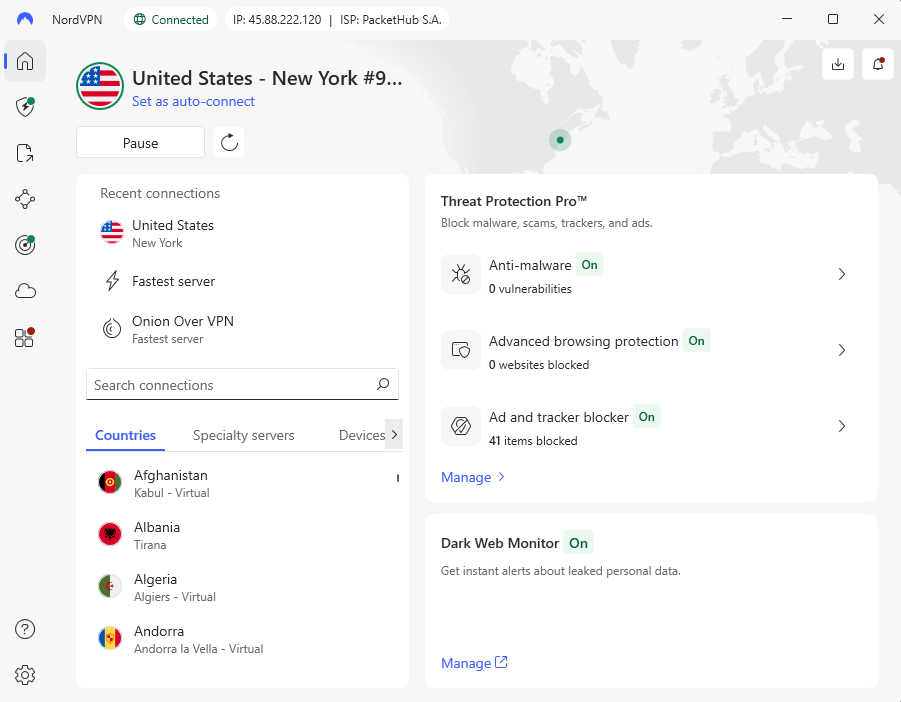
NordVPN worked with Crunchyroll in all of my tests. Not only did it unlock American, British, plus Japanese collections right away, it kept streaming smoothly no matter how busy the network was. Speed stayed rock-solid throughout, so firing up 4K videos felt effortless.
The app picks the quickest server on its own, but you’re free to choose a different one from over 1,970 U.S. spots whenever something’s blocked. While trying it out from Europe, I only had to change servers once at most to get into Crunchyroll’s entire library.
My Experience With NordVPN: Hands-On Performance
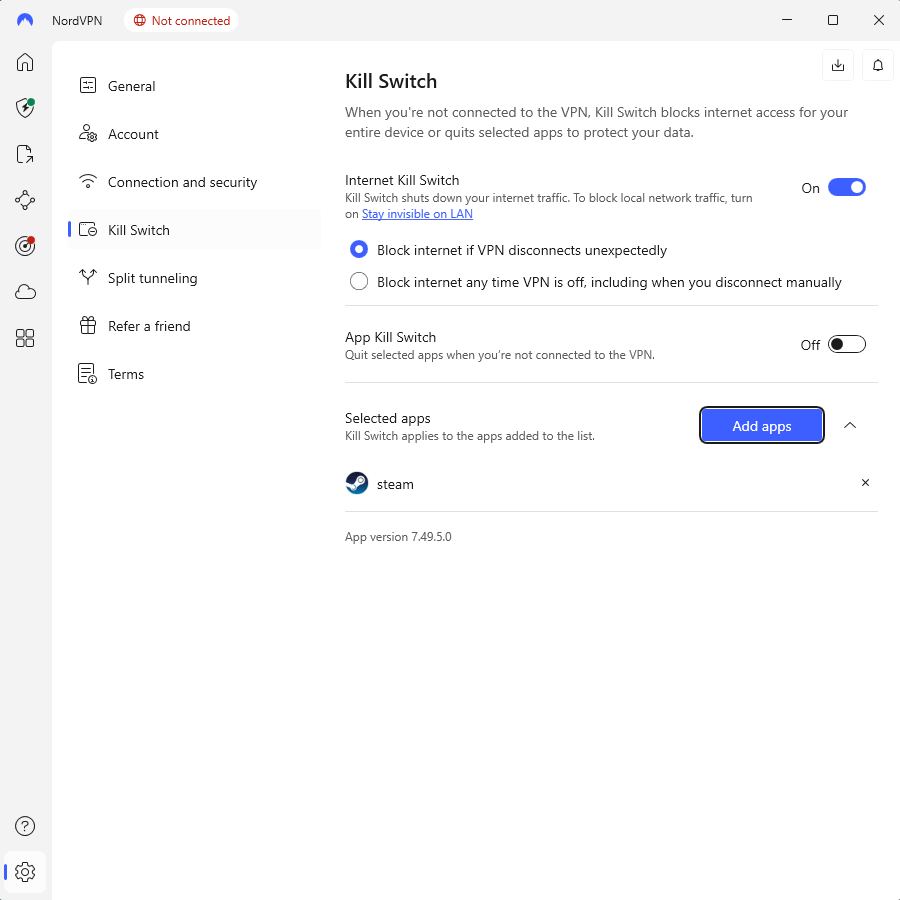
When I tried NordVPN’s NordLynx by linking to a U.S. server, the performance blew me away. Downloads reached 282 Mbps on my 300 Mbps line, so Crunchyroll shows loaded right away without any lag mid-stream. If I shut the app manually, the kill switch kicked in perfectly, cutting off the internet instantly to stop my data from slipping out.
NordVPN Test Results
| Test Type: | Result |
|---|---|
| Crunchyroll US library | Unblocked |
| Streaming quality | 4K, no buffering |
| Average speed (US server) | 282 Mbps |
| Connection time | 2-3 seconds |
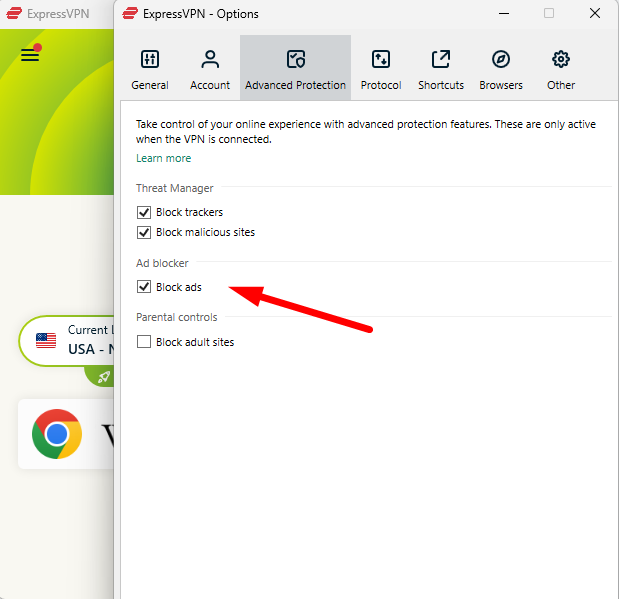
NordVPN’s Threat Protection stops ads and malware but missed some ads on Crunchyroll during my test; no tool catches them all, though. Its double VPN boosts safety by using two servers instead of one, but that’s usually unnecessary for streaming unless you’re super cautious about your data.
NordVPN Pricing and Value
From $3.39 each month on a 24-month deal, NordVPN is average for a top-tier service. With support for ten devices at once, everyone at home can enjoy their own anime picks without lag. Try it risk-free for 30 days, or take a look at our NordVPN review for more information.
$2.99 per month (two-year plan + three months)
2. Surfshark — Best Budget VPN for Crunchyroll
Stats:
- Best price: $1.99/month
- Money-back guarantee: 30 days
- Website: www.surfshark.com
- Affordable pricing
- Unlimited simultaneous connections
- Reliably unblocks Crunchyroll US library
- Slower upload speeds
- Latency can cause some buffering
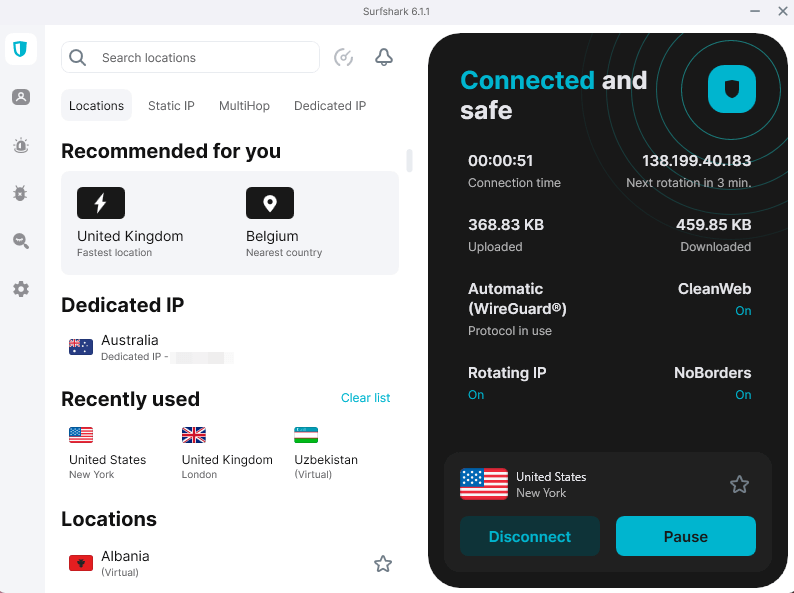
Surfshark gives solid streaming speed for way less cash, which is ideal when you’re protecting several gadgets at once. Thanks to endless device support, everyone at home can stream their favorite anime at the same time, without arguing about who grabs the VPN.
The service unlocked Crunchyroll’s US collection without issues, but the Miami server acted up at first. Picking New York instead fixed it right away, proof that plenty of US options make a difference.
My Experience With Surfshark: Hands-On Performance
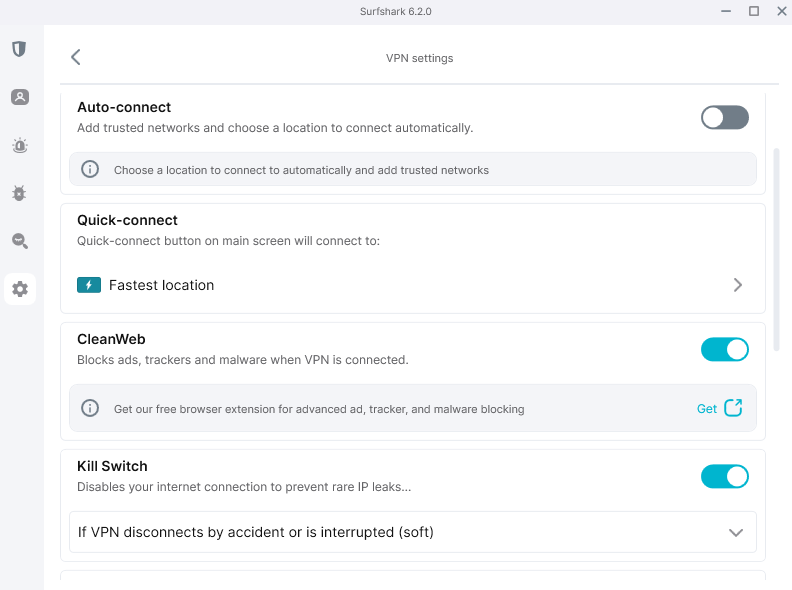
Surfshark’s layout looks smooth and sleek, so it doesn’t feel outdated. Settings come with explanations that make sense, which helps if you’ve never used a VPN before. When I streamed on Crunchyroll, the picture stayed sharp; zero stuttering showed up. That held true even while jumping between different devices.
Surfshark Test Results
| Test Type: | Result |
|---|---|
| Crunchyroll US library | Unblocked (after server switch) |
| Streaming quality | HD, no buffering |
| Average speed (US server) | 280 Mbps |
| Simultaneous devices tested | 5 (all streamed smoothly) |
The ad blocker worked well, shutting down 92% of ads during tests. With MultiHop, you can set up unique double-VPN paths, something not often seen for this cost.
Surfshark Pricing and Value
For just $1.99 each month if you sign up for two years, Surfshark is the most affordable option here. Since there’s no cap on how many devices connect, feel free to let loved ones use it too. All plans are backed by a 30-day refund deal. Learn more about the service in our Surfshark review.
$2.49 per month (two-year plan + three months)
3. Proton VPN — Best Privacy-Focused VPN for Crunchyroll
Stats:
- Best price: $2.99/month
- Money-back guarantee: 30 days
- Website: www.protonvpn.com
- Consistently unblocks Crunchyroll
- Strong privacy protections from Switzerland
- No RAM-only servers
- Secure Core slows speeds significantly
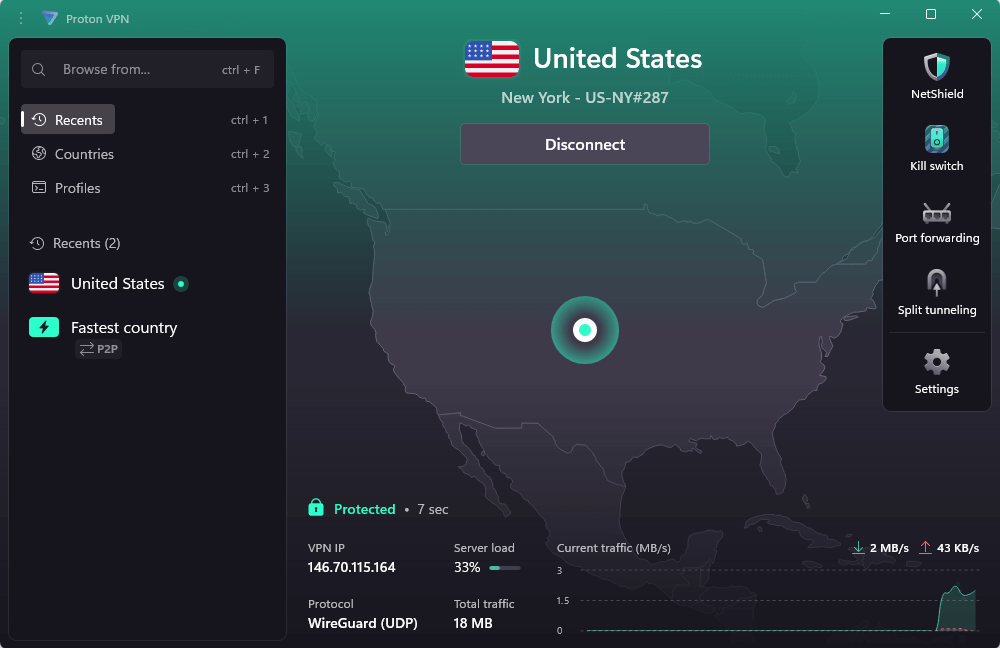
Proton VPN delivered surprisingly solid Crunchyroll access while I tested it, something I didn’t expect from a service that markets itself as privacy-first rather than streaming-first. Connecting to U.S. servers unlocked the full anime library immediately, and speeds held up even during peak hours.
What sets Proton VPN apart is how transparent it is. The company publishes detailed server lists by country (129 total), openly shares audit results, and actually explains what each feature does. When I needed to switch servers mid-stream, the app made it simple to find another U.S. location.
My Experience With Proton VPN: Hands-On Performance
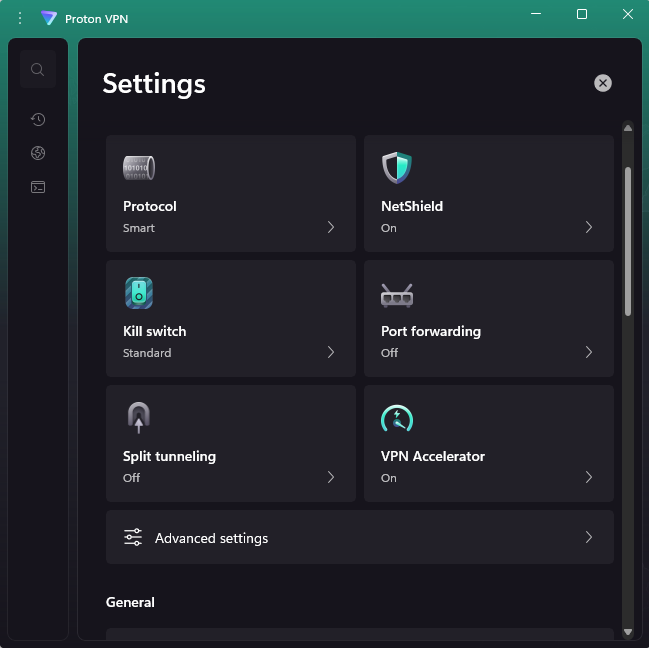
Proton VPN’s connection speeds exceeded expectations. After linking to a U.S. server, I hit 282 Mbps on my 300 Mbps connection, which meant Crunchyroll episodes loaded instantly in 4K. The interface feels modern without trying too hard. Everything’s labeled clearly, and I didn’t have to hunt through menus to find the kill switch or figure out which protocol to use.
Proton VPN Test Results
| Test Type | Result |
|---|---|
| Crunchyroll US library | Unblocked |
| Streaming quality | 4K, no buffering |
| Average speed (US server) | 282 Mbps |
| Connection time | Under 3 seconds |
Proton’s NetShield feature blocks ads and trackers at the DNS level, which worked decently during testing. It won’t catch everything Crunchyroll throws at you, but it’s better than nothing.
Proton VPN Pricing and Value
At $2.99 monthly for a two-year plan, Proton VPN sits right in the middle price-wise. You’re paying for Swiss privacy laws and open-source apps that get regular audits, not flashy features you’ll never use. The 30-day money-back guarantee gives you time to test it properly. Check out our Proton VPN review for the full breakdown.
$2.99 per month (two-year plan)
4. ExpressVPN — Most Reliable VPN for Crunchyroll
Stats:
- Best price: $2.79/month
- Money-back guarantee: 30 days
- Website: www.expressvpn.com
- Works flawlessly with Crunchyroll
- Consistently fast Lightway protocol
- Fewer US servers
- More expensive than other VPNs
ExpressVPN stands out when using Crunchyroll, with super quick connections plus solid access no matter the region. My tests showed pages popping up instantly, almost like they were saved on my device instead of coming from overseas. Its Lightway tech actually beats regular WireGuard setups in speed trials.
The service handles VPN blocks well, which is key when Crunchyroll tweaks its VPN detection. From what I’ve seen, ExpressVPN almost never runs into issues, but if it does, switching to another U.S. server fixes things right away.
My Experience With ExpressVPN: Hands-On Performance
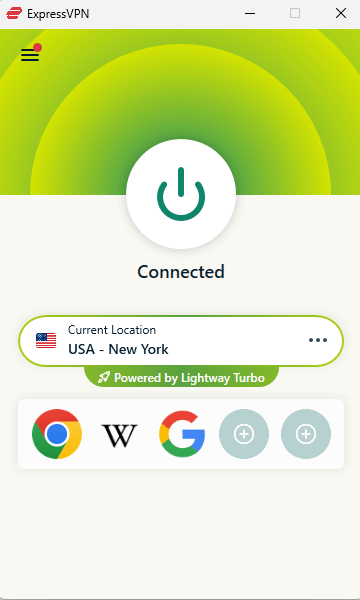
Installing ExpressVPN is super easy, although the activation code login seemed old-school when stacked up against others. After getting online, everything ran perfectly. Watching several Crunchyroll shows back-to-back, I had no lag and no pixelation; just smooth playback.
ExpressVPN Test Results
| Test Type: | Result |
|---|---|
| Crunchyroll US library | Unblocked |
| Streaming quality | 4K, zero buffering |
| Average speed (US server) | 276 Mbps |
| MediaStreamer compatibility | Works with Crunchyroll |
The MediaStreamer Smart DNS helps you stream Crunchyroll’s US library on PlayStation, Xbox, or even regular smart TVs, even when they can’t handle a standard VPN. That actually comes in handy if you’re after bigger-screen anime action.
ExpressVPN Pricing and Value
ExpressVPN runs $2.79 monthly for a two-year plan, which is a little pricier than some others. What you’re really covering is solid performance plus fast speeds, not extra bells and whistles. But here’s the good part: there’s a 30-day refund deal to test it risk-free. Learn more about it in our ExpressVPN review.
$3.49 per month (two-year plan + four months)
5. CyberGhost — Best Beginner-Friendly VPN for Crunchyroll
Stats:
- Best price: $2.03/month
- Money-back guarantee: 45 days
- Website: www.cyberghostvpn.com
- Detailed feature explanations
- Optimized streaming servers work well
- Some servers were very slow
- Malware blocking didn’t work well
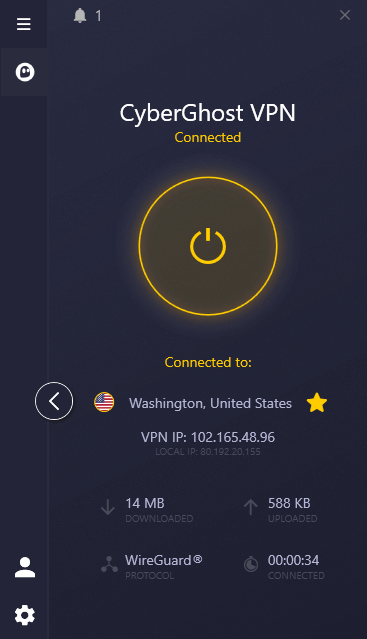
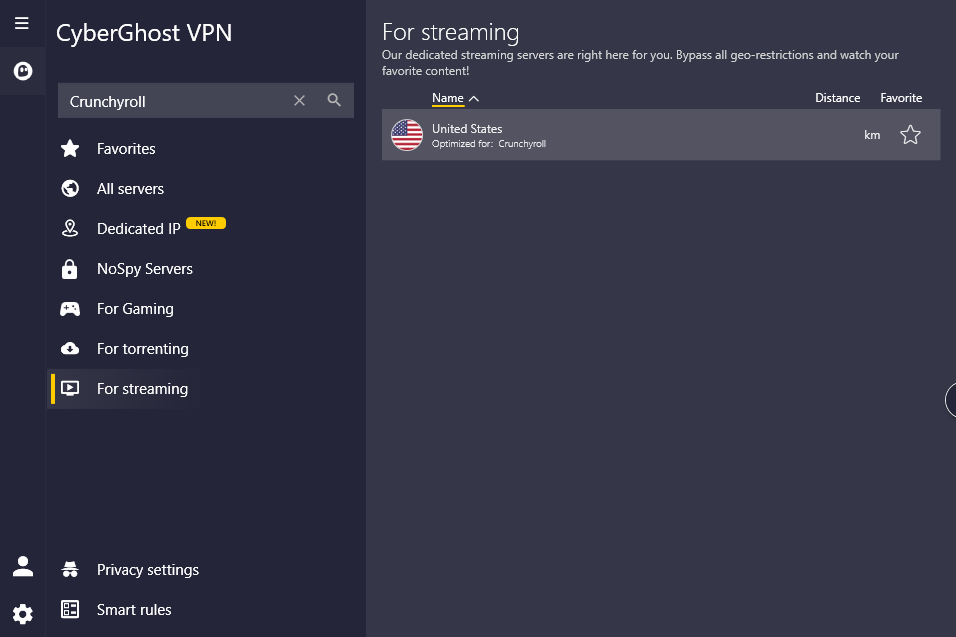
CyberGhost simplifies streaming Crunchyroll thanks to special servers built just for it. Just type “Crunchyroll” into the app, then hit connect; no guessing needed on which U.S. server performs best. If you’re new to using a VPN, that ease can make a big difference.
The app explains things way better than any other VPN I tried. Each function comes with clear info on how it works plus when you’d actually need it. That’s smarter than guessing your way around confusing options just to understand terms like “obfuscation.”
My Experience With CyberGhost: Hands-On Performance
CyberGhost’s streaming setup worked well. While checking out several anime shows on Crunchyroll, playback stayed smooth and no interruptions popped up. Now and then, the picture quality dipped before snapping back after a brief delay. Not bad enough to stop using it, but more hiccups than what you’d see with NordVPN.
CyberGhost Test Results
| Test Type: | Result |
|---|---|
| Crunchyroll US library | Unblocked |
| Streaming quality | HD, occasional minor buffering |
| Average speed (US server) | 278 Mbps |
| Optimized servers | Crunchyroll-specific available |
The malware blocking was just awful and didn’t pass a single test I ran. For real protection, skip CyberGhost and lean on what your browser already offers or get dedicated antivirus software.
CyberGhost Pricing and Value
CyberGhost costs $2.03 each month if you pick the two-year option, plus you get 45 days to return it (only 14 days if you choose a monthly plan). It’s an affordable option, but it’s not quite as reliable as other VPNs. Take a look at our CyberGhost review for more information.
$2.19 per month (two-year plan + two months)
6. Windscribe — Best Free VPN for Crunchyroll
Stats:
- Best price: Free (10GB monthly data), $5.75/month
- Money-back guarantee: 7 days (paid plans)
- Website: www.windscribe.com
- Actually works with Crunchyroll
- 10GB data is enough for casual streaming
- Reduced stream quality
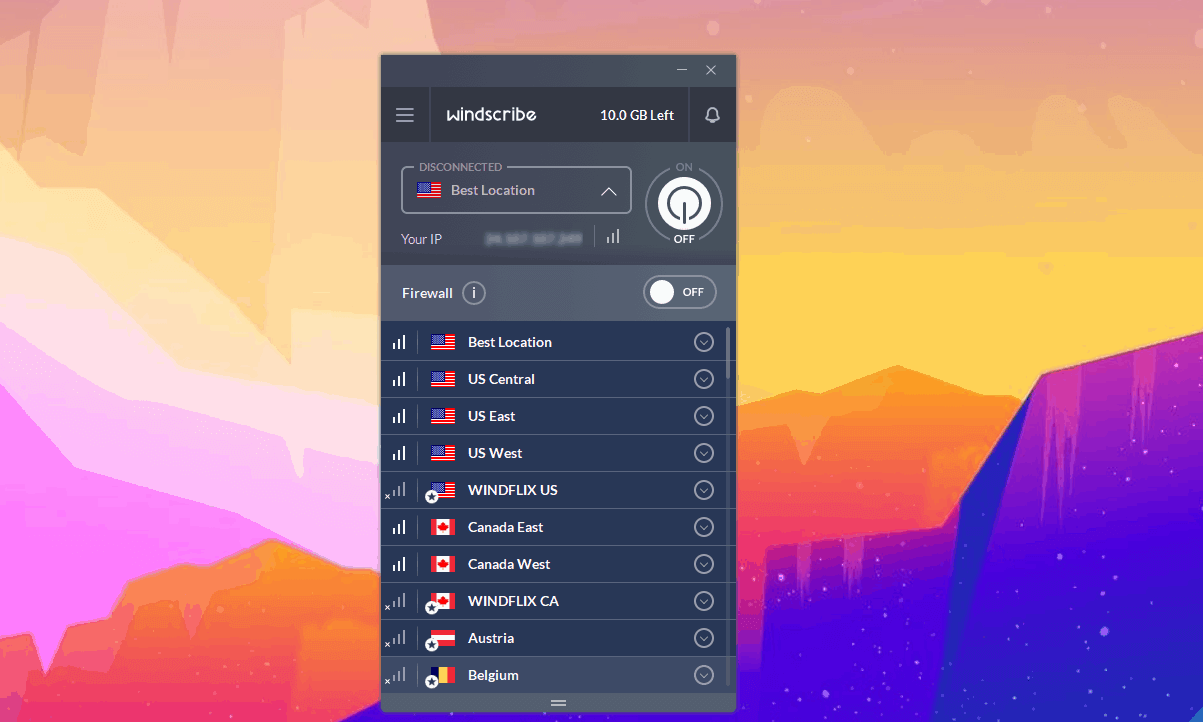
- App interface is small & tricky to navigate
Windscribe was the sole free VPN I tried that actually worked with Crunchyroll, but it comes with clear downsides. Its 10GB monthly limit lets you stream roughly 10 to 15 shows, based on video quality; it’s fine for occasional use, yet too tight for marathon sessions.
The service did open up all big streaming sites during my test (Disney Plus worked fine, unlike with other VPNs I tested), but the picture quality was lower compared to pricier options, topping out near 720p despite having fast internet speed.
My Experience With Windscribe: Hands-On Performance
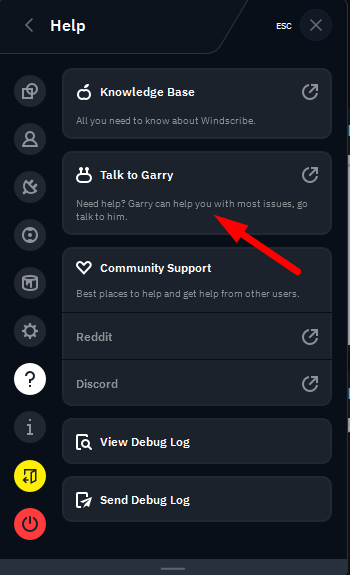
Windscribe’s support chatbot “Garry” actually knows what it’s doing, and cracks decent jokes too. It’s tricky to navigate the squashed app interface, and it’s not immediately obvious which servers are free to use. However, after spending a little time figuring it out, you’ll get the hang of picking connections.
Windscribe Test Results
| Test Type: | Result |
|---|---|
| Crunchyroll US library | Unblocked |
| Streaming quality | 720p, some buffering |
| Average speed (US server) | 284 Mbps |
| Free plan data limit | 10GB/month |
The free version only has 10 server locations, but that’s enough for key regions like the US, UK, or Canada, matching most Crunchyroll content.
Windscribe Pricing and Value
Windscribe’s free version just needs your email, no card required. Its paid options begin at $5.75 each month, or you can pick specific server spots to create your own plan. This odd but handy pricing works well when you only care about U.S. access for Crunchyroll. Take a look at our Windscribe review to learn more.
$5.75 per month (one-year plan)
How to Use a VPN for Crunchyroll on Desktop
Setting up a VPN for Crunchyroll takes less than five minutes once you know the steps. Here’s how to do it with NordVPN, but the process will be similar for other providers.
1. Sign up to and download your VPN
Head to the VPN site then sign up. Download the app made for your system, like Windows, Mac, or Linux. Many come with a single-step installer, so it sets itself up.
2. Connect to a US server
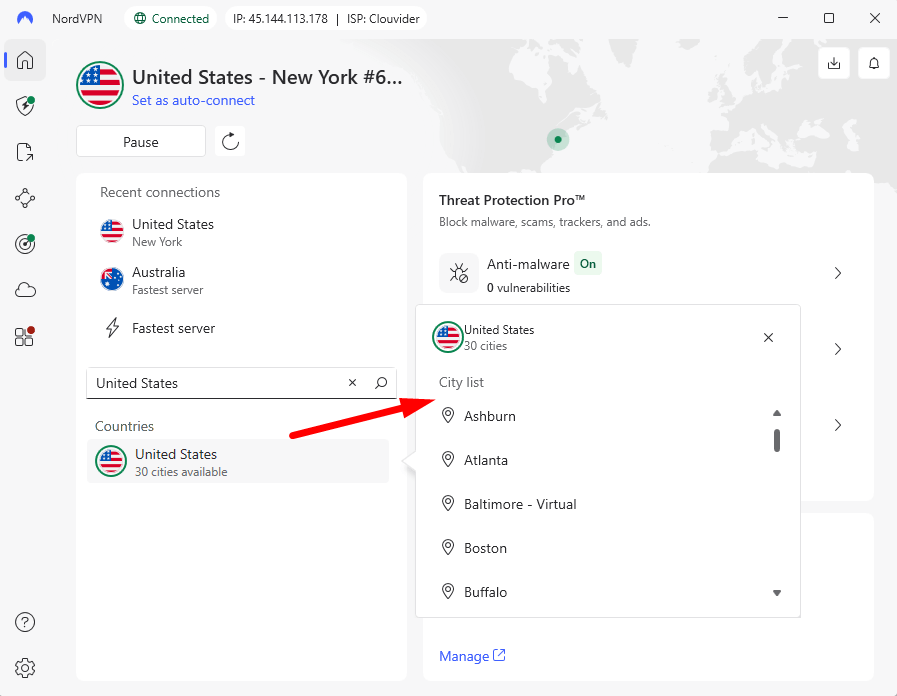
Launch the VPN app, then pick a server based in the US. Since the American collection holds way more anime, it’s best to begin here. If Crunchyroll blocks that server, just move to another city within the US.
3. Clear your browser cookies and access Crunchyroll
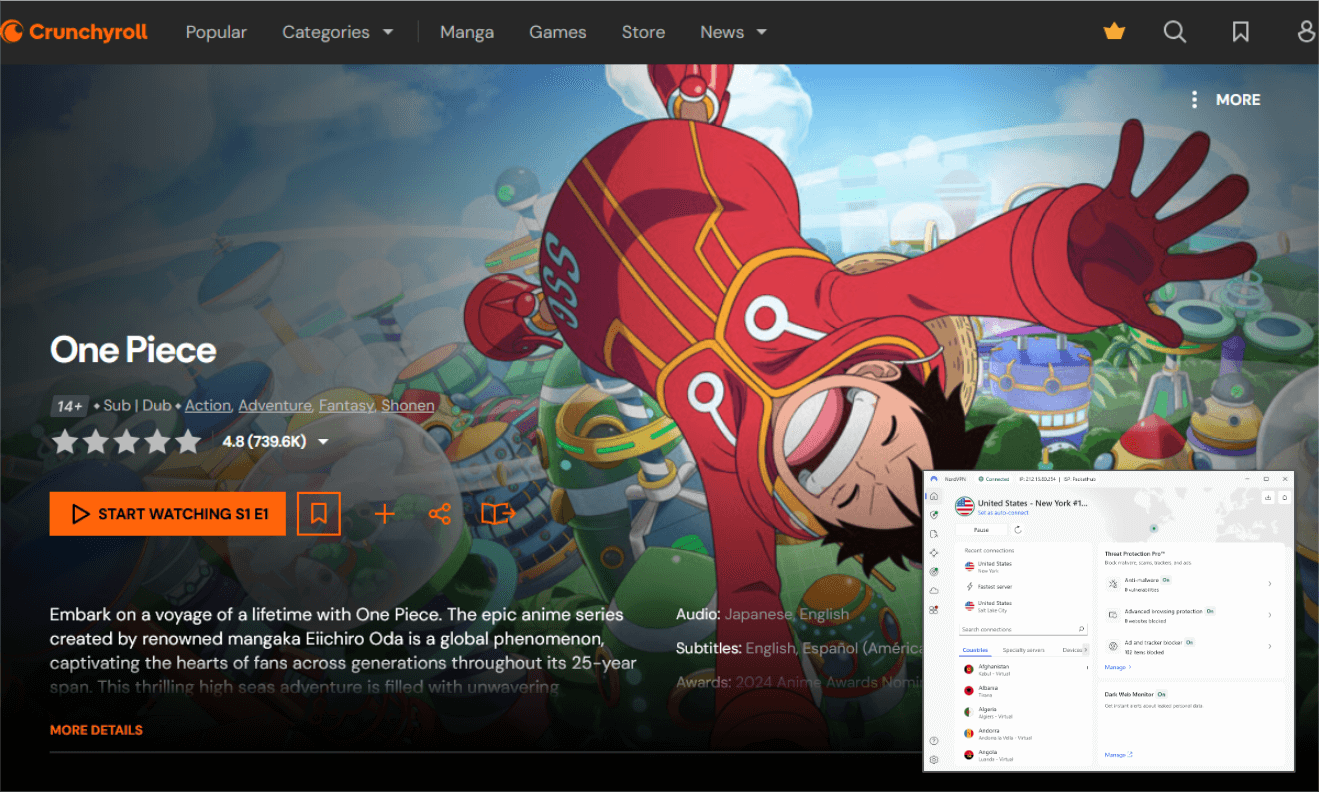
Start by wiping your browser’s cookies; this dumps old location information to avoid conflicts with Crunchyroll. After that, head over to Crunchyroll and sign in. Chances are, you’ll see the complete American catalog right away.
How to Use a VPN for Crunchyroll on Mobile?
Using a VPN on your phone works like it does on a computer. Mobile versions usually show less clutter, so they’re friendlier if you’re just starting out.
- Get the VPN app through your phone’s app store.
- Sign in using your username and password.
- Pick a server in the US from the spots shown.
- Launch the Crunchyroll app, then hit play on your show.
Can You Watch Crunchyroll with a VPN on a Smart TV?
Yes, using a VPN lets you stream Crunchyroll on plenty of smart TVs. If it’s an Android TV or Fire TV, just download the app straight onto the device. But when it comes to brands like Samsung or LG, your best bet is putting the VPN on your router instead, or try Smart DNS from the VPN if they offer it.
- Get a VPN that works with your smart TV or router:
- Android TV/Fire TV: Install the VPN app directly from the app store.
- Apple TV: Install the VPN app from the App Store (requires tvOS 17 or later).
- Samsung/LG TV: Configure the VPN on your router or use Smart DNS.
- Connect to a US server through the VPN app.
- Launch Crunchyroll and stream normally.
Can You Watch Crunchyroll with a VPN on Roku?
Yes, you can watch Crunchyroll with a VPN on Roku, though Roku won’t run VPN apps itself. Set up the VPN on your router instead, as this covers every gadget online, including Roku. You can also share a VPN connection from your PC to your Roku device.
- Set up the VPN on your router.
- Connect your Roku to the VPN-protected WiFi network.
- If you haven’t got it yet, install the Crunchyroll channel onto your Roku.
- Launch Crunchyroll and stream anime through the VPN connection.
How to Watch Crunchyroll with a VPN on Xbox?
Xbox won’t run VPN apps straight out of the box, meaning you’ll need a workaround. You’ll need to either set up the VPN directly on your router or share your computer’s VPN connection with your Xbox via ethernet.
- Set up the VPN on your router by following your provider’s instructions.
- Connect your Xbox to the VPN-protected network.
- Download Crunchyroll from the Microsoft Store on your Xbox.
- Open the app then hit play on your stream.
Does Crunchyroll Ban VPN Use?
No, Crunchyroll won’t ban your account even if you’re on a VPN. Still, you could hit a wall when trying to stream content from certain locations because they shut down access tied to familiar VPN IPs. Instead of losing your profile, you’ll get a notice claiming the show or movie isn’t allowed where you are.
This move comes down to copyright and broadcasting legalities that tie shows to particular countries. If Crunchyroll spots your VPN, just hop off and pick another server spot. Top-tier services refresh IPs often, so you’ll likely land on a working connection after one or two tries.
Crunchyroll VPN Not Working: What to Do
If your VPN isn’t working on Crunchyroll, go through these fixes one by one:
- Pick another server in your country. Crunchyroll targets certain IPs, not whole areas.
- Clean out your browser’s cookies, as there may be old location data causing a conflict with what Crunchyroll detects from your VPN connection.
- Switch up the protocol in your VPN setup. WireGuard usually runs smoothly if OpenVPN crashes
- Turn off IPv6 in your device’s settings. Otherwise, it might expose where you really are
- Contact your VPN’s help team to find out what servers still access Crunchyroll.
What’s the Best VPN Server Location for Crunchyroll?
The U.S. is the best VPN server location for Crunchyroll since its collection holds more than 1,000 anime shows, and new episodes pop up just hours after they air in Japan. Shows such as One Piece, Naruto, or Attack on Titan are fully available there, whereas places outside the U.S. often carry fewer options.
Japan’s Crunchyroll collection is way smaller than you’d expect, even though anime started there. Meanwhile, the UK version isn’t barebones or overloaded, just average. It holds up okay, yet still trails behind the U.S. selection.
Top Anime Series You Can Watch on Crunchyroll
Crunchyroll’s got tons of anime shows in all kinds of styles. Some top picks grabbing attention lately include these favorites:
- Attack on Titan
- One Piece
- My Hero Academia
- Demon Slayer (Kimetsu no Yaiba)
- Jujutsu Kaisen
- Naruto/Naruto Shippuden
- Dragon Ball series
- Spy x Family
- Chainsaw Man
- Frieren: Beyond Journey’s End
Conclusion
NordVPN tops the list for Crunchyroll, with speedy connections that provide solid access plus tons of servers dodging blocks like a pro. Free VPNs aren’t so great when it comes to anime streams, but Windscribe works well; heavy anime viewers will blow past the 10GB cap in no time, though.
What’s your experience with using a VPN on Crunchyroll? Any locations where streams run smoothly without hiccups? What shows keep you glued to the screen lately? Drop your take right down there in the replies, and thank you for reading.
FAQ: Crunchyroll VPN
How to Bypass Crunchyroll VPN Block?
The best way to bypass a Crunchyroll block is to try another server in that country. You can also wipe your browser’s cookies to avoid conflicting location data.Why Does Crunchyroll Block VPNs?
Crunchyroll blocks VPNs for legal reasons; copyright licenses and broadcasting rules limit where anime can be shown.Which Crunchyroll Server Is Best?
U.S. servers are the best Crunchyroll servers. They unlock a huge anime collection, with more than 1,000 shows ready to watch.What Is the Best DNS Server for Crunchyroll?
The best DNS server for Crunchyroll will usually be your VPN’s DNS setup which ensures leaks don’t show Crunchyroll where you really are.
Leave a Reply