Best VPN for IPTV Streaming in 2026
- Table of Contents
- Why Use an IPTV VPN Service?
- Is IPTV Legal in the USA and Elsewhere?
- The Best IPTV VPN Services Compared
- 1. NordVPN -- Overall Best VPN for IPTV
- 2. Surfshark -- Best IPTV VPN With Unlimited Simultaneous Connections
- 3. ExpressVPN -- Premium Performance for IPTV Streaming
- 4. Windscribe -- Best Free VPN for IPTV Streaming
- 5. Proton VPN -- Swiss Privacy Meets Strong IPTV Performance
- How to Use a VPN for Streaming IPTV
- How I Tested the Best VPN for IPTV Content
- Conclusion
- FAQ: Keyword Variation

Quick Summary: Best VPN for IPTV
- NordVPN — Fast connections plus a huge network of reliable servers for smooth streaming.
- Surfshark — Connect unlimited devices so each streaming gadget stays secure.
- ExpressVPN — High-quality performance across its server network.
- Windscribe — Top free service with 10GB data monthly, good for casual IPTV viewing.
- Proton VPN — Strict Swiss privacy laws protect your data when streaming.


Streaming IPTV without a VPN is like trying to have a private conversation in a fishbowl; everyone can see and hear you, including your internet service provider (ISP). ISPs are notorious for throttling streaming speeds, and if your ISP detects you’re streaming IPTV, you can expect slow connections that turn smooth playback into endless buffering.
I tested several high-quality VPNs with IPTV, trying various servers and platforms. My goal was to find the ones that stop lags, dodge location blocks and still let me watch live games without my internet slowing down right when things get intense. Let’s take a look at the results.
- Money-Back Guarantee30 DaysWorldwide Server AmountOver 5,400+ servers in 59 countries
- Money-Back Guarantee30 DaysWorldwide Server Amount1700+ Servers in 63 Countries
- Money-Back Guarantee30 DaysWorldwide Server AmountOver 3,000 servers in 105 countries
- Money-Back Guarantee3 DaysWorldwide Server AmountServers in 55 Countries
- Money-Back Guarantee30 DaysWorldwide Server Amount1500 Servers in 61 Countries








Why Use an IPTV VPN Service?
Adding another monthly subscription seems worse than a toothache. But when my IPTV froze mid-game, right at the climax of a title match, reality hit me like cold water; a VPN significantly improves the quality and reliability of IPTV content.
- Unlock IPTV services and foreign libraries — Connecting to a NordVPN server in the UK let me access BBC iPlayer without blocks. The same happened with European sports networks. A VPN hides where you really are, so sites think you’re physically wherever your server is located.
- Avoid ISP throttling — While testing in Croatia on a 300 Mbps line, I ran into a frustrating issue. No VPN meant my IPTV started crystal clear, but degraded to potato quality around the 20-minute mark. That drop is likely ISP throttling. Once I switched to Surfshark, the slowdown vanished instantly. Coincidence? I think not.
- Protect your privacy while streaming — Your ISP keeps track of each site you go to and what you stream. When using IPTV that exists in legal gray areas, hiding this information isn’t paranoia, it’s just smart. A VPN scrambles your data so your provider only sees nonsense.
Is IPTV Legal in the USA and Elsewhere?
IPTV on its own isn’t against the law. Take something like YouTube TV; it’s a legal service that plays by the rules. Hulu Live TV runs with proper permission, while Sling TV follows similar terms.
The shady bit kicks in when IPTV platforms show movies or series they’re not supposed to. That sketchy offer with heaps of channels super cheap? Almost certainly no real permission behind it. Using a VPN to skip location blocks breaks service rules (even if you pay for access) though cops won’t knock on your door.
The largest legal troubles target folks offering IPTV without a license. In my research, I’ve found internet providers have started cutting off major pirate streaming sites, mainly across Europe. After Spain blocked unlawful IPTV platforms in September 2025, other countries followed suit.
A VPN won’t turn sketchy streaming into something legal; it simply keeps what you do under wraps.
The Best IPTV VPN Services Compared
Here’s a quick look at the top VPN providers for IPTV:
| VPN: | Best Price | Device Connections | Streaming Performance | Money-Back Guarantee |
|---|---|---|---|---|
| NordVPN | $2.99/month (2-year plan) | 10 devices | Excellent | 30 days |
| Surfshark | $1.99/month (2-year plan) | Unlimited | Excellent | 30 days |
| ExpressVPN | $3.49/month (annual plan) | Up to 14 devices* | Excellent | 30 days |
| Windscribe | Free (10GB/month) | 1 device | Good | 7 days (paid plans) |
| ProtonVPN | $4.49/month (2-year plan) | 10 devices | Very Good | 30 days |
1. NordVPN — Overall Best VPN for IPTV
Stats:
- Best price: $2.99/month
- Money-back guarantee: 30 days
- Website: www.nordvpn.com
- Consistently fast speeds
- No DNS, IP, WebRTC leaks
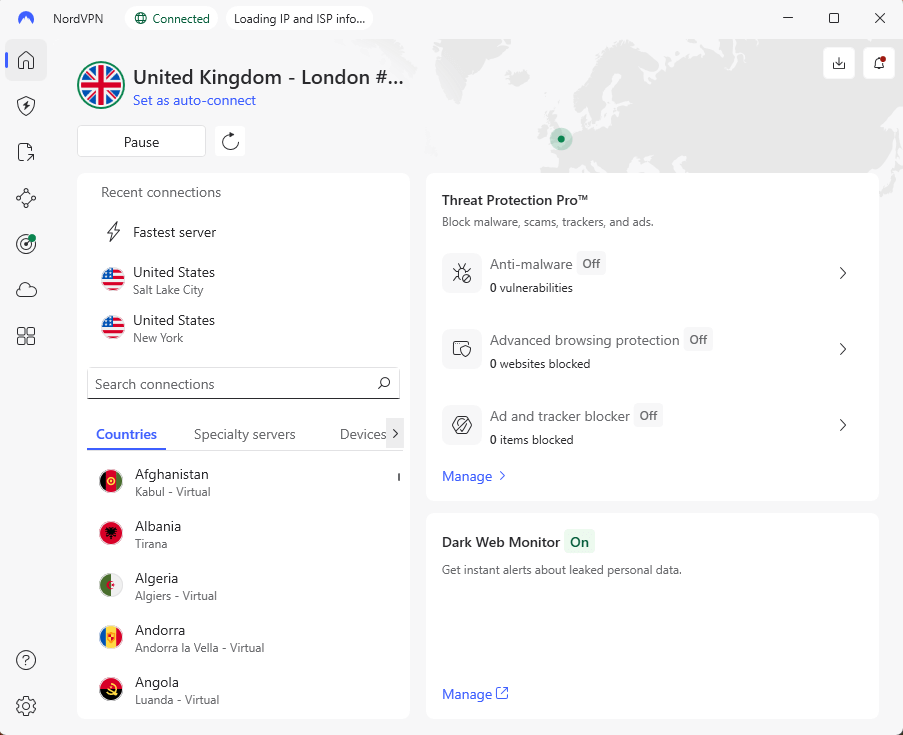
- Desktop interface feels a little dated
NordVPN aced all my IPTV tests without breaking a sweat. Connecting to a nearby server barely slowed things down; my speed went from 293 Mbps to 282 Mbps. Just a 4% dip, which is insane (but the good kind of insane).
The stream ran just like it would without any VPN, exactly how it should be. I opened several HD IPTV feeds at the same time, yet never got stuck with that annoying loading spin.
My Experience With NordVPN: Hands-On Performance
I tested NordVPN on both Windows and Android. Even when I shut it down using Task Manager, the kill switch didn’t miss a beat. I used Split Tunneling to route my IPTV apps through the VPN while browsing like normal on my regular internet connection, keeping speeds fast.
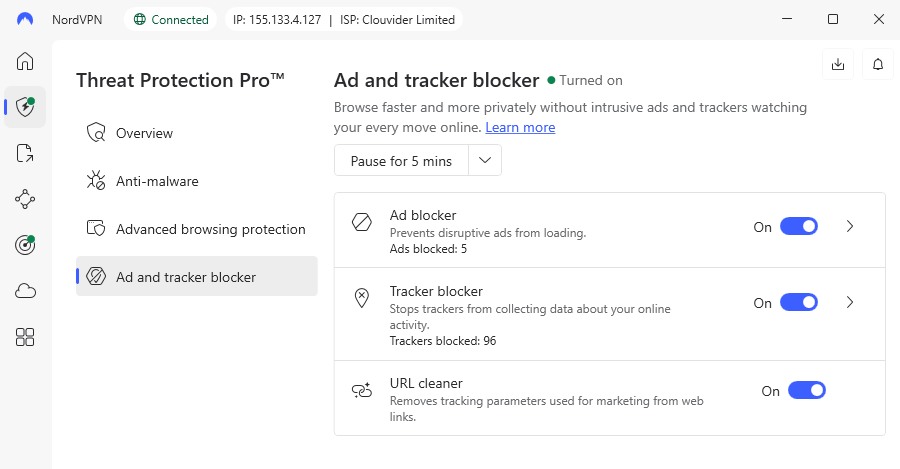
The Threat Protection tool stops ads and malicious software automatically, and passed 99 of 135 ads during my test. Some YouTube commercials got past, though honestly, every service struggles with that.
NordVPN Test Results
| Connection: | Download (Mbps) | Upload (Mbps) | Ping (ms) |
|---|---|---|---|
| No VPN | 293 | 94 | 3 |
| 🇸🇮 Slovenia (nearby) | 282 | 90 | 10 |
| 🇬🇧 UK (distant) | 259 | 85 | 45 |
| 🇺🇸 USA (very distant) | 243 | 1 | 115 |
The UK and USA servers maintained enough speed for 4K IPTV shows and movies. That 1 Mbps upload to the USA is concerning if you’re running your own streaming server, but for watching IPTV, it’s irrelevant.
NordVPN Pricing and Value
NordVPN runs $2.99 monthly if you lock in for two years. It allows 10 devices at once, enough for nearly every home, unless you’re running a server hub in your living room. All plans include a 30-day refund promise. Annoyingly, auto-pay turns on automatically, though turning it off takes just a few clicks in your payment section. Find out more in our NordVPN review.
$2.99 per month (two-year plan + three months)
2. Surfshark — Best IPTV VPN With Unlimited Simultaneous Connections
Stats:
- Best price: $1.99/month
- Money-back guarantee: 30 days
- Website: www.surfshark.com
- Unlimited device connections
- Cheapest premium VPN for long-term plans
- Upload speeds were inconsistent locally
Surfshark really means unlimited connections. I ran my laptop, phone, tablet, plus a virtual setup at once, with no hiccups. Perfect if you’ve got a household full of gadgets or just can’t stop buying smart junk.
While speed testing Surfshark, results were mixed. Download speeds were strong no matter the server, even connecting to far-off U.S. spots. However, uploads dropped hard, often under 3 Mbps.
My Experience With Surfshark: Hands-On Performance
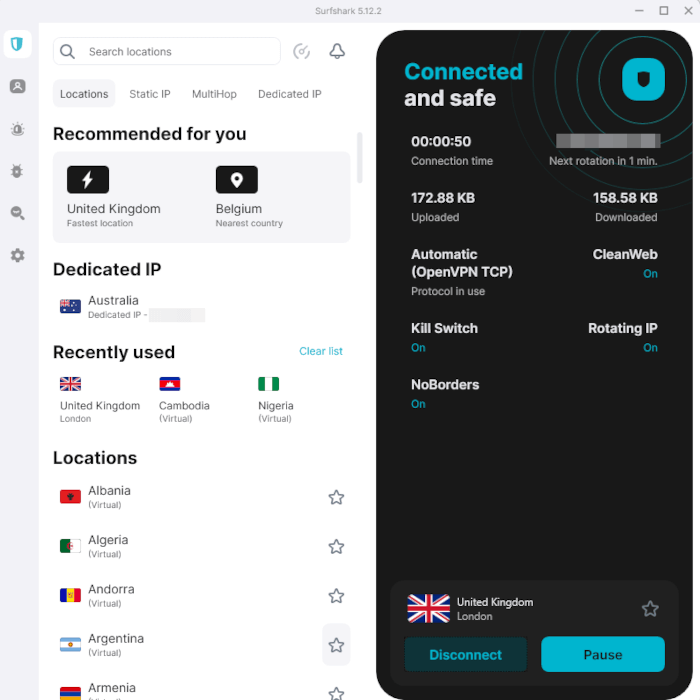
The installation and setup took less than three minutes. Zero complex steps, no tech skills needed at all. Just download the app, sign in, and hit the connect button. So easy, even my clueless uncle might start sounding like he knows about online safety.
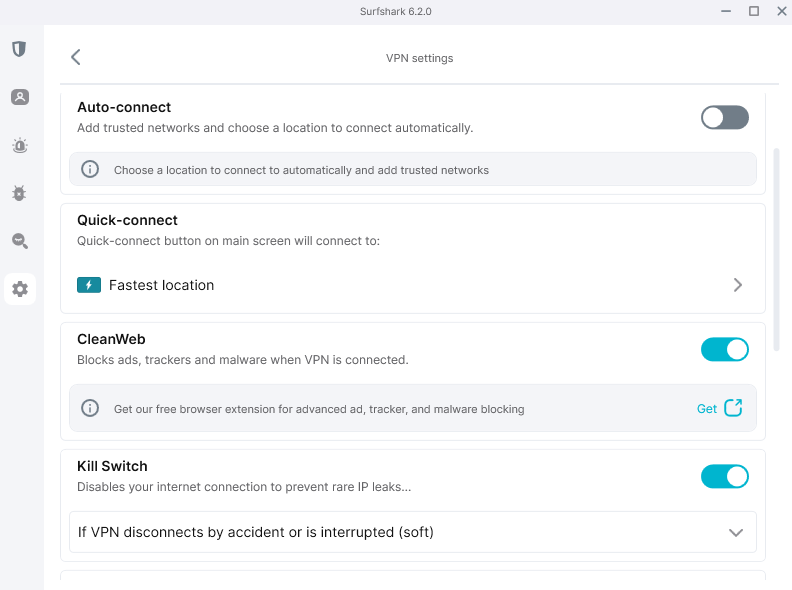
I really like how Surfshark’s layout looks. It feels open and simple, and instead of flooding you with choices, it keeps things organized. The kill switch works in two ways: choose “soft” to drop connection only if the VPN fails unexpectedly; go for “hard,” and you get no web access at all without an active VPN tunnel.
Surfshark Test Results
| Connection: | Download (Mbps) | Upload (Mbps) | Ping (ms) |
|---|---|---|---|
| No VPN | 290 | 94 | 2 |
| 🇧🇬 Bulgaria(nearby) | 280 | 85 | 6 |
| 🇦🇱 Albania(distant) | 275 | 3 | 40 |
| 🇺🇸 USA Boston (very distant) | 250 | 1.2 | 125 |
That Bulgaria server was a champion. Every other nearby server gave me garbage upload speeds that I couldn’t explain. Download stayed fantastic across the board, which matters most for IPTV streaming.
Surfshark Pricing and Value
For just $1.99 a month over two years, Surfshark costs less than your average latte. Since it lets you connect every gadget in the house, one plan covers everyone. Getting a refund took no effort at all. Once I started the chat bot, I just typed ‘refund’ and it sent back a link to sort everything out, easy. Read more in our Surfshark review.
$2.49 per month (two-year plan + three months)
3. ExpressVPN — Premium Performance for IPTV Streaming
Stats:
- Best price: $3.49/month
- Money-back guarantee: 30 days
- Website: www.expressvpn.com
- Lightway protocol is genuinely fast
- Consistently unblocks streaming services
- Limited customization options for advanced users
While ExpressVPN is slightly more expensive (it used to be significantly more), I think its speed and reliability justify paying that little bit extra.
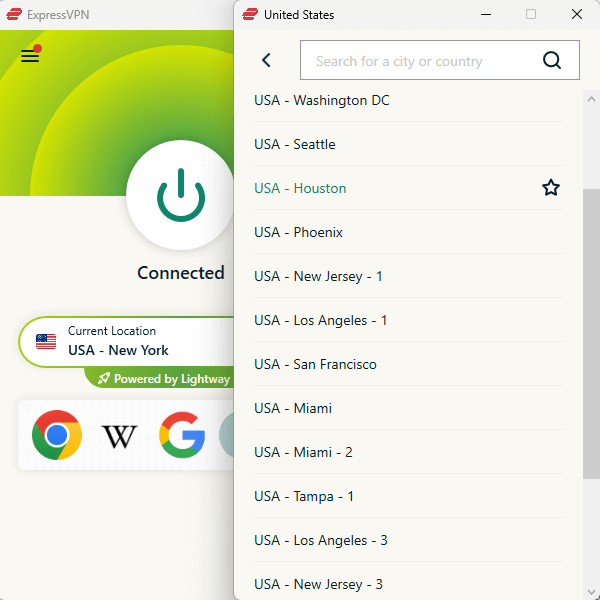
Speed tests held up well, with barely any lag on local servers. Using a steady 250 Mbps line, results dipped to 230 Mbps connecting to a nearby server, then hit 200 Mbps on a distant U.S. server. Impressively fast across its entire server network, and ideal for streaming.
My Experience With ExpressVPN: Hands-On Performance
ExpressVPN’s kill switch is solid as a rock. I killed the VPN connection while streaming and my traffic died on the spot. Zero leaks, not DNS, IP or WebRTC data revealed. I also shut ExpressVPN down via Task Manager, and again, total block without delay.
The split tunneling tool ran smoothly; I sent my torrent app over the VPN, and kept regular web browsing on my faster non-VPN connection.
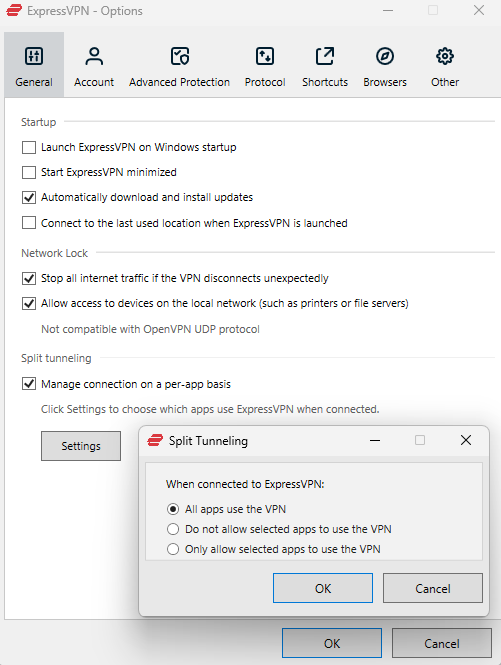
tool with its intuitive interface.
ExpressVPN Test Results
| Connection: | Download (Mbps) | Upload (Mbps) | Ping (ms) |
|---|---|---|---|
| No VPN | 250 | 18 | 20 |
| 🇮🇹 Italy (nearby) | 230 | 15 | 57 |
| 🇬🇧 UK (mid-distance) | 210 | 14 | 85 |
| 🇺🇸 USA New Jersey (distant) | 200 | 13 | 140 |
These speeds all support smooth 1080p IPTV streaming, even on the distant USA server. The consistency is impressive.
ExpressVPN Pricing and Value
Priced at $3.49 monthly when paid yearly, ExpressVPN is a little more costly. You get a 30-day money-back guarantee for risk-free testing, and the refund process is easy if you change your mind. Find out more in our ExpressVPN review.
$3.49 per month (two-year plan + four months)
4. Windscribe — Best Free VPN for IPTV Streaming
Stats:
- Best price: Free (10GB)
- Money-back guarantee: 7 days (paid plans)
- Website: www.windscribe.com
- Successfully unblocks Disney+
- Functional free tier with 10GB data
- Streaming quality degraded even with good speeds
Windscribe’s the free VPN worth trying with IPTV, though really just for light use. The 10GB cap vanishes fast if you’re watching shows. Streaming HD eats around 3GB each hour, meaning you’ll manage maybe three hours total every month.
While testing in Macedonia, Windscribe managed to access Disney+ (something most other VPNs can’t pull off). Honestly, that’s a big deal. Still, video quality on all platforms felt weaker, stuck near 720p, whereas rivals consistently hit 1080p or better.
My Experience With Windscribe: Hands-On Performance
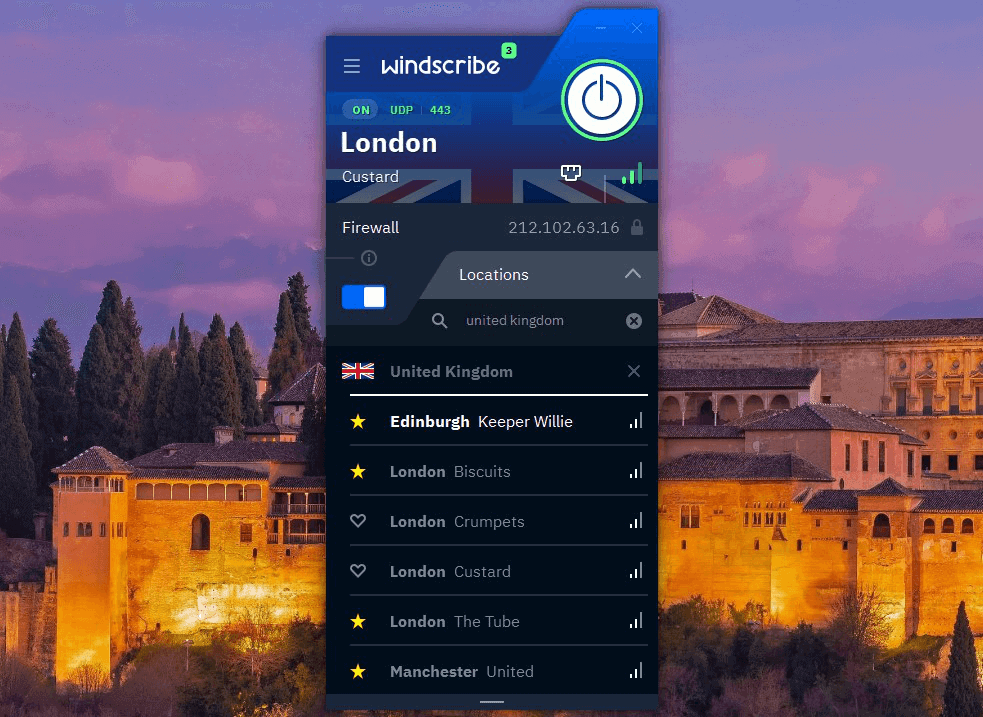
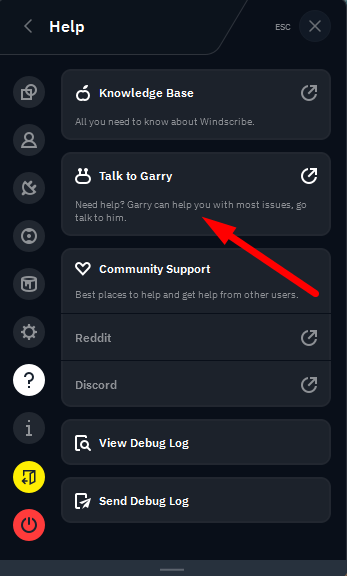
Setting up Windscribe meant finishing a CAPTCHA first; kind of frustrating, but fair enough for something free. The layout is super small and you can’t resize it at all, so things look squished together. You’ve got to hover over symbols to see what they do since there isn’t space for words next to them.
Windscribe Test Results
| Connection: | Download (Mbps) | Upload (Mbps) | Ping (ms) |
|---|---|---|---|
| No VPN | 290 | 94 | 4 |
| 🇸🇮 Slovenia (nearby) | 284 | 90 | 16 |
| 🇺🇸 USA (distant) | 271 | 9 | 135 |
The speeds look great on paper. That’s what confused me about the streaming quality issues. My best guess is Windscribe’s servers are overloaded, causing bandwidth limitations beyond what speed tests measure.
Windscribe Pricing and Value
The free option gives you 10GB with no strings attached, ever. You also don’t need a card to sign up. If you just watch IPTV now and then, it might suit you fine. Plans start at $5.75 per month, which might be a little pricey just for streaming. Find out more in our Windscribe review.
$5.75 per month (one-year plan)
5. Proton VPN — Swiss Privacy Meets Strong IPTV Performance
Stats:
- Best price: $4.49/month
- Money-back guarantee: 30 days
- Website: www.protonvpn.com
- Modern, clean interface
- Swiss privacy laws provide solid security
- No RAM-only servers
- Couldn’t access all streaming platforms
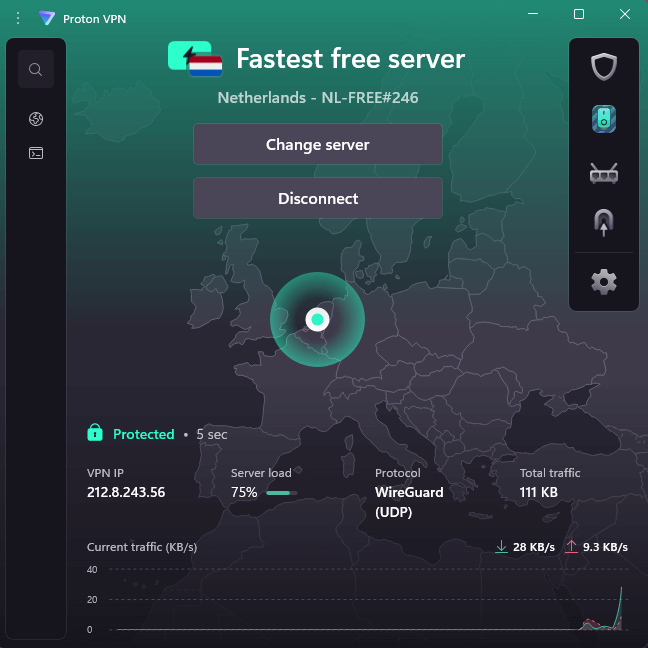
Proton VPN caught me off guard. I figured a privacy-first provider would stream slow; turns out, speeds sometimes topped my normal connection, which shouldn’t be physically possible and is likely a little testing variance.
The VPN Accelerator actually does what it says. I usually don’t trust stuff labeled “accelerator” or “turbo boost,” but Proton VPN connected faster than every other service I tried. No exaggeration, it was significantly speedier.
My Experience With Proton VPN: Hands-On Performance
Proton VPN’s layout feels clean and smart. On the main screen, handy widgets pop up so you can tweak settings easily. Servers with special jobs (like Secure Core or P2P) are clearly labelled. Each tool comes with a short note that explains what it does; this helps new users get going without confusion.
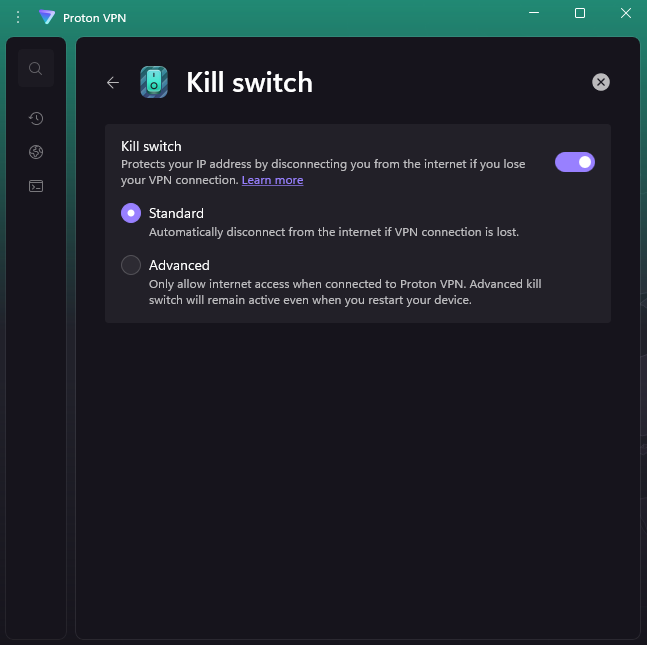
The kill switch comes with three options: off, Standard (stops data when VPN fails) and Advanced, which cuts all non-VPN connections. Despite interruptions, split routing ran without hiccups; meanwhile, DNS safeguards kept every bit of info locked down.
Proton VPN Test Results
| Connection: | Download (Mbps) | Upload (Mbps) | Ping (ms) |
|---|---|---|---|
| No VPN | 293 | 94 | 2 |
| 🇭🇷 Croatia (nearby) | 282 | 90 | 6 |
| 🇬🇧 UK (mid-distance) | 295 | 88 | 35 |
| 🇦🇺 Australia (very distant) | 259 | 1 | 598 |
That UK result showing higher download than baseline is measurement noise, not magic. But the consistently high speeds across all servers impressed me. Even Australia, literally on the opposite side of the planet, maintained 259 Mbps download speeds.
Proton VPN Pricing and Value
For two years at $4.49 monthly, ProtonVPN lands around mid-tier on cost. It gives you 10 device connections, plus all of Proton’s secure tools like private email and safe file storage. All plans are backed by a 30-day refund guarantee. Check out our Proton VPN review for more details.
$4.49 per month (two-year plan)
How to Use a VPN for Streaming IPTV
Getting a VPN ready for IPTV takes just five minutes. Follow these steps; I’m using NordVPN in this example, but most VPNs work the same way.
1. Sign up for a VPN service
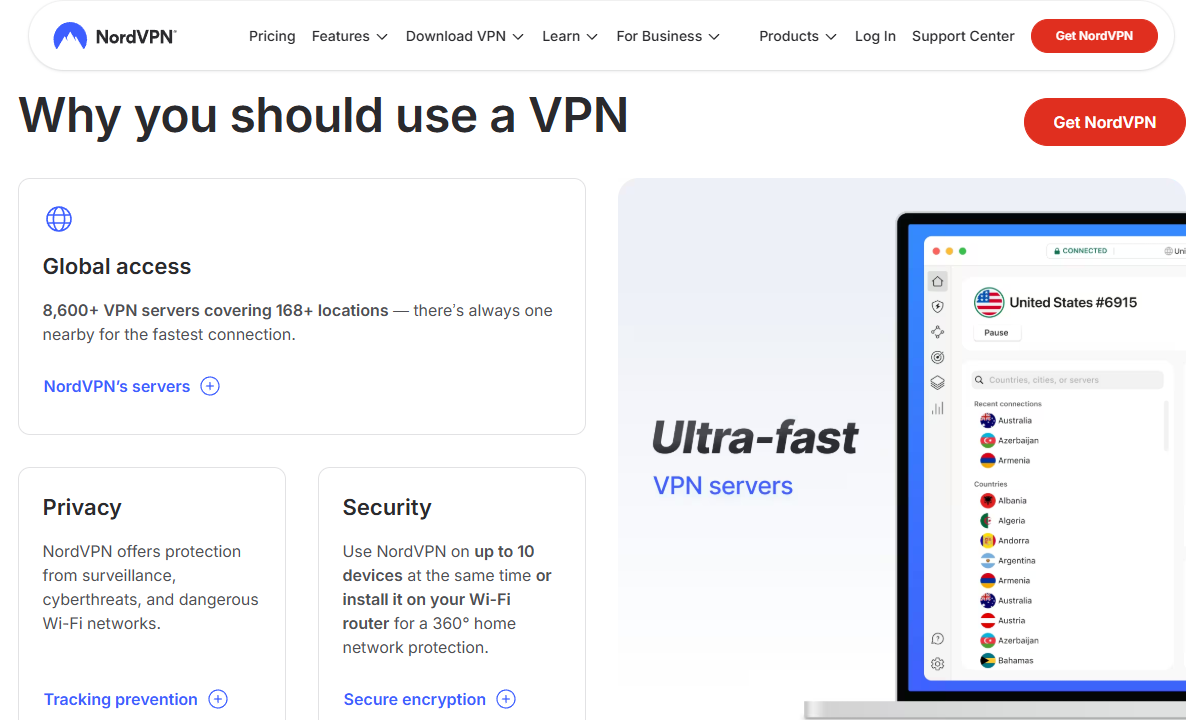
Pick the VPN that suits your needs best. Head over to its website and create an account with your email plus a way to pay. Credit cards work on most VPNs, and PayPal’s accepted too, or go full stealth mode with crypto if that’s your vibe.
2. Download and install the VPN app
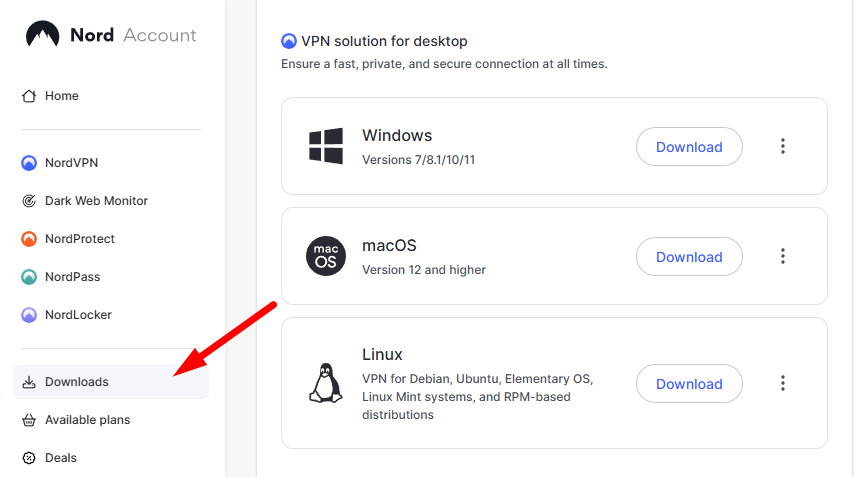
Head over to the downloads page and download the VPN app that fits your device. Start the setup file then go through each step.
3. Connect to a VPN server
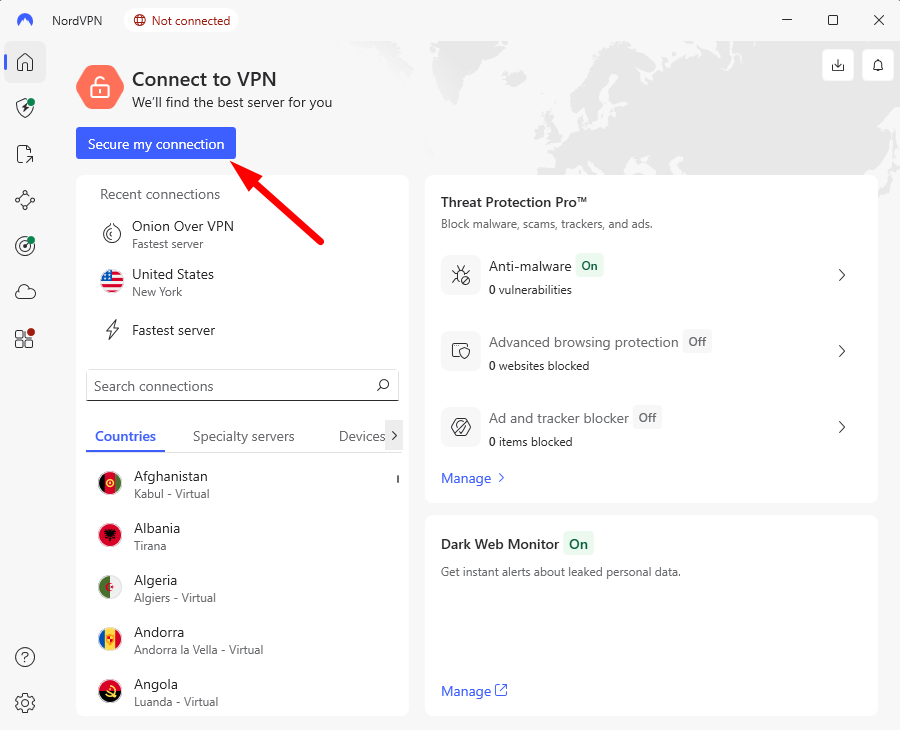
Start the VPN app then sign in using your account details. Hit the “Quick Connect” or “Recommended Server” option to link up with the quickest location fast. Otherwise, pick a specific country yourself if that’s where your IPTV works.
4. Fire up your IPTV app
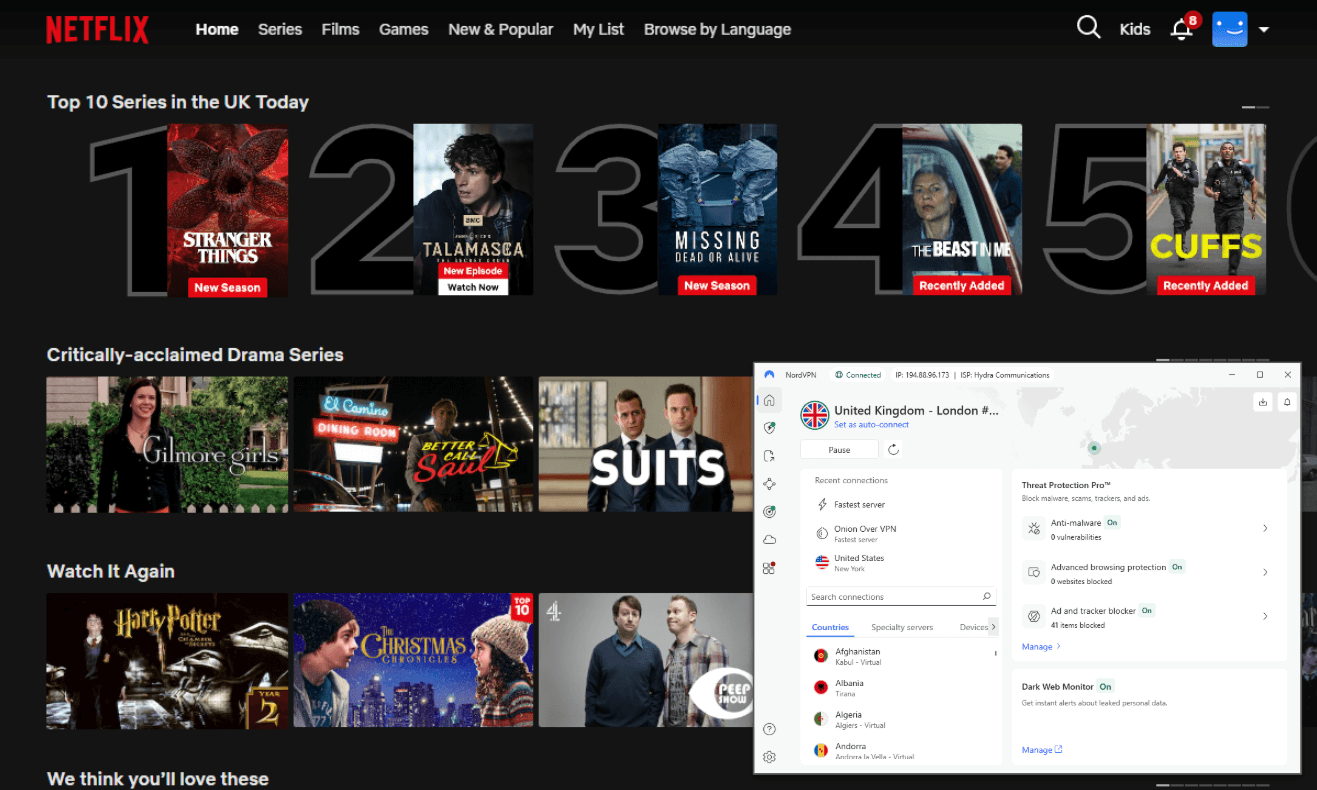
As soon as the VPN says “Connected,” open your IPTV app. Now, the system believes you’re where the VPN server is. Your ISP won’t know what you stream since it’s hidden from view, and it can’t throttle your connection due to your traffic type.
If you’re seeing lag, pick another server from that country. Server loads change all the time; choosing one with fewer users usually clears up speed problems.
How I Tested the Best VPN for IPTV Content
I tested these VPNs for a few weeks and used them on my devices connected to my own Wi-Fi. Each round involved live trials while streaming through legal apps or IPTV setups.
- Content unblocking: I tried every VPN with Netflix, Amazon Prime, Hulu, MAX, Disney Plus, BBC iPlayer, Peacock, and Paramount Plus. I also ran tests using a U.S.-only YouTube clip. Success meant the content loaded and streamed smoothly. Failure meant being blocked or getting a “VPN detected” error message.
- Speed and performance: I checked speeds using close, medium-range, and faraway servers, looking at download speeds, upload speeds, and ping. I kept an eye on content quality, checking for hiccups, fuzzy visuals, or lost signals while watching over time.
- Device compatibility: I tested the apps on several different devices, noting how they worked. I looked for gaps in functions, odd layout behaviors, or navigation hiccups that could mess up actual IPTV use.
- Price and value: I checked prices for month-to-month, yearly, or longer subscriptions. Instead of just reading about returns, I asked for a refund myself to see how it worked.
Conclusion
NordVPN is my top choice for watching IPTV; I found it quick and dependable every time. You can try Surfshark if connecting lots of gadgets matters or saving cash is key. For testing things first without spending, grab Windscribe or ProtonVPN’s free version; just keep in mind, it doesn’t run nearly as smoothly as what you get when paying.
How do you feel about using VPNs with IPTV? Any provider that runs smoother on your device? Let me know down below, particularly if you keep facing lag or dropouts. As always, thank you for reading.
FAQ: Keyword Variation
Do You Need a VPN for IPTV?
You’re not required by law to use a VPN for IPTV, but it stops your ISP from slowing down streams while hiding what you watch. In my tests, once I turned on a VPN, playback was smoother since the ISP couldn’t spot or restrict video data anymore.What Is the Best VPN Country for IPTV?
The best VPN country for IPTV changes based on the shows you’re after. Connect to UK servers if you’re into BBC content, or use US servers for catching American games or platforms. You can also connect to your home servers when traveling to watch your favorite local shows.How to Stop IPTV From Being Blocked?
To stop IPTV from being blocked, try a VPN that hides traffic well, like NordVPN. When a server stops working, hop to a different one nearby instead. Clearing your browser cache and cookies lowers your chances of being flagged from past visits.
Leave a Reply