Best VPN for Australian TV: Top 7 Free & Paid Options
- Table of Contents
- Why Use a VPN for Watching Australian TV Online?
- My Methodology: How to Choose the Best VPN With Australian Servers
- The Best Aussie TV VPNs (Paid)
- 1. NordVPN — Best Value for Australian Streaming
- 2. Surfshark — Best for Unlimited Connections
- 3. ExpressVPN — Best Overall for Australian Streaming
- 4. CyberGhost — Best Beginner-Friendly Interface
- 5. Proton VPN — Best for Privacy-Focused Streaming
- Honorable Mentions
- How to Watch Australian TV in the USA & Abroad With a VPN
- Is It Safe to Use Free VPNs for Watching Australian TV Online?
- Australian Content a VPN Can Unblock
- Conclusion
- FAQ: Streaming Australian TV

Quick Summary: The 7 Best Paid & Free VPNs for Australian TV
After extensive testing, I’ve found NordVPN is the top choice for watching Australian TV, with fast speeds and easy access to many streaming platforms. Try it risk-free for 30 days.
- NordVPN – Solid value with servers in several Australian cities and advanced features.
- Surfshark – Unlimited device connections for streaming with friends and family.
- ExpressVPN – A great choice for streaming in Australia with servers across six local cities.
- CyberGhost – Simple interface tailored for new VPN users, including streaming-optimized servers.
- Proton VPN – Ideal if you value privacy when streaming, under Swiss jurisdiction and with a strict zero-log policy.


Are you missing episodes of Married at First Sight Australia or falling behind on the cricket? You need a high-quality VPN with an authentic Australian server, not one that just claims to work. I tested connection speeds, the ability to bypass restrictions, and whether the video quality remains smooth in HD to bring you my top recommendations.
Many VPNs say that they provide access to Australian content. However, many are flagged almost immediately, before you can even say “G’day mate.” I ran tests from Macedonia and Croatia to find out which VPNs actually deliver.
- Money-Back Guarantee30 DaysWorldwide Server AmountOver 5,400+ servers in 59 countries
- Money-Back Guarantee30 DaysWorldwide Server Amount1700+ Servers in 63 Countries
- Money-Back Guarantee30 DaysWorldwide Server AmountOver 3,000 servers in 105 countries
- Money-Back Guarantee45 DaysWorldwide Server Amount7,300 Servers worldwide
- Money-Back Guarantee30 DaysWorldwide Server Amount1500 Servers in 61 Countries








Why Use a VPN for Watching Australian TV Online?
9Now, 10Play, 7plus, ABC iview, and SBS On Demand are Australian streaming sites that block users from outside Australia by checking their IP address. So, as soon as the system sees a foreign IP, it blocks access for Australians traveling abroad.
A VPN makes it look like you’re in Sydney or another big city by sending your internet traffic through an Australian server. Because of this, you can watch local news, sports, and other events from anywhere.
Remember that streaming sites work hard to stop these kinds of connections due to copyright and broadcasting regulations. Your best bet is to pick a service that is good at getting around those blocks.
My Methodology: How to Choose the Best VPN With Australian Servers
Following trials across European locations plus access checks on Australian services, this is what counts:
- Australian server locations: More connections at the city level mean faster speeds and more IP options if a block happens.
- Ability to unblock streaming: I tested each VPN with 9Now, 10Play, 7plus, ABC iview, SBS On Demand, and Netflix Australia to see which ones really worked.
- Connection speeds: Aussie servers can get really overcrowded, so I tested them to see which ones won’t endlessly buffer while you’re trying to watch the cricket.
- HD streaming support: Does it run 1080p smoothly? If not, you’ll have to deal with blurry playback.
- Value for money: Paying $15 monthly just to watch a couple of shows feels excessive, so I looked for VPNs with reasonable pricing.
The Best Aussie TV VPNs (Paid)
Here’s how the paid options stack up for unblocking Australian content:
| Provider: | Australian Servers | Best Price | Netflix Australia | Unblocks 10Play | Unblocks 9Now | Unblocks ABC iview |
|---|---|---|---|---|---|---|
| NordVPN | 5 cities | $2.99/month | Yes | Yes | Yes | Partial |
| Surfshark | 5 cities | $1.99/month | Yes | Yes | Yes | Yes |
| ExpressVPN | 6 cities | $3.49/month | Yes | Yes | Yes | Yes |
| CyberGhost | 3 cities | $2.19/month | Partial | Yes | Yes | Partial |
| Proton VPN | 3 cities | $2.99/month | Yes | Yes | Yes | Yes |
1. NordVPN — Best Value for Australian Streaming
Stats:
- Best price: $2.99/month
- Money-back guarantee: 30 days
- Website: www.nordvpn.com
- Affordable pricing
- Threat Protection blocks streaming ads
- Solid speeds on long-distance connections
- App feels a little cluttered
- Some streaming access inconsistent
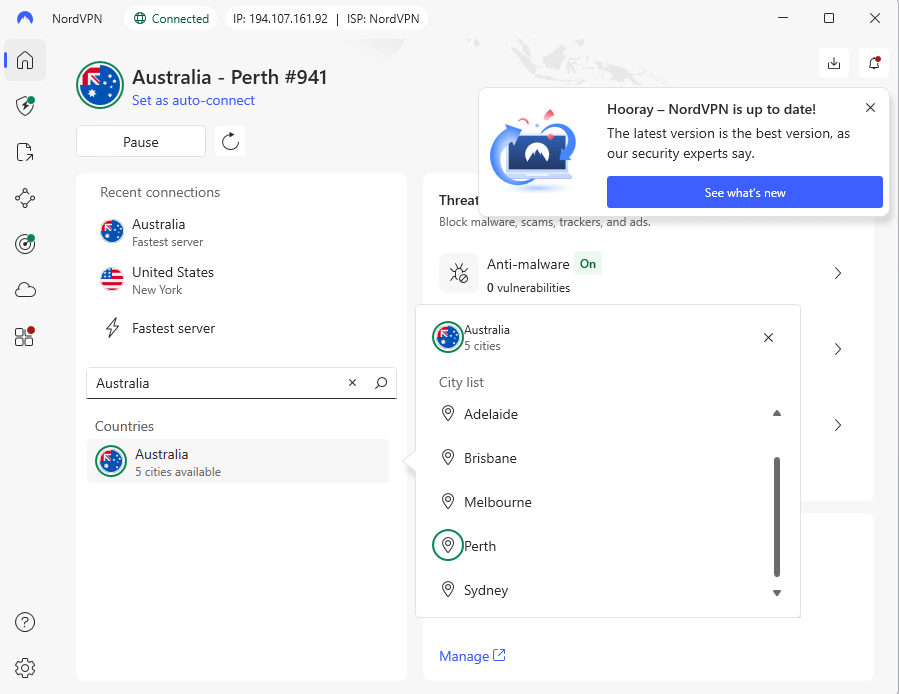
NordVPN provides solid value for users in Australia. Priced at $2.99 monthly, it’s more affordable than ExpressVPN and handles most local platforms well. However, some sites like ABC iview may require switching servers now and then to keep working smoothly.
When testing from Europe, the Adelaide server performed well for streaming, while Sydney was also reliable. Brisbane often triggered blocks on 9Now, possibly due to fixed IPs, but that may change as NordVPN refreshes its IP addresses.
My Experience With NordVPN: Hands-On Performance
Connecting to NordVPN’s Australian servers took a little longer than I expected. I had to wait as the service tried different servers and protocols until it finally hit one that worked. Be prepared to hang around for a minute or so while the connection establishes.
After connecting, streams on 10Play and Netflix Australia ran smoothly However, ABC iview and 9Now caused trouble. On certain days they functioned well; on others, the frustrating message “this content isn’t available in your region” appeared. I had to try three different servers before finding one that worked.
NordVPN Speed Test Results
| Server Location: | Download Speed | Upload Speed | Latency |
|---|---|---|---|
| No VPN (Baseline) | 293 Mbps | 94 Mbps | 3ms |
| Sydney, Australia | 282 Mbps | 90 Mbps | 100ms |
| Adelaide, Australia | 265 Mbps | 85 Mbps | 150ms |
NordVPN’s servers in Australia outperformed ExpressVPN during tests, keeping 96% of original download rates via Sydney. Its low latency also surprised me, considering NordVPN’s reputation for prioritizing security over raw speed.
NordVPN Pricing and Value
The two-year deal costs $2.99 monthly; solid pricing, particularly considering it comes with security features and supports up to ten devices at once. All plans are backed by a 30-day refund guarantee so you can try it without risk. Check out our NordVPN review for more information.
$2.99 per month (two-year plan + three months)
2. Surfshark — Best for Unlimited Connections
Stats:
- Best price: $1.99/month
- Money-back guarantee: 30 days
- Website: www.surfshark.com
- Clean, intuitive interface
- Unlimited simultaneous connections
- Cheapest option for reliable Aussie streaming
- Speeds aren’t as consistent
- Customer support slow to respond
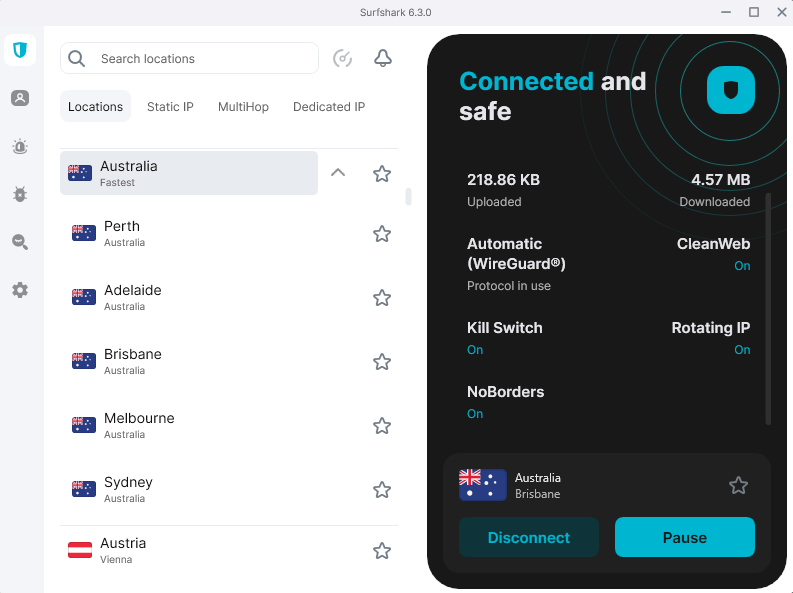
Surfshark is that friend who always says there’s always space for one extra, no matter what. With unlimited device access, sharing isn’t just allowed, it’s basically expected. It’s ideal if you have a ton of devices, a huge family, or want to split a subscription with your friends.
In testing, streaming from Australia performed smoothly on every platform. Adelaide’s server was quick, and Perth showed strong speed. However, Sydney was slower at peak times, likely due to server overcrowding.
My Experience With Surfshark: Hands-On Performance
From Europe, testing showed quick responses from the interface; connecting to Australia’s servers happened within moments. Streaming kicked off nearly instantly through 9Now or 10Play. All platforms ran smoothly from the start; there was zero need to switch between servers.
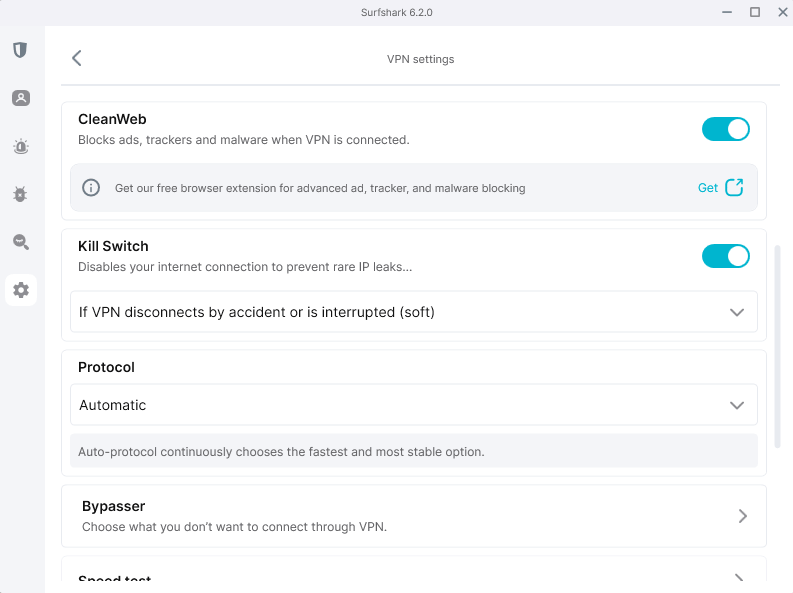
The upload speeds were surprisingly slow. Even when I connected to nearby Bulgaria, uploads stayed under 3 Mbps. Streaming isn’t affected, but when it comes to video calls or posting files, a carrier pigeon might actually work faster.
Surfshark Speed Test Results
| Server Location: | Download Speed | Upload Speed | Latency |
|---|---|---|---|
| No VPN (Baseline) | 290 Mbps | 94 Mbps | 2ms |
| Adelaide, Australia | 280 Mbps | 18 Mbps | 260ms |
| Sydney, Australia | 265 Mbps | 2 Mbps | 350ms |
Download speeds performed well, consistently above 90% of base speeds. Upload results varied sharply, falling below 20% even on optimal servers. This didn’t impact streaming; however, this may matter if you want to use Surfshark for video calling or sharing files.
Surfshark Pricing and Value
For two years at $1.99 monthly, Surfshark beats most rivals with unlimited devices included. Getting my refund took almost no effort. I used live chat, requested a refund, and they linked me to a questionnaire. You can request a refund for the first 30 days after you purchase a plan. Take a look at our Surfshark review for more details.
$2.49 per month (two-year plan + three months)
3. ExpressVPN — Best Overall for Australian Streaming
Australian platforms easily.
Stats:
- Best price: $3.49/month
- Money-back guarantee: 30 days
- Website: www.expressvpn.com
- Servers in six Australian cities
- Consistently fast speed with minimal slowdown
- Reliable access to all tested Australian platforms
- Interface is a little dated
ExpressVPN is a little pricier than some other VPNs; however, it’s the sole provider that unlocked all Australian platforms during my tests. While rivals struggled with ABC iview’s strict blocks, ExpressVPN worked perfectly, no issues at all.
The service includes servers across six cities in Australia, providing solid alternatives if a site becomes congested or restricted. While running tests, I focused on Sydney’s connections, which handled streaming and everyday web use without issues. Connections via Perth showed slightly slower speeds, likely due to its remote position in the country.
My Experience With ExpressVPN: Hands-On Performance
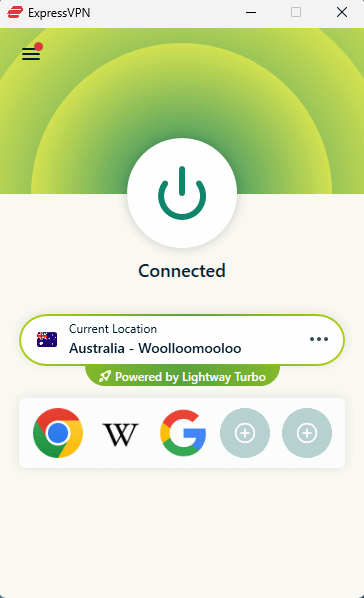
On testing ExpressVPN’s Sydney server with 9Now, the connection was immediate and I could start streaming in full HD almost instantly. Zero proxy issues, no spinning buffers, just straight to watching Married At First Sight in all its dramatic glory. Likewise, the Melbourne node handled 10Play smoothly, delivering consistent performance.
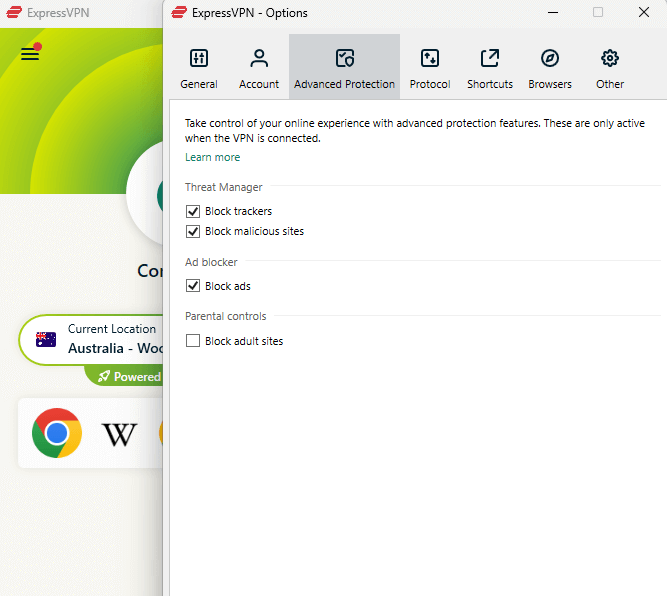
What stood out to me was how consistent ExpressVPN is. During tests at various hours, I didn’t face the usual “content unavailable in your area” error seen with rival services; instead, access remained smooth. The automatic server selection (“Smart Location”) picked the optimal Australian servers when I used it.
ExpressVPN Speed Test Results
| Server Location: | Download Speed | Upload Speed | Latency |
|---|---|---|---|
| No VPN (Baseline) | 294.69 Mbps | 94 Mbps | 2ms |
| Sydney, Australia | 240.84 Mbps | 4 Mbps | 239ms |
| Melbourne, Australia | 232.15 Mbps | 3 Mbps | 245ms |
The Sydney server kept 82% of my usual download speed, which is impressive given how far it is from Europe. Upload performance dropped sharply, though this often happens with such long-distance connections. High ping made gaming tough, however streaming HD videos worked without issues.
ExpressVPN Pricing and Value
For $3.49 monthly on the two-year plan, ExpressVPN costs slightly more than other options. Its month-to-month option hits a steep $12.99, which I only recommend if you’re abroad for a couple of weeks. Still, it allows up to 14 devices at once, and it has apps for nearly any gadget. You can try it risk-free for 30 days or read our ExpressVPN review for more details.
$3.49 per month (two-year plan + four months)
4. CyberGhost — Best Beginner-Friendly Interface
beginner VPN users.
Stats:
- Best price: $2.19/month
- Money-back guarantee: 45 days
- Website: www.cyberghostvpn.com
- Easy-to-use interface
- Dedicated streaming servers
- Generous money-back guarantee
- Slower over long-distance connections
- Not all optimized streaming connections work
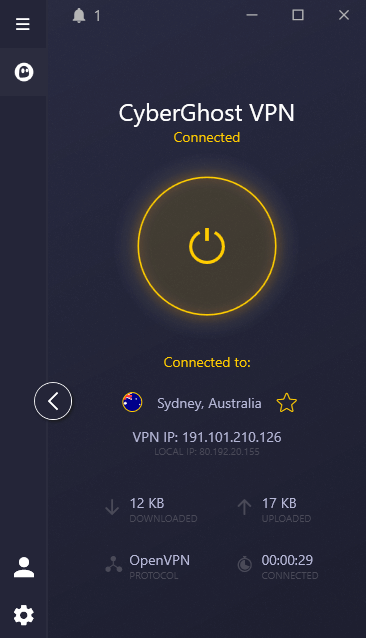
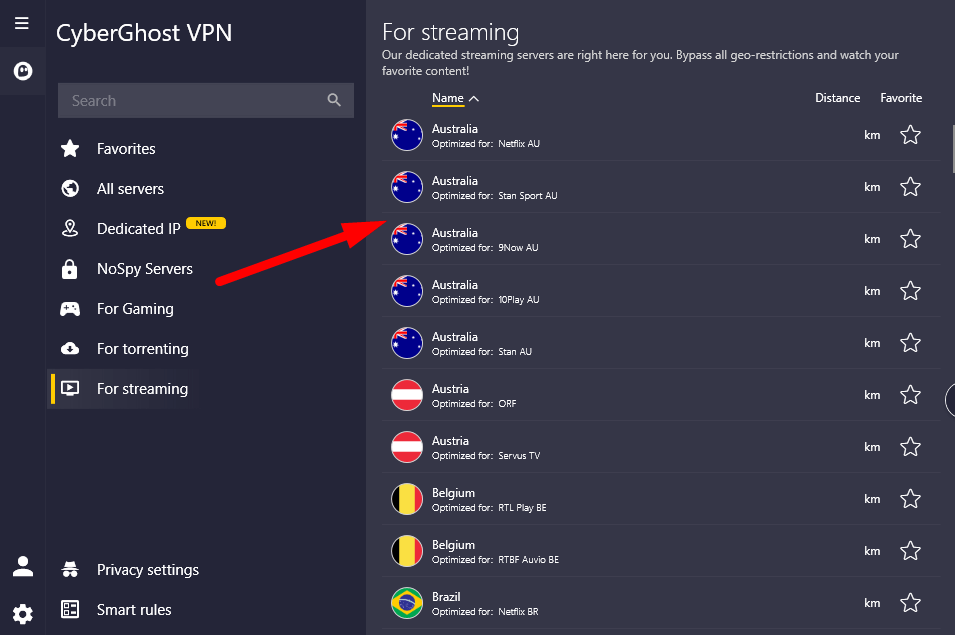
CyberGhost aims for simplicity; each function comes with brief descriptions, while server categories use straightforward labels. However, the “streaming servers” often seemed more promotional than practical. When comparing standard connections against specialized streaming options, there wasn’t a huge difference in speed.
With Australian content, CyberGhost worked well. I had many choices across three cities, which was useful during peak times. I only had minor issues streaming on Aussie platforms, too.
My Experience With CyberGhost: Hands-On Performance
In my three weeks of testing, CyberGhost unlocked every key Australian service apart from ABC iview, which I occasionally couldn’t access. Connecting via the Netflix Australia server felt no different than using a regular Australian one; speeds were about the same and I could access the library on both connections.
I’m glad CyberGhost clearly explains every function, making it a good choice for complete VPN beginners. Its kill switch info says it’ll cut your online access to stop uncommon IP leaks which could sound like you’ll be disconnected permanently (you won’t, don’t worry).
CyberGhost Speed Test Results
| Server Location: | Download Speed | Upload Speed | Latency |
|---|---|---|---|
| No VPN (Baseline) | 293 Mbps | 94 Mbps | 2ms |
| Sydney, Australia | 278 Mbps | 89 Mbps | 10ms |
| Brisbane, Australia | 270 Mbps | 85 Mbps | 12ms |
Speeds were excellent across Australian servers, maintaining over 90% of baseline downloads. The Brisbane server had slightly lower latency than Sydney, despite being less commonly recommended.
CyberGhost Pricing and Value
At $2.19 monthly for a two-year plan, CyberGhost is pretty middle-of-the-road for price. Where it stands out is with its 45-day refund window, compared to the usual 30 days. This slight edge gives more time to evaluate features without risk. You can also take a look at our CyberGhost review for more details.
$2.19 per month (two-year plan + two months)
5. Proton VPN — Best for Privacy-Focused Streaming
Stats:
- Best price: $2.99/month
- Money-back guarantee: 30 days
- Website: www.protonvpn.com
- Open-source apps
- Swiss-based & fully audited
- Successfully worked with all Aussie services
- Fewer Australian servers
- Disney+ didn’t work at all
Proton VPN focuses on privacy rather than trendy extras, something I appreciate. It’s regularly checked by third parties, so you can trust it won’t store your data. The Swiss base places it beyond Five Eyes reach, not that that matters much for streaming, but it’s nice to know.
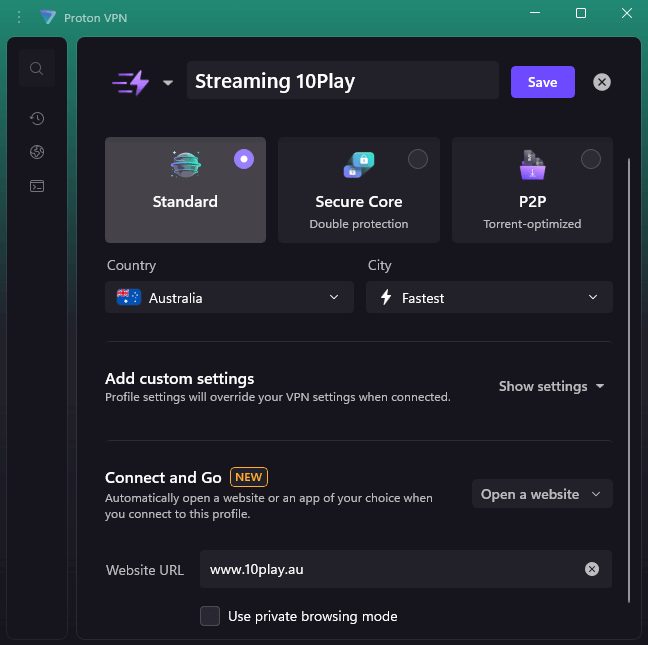
While testing from Croatia, Proton VPN reliably accessed Australian content, though Disney Plus didn’t work regardless of server choice.
My Experience With Proton VPN: Hands-On Performance
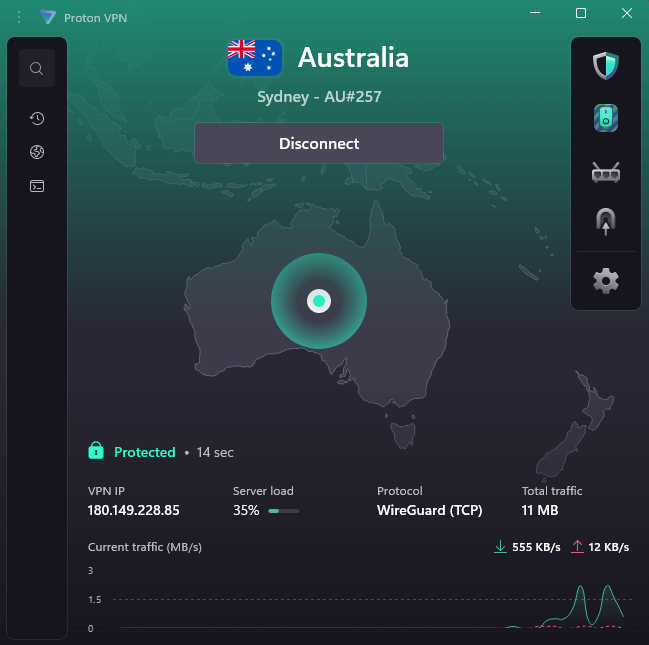
ProtonVPN looks sleek and simple. Instead of cartoon characters or hype about unbreakable security, you get a straightforward list of servers plus clear connection info. Connecting to an Australian server took about 15 seconds; streaming started right away on platforms like 9Now, 10Play and ABC iview.
The NetShield ad blocker cleared web page ads effectively, but it doesn’t touch those embedded within streaming platforms. During testing, its malware protection performed more reliably than CyberGhost’s version but fell short of working completely. As it’s not a dedicated malware blocker, I’m not surprised.
Proton VPN Speed Test Results
| Server Location: | Download Speed | Upload Speed | Latency |
|---|---|---|---|
| No VPN (Baseline) | 231 Mbps | 11 Mbps | 21.5ms |
| Sydney, Australia | 169 Mbps | 10 Mbps | 598.5ms |
| Melbourne, Australia | 214 Mbps | 10 Mbps | 615ms |
Proton VPN maintained reasonable download speeds, but the latency was notably higher than other VPNs. For streaming this doesn’t matter, but you’d definitely notice it for video calls or gaming.
Proton VPN Pricing and Value
For $2.99 monthly over 24 months, Proton VPN is on the more expensive side. However, if you’re using it for more than just streaming Australian TV, it’s worth the cost for its premium security and privacy. Try Proton VPN risk-free or read our Proton VPN review.
$4.49 per month (two-year plan)
Honorable Mentions
These VPNs offer servers in Australia and could suit your needs, but I didn’t include them in my top picks:
- PureVPN: Works well in Australia, with relatively good speeds and access to most Aussie TV platforms. Its layout is awkward, making navigation a hassle. It was also annoying trying to get my money back.
- IPVanish: Lots of servers in Australia, but streaming access felt hit or miss. It ran smoothly on 10Play but had issues loading 9Now and ABC iview. It’s more dependable for daily browsing than Australian streaming platforms.
How to Watch Australian TV in the USA & Abroad With a VPN
Getting Australian content unblocked takes four simple steps once you have a working VPN:
1. Sign up for a VPN with Australian servers
Choose one of the recommended VPNs listed above and sign up for an account. Try NordVPN if you want guaranteed access, or Surfshark if you’re on a budget.
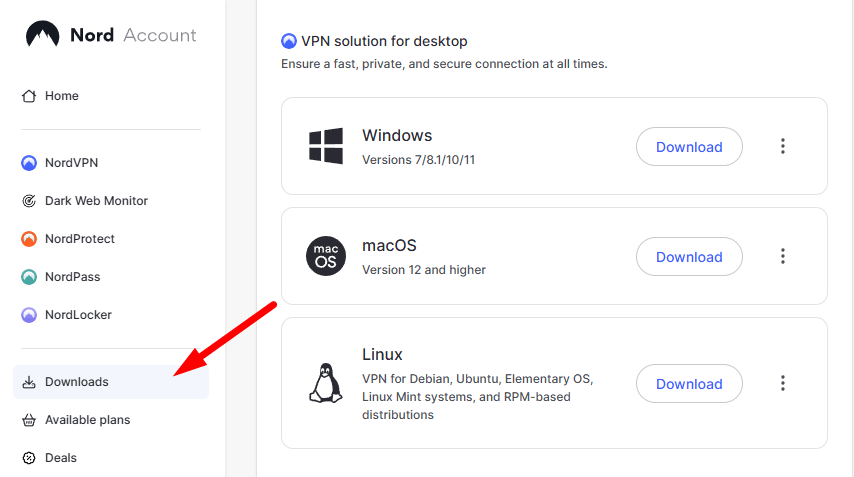
2. Download and install the VPN app
Most VPNs have apps for different platforms, so you can download the right app for your device. It takes a couple of minutes to install; just follow the on-screen prompts.
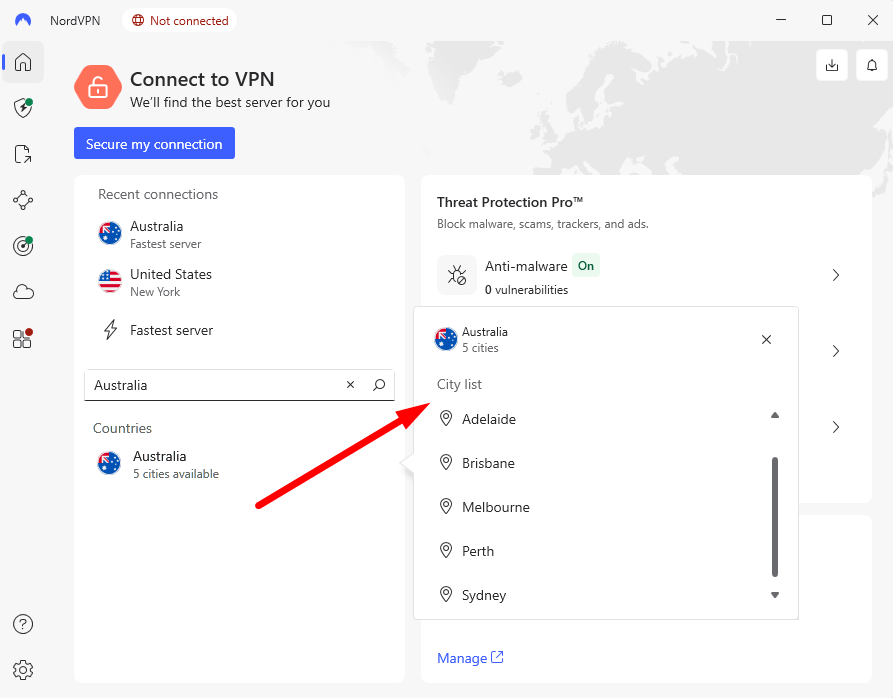
3. Connect to an Australian server
Open the VPN app, choose an Australian server, and click “Connect.” Most VPNs let you choose specific cities, which helps if one location is particularly busy.
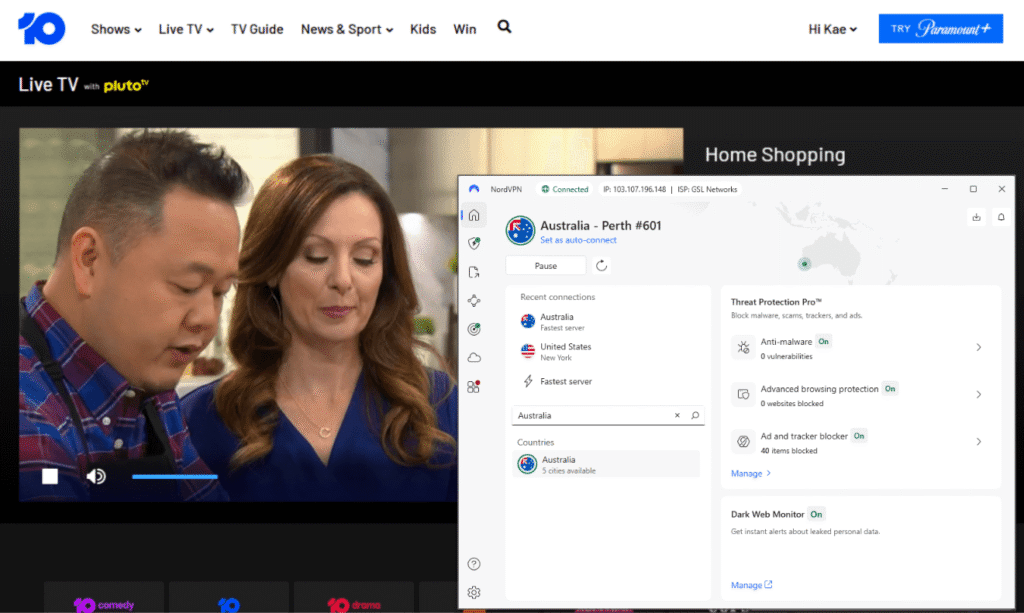
4. Start streaming
Navigate to your favorite Australian streaming site, sign in to your account if necessary, and start streaming.
Is It Safe to Use Free VPNs for Watching Australian TV Online?
No, most free VPNs are not safe for watching Australian TV online. Free VPNs can be sketchy yet work okay or flat-out share your web habits with ad companies. TunnelBear stands out because it’s free without risking your private info just to browse like you’re down under.
Many free VPNs earn cash through tracking your activity, pushing ads, or throttling bandwidth until streaming feels pointless. When a no-cost service lacks Aussie servers or gives just 500MB data, skip the download. You’ll waste energy dealing with glitches instead of enjoying shows.
The free VPN I mentioned earlier makes money the right way; by offering paid upgrades instead of trading your info. However, subscription services give you quicker connections, smoother streaming access, and no stress about hitting data limits each month.
Australian Content a VPN Can Unblock
Here’s what you can actually watch with a VPN and Australian servers:
| Show: | Streaming Service |
|---|---|
| Married at First Sight Australia | 9Now |
| MasterChef Australia | 10Play |
| The Block | 9Now |
| Bluey | ABC iview |
| Home and Away | 7plus |
| Neighbours | 10Play |
| Australian Survivor | 10Play |
| Kath & Kim | 7plus |
| Please Like Me | ABC iview |
| Rake | ABC iview |
| Underbelly | 9Now |
| Life on the Outside | SBS On Demand |
Australian Channels You Can Watch With a VPN
Australian streaming services give you access to multiple broadcast channels:
| Streaming Service: | Channels |
|---|---|
| 9Now | Channel 9, 9Gem, 9Go!, 9Life, 9Rush |
| 10Play | Channel 10, 10 Shake, 10 Peach, 10 Bold, 10 Sport |
| 7plus | Channel 7, 7two, 7mate, 7flix, Racing.com |
| ABC iview | ABC, ABC News, ABC Kids, ABC ME |
| SBS On Demand | SBS, SBS Viceland, SBS World Movies, SBS Food, NITV |
Can I Watch Live Australian TV With a VPN?
Yes, every key streaming platform in Australia provides live TV together with recorded shows. However, you might notice a 30-60 second delay compared to regular broadcasts.
Sports coverage is available via these platforms, but big games might need extra access through Kayo or Optus Sport. However, the VPNs mentioned earlier are compatible with those too.
Conclusion
After three weeks of tests on VPNs for streaming in Australia, NordVPN stands out as the best choice. It connects reliably to Australian streaming platforms, and speeds are fast enough for smooth viewing.
What Aussie series do you miss the most when abroad? Any luck using certain VPNs with ABC iview? Share your thoughts in the comments, and thanks for reading.
FAQ: Streaming Australian TV
Can I Watch Australian TV With a VPN?
Yes, you can watch Australian TV with a VPN. Using a VPN set to Australia gives you a local IP address, so Australian platforms think you’re in the country and allow access to their content.How to Watch Australian TV in the USA?
You can watch Australian TV in the USA if you get a VPN that has servers in Australia, connect to one, and open your preferred streaming platform to start watching content.What Is the Best VPN for Australia Streaming?
NordVPN is the best VPN for Australia streaming. It gets into every Aussie site without fail, plus its speeds are impressive. NordVPN gives you more advanced features while still being fast. Surfshark also works well, and it’s a more affordable option.How to Get Australian TV Channels?
You can get Australian TV stations online with a VPN. A VPN unlocks apps such as 9Now, 10Play, 7plus, ABC iview or SBS On Demand.
Leave a Reply