Best Cloud Storage for Privacy in 2026: Encrypted and Secure
- Table of Contents
- Why Do You Need Online Storage for Privacy?
- How to Choose the Best Cloud Drive for Privacy
- The 5 Best Cloud Storage Services for Privacy
- 1. Sync.com -- Best Private Cloud Storage Provider
- 2. Tresorit -- Private Storage for Business Use
- 3. Internxt -- Affordable Encrypted Cloud Storage
- 4. Icedrive -- Dedicated Encrypted Folder for Sensitive Data
- 5. IDrive -- Affordable Backup With Optional Private Encryption
- Honorable Mentions
- What’s the Difference Between Free vs Paid Cloud Storage?
- Conclusion
- FAQ: Secure Cloud Storage for Privacy

Quick Summary: Best Cloud Storage for Privacy
Sync.com takes the top spot for privacy-focused cloud storage, with client-side encryption for stored and shared files.
- Sync.com — Your files stay private with client-side encryption, plus automatic file versioning saves changes you make without any manual input.
- Tresorit — Swiss-based security provides end-to-end encryption, ideal for businesses.
- Internxt — Open-source software has nothing to hide, plus affordable lifetime plans.
- Icedrive — Twofish encryption secures your data, with a dedicated encrypted folder for sensitive files.
- IDrive — Low-cost backup with optional private encryption.
Many so-called safe online storage services boast about “military-grade encryption” like it’s the only thing that matters. What really matters is client-side encryption, which means the company genuinely can’t access your files; they’re not just promising they can’t take a look at your info.
Once I tested these tools, I found privacy protections vary drastically. Some providers encrypt your files but hold the decryption keys themselves (looking at you, Google Drive). Others claim zero-knowledge, but it’s a battle to actually switch it on. My choices for the best cloud storage for privacy actually keep your data secure, without marketing gimmicks.
Why Do You Need Online Storage for Privacy?
If you need somewhere to store your files online, it should be a private space. Big names like Google Drive, Dropbox or OneDrive scan whatever you upload, whether it’s for targeted ads or responding to official demands. As they keep the keys to lock and unlock your data, they can peek into your stuff anytime.
With privacy-first cloud storage, your data is encrypted before it ever leaves your device; this is client-side encryption. As the service doesn’t have your encryption key, there’s no way they can look at your data. That also means hackers, spies, or curious workers inside the company can’t snoop around either.
How to Choose the Best Cloud Drive for Privacy
While checking out these services, I looked at what really keeps your info safe, beyond the flashy marketing slogans. Here’s what counts:
- Client-side encryption: Your cloud storage shouldn’t be able to decrypt your files, no matter what.
- Jurisdiction: Company location decides which governments can demand access to its data.
- Open-source clients: This means experts can check if the encryption really does its job.
- Two-factor authentication: Logins are safer when you add a second step, preventing intruders from breaking in and stealing your data.
- Safe file sharing: You should be able to share files securely without exposing everything in your storage.
- Transparent pricing: Staying private doesn’t need to set you back fifty bucks monthly (not unless you’re storing terabytes of data).
The 5 Best Cloud Storage Services for Privacy
Here’s how the top privacy-focused providers stack up:
| Provider: | Encryption | Best Price | Jurisdiction | Free Plan |
|---|---|---|---|---|
| Sync.com | Client-side (automatic) | $4.80/month for 2TB (billed annually) | Canada | 5GB |
| Tresorit | Client-side (automatic) | $11.99/month for 1TB (billed annually) | Switzerland | 3GB trial |
| Internxt | Client-side (automatic) | $2.75/month for 1TB (billed annually) | Spain (GDPR) | 1GB |
| Icedrive | Twofish* AES-256** | $4.92/month for 1TB (billed annually) | UK | 10GB |
| IDrive | AES-256*** | $5.81/month for 5TB (first year, billed annually) | USA | 10GB |
**General storage encryption
***Optional private key
1. Sync.com — Best Private Cloud Storage Provider
Stats:
- Best price: $4.80 per month
- Money-back guarantee: 30 days
- Website: www.sync.com
- No file size limits
- Client-side encryption on all plans
- Unlimited file versioning & recovery
- Small free plan
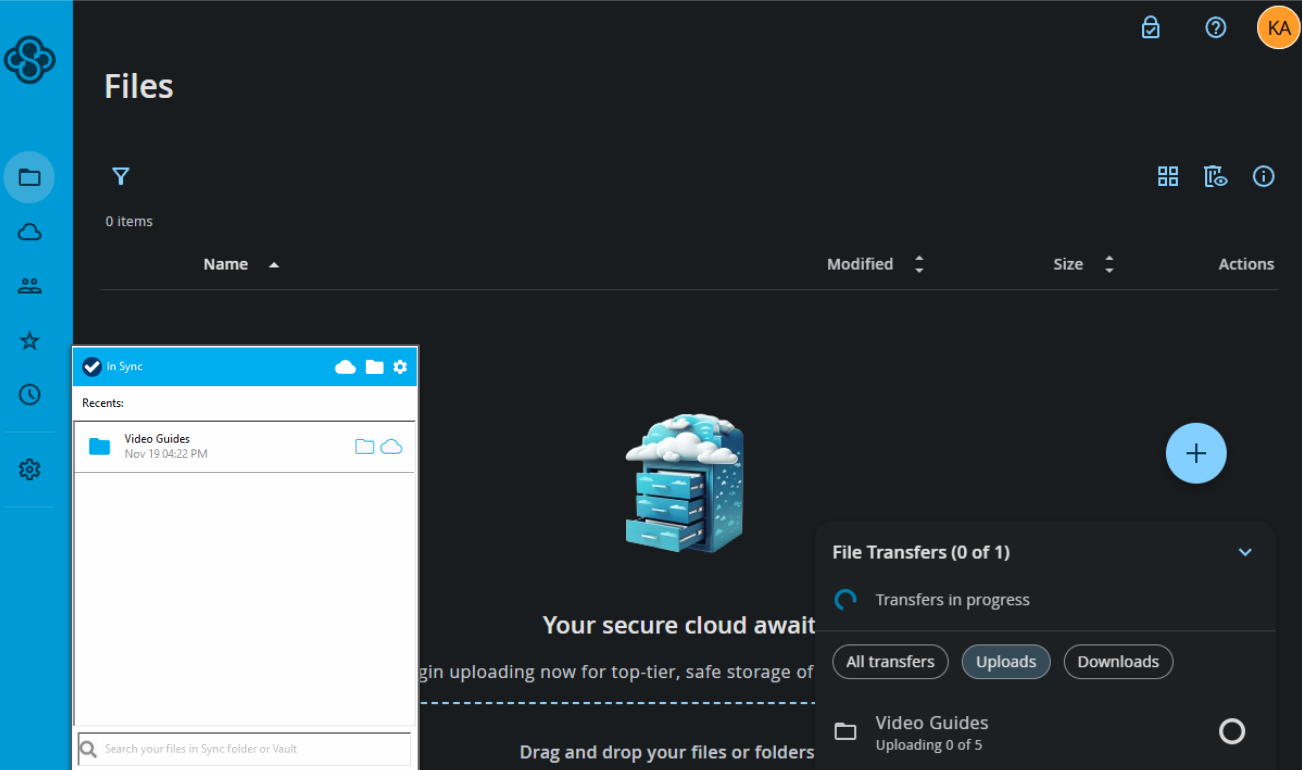
Every file on Sync.com is automatically protected by client-side encryption, no extra steps needed. That means nobody at Sync.com can peek at what you store. Even when you share files, the company never has access to the keys used to decrypt them, keeping your data fully private.
My Experience With Sync.com: Hands-On Performance
I tested Sync.com by uploading a 50GB folder and enabling sync between three devices. The first upload needed around 90 minutes on my 300 Mbps line (which makes sense because of encryption) but the syncing blew me away; edits popped up on other devices in just seconds.
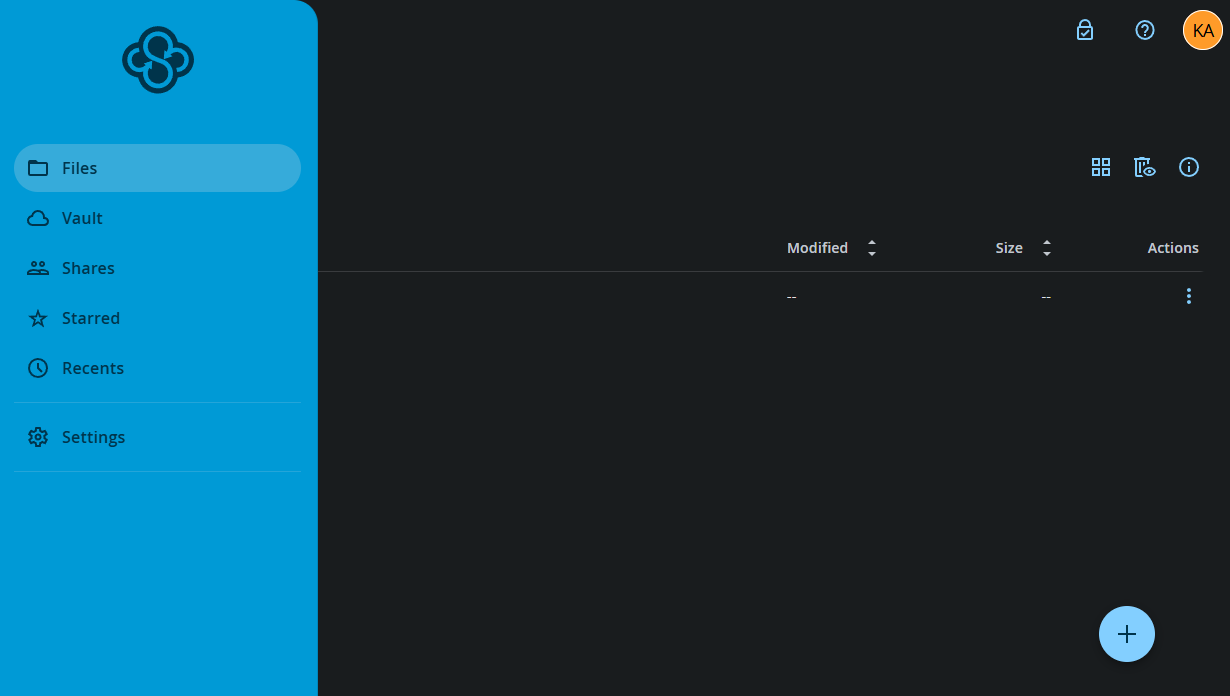
It’s got an old-school look, like it’s stuck in 2015, but that basic layout cuts down mistakes when setting things up. It might be a little boring to look at, but fewer features to misconfigure is a safety tool in itself.
Sync.com Test Results
File sharing worked well during testing: I shared a 2GB video through a secure link and my coworker downloaded it with no Sync.com login needed. The phone apps gave me trouble, though. The Android app froze twice when I checked large folders. Not a huge issue, but it’s annoying when trying to access files on the go.
Sync.com Pricing and Value
At $4.80 per month for a 2TB plan (billed annually), Sync.com costs a little more than basic plans from a platform like Google Drive. However, you’re paying for genuine privacy, not just storage space. There’s a 5GB free plan and 30-day free trial of premium plans so you can test the service before you spend any money.
2. Tresorit — Private Storage for Business Use
Stats:
- Best price: $11.99/month
- Money-back guarantee: None (free trial available)
- Website: www.tresorit.com
- Secure file sharing & collaboration
- Detailed access controls & permissions
- Swiss jurisdiction with strong privacy laws
- Expensive
- No unlimited storage option
Tresorit calls itself ultra-secure cloud storage and its base in Switzerland, known for tough privacy rules, backs up that claim. It protects data with client-side encryption using AES-256, and has undergone multiple independent audits. For large and small businesses, its granular permissions and access controls make it worth the investment.
My Experience With Tresorit: Hands-On Performance
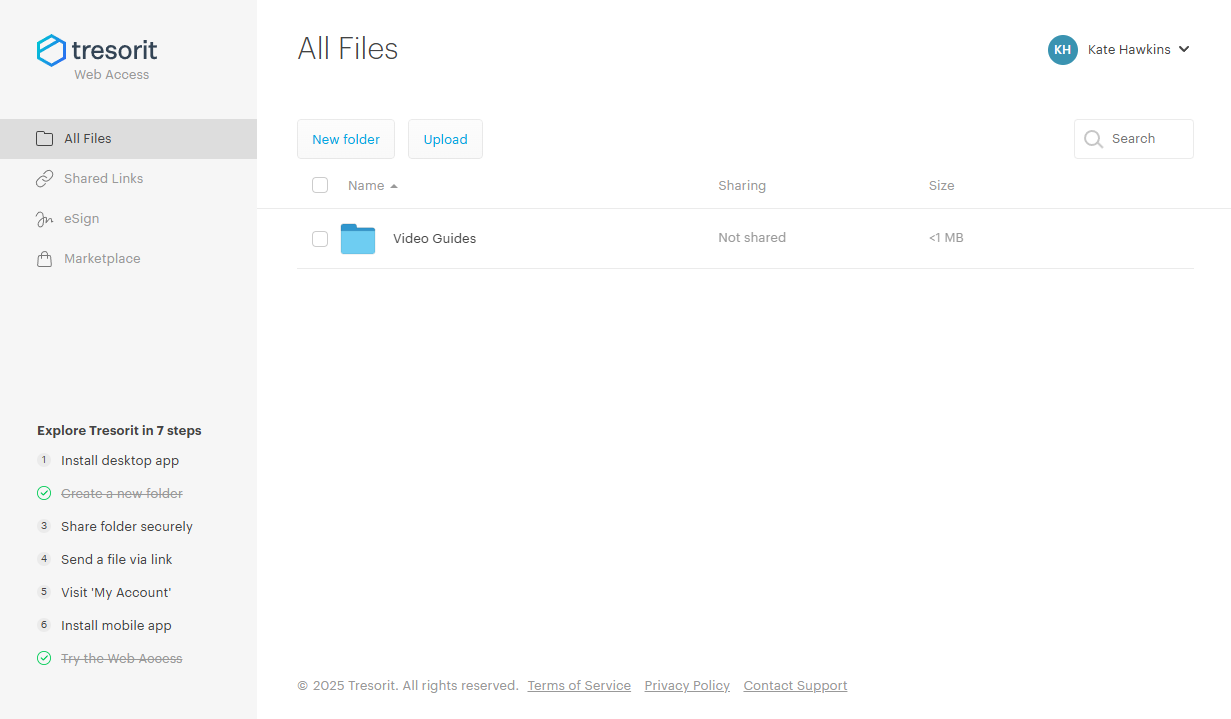
I tried Tresorit’s business tools by creating a shared folder with varied access rights, and the settings worked as promised. One person could only view files via browser, while another could download but not forward them. Files uploaded smoothly (my 30GB upload took roughly 45 minutes) and the desktop app is more modern than Sync.com’s.
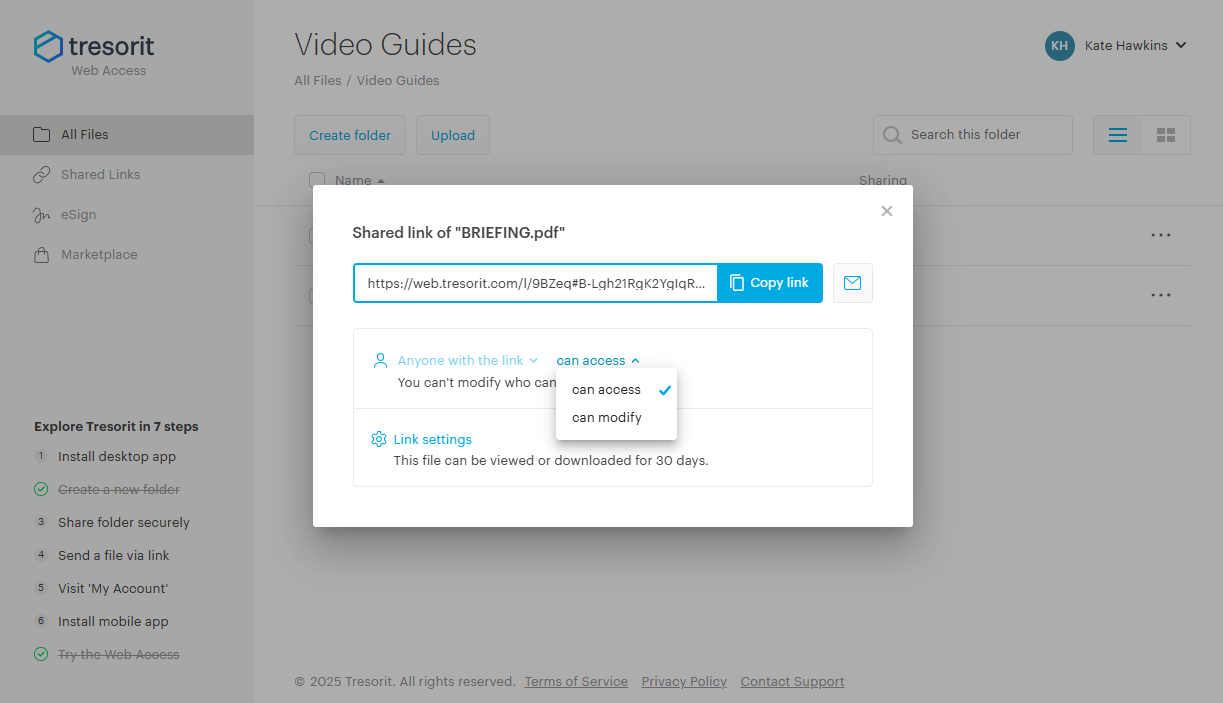
Tresorit Test Results
Tresorit lets you add two-step login using TOTP apps or physical keys, and setup is quick. When I removed an old device from my account, it vanished from active devices straight away. One thing bugs me though: the app keeps suggesting safety tweaks. Yes, I know you have a secure password generator, and I still want to use my own one, thanks.
Tresorit Pricing and Value
Tresorit is expensive, with plans starting at $11.99 monthly for 1TB. However, that covers Swiss privacy laws, detailed tracking logs, and high-level security settings. If you’re dealing with confidential customer files or require tight regulatory support, it’s worth the cost. Might be a little overkill for personal use, though.
3. Internxt — Affordable Encrypted Cloud Storage
Stats:
- Best price: $2.75/month
- Money-back guarantee: 30 days
- Website: www.internxt.com
- Clean, modern interface
- Fully open-source clients
- Post-quantum encryption available
- Customer support is hit-or-miss
- Sync can be slower with large files
Internxt runs entirely on open-source tech so anybody can check how it works, making it more trustworthy than closed-source alternatives. Hosted in Spain, it falls under GDPR rules, and it uses client-side encryption to lock files on your gadget before they go online Plus, Internxt recently added post-quantum encryption to future-proof your storage.
My Experience With Internxt: Hands-On Performance
I uploaded 40GB to check how fast Internxt runs, and it took almost two hours. However, that’s likely due to Internxt breaking files into encrypted fragments before sending them, which actually improves privacy.
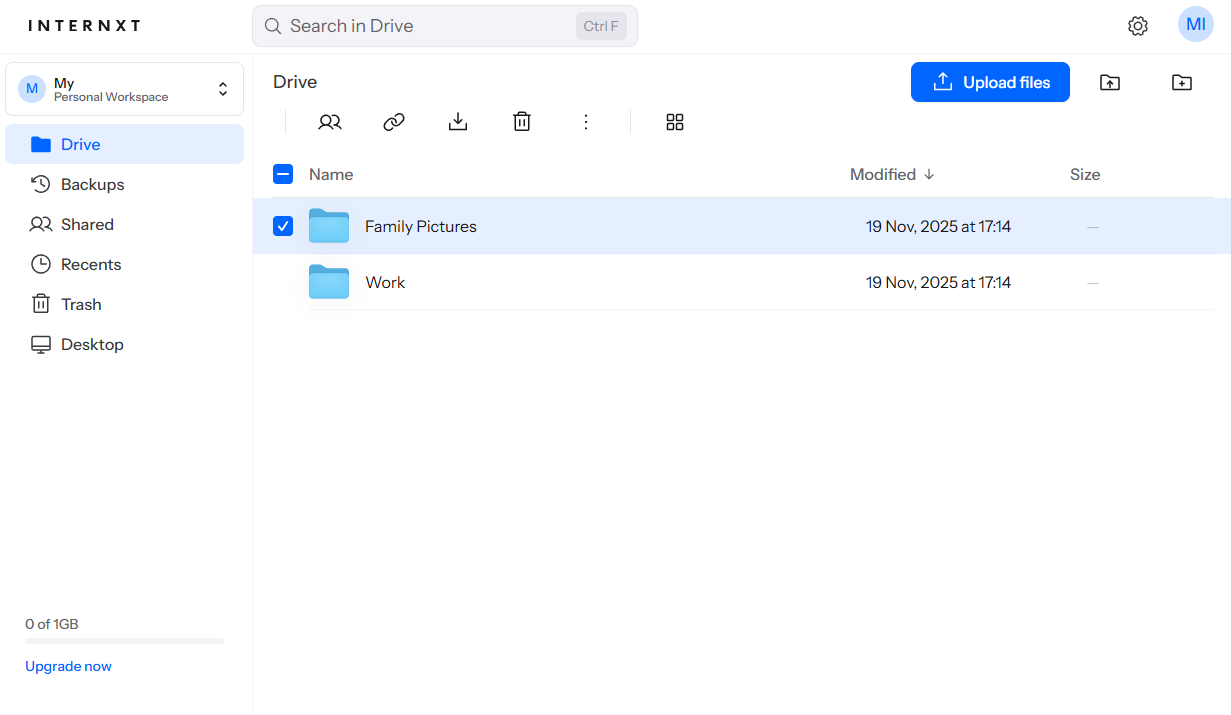
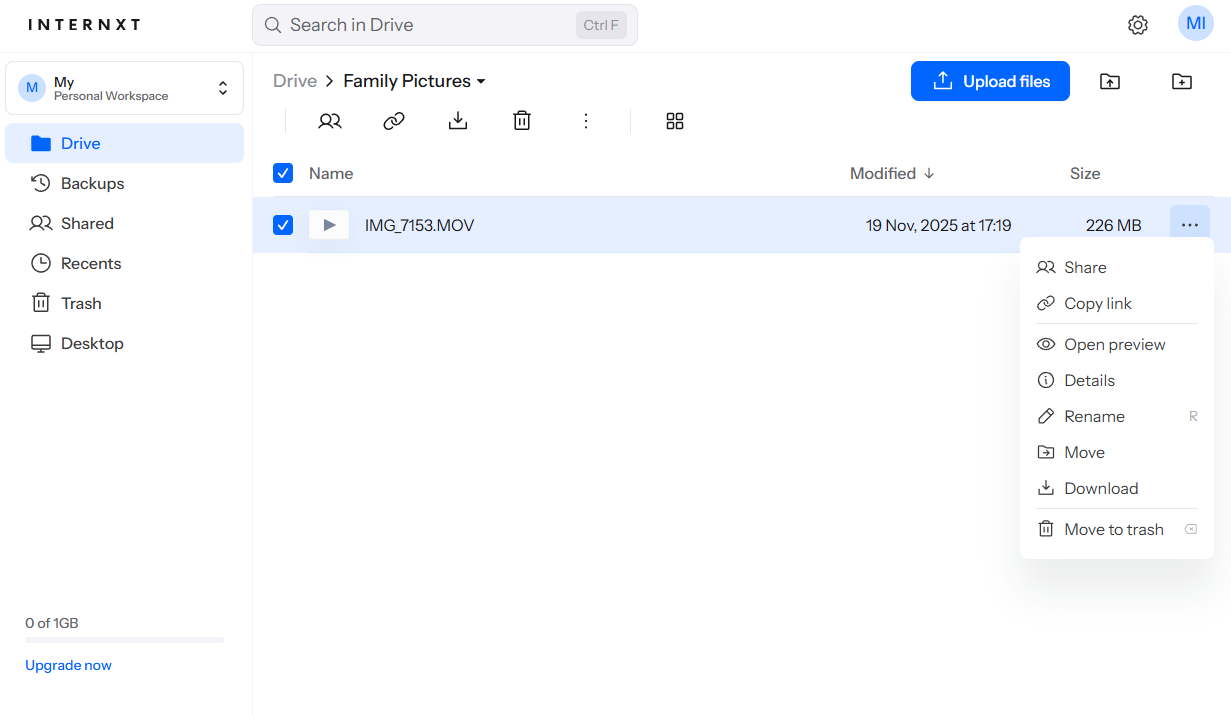
Among all the cloud services I tried, Internxt feels the cleanest, with smooth animation effects and a no-fuss menu system. Sometimes I just browsed around it because it felt nice to use (which isn’t something I’ve ever said about Dropbox).
Internxt Test Results
File sharing worked well, with secure links that expire after a while, and colleagues without an Internxt account could easily download a 5GB file. However, sometimes the mobile app told me files were syncing even when done. It’s a UI bug rather than an actual problem, but I did briefly worry my files weren’t backed up.
Internxt Pricing and Value
For 1TB at $2.75 monthly, Internxt costs less than many secure options. It also has lifetime plans, starting at $500 for 1TB storage, permanently. Its free 1GB plan is a little on the limited side, but it lets you see how well Internxt works before you commit to a subscription.
4. Icedrive — Dedicated Encrypted Folder for Sensitive Data
Stats:
- Best price: $4.92/month
- Money-back guarantee: 14 days
- Website: www.icedrive.net
- Decent sync speeds
- Affordable lifetime plans
- Uses secure Twofish encryption
- Encryption is opt-in via encrypted folder
- UK has mixed privacy reputation
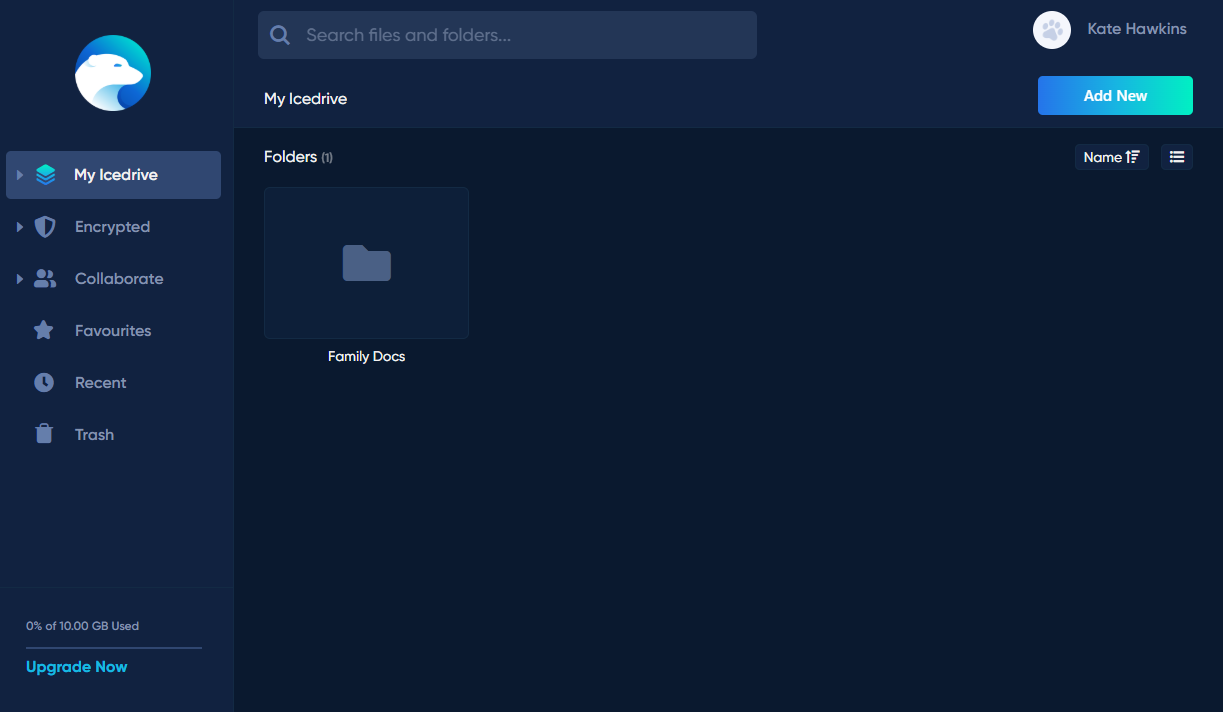
Icedrive uses Twofish instead of AES-256, which is just as secure and possibly harder to attack simply because it’s less common. Files stored in Icedrive’s encrypted folder get true client-side protection, while anything stored outside it relies on standard server-side encryption that Icedrive controls. This two-layer system is flexible, but can make it unclear which files are fully private.
My Experience With Icedrive: Hands-On Performance
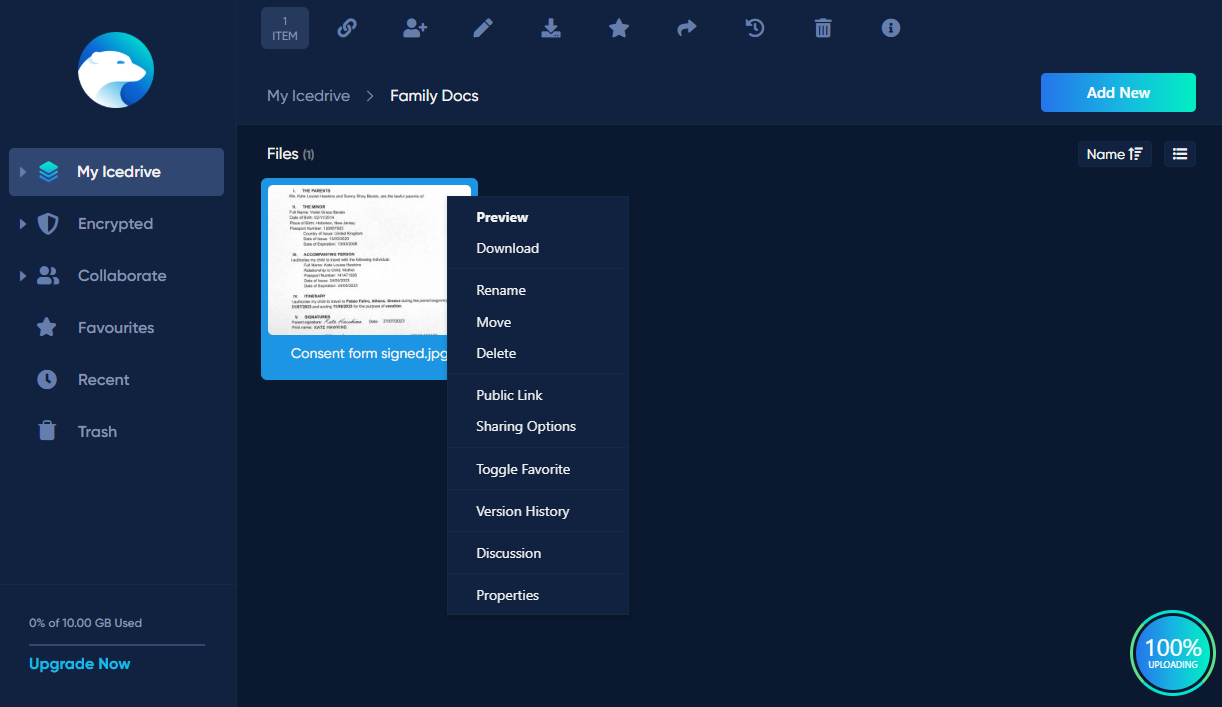
I made an encrypted folder and added private files to check out Icedrive’s safe storage. It worked without hassle, but Icedrive’s guides could explain how secured folders differ from normal ones much more clearly.
After setup, syncing was steady. It looks a little bit like Google Drive, so navigating feels easy even if nothing stands out. The desktop app was responsive, plus upload progress was clear.
Icedrive Test Results
Sharing files from encrypted folders keeps your data private. Recipients get access only through the password you send them. Plus, you can set when links expire or how many times they’re used. Being based in the UK isn’t ideal for secrecy. It’s not as snoopy as America, though riskier than spots like Switzerland or Canada.
Icedrive Pricing and Value
Icedrive costs just $4.92 monthly for 1TB, so it’s solid on price, while lifetime options give real savings long-term. You can try it free with 10GB, which helps check out privacy tools first; however, that tier skips the encrypted folder feature along with shareable links.
5. IDrive — Affordable Backup With Optional Private Encryption
Stats:
- Best price: $5.81/month
- Money-back guarantee: 30 days
- Website: www.idrive.com
- Good mobile apps
- Optional private encryption
- Great value for backup storage
- Private encryption must be set up manually
- No file sharing or versioning on private encryption
IDrive is primarily a backup tool with an extra option for secure encryption. At $69.65 yearly for 5TB, it costs way less compared to similar services. Turning on private encryption lets you hold the only key, so even IDrive can’t see your files. On the flip side, doing this turns off tools like file versioning and sharing. This setup really just fits individual backups.
My Experience With IDrive: Hands-On Performance
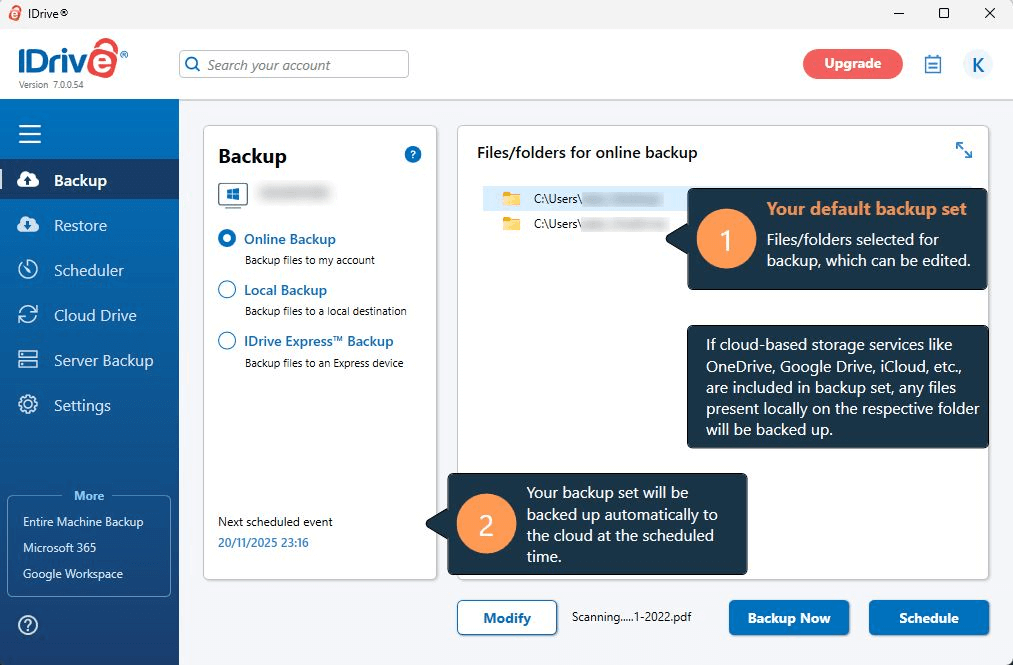
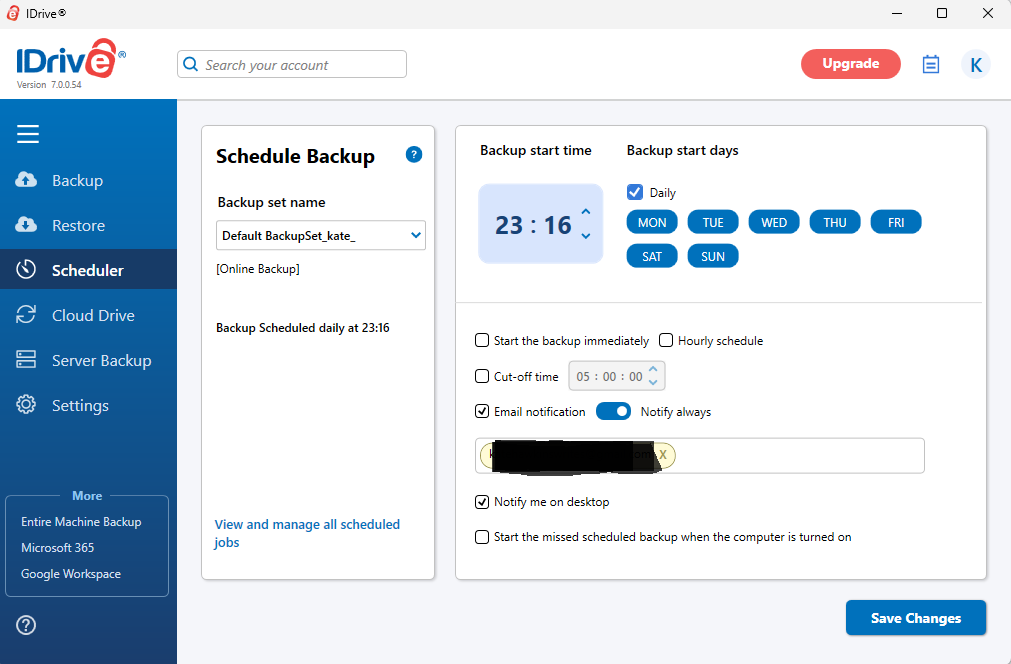
When you first download IDrive, you’ll be asked if you want to set up private encryption; I recommend you do, so IDrive doesn’t have the option to access your data. The client is designed for backup rather than syncing, but has great options for scheduling and continuous backup.
Speeds were consistent and it ran quietly behind everything else without slowing my PC down. My file recovery test let me restore a 10GB file in about 30 minutes. It’s not the fastest, but it’s acceptable for backup purposes.
IDrive Test Results
The mobile apps work well; browsing saved files from my phone was easy. Backing up pictures also feels familiar, and you can add encryption if you want. The only major limitation is that if you lose your private encryption key, IDrive can’t help you get your files back. It’s clear about this during the setup process, but make sure you have a solid key management strategy.
IDrive Pricing and Value
IDrive’s Personal plan is $69.65 for the first year. If you can live without sharing features or file versioning, it’s a decent price for 5TB of secure cloud storage. There’s also a free 10GB plan that lets you test the private encryption process before you subscribe.
Honorable Mentions
These three services deserve consideration despite not making my top five. Each has specific strengths for certain use cases.
pCloud
Stats:
- Best price: $8.33/month
- Money-back guarantee: 14 days
- Website: www.pcloud.com
- Lifetime plan options
- Good sync performance
- Ideal for music & video storage
- Encryption is a paid add-on
- No client-side encryption by default
pCloud keeps your files safe in the cloud under Swiss laws, but real privacy only kicks in if you grab the paid Encryption upgrade. This extra layer locks down data through client-side encryption in a dedicated space, kind of like what Icedrive does. But unlike others, it’ll set you back another fifty bucks annually.
Its lifetime deals are very affordable: $399 gets you 2TB, which beats paying yearly fees elsewhere. For low-cost storage plus rare secure folders, pCloud makes sense; just remember the extra fee for end-to-end encryption.
Proton Drive
Stats:
- Best price: Free ($2.49/month)
- Money-back guarantee: 30 day (prorated)
- Website: www.proton.me/drive
- Automatic client-side encryption
- Part of the Proton privacy ecosystem
- Limited features compared to others
- Expensive for large capacity storage
Proton Drive’s made by the folks who built ProtonMail and Proton VPN. Thanks to Switzerland’s strict privacy rules, it keeps your data locked down tight. All of your data is secured with client-side encryption.
The issue is cost: it’s a more expensive option for the amount of storage space you get ($2.49/month for 200GB for the first year). You’re paying for Proton’s reputation and ease of use if you’re already in the Proton ecosystem. For pure cloud storage space, there are better value offers out there.
MEGA

Stats:
- Best price: $9.78/month
- Money-back guarantee: Varies (EU – 14 days, Brazil/South Korea – 7 days, elsewhere – no refunds)
- Website: www.mega.io
- Generous free plan
- Client-side encryption
- Controversial ownership history
- Security researchers found encryption vulnerabilities
MEGA gives you client-side protection on its 20GB free plan, so it’s handy if you need fast, short-term space. However, back in 2022, experts found problems in the way MEGA encrypted data. While the company claims it’s patched now, those mistakes raise questions about its overall safety.
It works well day to day: syncing feels smooth and the layout isn’t bad. But if I’m saving something truly private long-term, I’d rather go with one of my top five choices.
What’s the Difference Between Free vs Paid Cloud Storage?
Free cloud storage limits features to nudge you into upgrading. Without a paid plan, you’ll have less space and fewer permissions, sharing tools or collaboration features. Most free plans give plenty of space to test things out. When privacy matters most, check whether the free option uses the same protection found in paid versions.
| Feature: | Free | Paid |
|---|---|---|
| Storage capacity | 5-20GB typically | 200GB to unlimited |
| File upload limits | Often restricted to 100MB-2GB per file | Usually unlimited or very high limits |
| Sharing controls | Basic link sharing | Password protection, expiration dates, download limits |
| Sync speed | Often throttled | Full speed |
| Customer support | Email only, slow response | Priority support, sometimes phone |
| Versioning | Limited or none | Unlimited or extended (30+ days) |
Does Free Cloud Storage Put Your Privacy At Risk?
Free cloud storage doesn’t have to mean weak privacy, but how companies make money affects what they do with your info. Take Google Drive or Dropbox, for example: both check your files to boost their tools or show better ads, though they won’t hand your stuff over directly.
Alternatives like Sync.com, Internxt, or MEGA keep things locked down tight using end-to-end encryption, even when free. They only cap space and extras instead of safety measures.
Conclusion
Sync.com stands out as my go-to for secure file storage since it uses zero-knowledge encryption, runs smoothly, and keeps prices reasonable. It’s a solid choice for nearly everyone. No matter your pick, double-check that end-to-end privacy kicks in right away without needing upgrades or manual tweaks.
What’s your experience with secure cloud storage? Do you think those privacy tools actually keep things safe, or do they just sound good without doing much? Let us know what you think down below, and thanks for reading to the end.
FAQ: Secure Cloud Storage for Privacy
What Is the Best Cloud Storage for Privacy?
Sync.com is the best cloud storage for privacy. Its end-to-end encryption keeps files safe, it’s based in Canada under strict laws, and it runs smoothly without costing a fortune.Which Cloud Is the Most Secure?
The safest cloud storage relies on end-to-end encryption, so only you hold the keys. Sync.com, Tresorit, and Internxt all work this way out of the box, with no technical setup needed.Can Hackers Access Cloud Storage?
Hackers might get into cloud storage by guessing simple passwords, tricking people with fake emails, or exploiting leaks from the service itself.
Leave a Reply