Best VPN for Dark Web Browsing: 5 Secure Providers
- Table of Contents
- Why Use a Dark Web VPN?
- How to Choose the Best Dark Web VPN
- The Best VPNs for Accessing the Dark Web Safely
- 1. NordVPN -- Best Overall for Dark Web Browsing
- 2. Surfshark -- Best Budget VPN for Dark Web Browsing
- 3. ExpressVPN -- Fastest Performance for Dark Web Access
- 4. Proton VPN -- Best Free VPN for Dark Web Access
- 5. Private Internet Access (PIA) -- Best for Advanced Users
- How to Use a VPN to Access the Dark Web Safely
- Are Free VPNs Safe for the Dark Web?
- Extra Tips for Safe Dark Web Browsing
- Conclusion
- FAQ: Secure Dark Web Browsing

Quick Summary: Best Dark Web VPN
After weeks of testing, NordVPN came out on top with its Onion over VPN servers, verified zero-log policy and 30-day money-back guarantee.
- NordVPN — Top pick for dark web use thanks to special Onion via VPN setup.
- Surfshark — Low cost pick that brings strong protection, while letting you connect every device at home.
- ExpressVPN — Gets you top speed plus reliable connections when using Tor.
- Proton VPN — Best free VPN with strong privacy credentials from Swiss jurisdiction
- Private Internet Access — Ideal if you’re tech-savvy and like fine-tuning security settings.


The dark web’s not inherently illegal (even if TV dramas make it seem that way) but it demands strong safeguards for your identity. If you’re reporting on sensitive stories, studying hidden websites, or care about data privacy, using Tor plus a highly secure VPN adds a level of defense that’s tough to break into.
- Money-Back Guarantee30 DaysWorldwide Server AmountOver 5,400+ servers in 59 countries
- Money-Back Guarantee30 DaysWorldwide Server Amount1700+ Servers in 63 Countries
- Money-Back Guarantee30 DaysWorldwide Server AmountOver 3,000 servers in 105 countries
- Money-Back Guarantee30 DaysWorldwide Server Amount1500 Servers in 61 Countries
- Money-Back Guarantee30 DaysWorldwide Server Amount84 countries






Why Use a Dark Web VPN?
Here’s the catch with Tor: it hides your online moves well, but your ISP can see you’re using it, even if it can’t see what you’re doing. It’s like wearing a disguise but leaving your car with vanity plates parked outside.
A VPN handles this by scrambling your data before it hits Tor. During my tests, my ISP could only see encrypted info from the VPN, nothing about my Tor activity.
Some VPN companies pretend you need their tool for every little thing, like reading emails or ordering dinner online. When it comes to the dark web, this is one case where a VPN really matters. Pairing a VPN with Tor gives stronger safety, sort of like having extra locks on your door. If one layer of protection fails, you have a backup.
Is It Legal to Access the Dark Web?
Yes, using the dark web is legal in most places. I’ve had enough of folks acting like .onion links are sketchy by default; just because you need Tor doesn’t mean it’s illegal. It’s just a chunk of the net regular search engines don’t list.
What matters is what you do when you’re there, not actually visiting the dark web. Looking through dark web forums that talk about privacy apps? That’s allowed. Grabbing hacked credit card info? Totally against the law, and no VPN will protect you from that.
Still, countries that tightly control web access often block Tor. Where this happens, using a VPN featuring obfuscated servers (these conceal your encrypted connection) is critical. During my check of NordVPN’s obfuscated servers, it camouflaged data flow perfectly, surviving the intense network scans and deep packet inspection common in strict regions.
What Are Some Legitimate Reasons for Using the Dark Web?
The dark web might seem sketchy, yet lots of users have real reasons for checking it out:
- Investigative journalism: Reporters head to the dark web when they need to talk safely with insiders from places that don’t allow free press.
- Whistleblowing: Tools like SecureDrop let folks pass on secrets about shady business or official behavior while staying hidden.
- Accessing uncensored information: Where internet control is tight, the dark web lets people see news banned by authorities, using hidden routes instead of regular ones.
- Privacy-focused communications: Instead of mainstream apps, users turn to hidden web tools where spying is less likely. These options skip the constant monitoring others can’t avoid.
- Research purposes: Cybersecurity researchers and academics dig into dark web spots to spot new digital dangers and learn about new fraud tricks that pop up online.
- Avoiding corporate surveillance: Companies log your moves on the net, so some users visit the dark web just to dodge those tracking trails.
How to Choose the Best Dark Web VPN
After testing dozens of VPNs made for the dark web, here is the criteria that matters most:
- Verified no-logs policy: Look for proof from third-party auditors that the VPN really doesn’t save your data; promises aren’t enough.
- Strong encryption: AES-256-bit at a minimum is a must. Skip weaker options if you actually care about keeping things private.
- Reliable kill switch: I deliberately broke connections to make sure the kill switch works instantly, no fails allowed.
- DNS leak protection: Some VPNs hide your data yet leak DNS requests. It’s like bolting the main entrance but leaving the windows open.
- Payment privacy: Top VPNs take crypto, so you won’t need to hand over ID, just an email (maybe a burner).
- Jurisdiction: Some VPNs must cooperate with surveillance orders if they’re located in Five Eyes nations. A better choice? Pick one from Switzerland, Panama, or Romania instead.
- Obfuscation: For users in restrictive countries, masking your VPN activity matters a lot.
The Best VPNs for Accessing the Dark Web Safely
Here’s a quick overview of the best VPNs for the dark web and their most important features:
| Provider: | Onion Over VPN | Starting Price | Kill Switch | Jurisdiction |
|---|---|---|---|---|
| NordVPN | Yes (dedicated servers) | $2.99/mo | System-level & app-level | Panama |
| Surfshark | No (manual configuration) | $1.99/mo | System-level | Netherlands |
| ExpressVPN | No (manual configuration) | $3.49/mo | System-level | British Virgin Islands |
| Proton VPN | Yes (via Tor servers) | Free | System-level | Switzerland |
| PIA | No (manual configuration) | $2.03/mo | System-level | United States |
1. NordVPN — Best Overall for Dark Web Browsing
Stats:
- Best price: $2.99/month
- Money-back guarantee: 30 days
- Website: www.nordvpn.com
- Independently audited
- Dedicated Onion over VPN servers
- Threat Protection blocks malware & trackers
- Onion over VPN slower than direct Tor connection
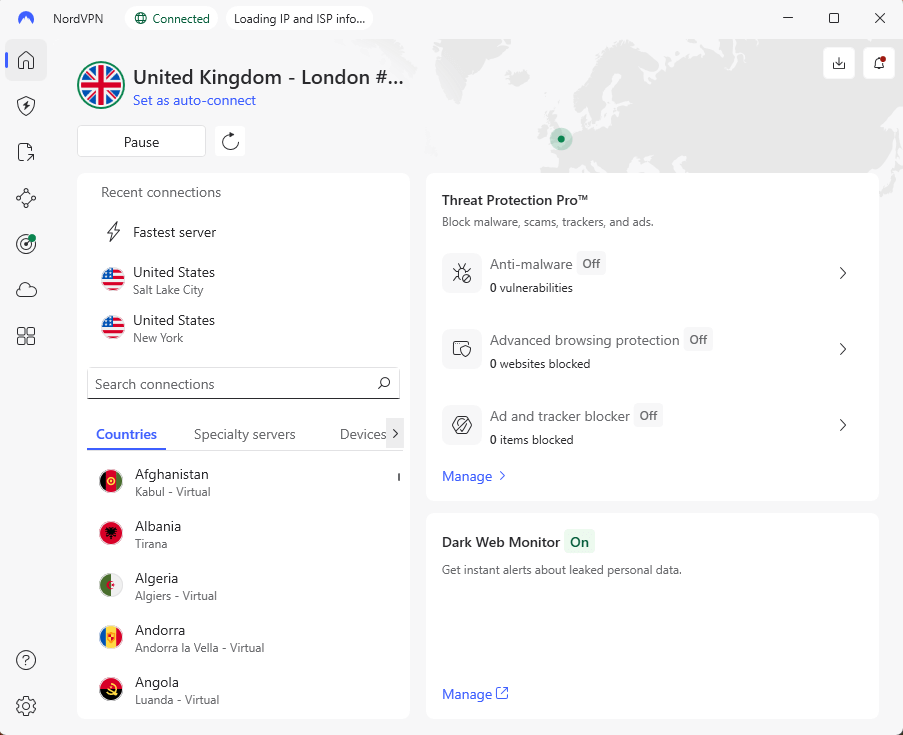
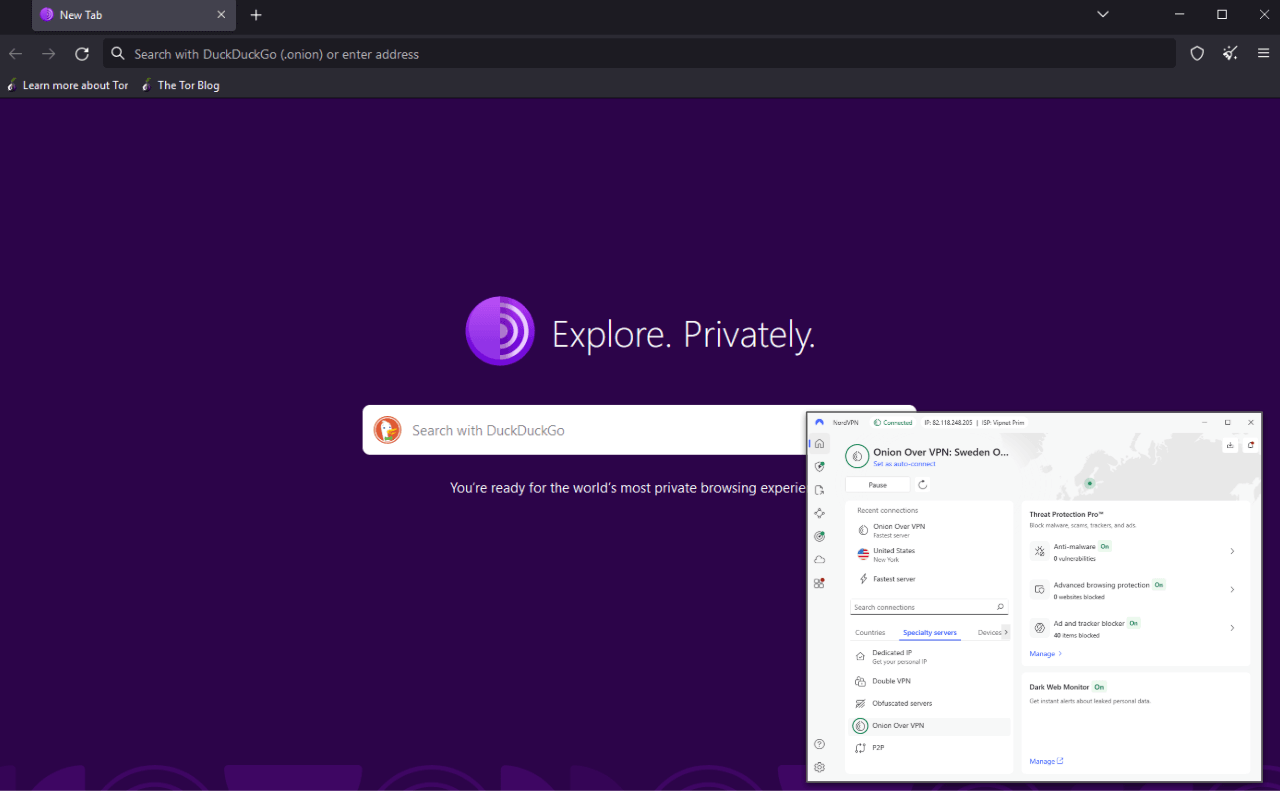
NordVPN keeps dark web access straightforward. Rather than making you set up Tor yourself, it provides Onion-over-VPN servers that send your connection into the Tor network right away. Choose one of those servers, launch a normal browser, and you can visit .onion links without Tor Browser installed.
I gave it a try and every test worked smoothly. Connecting through NordVPN’s Canada-based Onion-over-VPN option got me onto dark web pages right away, with data locked down and sent directly into Tor. My internet provider saw just regular encrypted traffic.
My Experience With NordVPN: Hands-On Performance
While testing, it struck me how smoothly the Onion-over-VPN worked. I thought performance would tank (Tor’s sluggish on its own, adding a VPN rarely makes things better) but browsing dark web boards or .onion news pages remained doable without endless loading.
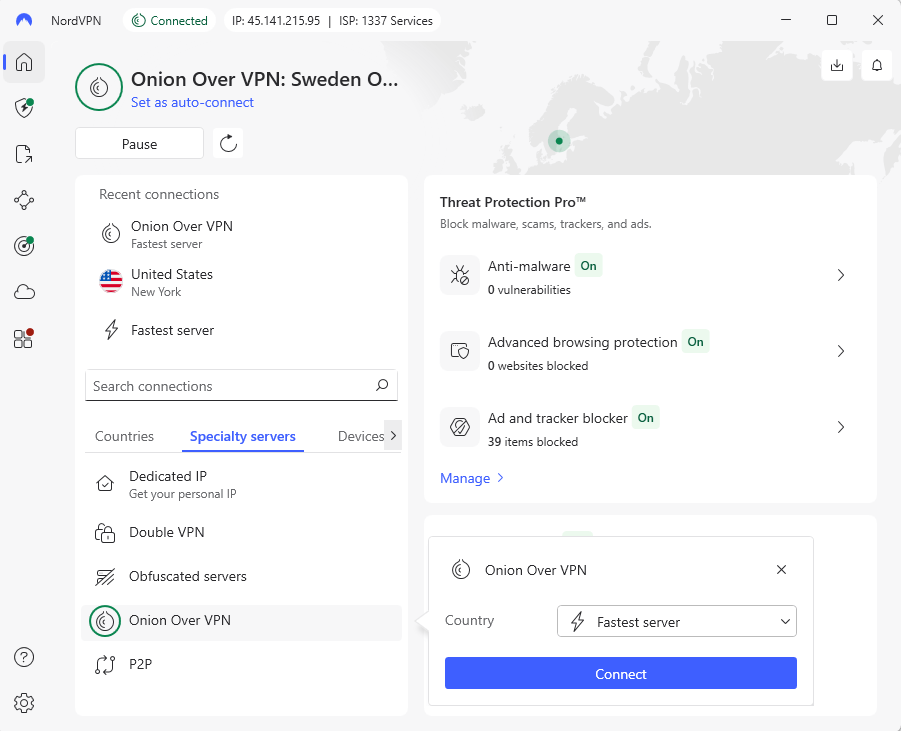
The kill switch worked through every tough test: I yanked out the ethernet cord, shut the app down via Task Manager, and messed with the router on purpose. Every time, NordVPN’s firewall-driven cutoff stopped data flow until the connection came back – essential when poking around the dark web safely.
NordVPN Test Results
NordVPN delivered excellent speeds in testing, especially on nearby European servers. Connecting to the U.S. increased latency as expected, but browsing and streaming remained smooth:
| Server Location: | Download | Upload | Ping |
|---|---|---|---|
| Baseline (No VPN) | 295 Mbps | 96 Mbps | 3ms |
| 🇸🇮 Slovenia (nearby) | 284 Mbps | 88 Mbps | 7ms |
| 🇭🇷 Croatia (nearby) | 278 Mbps | 82 Mbps | 16ms |
| 🇺🇸 Dallas, U.S. (distant) | 247 Mbps | 1.4 Mbps | 134ms |
While checking speeds from Macedonia to NordVPN’s Onion-over-VPN, download rates fell to about 240 Mbps from a base of 293 Mbps; a solid result considering the extra layer of encoding. Latency jumped to 115ms, so page loading felt slightly delayed but was okay for deep web exploration.
During these checks, NordVPN’s Threat Protection feature intercepted multiple WICAR danger samples. Every try brought up an alert window, halting access to harmful .onion links I was testing.
NordVPN Pricing and Value
At $2.99 per month on a two-year plan, NordVPN lands around the middle when it comes to price. Since everything’s built-in with the Onion-over-VPN servers, you skip the hassle of setting up Tor yourself. Less setup means fewer mistakes, which helps keep your identity safer online. You can find out more in our NordVPN review.
- $2.99 per month (two-year plan + three months)
2. Surfshark — Best Budget VPN for Dark Web Browsing
Stats:
- Best price: $1.99/month
- Money-back guarantee: 30 days
- Website: www.surfshark.com
- CleanWeb blocks ads & malware
- Unlimited simultaneous connections
- Camouflage mode hides VPN use from ISP
- No dedicated Tor servers
- Upload speeds significantly slower
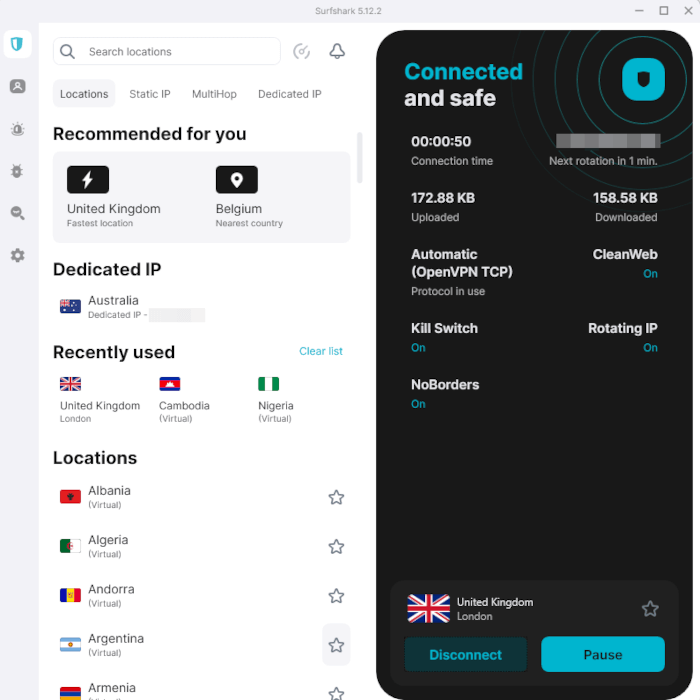
Surfshark isn’t quite as smooth for dark web use compared to NordVPN, but it shines with its solid privacy tools. With MultiHop, you can create custom server pairs; during my tests on a UK-to-France route, the end IP appeared correctly as French.
This VPN allows unlimited devices to connect at once. I ran my laptop, phone, tablet, PC, plus router together without noticeable slowdowns. If multiple people want to connect, either to the regular internet or the dark web, unlimited connections is a major advantage.
My Experience With Surfshark: Hands-On Performance
Honestly, Surfshark let me down at first. While checking its CleanWeb tool (meant to stop malware and trackers) it didn’t catch anything on WICAR’s fake virus pages. Oddly enough, Firefox stepped up and blocked those dangers way earlier than the VPN did, making the built-in shield feel pointless.
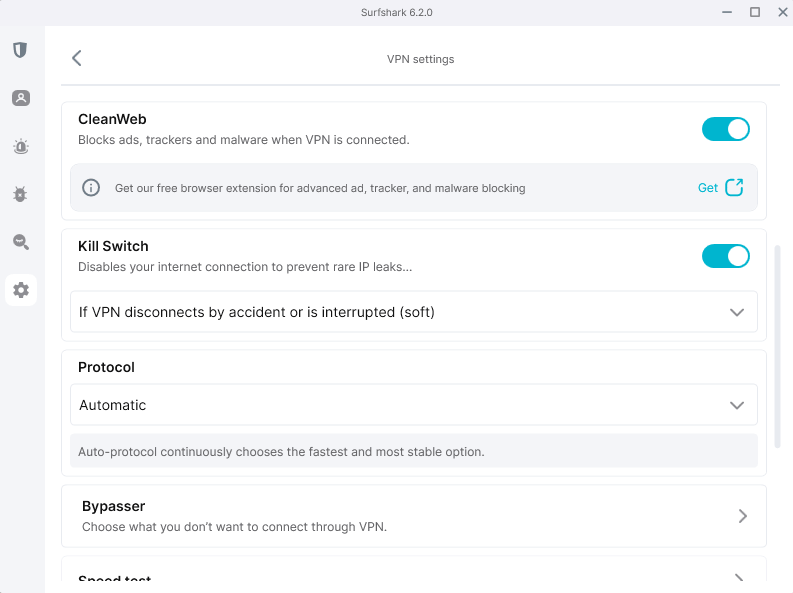
Still, after getting over the disappointment, I found Surfshark’s real-world speeds are solid. Its layout looks clean and intuitive; server names are clear and features aren’t confusing or hidden. When I needed to bypass the VPN for specific apps, Surfshark’s split tunneling “Bypasser” feature worked at both app and URL level.
Surfshark Test Results
My speed tests showed that Surfshark is fast for downloads, but can struggle with uploads:
| Server Location: | Download | Upload | Ping |
|---|---|---|---|
| Baseline (No VPN) | 290 Mbps | 94 Mbps | 2ms |
| 🇧🇬 Bulgaria (nearby) | 280 Mbps | 85 Mbps | 6ms |
| 🇦🇱 Albania (nearby) | varies | <3 Mbps | 40+ms |
| 🇺🇸 Boston, U.S. (distant) | 250 Mbps | 1.2 Mbps | 125ms |
These upload speeds aren’t great if you do more than just browse. Since uploading files on dark web sites needs reliability, Surfshark’s shaky performance gets in the way. Still, streaming stayed smooth across every platform I tried. That suggests that Surfshark’s infrastructure is solid, although uploads could use a boost.
Surfshark Pricing and Value
For $1.99 monthly on the two-year deal, Surfshark offers top value at a low cost. With unlimited connections, you can secure everything you use while spending way less than your average caffeine fix. You can get a refund within 30 days, or take a look at our Surfshark review to learn more.
- $2.49 per month (two-year plan + three months)
3. ExpressVPN — Fastest Performance for Dark Web Access
Stats:
- Best price: $3.49/month
- Money-back guarantee: 30 days
- Website: www.expressvpn.com
- Consistently fast, even using Tor
- TrustedServer uses RAM-only servers
- Great obfuscation that bypasses VPN detection
- No dedicated Tor servers
- Interface feels a little dated
ExpressVPN feels like the VPN version of a well-engineered luxury car that is now not only high-quality but also relatively affordable. During tests, its Lightway setup beat others in speed, especially on distant connections.
Instead of storing data on disk, its TrustedServer uses RAM only; each server is wiped clean during regular reboots. Many services say they don’t track you, but here, the system itself blocks logging from happening.
My Experience With ExpressVPN: Hands-On Performance
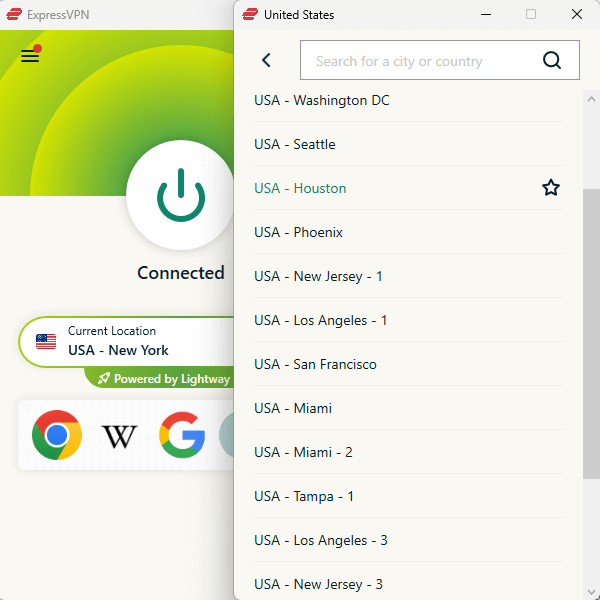
ExpressVPN feels like it’s built by folks who actually use VPNs daily: no marketing fluff, just real use. The layout is simple and functional. Hitting “connect” worked right away, with delays or hiccups. When I messed with the connection during testing, the kill switch kicked in immediately.
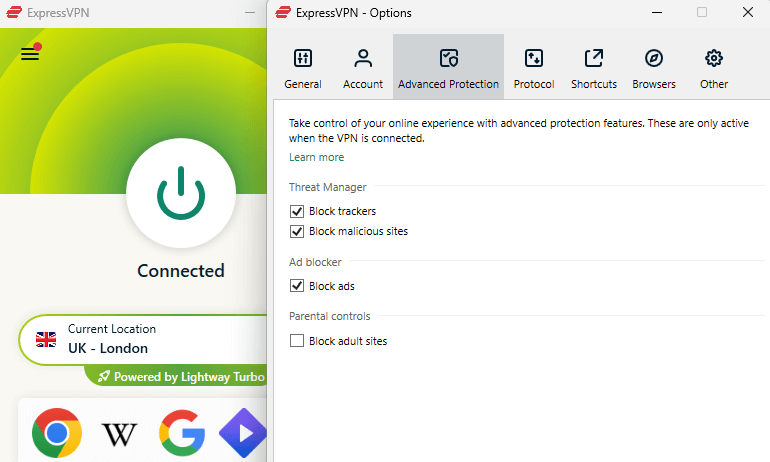
What stood out is the way it hides your activity. I tried ExpressVPN on a college network that shuts down most VPNs. While others got blocked, this one just worked with no problems at all. If you’re accessing hidden parts of the internet from places with tight control, that kind of access really matters.
ExpressVPN Test Results
My speed testing showed why ExpressVPN can charge a little more:
| Server Location: | Download | Upload | Ping |
|---|---|---|---|
| Baseline (No VPN) | 293 Mbps | 94 Mbps | 2ms |
| 🇮🇹 Italy (nearby) | 280 Mbps | 90 Mbps | 10ms |
| 🇺🇸 New Jersey, U.S. (distant) | 240 Mbps | 13 Mbps | 140ms |
ExpressVPN’s results stand out, especially how well the faraway servers worked. Even when sending data across the globe before entering Tor, ExpressVPN kept speeds fast. Each step stayed smooth because the system didn’t bog down mid-flow.
I checked how well ExpressVPN’s Threat Manager stops malware; it blocked a bunch of WICAR test pages without issues. As for ads, it aced the “extreme” challenge at canyoublockit.com; however, YouTube commercials still got past, but those tend to break through everything.
ExpressVPN Pricing and Value
ExpressVPN is a little more expensive than some rivals, so users who just peek at .onion-based news might skip the splurge. For reporters, investigators, or anyone banking on steady speeds and secure server setups, that higher price tag makes sense. You’ve got a clear 30-day refund window, and you can read more details in our ExpressVPN review.
- $3.49 per month (two-year plan + four months)
4. Proton VPN — Best Free VPN for Dark Web Access
Stats:
- Best price: Free (unlimited data)
- Money-back guarantee: 30 days (paid plans)
- Website: www.protonvpn.com
- Genuinely unlimited free plan
- Open-source apps anyone can audit
- Swiss jurisdiction with strong privacy laws
- Free plan limited to 10 server locations
- Some security features only for paid subscriptions
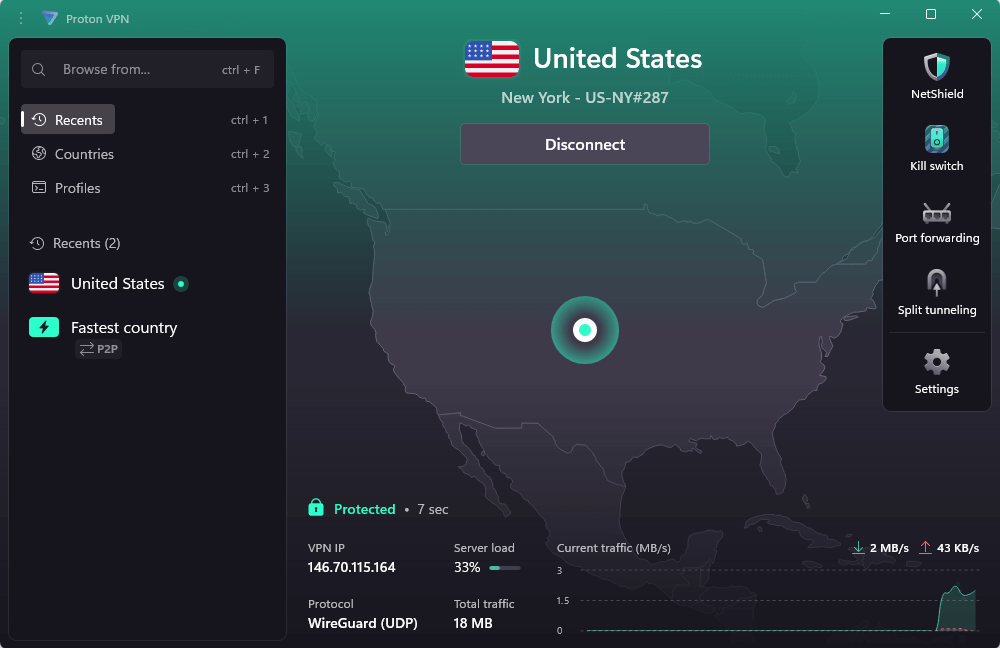
Unlike typical free services that collect your info, Proton VPN is backed by the ProtonMail folks who depend on trust. Instead of limits, you get endless data use, and after two weeks testing, speeds stayed solid. You can’t choose your server connection, but you’re auto-connected to the best available option, which is fine for dark web browsing.
My Experience With Proton VPN: Hands-On Performance
I didn’t expect Proton VPN to feel this polished for zero cost. Its layout is modern and intuitive, built around features that people actually use. You’re limited to 10 server locations on the free plan, and you don’t get to pick which one you use, but speeds are always steady.
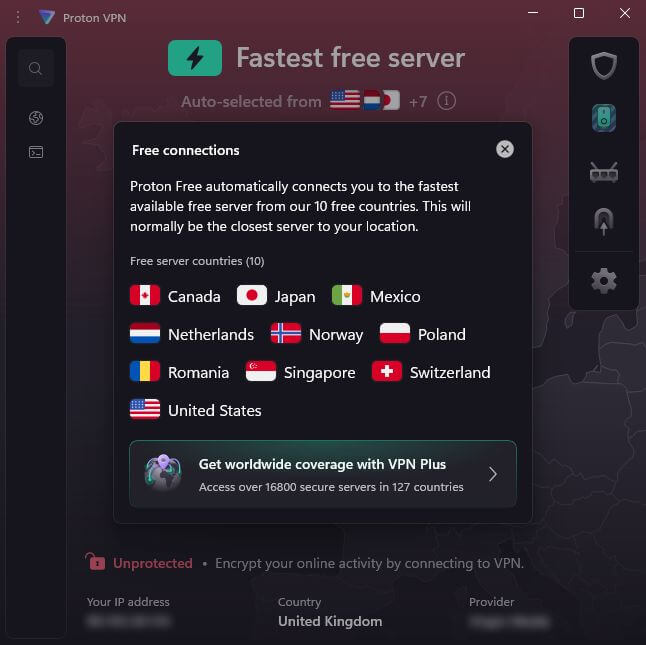
Its best features for Tor are only available on the paid plans. Secure Core sends your data though hardened servers in privacy-friendly countries. Plus, its NetShield blocks ads and trackers like a pro; it shut down almost every ad on those brutal test pages. But both of these need an upgrade to use.
Proton VPN Test Results
Proton VPN stayed consistent on EU servers, though transatlantic speeds dipped more noticeably:
| Server Location: | Download | Upload | Ping |
|---|---|---|---|
| Baseline (No VPN) | 293 Mbps | 95 Mbps | 3ms |
| 🇦🇹 Austria (nearby) | 277 Mbps | 83 Mbps | 9ms |
| 🇭🇺 Hungary (nearby) | 269 Mbps | 79 Mbps | 21ms |
| 🇺🇸 New York, U.S. (distant) | 238 Mbps | 1.3 Mbps | 141ms |
Proton VPN Pricing and Value
The free option gives amazing bang for zero bucks. If you sometimes hop on the dark web, the basic level covers your needs just fine. Paid plans start at $2.99 per month and include more security features if you’re using Tor more often. All subscriptions have a 30 day money-back guarantee – find out more in our Proton VPN review.
- $4.49 per month (two-year plan)Paid option
5. Private Internet Access (PIA) — Best for Advanced Users
Stats:
- Best price: $2.03/month
- Money-back guarantee: 30 days
- Website: www.privateinternetaccess.com
- Affordable long-term pricing
- Extensive customization options
- Supports unlimited device connections
- Interface is overwhelming for beginners
- Based in the US (Five Eyes jurisdiction)
Private Internet Access suits people who like tweaking things, offering loads of options for security, login methods, and connection types. Being based in the U.S. worries certain privacy fans, yet PIA has shown in court it keeps zero logs. Still, if possible, I’d rather go with services located beyond Five Eyes regions.
My Experience With PIA: Hands-On Performance
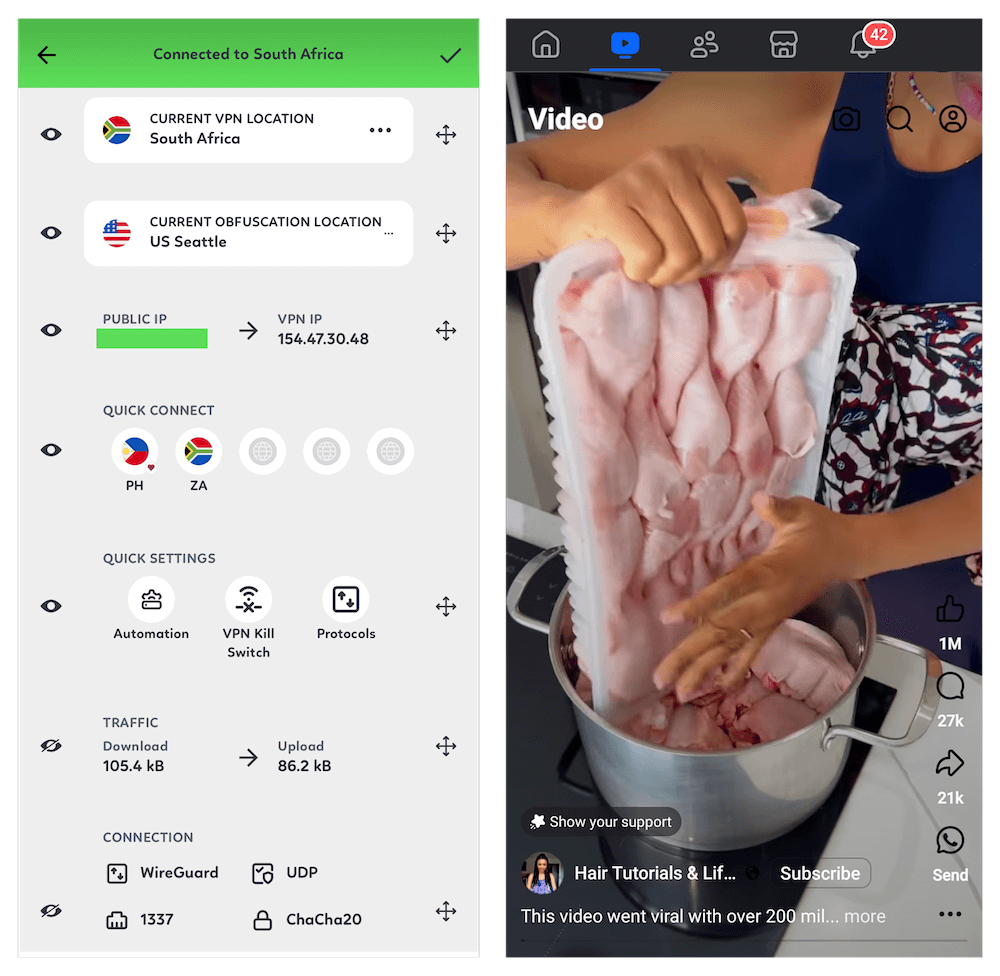
PIA’s layout is built for people who are familiar with VPNs. Not a dealbreaker, as having encryption controls suits me just fine, but regular folks might scratch their heads. The first time I launched it, the main menu hit me with “handshake,” “packet authentication,” and “encryption type” choices straight away.
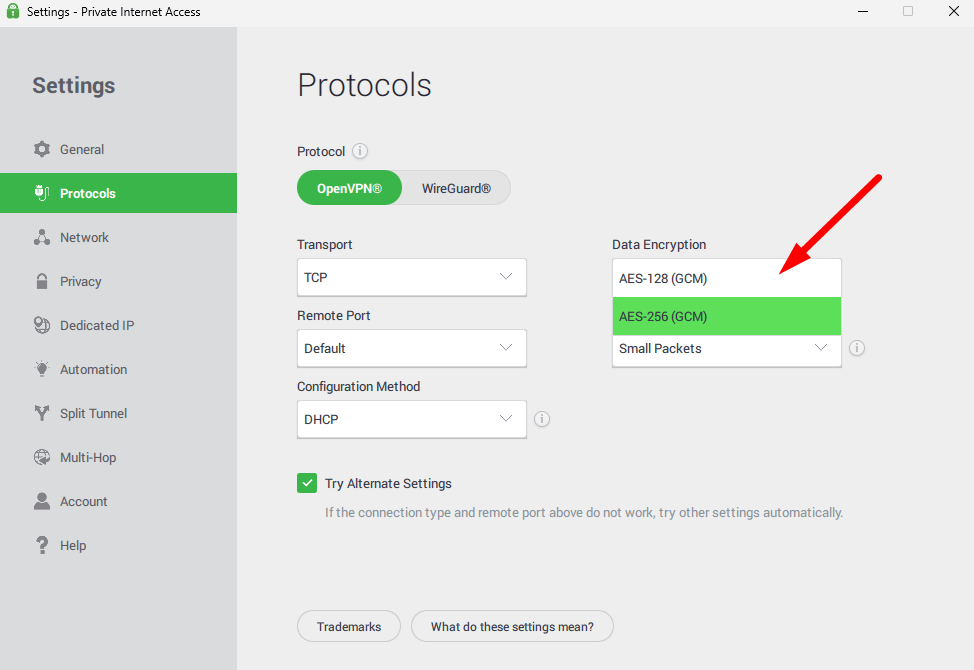
When you’re checking out the dark web, having fine-tuned settings really makes a difference. I set up PIA to run top-level encryption (AES-256-GCM) with an RSA-4096 key exchange plus SHA-256 verification. Might be excessive? Sure. But did it boost my confidence in staying hidden? No doubt.
PIA Test Results
PIA performance remained strong nearby, but saw a slightly bigger hit over long distances:
| Server Location: | Download | Upload | Ping |
|---|---|---|---|
| Baseline (No VPN) | 291 Mbps | 93 Mbps | 3ms |
| 🇷🇴 Romania (nearby) | 272 Mbps | 81 Mbps | 11ms |
| 🇷🇸 Serbia (nearby) | 261 Mbps | 74 Mbps | 27ms |
| 🇺🇸 Chicago, U.S. (distant) | 232 Mbps | 1.1 Mbps | 148ms |
PIA Pricing and Value
For just $2.03 a month on the two-year deal, PIA is an affordable choice. Since there’s no limit on how many devices connect at once, you can cover everything you use. Subscriptions are all covered by a 30-day refund promise if you change your mind. Find out more in our PIA review.
- $2.19 per month (two-year plan + two months)
How to Use a VPN to Access the Dark Web Safely
Connecting to the dark web with a VPN is easy and takes just a couple of minutes to set up. I’ve used NordVPN in this example, but the process is the same for most VPNs.
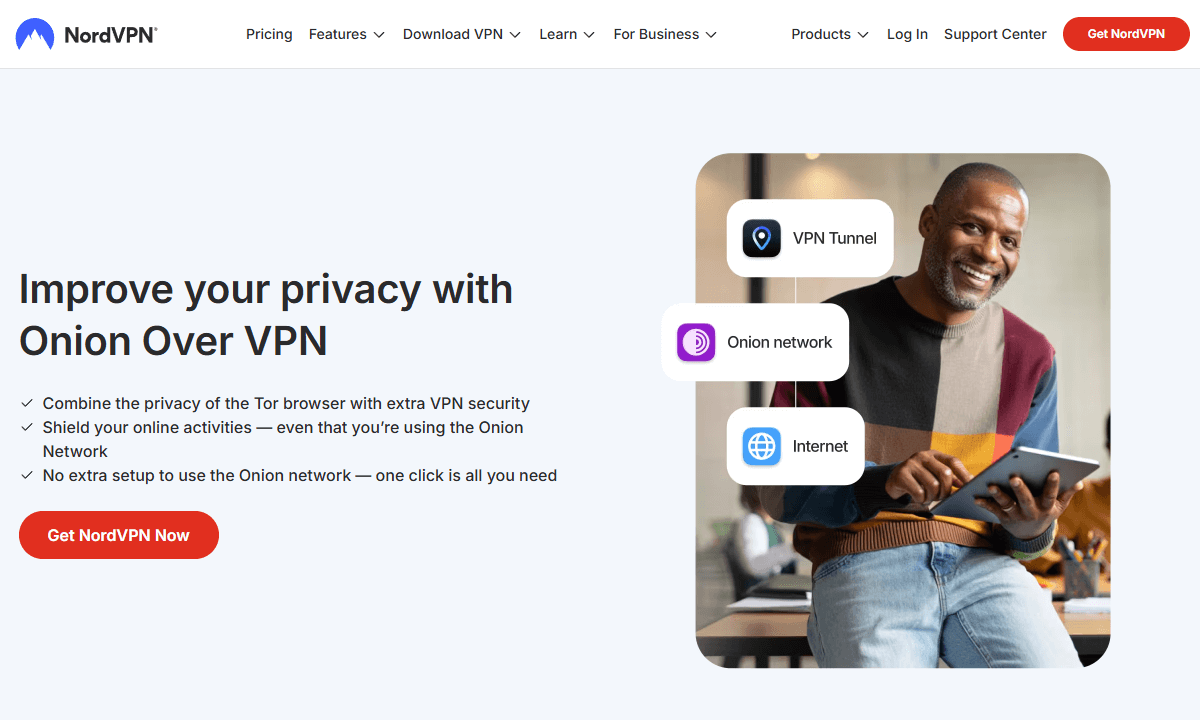
1. Subscribe to a No-Logs VPN Service
Pick a VPN that’s been checked by third parties for not keeping logs. Use a temporary email when signing up if you’re after more privacy, and consider using crypto to pay, provided the provider allows it. Grab the VPN app and set it up on your gadget.
2. Download and Install Tor Browser
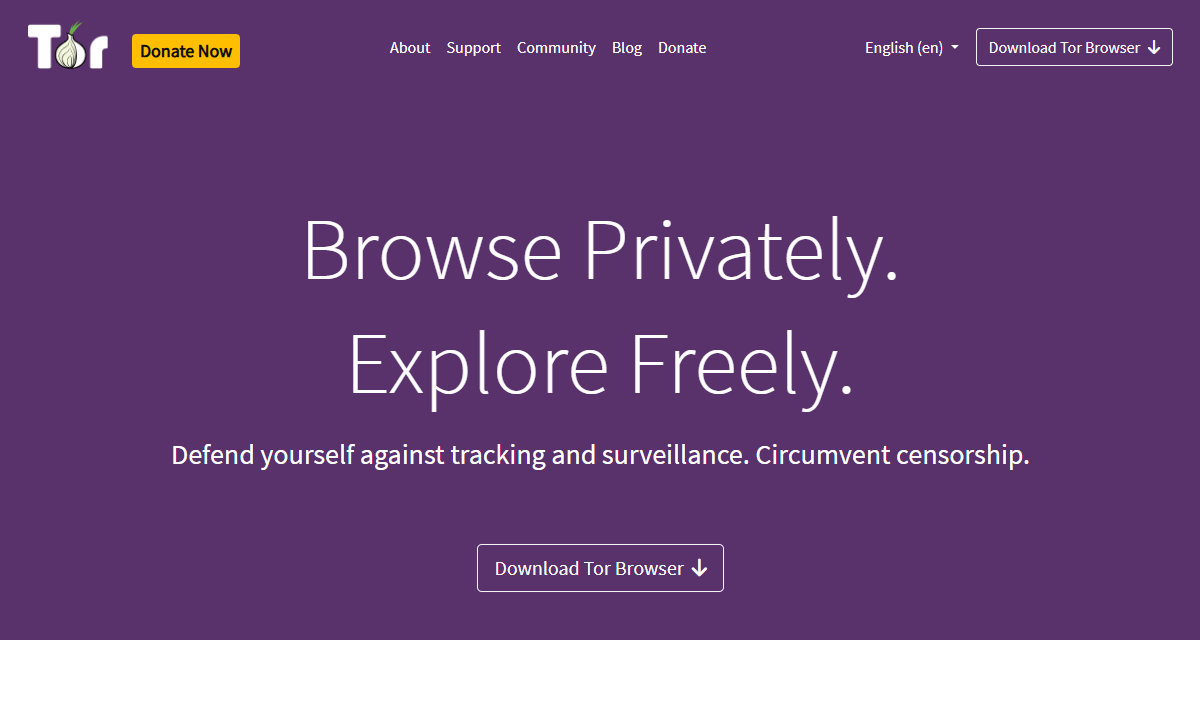
Head over to torproject.org and grab a copy of the Tor Browser right there. Avoid downloads from other sources as they might not be legit.
3. Connect to a VPN Server Before Launching Tor
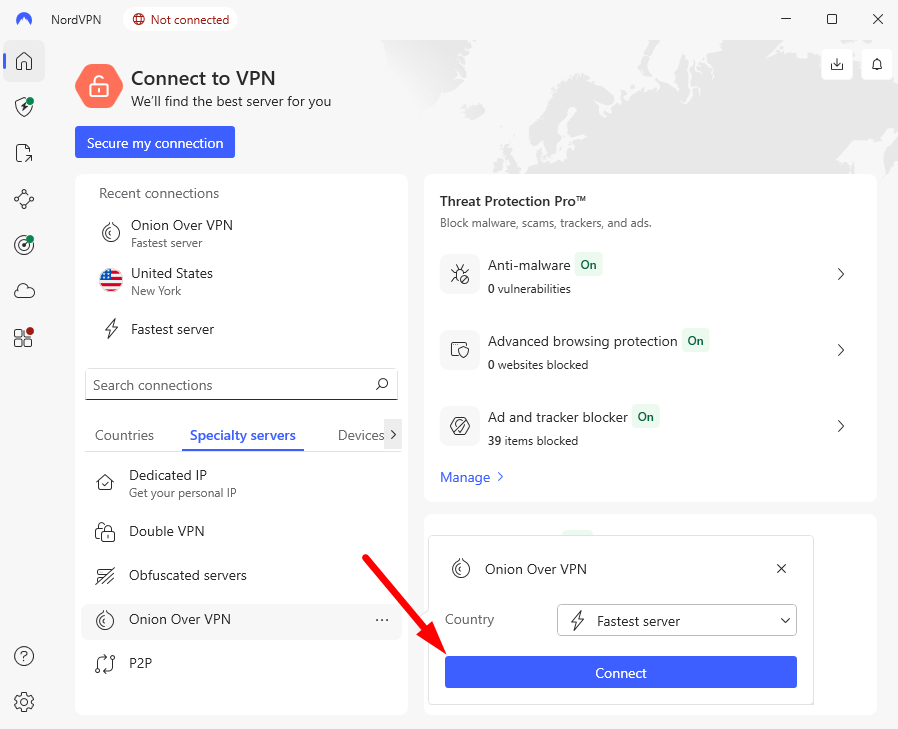
This matters a lot: VPN first, then Tor, not the other way around. When you hook up to the VPN before anything else, your ISP can’t see you’re using Tor, which is exactly why both tools are used at once.
4. Access .onion Sites Through Tor Browser
Once your VPN’s on and Tor’s up, try browsing .onion links. Check out real dark web directories like The Hidden Wiki to discover safe pages worth visiting.
Are Free VPNs Safe for the Dark Web?
No. Most free VPNs can actually mess you up when hitting the dark web. These services have to earn money, and if you’re not paying cash they’re charging you in personal info instead. Many keep records of what you do online, flood your screen with ads, or hand your history over to third-party buyers.
Proton VPN stands out: it’s free since paying customers help cover costs, and the firm runs on a solid plan without selling your info. If you’re exploring the dark web cheaply, go for Proton VPN’s basic version or set aside cash for a better option. Relying on some dodgy no-cost VPN wipes out any chance at real privacy.
Extra Tips for Safe Dark Web Browsing
Using a VPN alongside Tor helps, yet that alone won’t fully guard your dark web sessions.
- Never use your real email address: Set up a throwaway account on something private like ProtonMail or Tutanota just for browsing the dark web.
- Turn off JavaScript in Tor Browser: Script-based attacks often break anonymity. Pick the “Safest” mode so scripts get blocked automatically.
- Use crypto for purchases: When buying things legally from the dark web, go with Monero instead of Bitcoin or shuffle your BTC through tools that hide the trail. This way, no one traces where your money moves.
- Don’t maximize your Tor browser window: The window dimensions leave traces folks might use to spot you. Stick with the original size it opens at.
- Steer clear of downloading files: These might carry harmful software or hidden info that shows who you are.
- Don’t use the same persona: Use distinct ones for each dark web task. Keep them totally unconnected by avoiding similar details or habits across profiles.
- Stay on top of software upgrades: Whenever a new patch drops for your VPN app or Tor Browser, get it right away.
- Try setting up a used laptop just for browsing the dark web: Pick one you don’t use daily, so nothing important is at risk. This way, private files stay far away from sketchy sites.
Conclusion
After trying out several VPNs for the dark web, I keep coming back to NordVPN; it handles Onion-over-VPN smoothly, plus its no-log claims actually hold up. For those on a tight budget, Proton VPN’s free version stands out; it works well and doesn’t sell your info like many other free services do.
Have you tried a VPN when browsing the dark web, or stumbled on cool legal .onion spots you recommend? Besides using Tor and a VPN, what other ways do you use to stay safe online? Drop your thoughts in the comments, and thank you for reading.
FAQ: Secure Dark Web Browsing
Should I Use Tor or a VPN for the Dark Web?
You should use both Tor and a VPN for the dark web. Tor keeps your browsing hidden and opens up .onion pages, whereas a VPN stops your internet provider from seeing you’re on Tor, plus it encrypts data before it hits the Tor system.Will a VPN Protect You on the Dark Web?
Yes and no. A VPN guards your connection to Tor; staying safe on the dark web hinges on how you act. Don’t share personal details, skip downloading shady files, and stay alert. Being hidden doesn’t mean you’re untouchable.Is NordVPN Good for the Dark Web?
Yep, NordVPN is good for dark web use. Its special Onion over VPN servers simplify access, while its no-log promise, checked by Deloitte more than once, adds real trust.Is It Illegal to Access Dark Web Sites?
No, surfing the dark web is not illegal. It depends on what you do while logged in. If you’re browsing via Tor to stay private or for research, you’re probably fine. It’s best to check local laws and regulations first, though.
Leave a Reply